

MDM for Education
Mobile Device Management for Schools, Built for Small IT Teams
Manage every Chromebook, iPad, and shared classroom device from one console. Enforce CIPA aligned filtering, lock devices into focused learning, and keep BYOD secure without adding IT staff.
K12 districts and international schoolsCIPA aligned filteringZero touch enrollment




Educational IT Operations
School IT Looks Nothing Like Corporate IT
You are managing a thousand student devices with a team of two. Every device leaves the building, every student tests the limits, and every distraction is one tap away.

Mixed Device Fleets
Schools rarely run a single OS. Trio MDM for school manages iPads, Chromebooks, Windows laptops, and Android tablets from one console without juggling separate tools.
Devices Leave Campus
Take home devices sit on home networks where school filters do not reach. Policies stay enforced at the device level so students hit the same controls everywhere.
Lean IT Teams
Most schools run with two or three IT staff for thousands of devices. Bulk policies, templates, and zero touch enrollment cut the work that normally requires extra headcount.
Constant Compliance Pressure
Districts, parents, and auditors all expect proof of safe digital practice. Filtering logs, policy reports, and compliance dashboards give you the paperwork without manual collection.
Regulatory Compliance
Built for Education Compliance Standards
Schools handle minor data under a tighter set of rules than most enterprises. Trio's education device management solution maps these requirements to concrete endpoint controls.
CIPA
Schools receiving E-rate funding must filter obscene and harmful content. Trio enforces web filtering and Safe Search across every managed device, on or off campus.
FERPA
Protects the confidentiality of student education records.Trio applies role based access, audit logs, and remote wipe to keep records contained to authorized devices.
COPPA
Limits collection of personal data from children under 13.Trio restricts app installations and tracks data flows so unapproved apps never reach younger students.

State Student Data Privacy Laws
State frameworks like SOPIPA and NY Education Law 2D add stricter rules.Trio's policy library covers them with exportable audit reports.
Trio MDM for Education
One Platform for Every Financial Endpoint
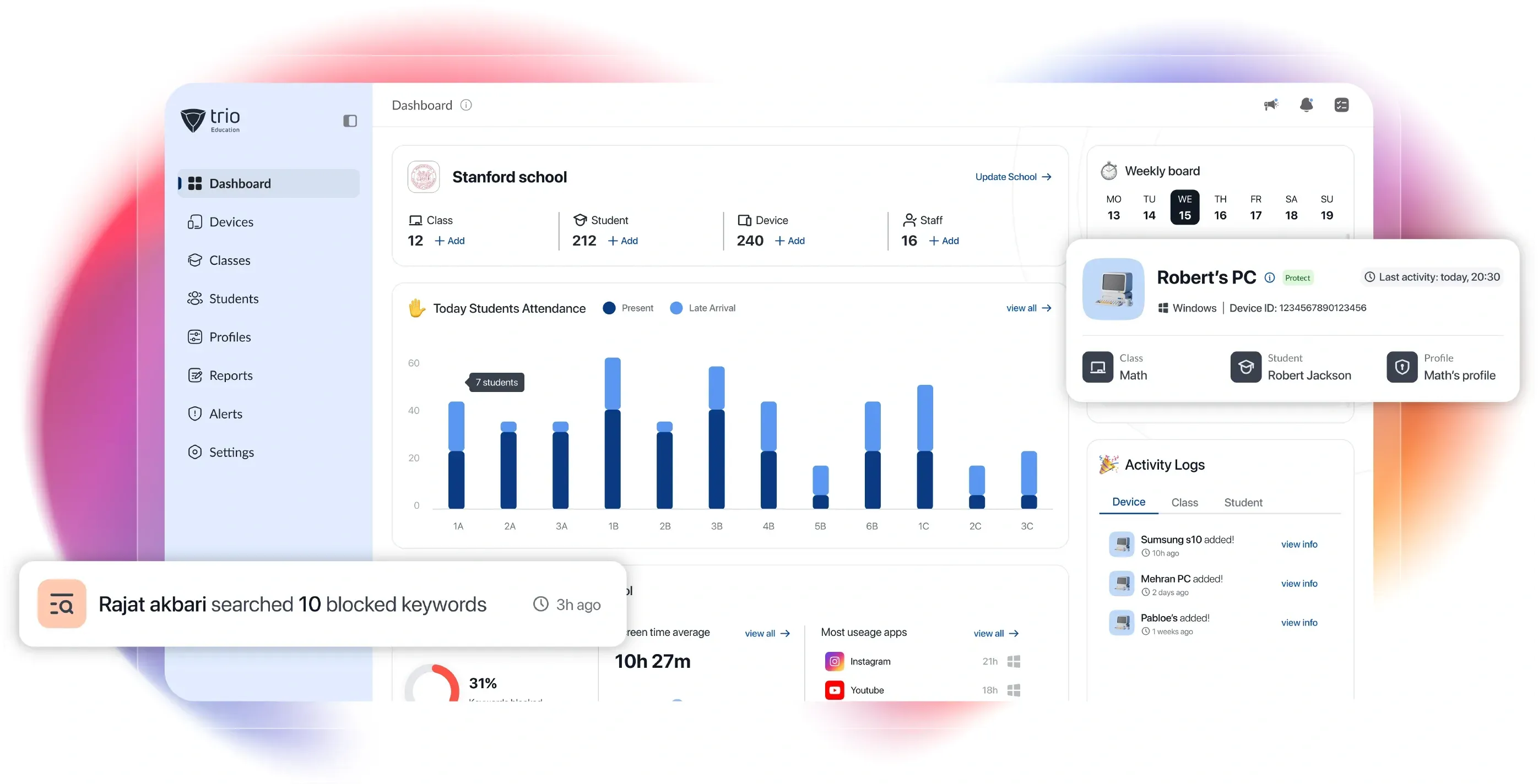
Trio is a UEM platform that delivers MDM solution for schools across K12 districts and higher education environments. Trio enables a school's small IT teams to run every student device, every operating system, and every classroom policy from one console, without enterprise-grade complexity.
Compliance on Autopilot
Policies enforce themselves across the fleet and hold even offline. Devices generate compliance reports proactively, so audit evidence stays current.
Identity Based Security
Every user and device is verified before it touches financial systems. VPN, Wi-Fi, and SSO ship configured out of the box with conditional access built in.
Provisioning at Scale
New devices arrive ready to work without IT touching each one. Zero touch enrollment configures laptops and phones from the first boot.
Multi OS Coverage
One Platform for Every Operating System
From iPadOS classrooms to Linux research labs, Trio covers every operating system running in schools today.

Android

ChromeOS
Apple

Linux
Windows
Android
ChromeOS
Apple
Linux
Every operating system runs through the same console. No separate tools, no separate admin teams.
Education Device Coverage
Every Device in Your School, Managed with One Platform
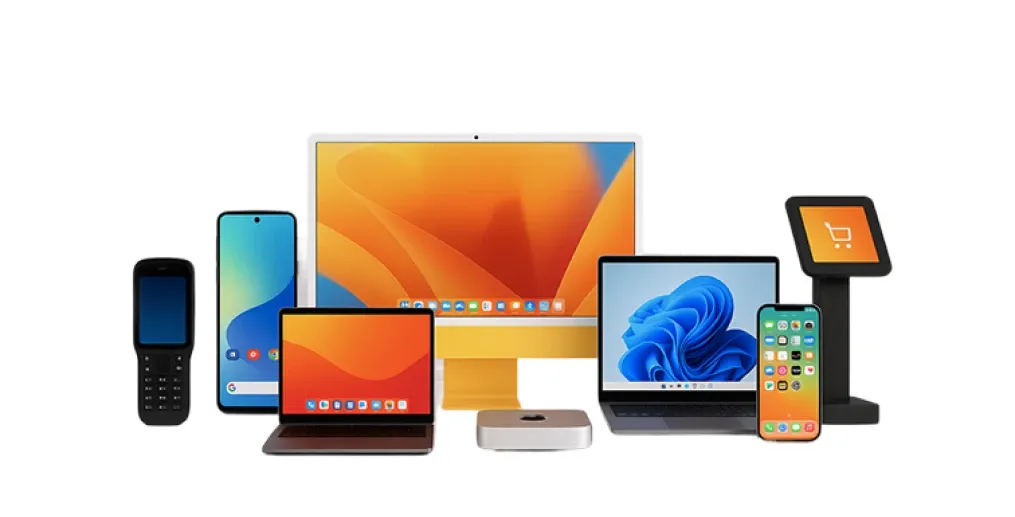
From one-to-one student Chromebooks to teacher MacBooks, Trio's classroom device management solution covers the full education device mix.

Laptops
Smartphones
Tablets

Desktop

Digital Signage
Kiosk
See Trio MDM for Schools in Action
A fifteen minute walkthrough shows how schools onboard their first 500 devices.
Education Deployment Flow
Three Steps From Sign Up to Managed Classroom
Most schools deploy Trio educational MDM on devices in a single afternoon. The setup matches how school IT actually rolls out devices at the start of a term.
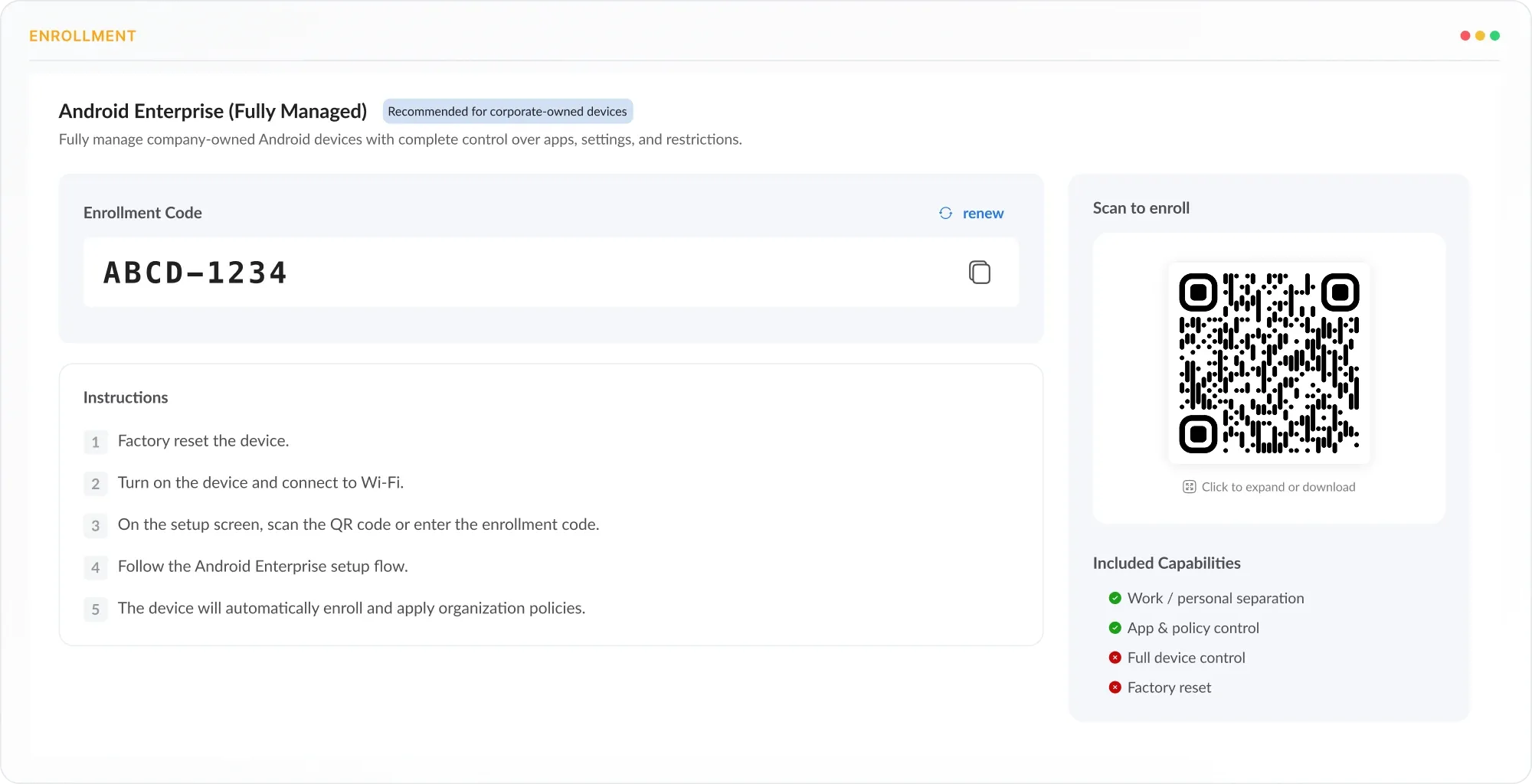
Enroll
Zero touch enrollment provisions iPads, Chromebooks, and Windows laptops from first boot through Apple School Manager, Google Workspace, and Microsoft Autopilot. Devices reach the classroom ready for the first bell.
Configure
Set web filters, app rules, and classroom policies once, then map them to grade levels, classrooms, and user roles. CIPA and FERPA ready controls plus SSO, Safe Search, and Single App Mode configure from one console.
Deploy
Push everything to the school fleet in one move and watch it hold. Settings apply automatically across every device and stay enforced wherever students take them.
Safe Internet Access
Web Filtering That Works On and Off Campus
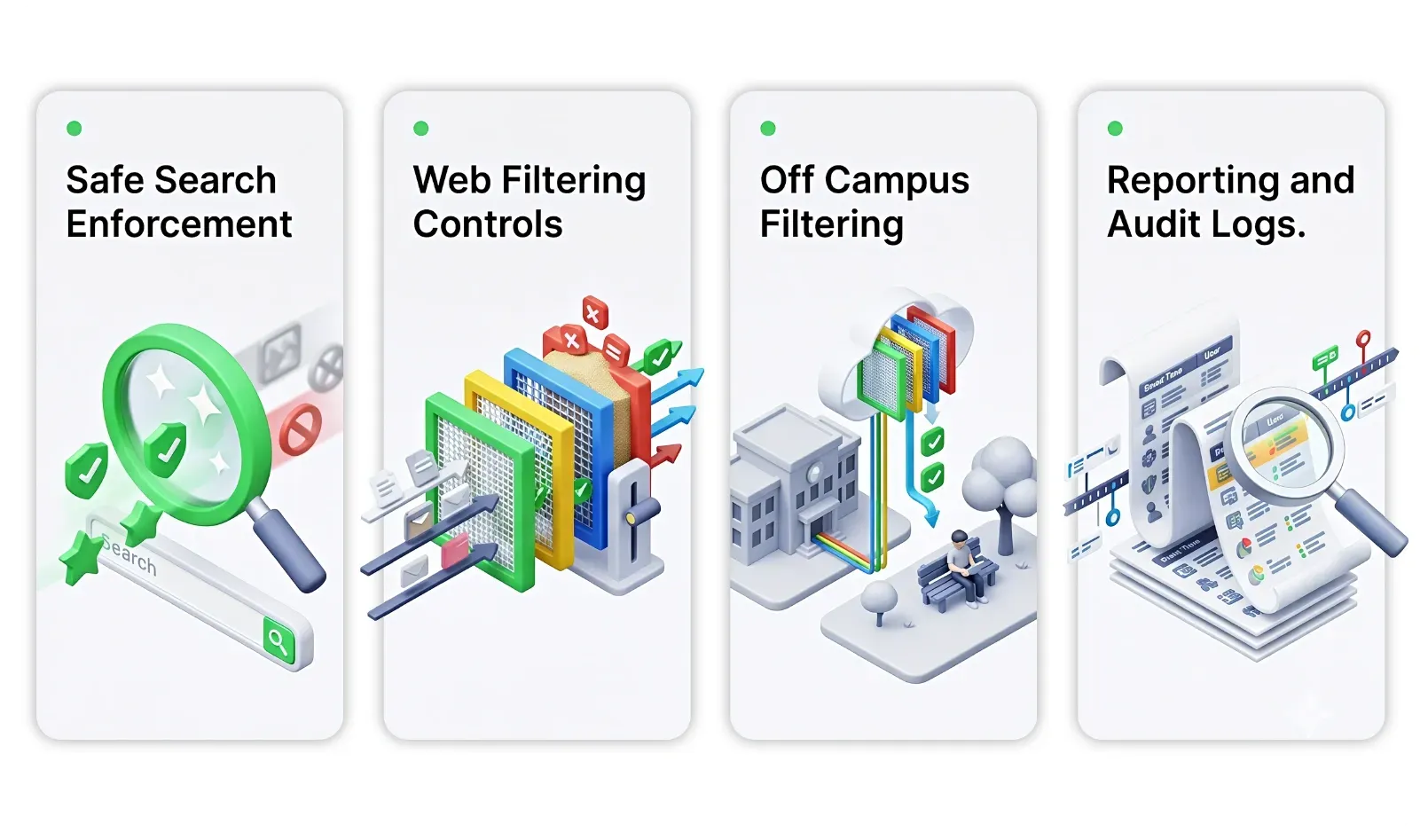
Same filters apply on school WiFi, home WiFi, or mobile hotspots. Trio enforces URL categories, Safe Search, and allow lists at the device level.
Students cannot reach harmful or inappropriate search results, even from device settings. Trio enforces Safe Search at the OS level across Google, Bing, and YouTube on every managed device.
Different grade levels see different parts of the web during class hours. URL category filters, domain block lists, and time based rules apply per device group, classroom, or organizational unit.
Filtering policies follow take home devices to any network they connect to. Trio mobile device management for schools applies filters at the device layer rather than the network layer, so home WiFi and mobile hotspots cannot bypass them.
IT teams have the filter evidence districts and auditors expect, without manual collection. Trio's MDM for education logs every blocked request and exports CIPA aligned reports with audit trails for compliance reviews.
Remote Management
Enroll Hundreds of Devices Without Touching Each One
Devices arrive in classrooms with full policies applied, before IT touches them. Trio automates enrollment for Macs, Windows, iPads, Chromebooks, and Android devices through manufacturer programs.
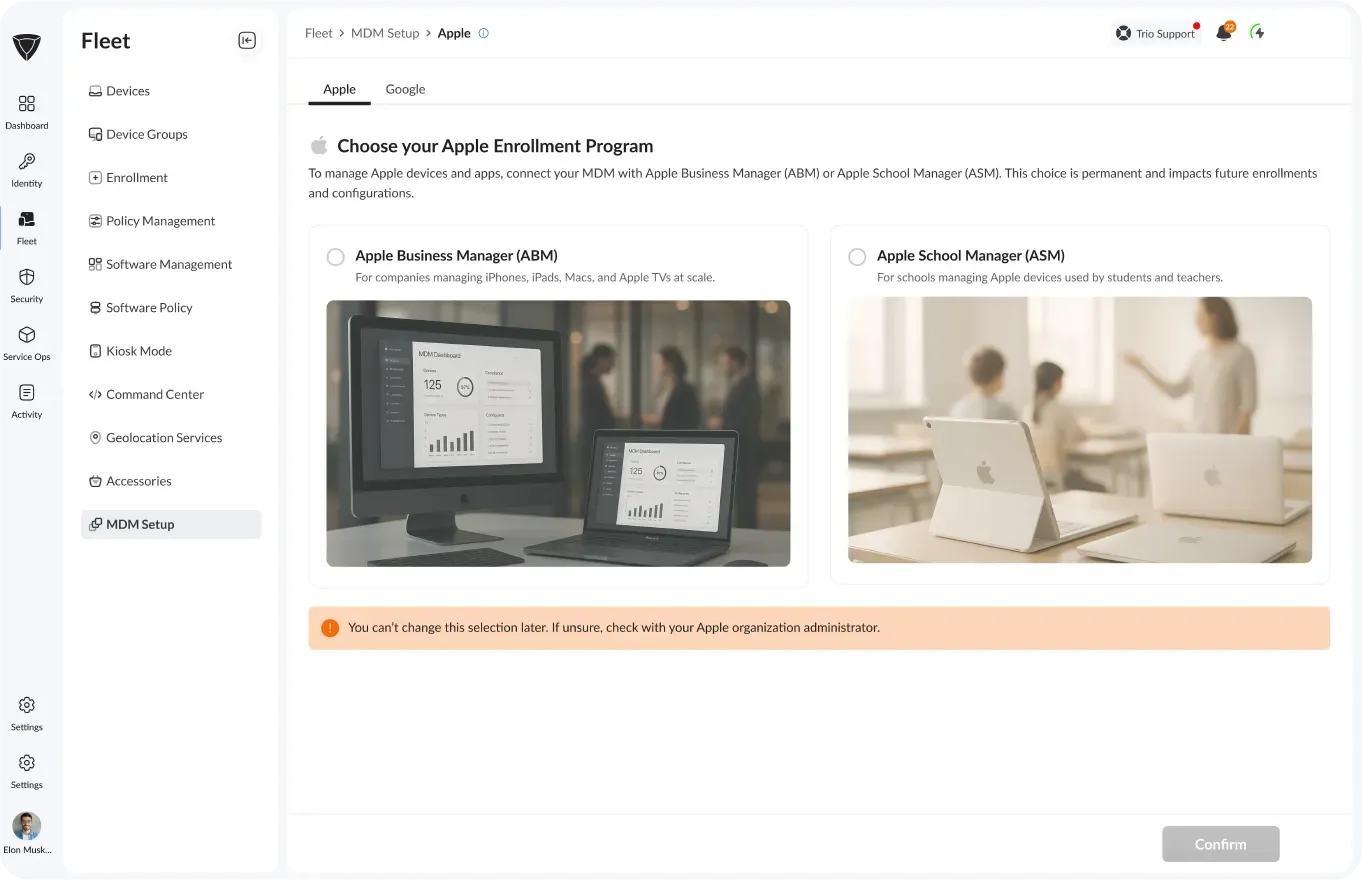
Apple School Manager Sync
Apple devices register the moment a student powers them on for the first time. Trio's Apple School Manager integration auto assigns devices, applies Managed Apple IDs, and pushes setup profiles from the box.
- VPP app licenses included
- Activation Lock managed remotely
- Federated authentication with school IdP
OS Updates and Patching
Patching That Skips Classroom Time
Devices stay patched without IT chasing OS updates. Trio Education device management tool prioritizes by CVE severity, schedules around classroom time, and covers every operating system.
Critical Patch Priority
Security vulnerabilities close within hours of patch release, not weeks. Trio pulls CVE data, scores patches by severity, and pushes critical fixes to managed devices on an accelerated schedule.
Configuration Drift Detection.
Devices that fall out of policy get caught and remediated before students notice. Trio continuously monitors configuration state through ML enhanced detection algorithms and flags drift with risk based prioritization.
Off Hours Deployment
Patch deployments never interrupt classroom time or exam sessions. Trio schedules update windows by school calendar, time zone, and device group so updates run after school hours.
Distraction Free Learning
Classroom Controls Teachers Actually Use
Teachers run focused lessons without students drifting to games or social media. Device policies restrict apps, cameras, and screen time by schedule, location, or teacher command.
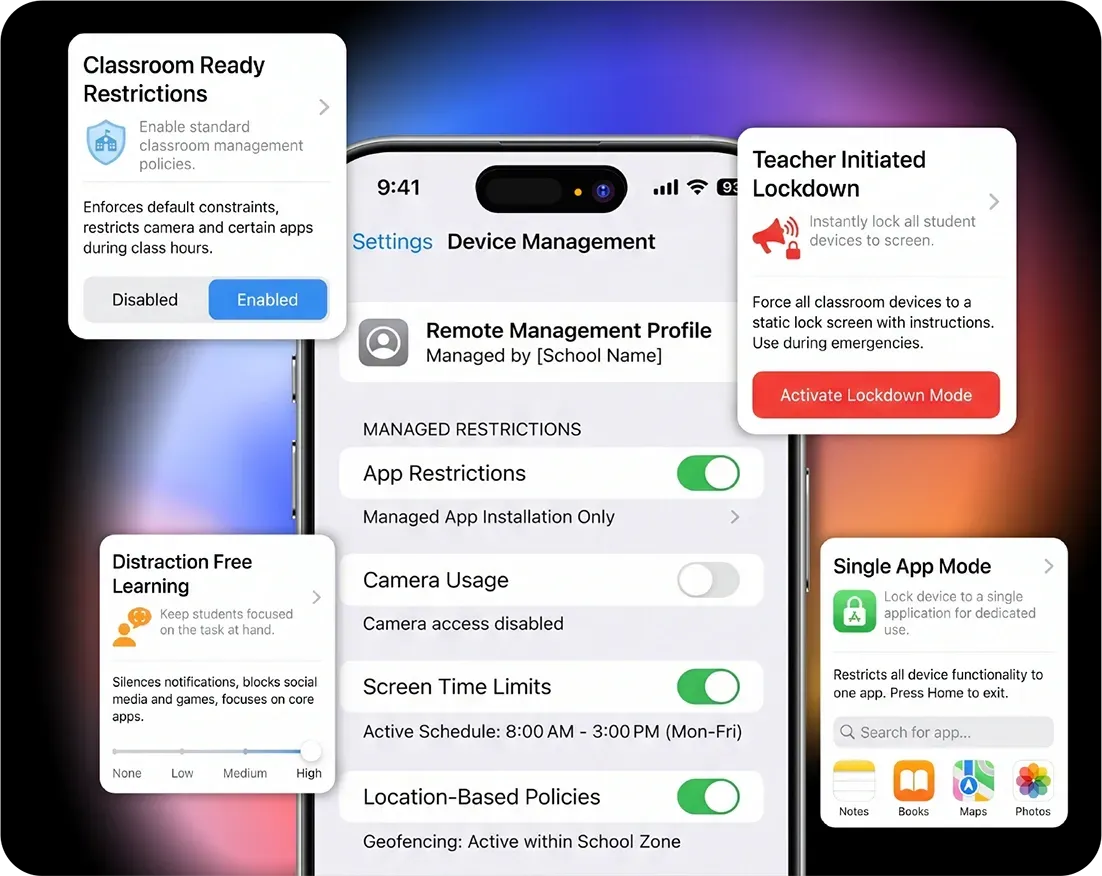
Classroom Ready Restrictions
Devices stay focused on instruction with cameras and recording disabled. Trio activates restrictions by schedule, location, or teacher command across every OS.
Single App Mode.
Test devices stay locked to one app until the exam ends. Trio enforces single app kiosk mode at the OS level so students cannot switch apps or exit until the policy lifts.
Distraction Free Learning.
Students cannot reach non-educational apps and sites during periods. Screen time limits, app blocks, and URL restrictions apply per device or per student profile on a schedule.
Teacher Initiated Lockdown.
Teachers lock classroom devices into approved tools with one tap. Trio gives teachers a classroom dashboard that triggers lockdown commands without an IT ticket.
Smart Mobile Device Management for schools That Deploys in Minutes!
Walk through a school onboarding with the Trio Education MDM team.
Patch Management
App Distribution Across Every Student Device
Curriculum apps land before class, social media stays blocked during instruction. Trio pushes through Apple School Manager, Google Workspace, and Microsoft Store with controls per group.
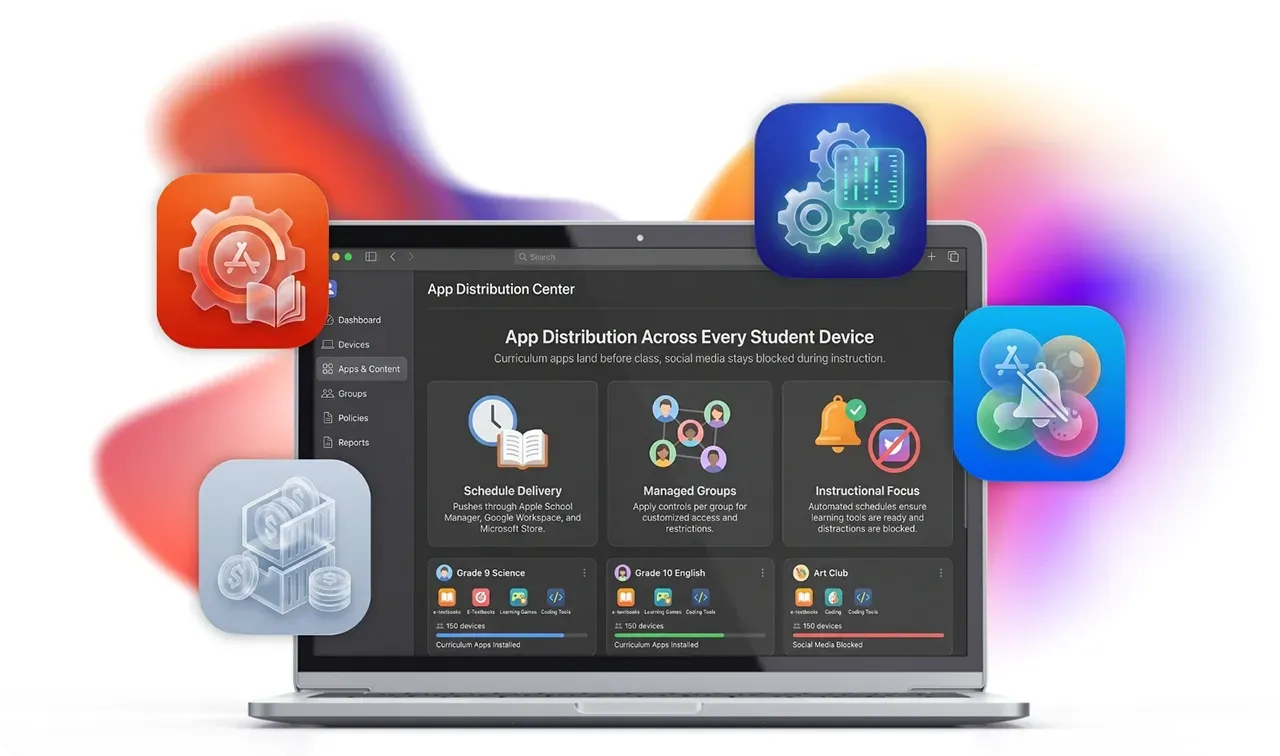
Students see only the apps their grade or classroom needs. App whitelists and blacklists apply per device group, organizational unit, or user role with one click.
Curriculum apps install on student devices without prompts or interruptions. Trio's mobile device management for schools pushes apps in the background using managed app deployment across iOS, Android, ChromeOS, and Windows.
Paid app licenses recover automatically when students graduate or leave the school. Trio tracks app inventory through Apple School Manager and Google Workspace for Education with no per device licensing work.
Teaching teams get critical software installed and patched without IT chasing version upgrades. Trio device management for schools comes with a library of 200-plus auto apps that handle installs and updates across hundreds of Mac and Windows devices automatically.
School Identity
Sign In Tied to Your School Directory
One login gives students access to every classroom app. Trio's dedicated mdm for schools integrates with school directories and identity providers like Google Workspace, Entra ID, Okta, and Apple Managed IDs.
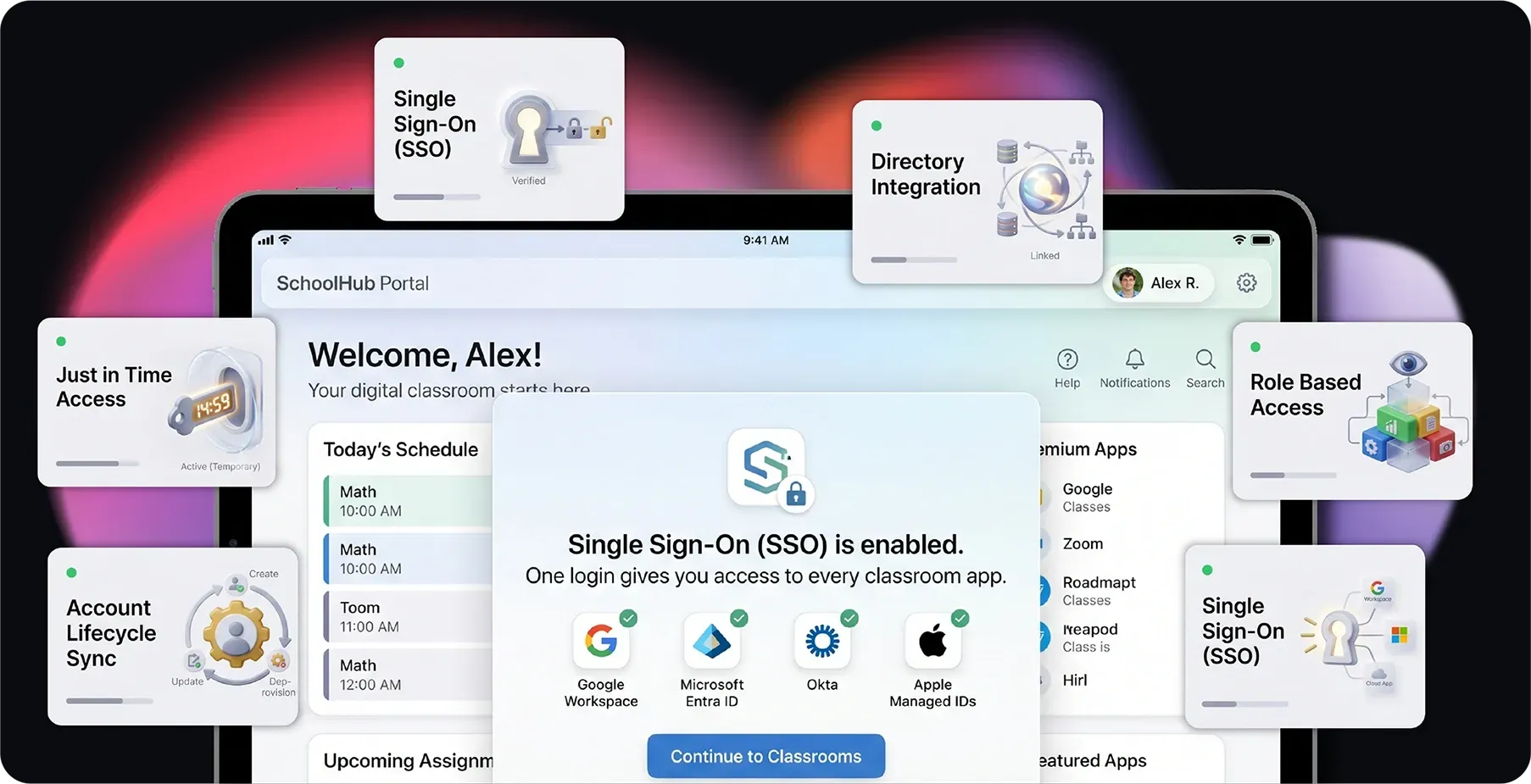
Directory Integration.
Student and staff accounts update automatically as enrollments change through the year. Trio syncs with Google Workspace, Microsoft Entra ID, and Apple Managed IDs on a schedule with no manual provisioning.
Single Sign-On (SSO)
Password resets drop to a fraction of what they were. Trio Mobile Device Management for Schools has SAML and OIDC integration, giving students one school login for every approved app and tool.
Safe Access Controls
Risky logins from unmanaged or compromised devices never reach school resources. Trio enforces student sign ins and policy based restrictions with conditional access tied to device compliance state.
Account Lifecycle Sync.
Joiners, movers, and leavers update across every device and app without manual work. SCIM provisioning pushes account changes from your directory into Trio in real time.
Role Based Access.
Teachers manage classroom devices, principals see school dashboards, and IT controls the full platform from one console. Trio maps directory groups to teacher, admin, and IT roles with permissions enforced across every screen.
Just in Time Access.
Substitutes, guest speakers, and short-term contractors get scoped access for exactly as long as needed. The device management for schools creates just-in-time accounts that auto expire by schedule, end date, or task completion.
More From the Platform
Educational MDM that covers all the tools that School IT Needs
Beyond classroom device management focused modules, Trio includes the operational capabilities school IT depends on every day. The full UEM platform extends to staff laptops, lab devices, and administrative workstations.
Remote Wipe and Lock
Wipe or lock lost devices remotely from one console.
Geofencing Policies
Device restrictions adjust automatically when students leave campus or enter restricted zones.
Real Time Inventory
Live device status with battery alerts, storage warnings, and security violation notifications.
Automated Backup
Scheduled cloud backup protects student work and educational data during incidents.
Conditional Access
Block access to school resources from unmanaged or non compliant devices.
MFA Configuration
Multi factor authentication for staff, admin, and high risk student accounts.
Encryption Monitoring
Full disk encryption status checks across Macs, Windows, and Linux endpoints.
Remote Support Sessions
Connect to staff or student devices without leaving the IT office.
Audit Evidence Automation
Auto-collected policy events, configuration changes, and remediation actions are ready for district audits.
Built on Enterprise Security Standards
Student data deserves the same protections as enterprise records.
Try seamless classroom device management solution for schools Today
Most schools migrate from their current MDM for schools in under a week with Trio.
Platform Integrations
Integrations Schools Already Run On
Trio plugs into the platforms schools already run on. LMS integrations turn classroom assignments into contextual device policies, identity syncs run on schedule, and no rip and replace is required.














Education Environments
MDM for Schools of Every Kind
School IT looks different in a K12 district than in a university. Trio Mobile Device Management for Schools adapts to the operational reality of each environment.

K12 Districts
Mixed device fleets, one to one Chromebook programs, and tight budgets. Trio gives districts enterprise controls at a price that fits per student licensing models.
- One to one Chromebook rollout via Google sync
- Per student licensing aligned with district budgets
- CIPA compliant filtering across every device
Districts get enterprise depth without enterprise pricing.
Trio MDM Support
Real people. Real fast.
<1 Min
Live chat response
<1 Hr
Email response
<6 Hr
Ticket resolution
24/7
Support Available
<1 Min
Live chat response
<1 Hr
Email response
<6 Hr
Ticket resolution
24/7
Support Available
Why Trio MDM for Schools
Why Schools Choose Trio Over Legacy Education MDM Tools
Most MDM platforms retrofit corporate tools for schools. Trio built a dedicated MDM solution for schools from day one.
Built for Lean Teams
TeamsTemplates and AI assisted policies let two or three IT staff run thousands of devices.Multi OS One Platform
iPads, Chromebooks, MacBooks, Windows laptops, and Android devices all run from one console.Real Support Included
Included hands-on onboarding, K12 and higher ed templates, and direct access to support engineers.School Friendly Pricing
Hands on onboarding, K12 and higher ed templates, and direct access to support engineers.
FAQs
Trio MDM for schools supports iOS, iPadOS, macOS, Windows, Android, ChromeOS, and Linux across student devices, teacher laptops, and shared classroom hardware from one console. BYOD and school-issued devices both run on the same platform with work profile separation, so districts manage personal and school data without separate tools.
Trio offers per student pricing aligned to K12 and higher education budgeting models, with volume discounts for districts and multi campus deployments. A 14 day free trial lets IT teams test the platform with up to 100 devices before committing, and education specific discounts apply automatically at signup.
Yes, Trio's onboarding team handles migration from Intune, Jamf, Mosyle, Hexnode, and other MDM platforms with no classroom disruption. Existing policies, app distributions, and identity integrations transfer to Trio templates, and devices re-enroll without taking students or teachers offline.
Trio MDM for education enforces CIPA-aligned web filtering on every managed device, applies FERPA access controls to student records, and supports state student privacy laws like SOPIPA and New York Education Law 2D. Exportable audit logs and automated evidence collection across CIS Controls, NIST CSF, HIPAA, and ISO 27001 give districts the documentation required during state and federal audits.
Schools get a dedicated implementation engineer for onboarding, K12 or higher education policy template setup, migration support from other MDM platforms, and ongoing direct access to support engineers. Most school IT teams run two or three staff for thousands of devices, so Trio's MDM for schools is built to support them rather than ship documentation and expect them to figure it out alone.
Most schools complete initial setup in days, with the first wave of devices enrolled and managed within the first week of signup. Prebuilt K-12 and higher education policy templates plus zero-touch enrollment through Apple School Manager, Google Workspace for Education, and Microsoft Autopilot remove the configuration work that normally extends MDM rollouts to months.