
10 Smart Strategies for Classroom Device Management
Effective classroom device management is important. Read on to learn about strategies to minimize distractions and promote engagement.
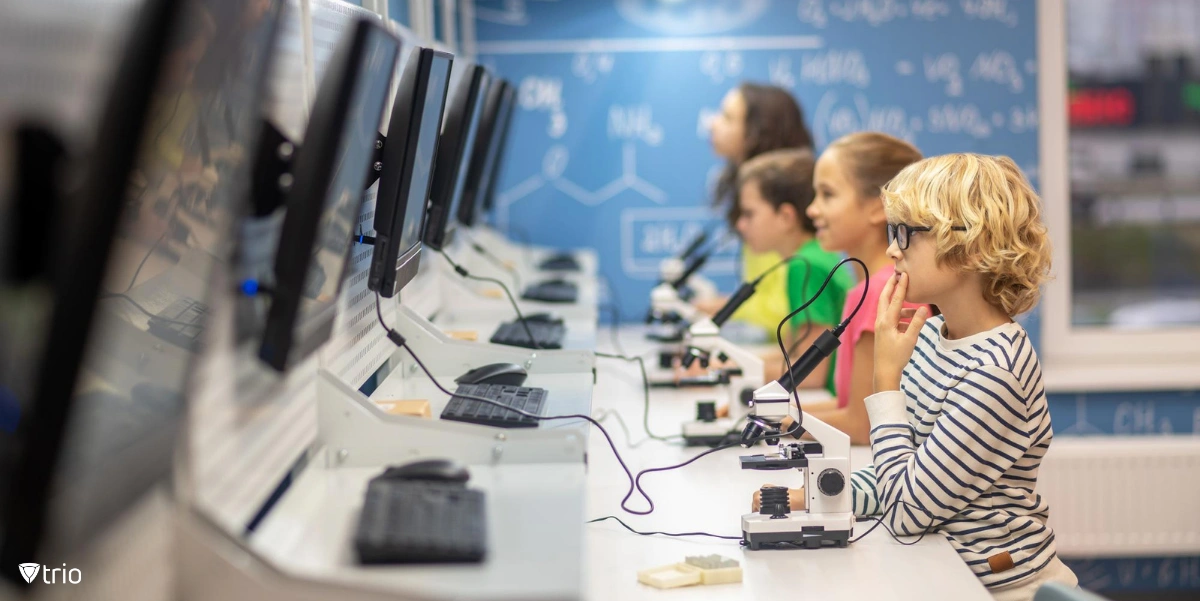
With smartphones, tablets, and laptops at students' fingertips, educators face the challenge of navigating the fine line between leveraging technology for educational purposes and mitigating potential distractions. According to Gitnux, “79% of educators report improvements in student achievement when technology is integrated in the classroom.” Understanding the importance of device management in the classroom is essential for maximizing student engagement, promoting digital literacy, and ensuring equitable access to educational resources. This article explores why classroom device management matters, delving into the benefits it offers and providing practical strategies for educators to navigate the complexities of technology integration in education.
Why Is Device Management in the Classroom Important?
Managing devices in a teacher’s classroom is crucial for several reasons:
Minimizing Distractions
Classroom screens such as smartphones and tablets can be significant distractions for students. Without proper management, students may be tempted to use these devices for non-educational purposes during class time, which can disrupt learning and decrease productivity.
Promoting Focus and Engagement
Effective classroom monitoring ensures that students stay focused on the lesson at hand and actively engage with the instructional material. By setting clear guidelines for device usage, teachers can create an environment conducive to learning.
Ensuring Equal Access and Opportunity
Not all students may have access to personal devices or reliable internet connections outside of the classroom. By managing devices for student within the classroom, educators can ensure that all students have equal access to educational resources and opportunities for learning.
Fostering Digital Literacy and Responsibility
Teaching students how to responsibly use technology is an essential aspect of modern education. By managing devices in the classroom, educators can teach students how to use technology as a tool for learning while also promoting digital citizenship and responsible digital behavior. Additionally, it's also important to introduce them to the ethical use of AI tools, helping them understand how AI impacts their digital experiences and the importance of using these tools thoughtfully.
Enhancing Classroom Collaboration and Communication
Devices can be powerful tools for collaboration and communication in the classroom. Proper device management allows teachers to facilitate group activities, discussions, and projects that leverage technology to enhance learning outcomes.
Protecting Student Privacy and Safety
Managing devices in the classroom includes ensuring the privacy and safety of students when using technology. Teachers must be mindful of student data privacy laws and take appropriate measures to safeguard students' personal information and online safety using standard guidelines for cybersecurity in education.
Supporting Differentiated Instruction
Technology can be used to tailor instruction to meet the diverse needs of students. By managing devices effectively, teachers can provide personalized learning experiences, adapt content to different learning styles, and offer additional resources for students who need extra support or enrichment. 
Strategies for Managing Devices in the Classroom
Several strategies can help teachers effectively manage devices in the classroom and implement effective classroom management systems:
Establish Clear Expectations and Rules
Set clear guidelines for device usage in the classroom from the beginning of the school year. Communicate these expectations to students and reinforce them regularly. Clearly outline when devices should be used for educational purposes and when they should be put away.
Create a Device Use Policy
Develop a comprehensive device use policy that covers acceptable use, consequences for misuse, and guidelines for appropriate behavior when using devices. Make sure students, parents, and school staff are familiar with the policy, and provide opportunities for feedback and discussion.
Implement Technology Integration Plans
Integrate technology into lesson plans in a purposeful and meaningful way. Plan activities and assignments that leverage the capabilities of devices to enhance learning outcomes. Teacher productivity apps can be useful in this regard. Ensure that technology use aligns with curriculum objectives and educational standards. Here are five technologies that can enhance teaching, facilitate learning, and support various educational activities in the classroom: 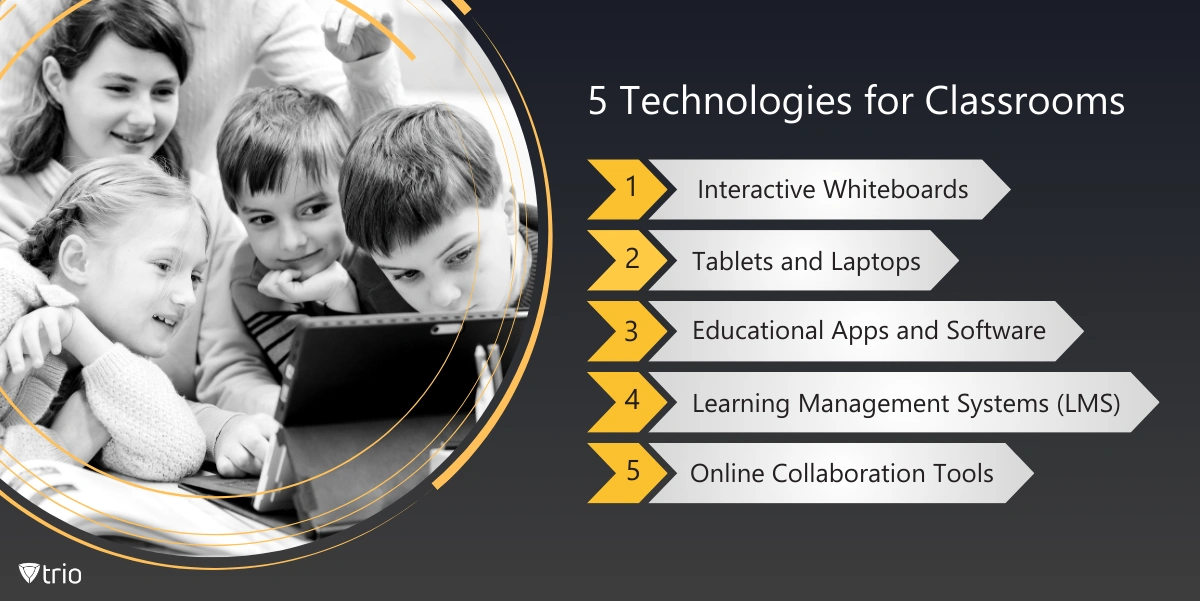
Use Device Management Tools and Software
Utilize device management tools and classroom management computer software to monitor and control device usage in the classroom. These tools allow teachers to remotely manage devices, restrict access to certain websites or applications, and track student activity. Choose tools that are user-friendly and compatible with the devices used in your classroom. Trio is a Mobile Device Management solution that can be used by schools to manage devices that they provide students with. Trio will help teachers limit devices to a few or even a single app. As an MDM for schools, Trio has many other capabilities that can be used in the classroom. Try out its free demo to test out its features.
Establish Device-Free Zones and Times
Designate specific areas or times in the classroom where devices are not allowed. For example, you might create a "device-free zone" around the front of the classroom during lectures or discussions. Establishing device-free intervals, such as during tests or group activities, can also help minimize distractions. Classroom management tools like Safes School can limit student screen time, provide app restrictions based on the student’s class schedule and whether they’re in the school or not.
Provide Training and Support
Offer training sessions and resources to help students and teachers effectively use devices for educational purposes. Teach students how to use devices responsibly, navigate digital resources, and troubleshoot common issues. Provide ongoing support and assistance as needed.
Monitor Device Usage
Regularly monitor student device usage to ensure compliance with classroom rules and policies. Walk around the classroom during activities to observe how students are using their devices. Use device management tools to track usage patterns and identify any potential issues or concerns. Teachers can see students’ screens using different monitoring apps, many of which have free versions.
Encourage Collaboration and Accountability
Promote collaboration among students by incorporating group projects and activities that require them to work together using devices. Foster a culture of accountability by holding students responsible for their device usage and behavior. Encourage peer monitoring and support.
Model Positive Device Use
Lead by example and model positive device use in the classroom. Use devices to enhance your teaching, demonstrate effective digital citizenship, and engage with students in meaningful ways. Show students how technology can be used as a tool for learning and productivity.
Seek Feedback and Adapt
Regularly solicit feedback from students, parents, and colleagues about device management practices in the classroom. Use this feedback to identify areas for improvement and make adjustments as needed. Stay flexible and willing to adapt your approach based on the needs and preferences of your students.
Conclusion
In conclusion, effective device management in the classroom is not merely about restricting screen time or controlling access to websites—it's about empowering both educators and students to harness the full potential of technology for learning. By implementing clear expectations, leveraging appropriate tools and resources, and fostering a culture of responsible digital citizenship, educators can create an environment where devices enhance rather than hinder the educational experience.

Start your free trial
Get Ahead of the Curve
Every organization today needs a solution to automate time-consuming tasks and strengthen security. Without the right tools, manual processes drain resources and leave gaps in protection. Trio MDM is designed to solve this problem, automating key tasks, boosting security, and ensuring compliance with ease.
Every organization today needs a solution to automate time-consuming tasks and strengthen security. Without the right tools, manual processes drain resources and leave gaps in protection. Trio MDM is designed to solve this problem, automating key tasks, boosting security, and ensuring compliance with ease.





Frequently Asked Questions (FAQ)
Have questions? We've got answers. This section covers some of the most commonly asked questions related to this topic.