
Android MDM Software
Centralized Android MDM Software for Your Entire Device Fleet
Trio gives IT teams centralized control over android mobile device management from enrollment to policy enforcement, all from one platform built for lean IT operations.
No Credit Card Required Setup in MinutesTrusted by IT teams Globally



Trusted by










Android MDM Challenges
Android Device Management Challenges
Managing Android devices across teams and distributed locations exposes policy gaps, compliance risks, and enrollment bottlenecks that manual processes cannot resolve at scale.
Fragmented Device Control
Android diversity across devices and OS versions makes consistent policy enforcement difficult to maintain as your fleet grows.

Compliance Visibility Gaps
Without automated auditing, keeping Android devices compliant with regulatory frameworks requires continuous manual effort your team cannot sustain.
Manual Enrollment Overhead
Manually staging every device before deployment drains IT hours and introduces configuration inconsistency across your environment.
Android Mobile Device Management Platform
One platform. Full Android device control.
Trio brings Android device enrollment, policy enforcement, app management, and compliance into a single android device management platform your IT team can operate without dedicated MDM administrators.
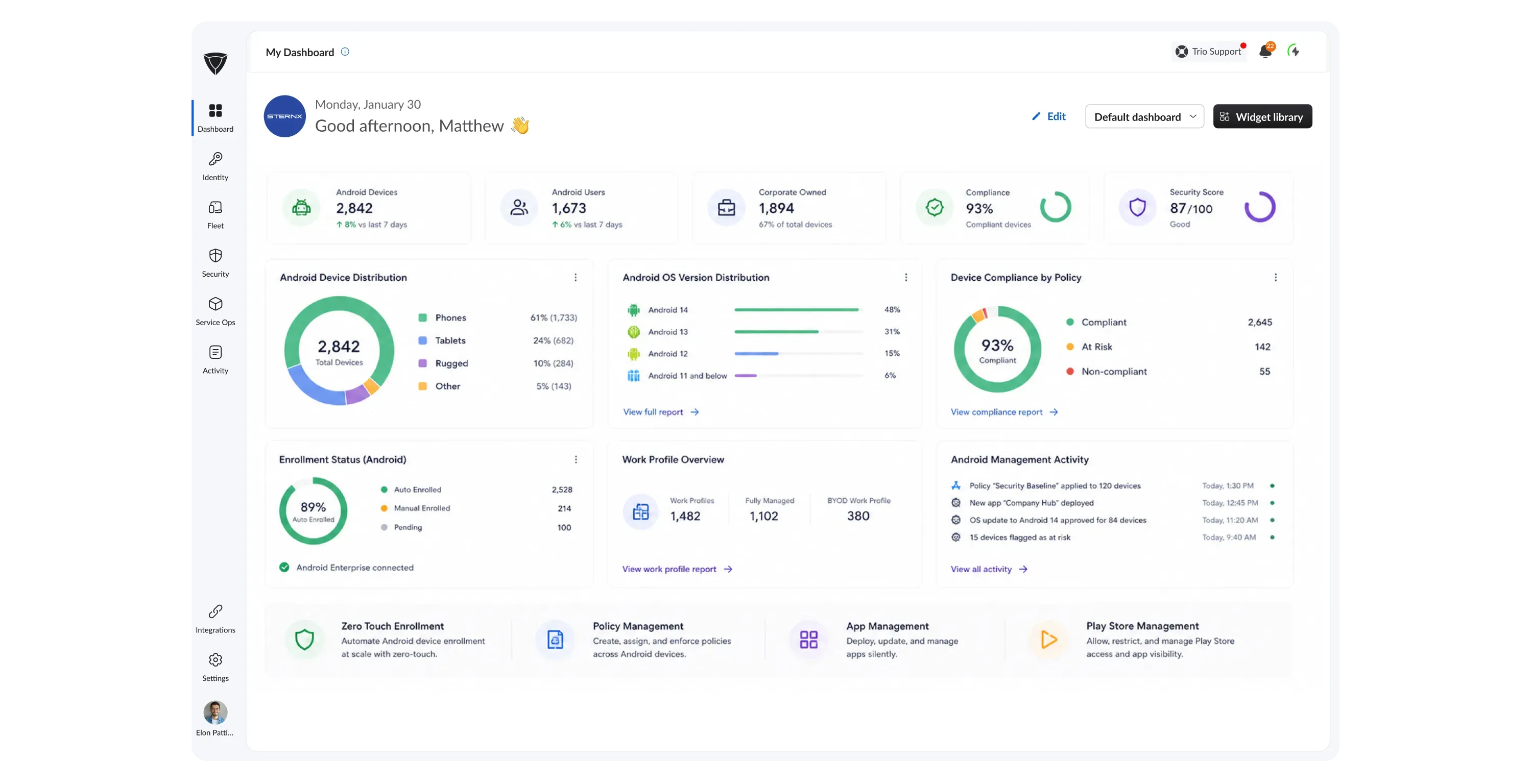
Zero Touch Enrollment
Android devices reach your environment already under policy, with no manual staging required. Trio connects to Android Enterprise zero touch enrollment and Knox Mobile Enrollment to push apps, restrictions, and baselines before the end user starts using the device.
Granular Policy Enforcement
Push security configurations and compliance baselines to device groups or individual endpoints from one console. Policies deploy through Android Enterprise device policy controller and OMA URI with group-based inheritance and rollback across your fleet.
Managed App Delivery
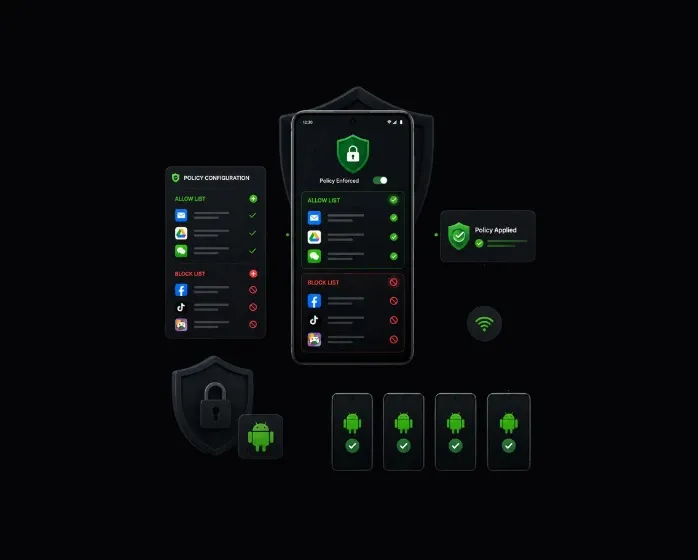
Deploy, update, and remove apps silently across every managed Android device without touching individual hardware. Trio uses Managed Google Play and Android Enterprise app APIs to distribute apps, enforce allow and block lists, and host private internal catalogs.
Full Android Device Coverage
Every Android Device Type in One Dashboard
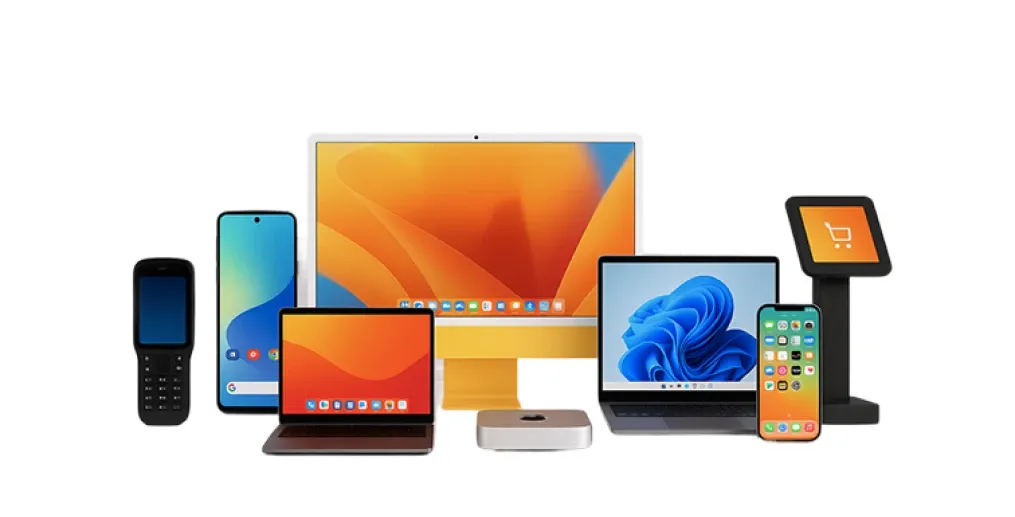
Trio's MDM for Android covers every form factor your environment relies on, from corporate smartphones to rugged field devices and kiosk endpoints.
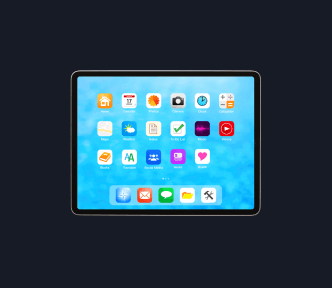
Tablets
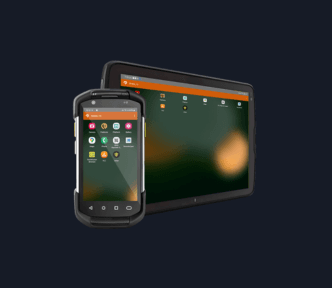
Rugged Devices
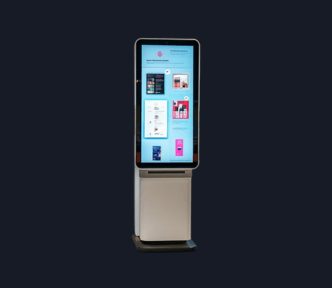
Dedicated Kiosk Devices

Digital Signage
Smartphones
Tablets
Rugged Devices
Dedicated Kiosk Devices
Digital Signage
One platform. Every Android form factor. No device left unmanaged.
Android MDM Onboarding
3 steps to a fully managed Android fleet
Trio brings your Android devices under centralized control through a streamlined enrollment and automation workflow. You go from an unboxed device to a fully managed endpoint in minutes.
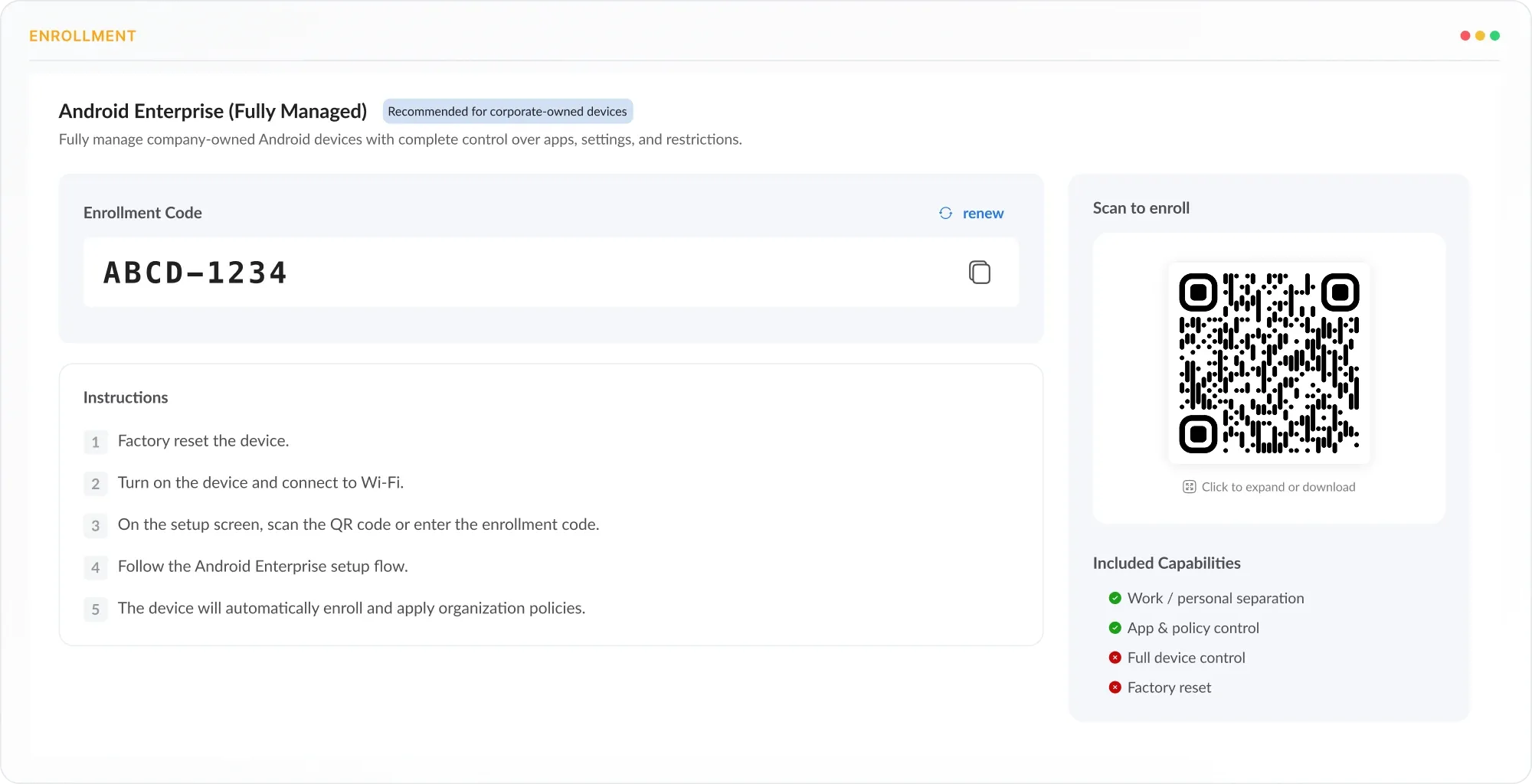
Enroll
Add Android devices to your managed environment without manual staging or per-device configuration. Trio supports QR code, Android Enterprise zero touch, Knox Mobile Enrollment, and BYOD work profile provisioning.
Configure
Push security baselines, app policies, and compliance rules to device groups from the Trio console. The Android Enterprise device policy controller applies configurations instantly with group-based inheritance and rollback support.
Deploy
Roll out apps, certificates, VPN profiles, and Wi-Fi configurations to every enrolled device automatically. Trio deploys through Managed Google Play and Android Enterprise managed configurations without manual touchpoints.
Book a 20-Minute Live Product Walkthrough
Connect with our dedicated product expert for a personalized 20-minute demo at a day & time of your choice. No sales pressure. No obligation.
Android Device Enrollment
Keep every Android device current and protected
Trio automates Android device provisioning so your team manages endpoints, not configurations. Every deployment method your environment requires is built in.
Zero Touch Deployment
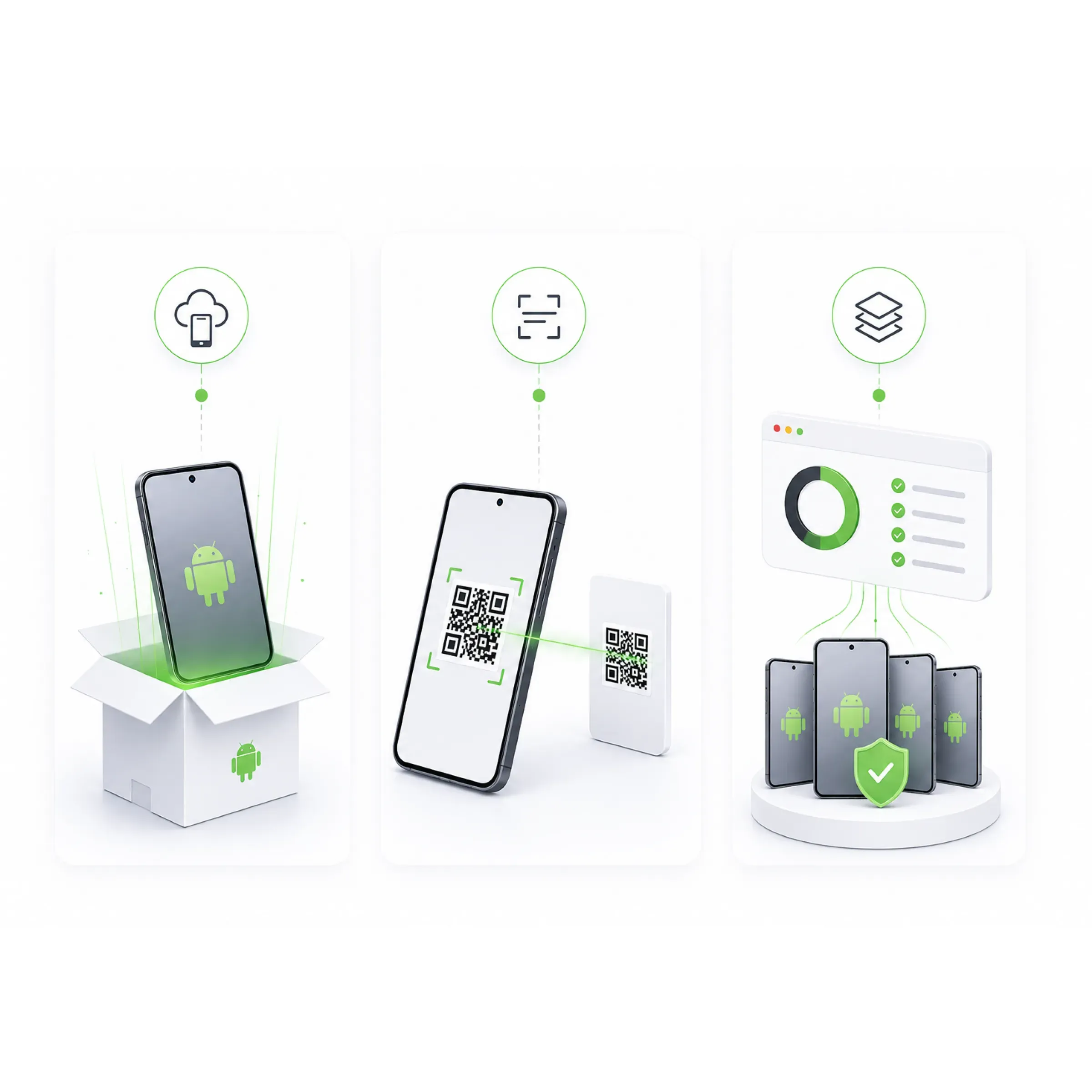
Devices arrive preconfigured and under policy from the moment they power on. Trio uses Android Enterprise zero touch enrollment to push apps, restrictions, and baselines before initial setup.QR Code Enrollment
Field teams enroll Android devices in minutes at first boot with a single QR scan. Android Enterprise provisioning applies configuration, app assignment, and policy automatically.Bulk Device Enrollment
Deploy hundreds of Android devices simultaneously without manual staging. Trio automates bulk provisioning through Android Enterprise zero touch and Knox Mobile Enrollment, applying policy and apps to entire cohorts at once.
Remote Android Management
Manage every Android device without being on location
Trio gives your IT team direct access to any managed Android device for support and troubleshooting. Issues that would require physical retrieval resolve from the console in minutes.
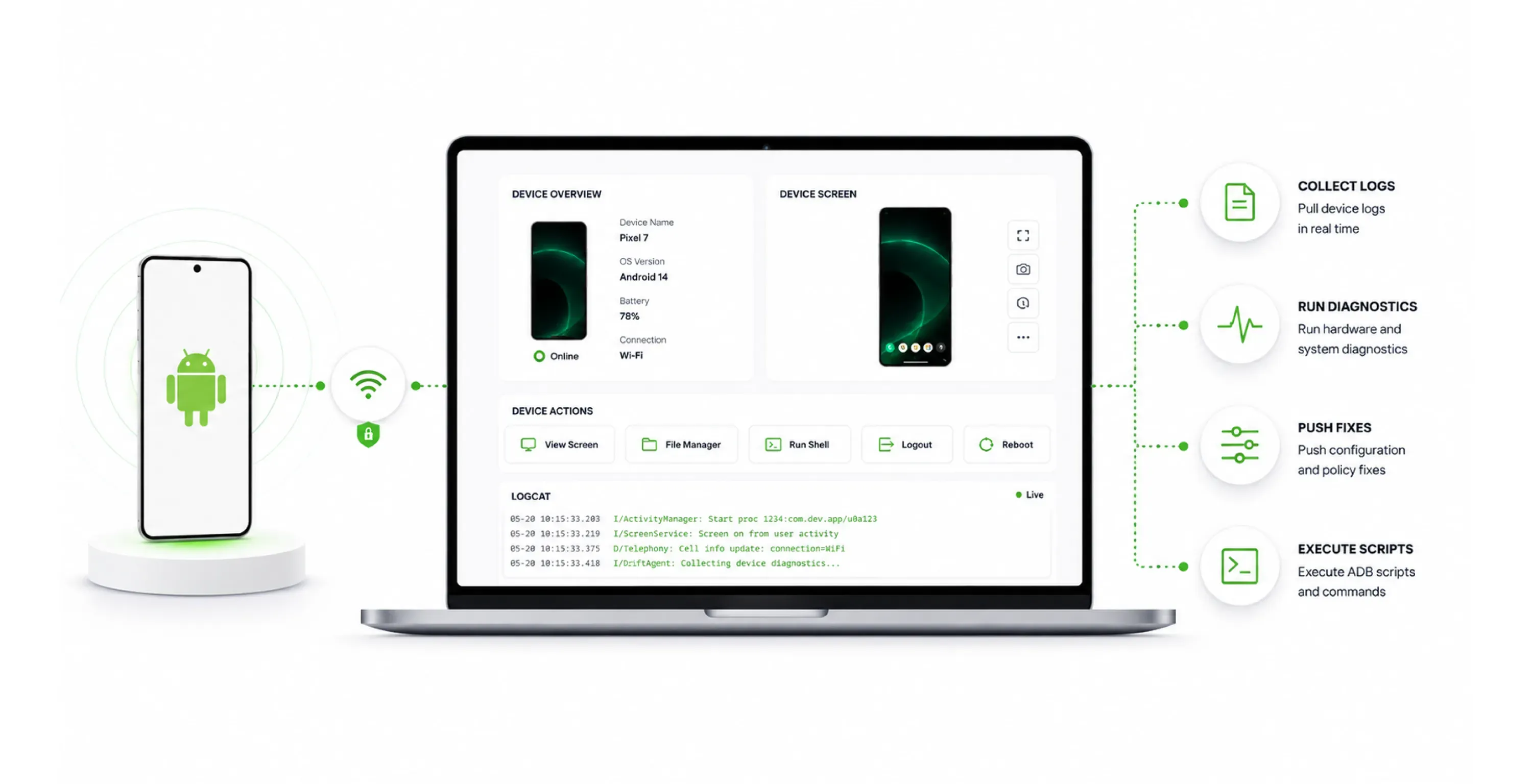
Remote Device Troubleshooting
Access any managed Android device remotely to collect logs, run diagnostics, and push configuration fixes. Android Debug Bridge integration enables direct device level access through secure channels for script execution and log collection.
Android App Management
Deploy and control Android apps across your fleet
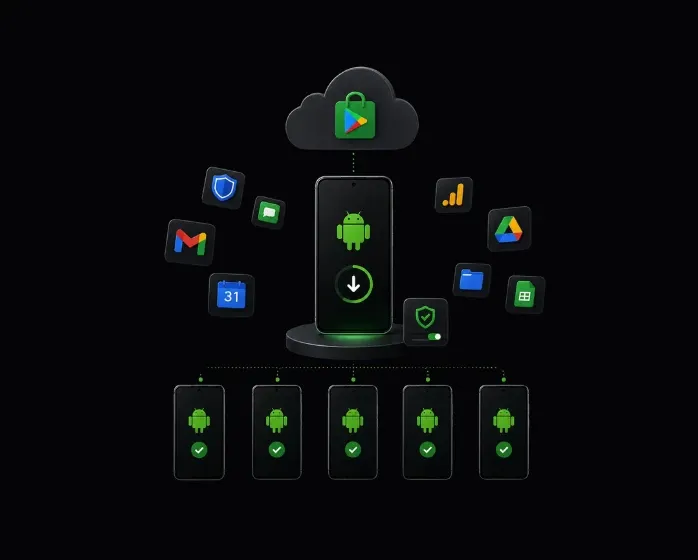
Trio connects directly to Managed Google Play so you control every app on every managed Android device from one console. Silent installs, updates, and app blocking execute without visiting individual devices.
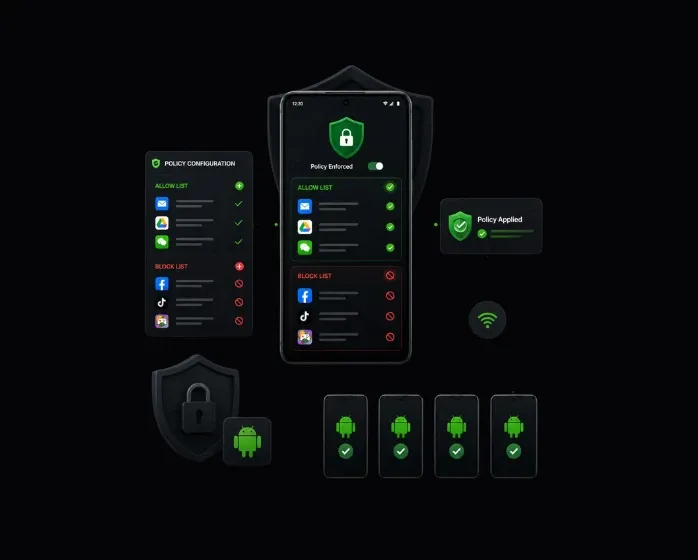
Silent App Installations
App Allow Block Lists
Private App Distribution
Android Kiosk Management
Lock Android devices to approved workflows
Trio locks dedicated Android devices to specific applications, turning any endpoint into a purpose-built device. POS terminals, digital signage, and shared kiosks all run under a centrally managed configuration.
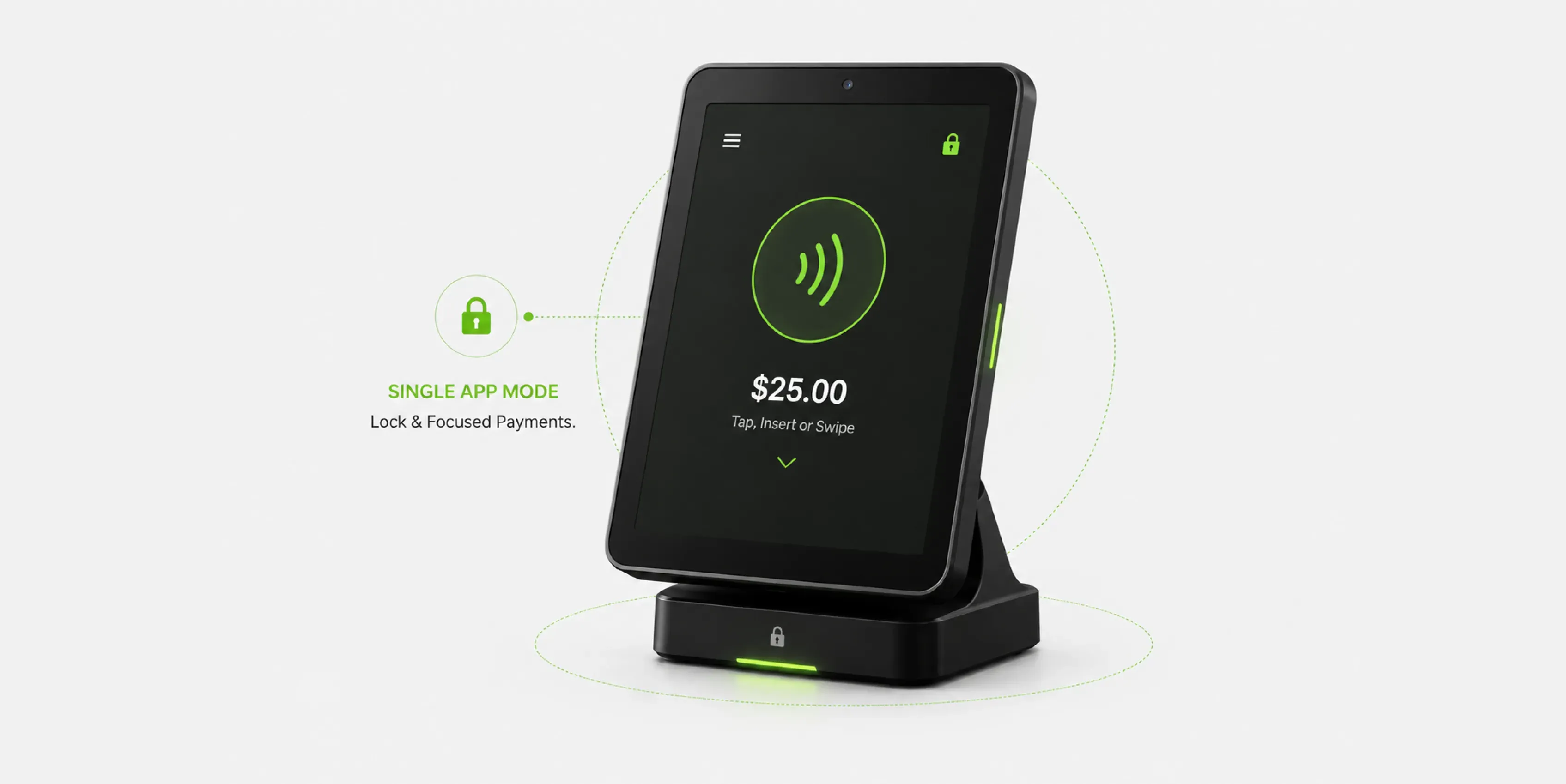
Single App Kiosk Mode
Restrict a device to one application so users cannot access anything outside the approved workflow. Trio uses Android Enterprise lock task mode with screen pinning, session timeouts, and custom exit controls enforced at the OS level.
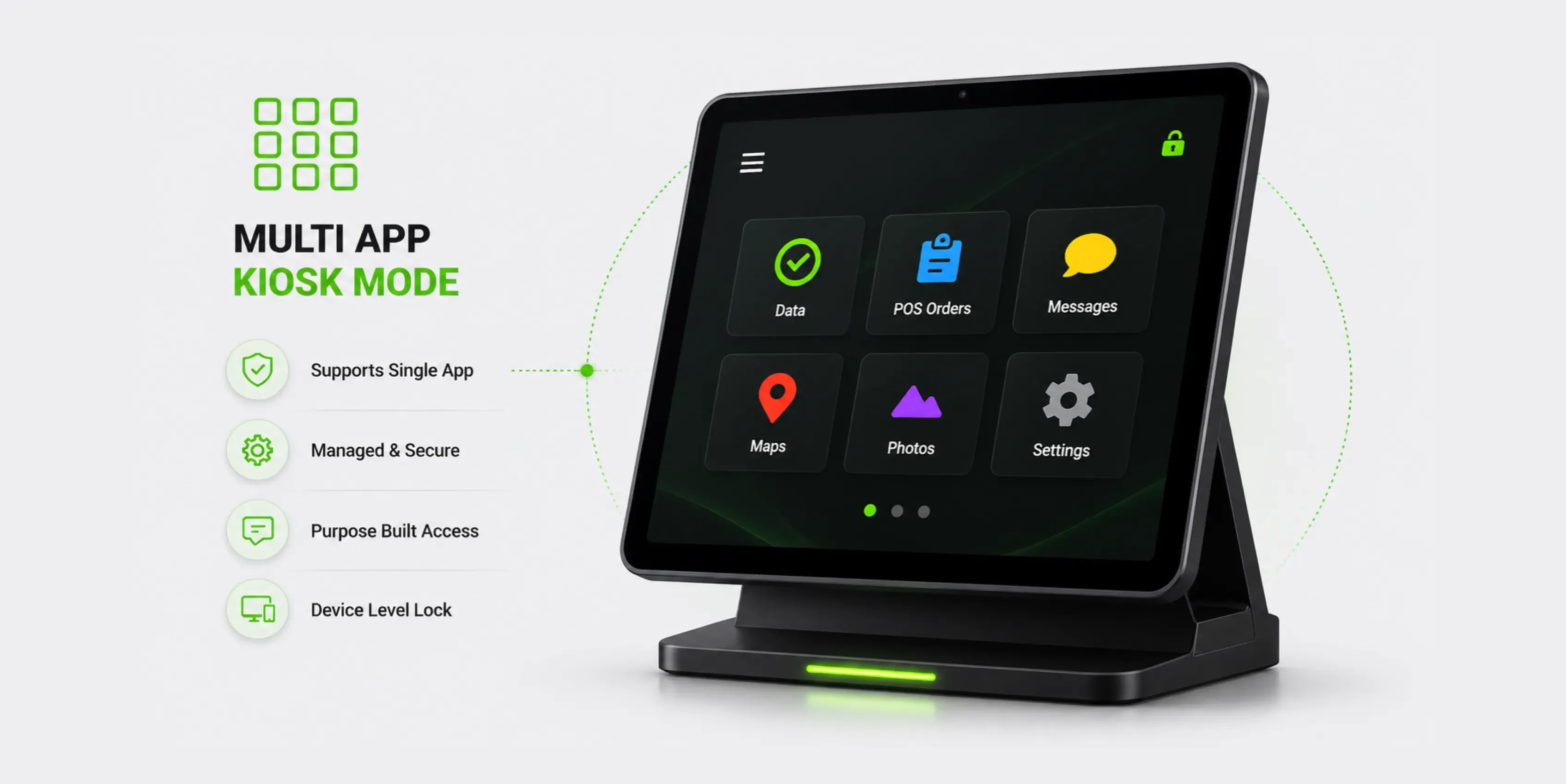
Multi App Kiosk Mode
Allow multiple approved applications for field services, logistics, or shared workstations. Trio deploys custom launcher configurations through Android Enterprise managed device settings with peripheral controls and maintenance windows.
Security, Policy and Compliance
Security policy that covers every Android endpoint
Trio gives you granular control over Android device configuration and enforces security baselines across your entire fleet. Policy changes reach every managed device without manual touchpoints.
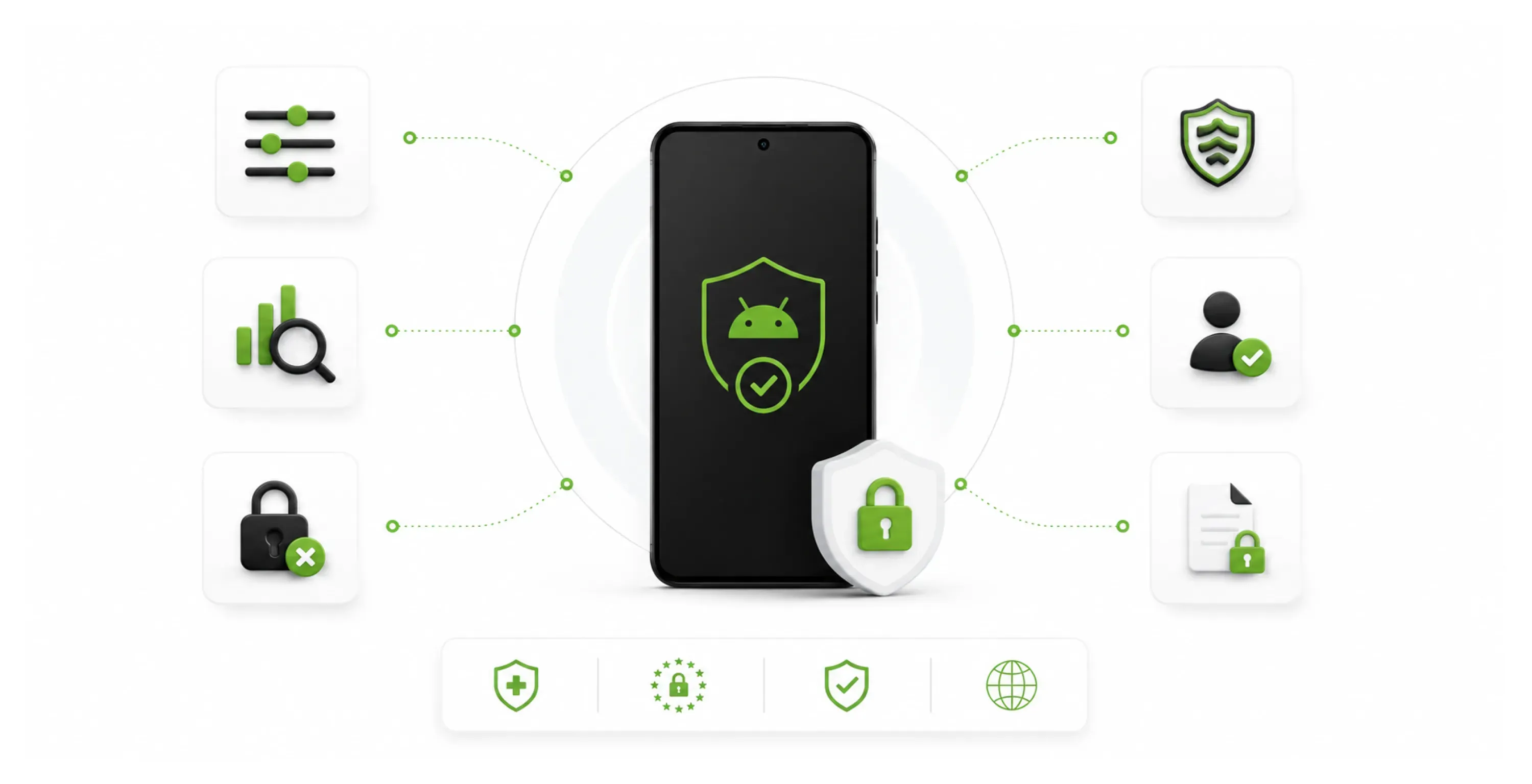
Granular Policy Control
Configure screen lock, encryption, network access, and app permissions across your entire fleet from the Trio console. Policies deploy through OMA URI and Android Enterprise device policy controller, with group based inheritance and rollback support.
Automated Compliance Monitoring
Trio monitors every Android device against your compliance baselines continuously and flags violations before they become audit findings. Evidence collection covers HIPAA, GDPR, SOC 2, and ISO 27001 with remediation recommendations per noncompliant endpoint.
Samsung Knox Integration
Samsung device fleets get additional security depth beyond standard Android Enterprise controls. Trio's Android MDM solution integrates with Samsung Knox for hardware-backed attestation, secure boot verification, and Knox Workspace management at firmware level.
Conditional Access Control
Block resource access on Android devices that fall outside your defined compliance state. Trio enforces conditional access policies that evaluate device posture continuously and revoke access automatically when a device goes out of compliance.
Data Loss Prevention
Prevent corporate data from leaving managed apps or crossing into personal app space on Android devices. Trio enforces DLP policies through Android Enterprise managed configurations, restricting copy, paste, share, and screenshot actions within the work profile boundary.
Remote Security Actions
Lock a lost device, wipe it remotely, or push emergency policy changes from anywhere in the Trio console. Commands execute through Android Enterprise device management APIs with selective wipe on BYOD work profiles leaving personal content intact.
Policy Management
Keep every Android device current and protected
Trio automates security patch deployment and OS version enforcement across your Android fleet. Update policies push through Android Enterprise system update management with configurable freeze periods and security bulletin driven prioritization.
Automated Patch Deployment
Security updates deploy automatically with critical patches prioritized over routine feature updates. Trio enforces patches through Android Enterprise update policies using security bulletin severity ratings to determine deployment order.
OS Version Enforcement
Set minimum OS version requirements across your fleet and flag outdated builds before they become a compliance gap. Trio enforces version compliance through Android Enterprise device policy checks with automated remediation guidance per endpoint.
Scheduled Update Windows
Define maintenance windows, so updates deploy during off-hours without interrupting active operations. Trio schedules updates through the Android Enterprise system to update policies with configurable freeze periods for business-critical device groups.
14 Days Free Trial. No Credit Card Needed. Cancel Anytime.
Set up Trio and start managing your own devices with full MDM features. Try it completely free for 14 days — No Strings Attached. Cancel anytime.
Android Fleet Reporting
Full visibility across every Android endpoint
Trio gives IT teams a real time view of every managed Android device, from security posture to compliance status, without pulling reports manually. Fleet data aggregates automatically so your team and your auditors always have an accurate picture of your Android MDM environment.
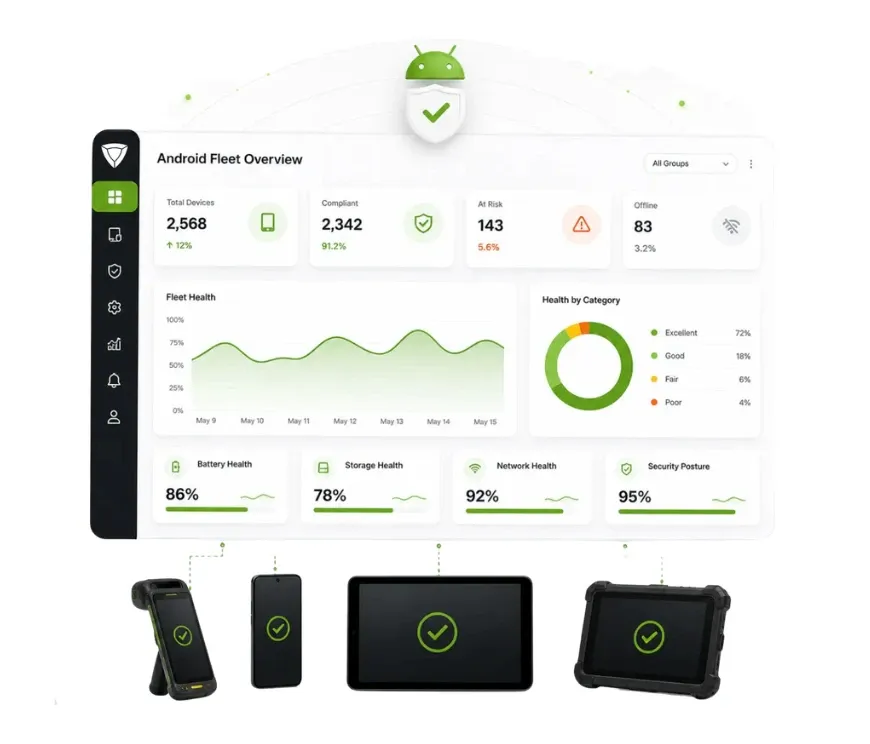
Fleet Health Dashboard
See device status, battery, storage, and network health across your entire Android fleet from one screen.Trio aggregates endpoint telemetry continuously so your team identifies at-risk devices before they cause operational disruption.
- Every device accounted for automatically.
- Hardware records always current.
- No manual audits needed.
More Android MDM Features
More Android management capabilities in one platform
Every feature your Android fleet management requires is available from the same platform your team already uses for policy, enrollment, and compliance.
Multi Tenant Management
Manage multiple client accounts or divisions from one unified admin dashboard.
Real Time Device Monitoring
Track battery, storage, and network health across your Android fleet without additional tooling.
Android Vulnerability Scanning
Identify security gaps and patch risks across your Android environment automatically.
MSP Client Management
Manage multiple SMB client environments separately with unified dashboard visibility and replicated policy standards.
Location Geofencing Alerts
Define location boundaries and receive instant alerts when devices leave a designated zone.
Android Enterprise APIs
Native Google enterprise framework for deep policy enforcement across all managed Android endpoints.
VPN Profile Management
Push VPN configurations to enrolled Android devices automatically so corporate network access is always secure.
Automated Audit Trails
Generate compliance documentation for HIPAA, GDPR, and SOC 2 without manual evidence collection.
Selective Remote Wipe
Remove only corporate data from BYOD devices without affecting personal content.
Device Zero Trust
Verify device identity and compliance posture before granting access, with continuous trust evaluation that revokes access when conditions change.
MFA Configuration
Deploy and enforce multi-factor authentication policies across Android devices and managed app access from the Trio console.
Wi-Fi Profile Management
Deploy corporate Wi-Fi credentials to Android devices silently without sharing passwords with end users.
Android Ownership Models
Every Android ownership model. One platform.
Your Android environment likely includes personally owned phones, corporate tablets, and shared kiosk devices all running at once. Trio delivers MDM for Android that adapts to every ownership model without creating separate policy overhead for each one.

BYOD (Personally Owned)
Corporate data stays in a separate container.
Personal apps and content remain private.
Remote wipe removes only business data.
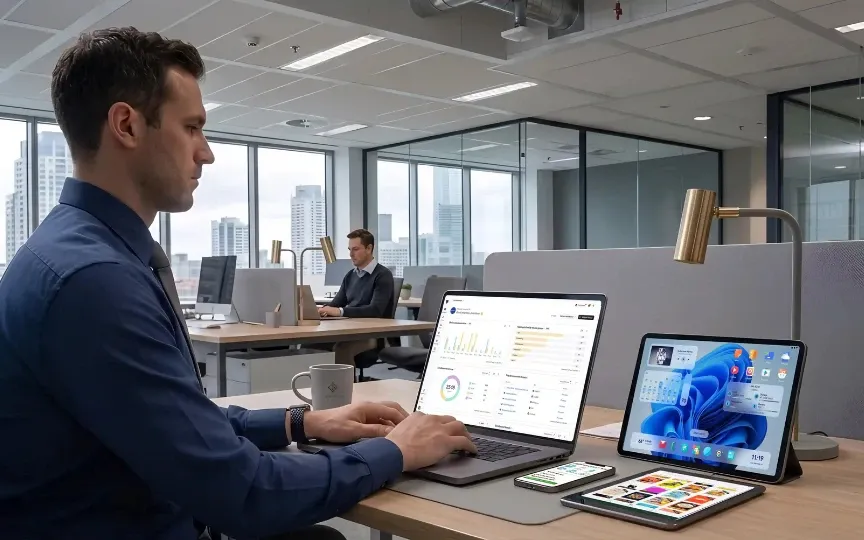
COD (Fully Managed)
Full device lockdown and kiosk support.
Centralized app and policy management.
Remote access for troubleshooting and support.
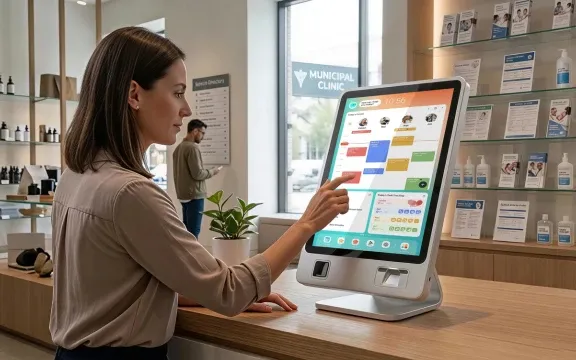
COPE (Corporate Owned, Personal Use)
Full control over the work partition
Employees retain limited personal app access.
Audit ready enforcement on all work data.
Integration
Works with the tools your team already uses
Trio MDM integrates with your existing identity providers, security platforms, and productivity tools. Your mobile device management software slots into your IT stack without requiring a rip-and-replace approach.






Ready to See Trio Android MDM in Action?
Choose what works best for you — book a custom demo with a product expert or start your 14-day free trial with your own devices.
Android MDM Across Industries
How organizations manage Android endpoints with Trio
Mobile device management requirements vary significantly across industries. Trio MDM adapts to the specific compliance, security, and operational demands of each environment your team operates in.
Retail
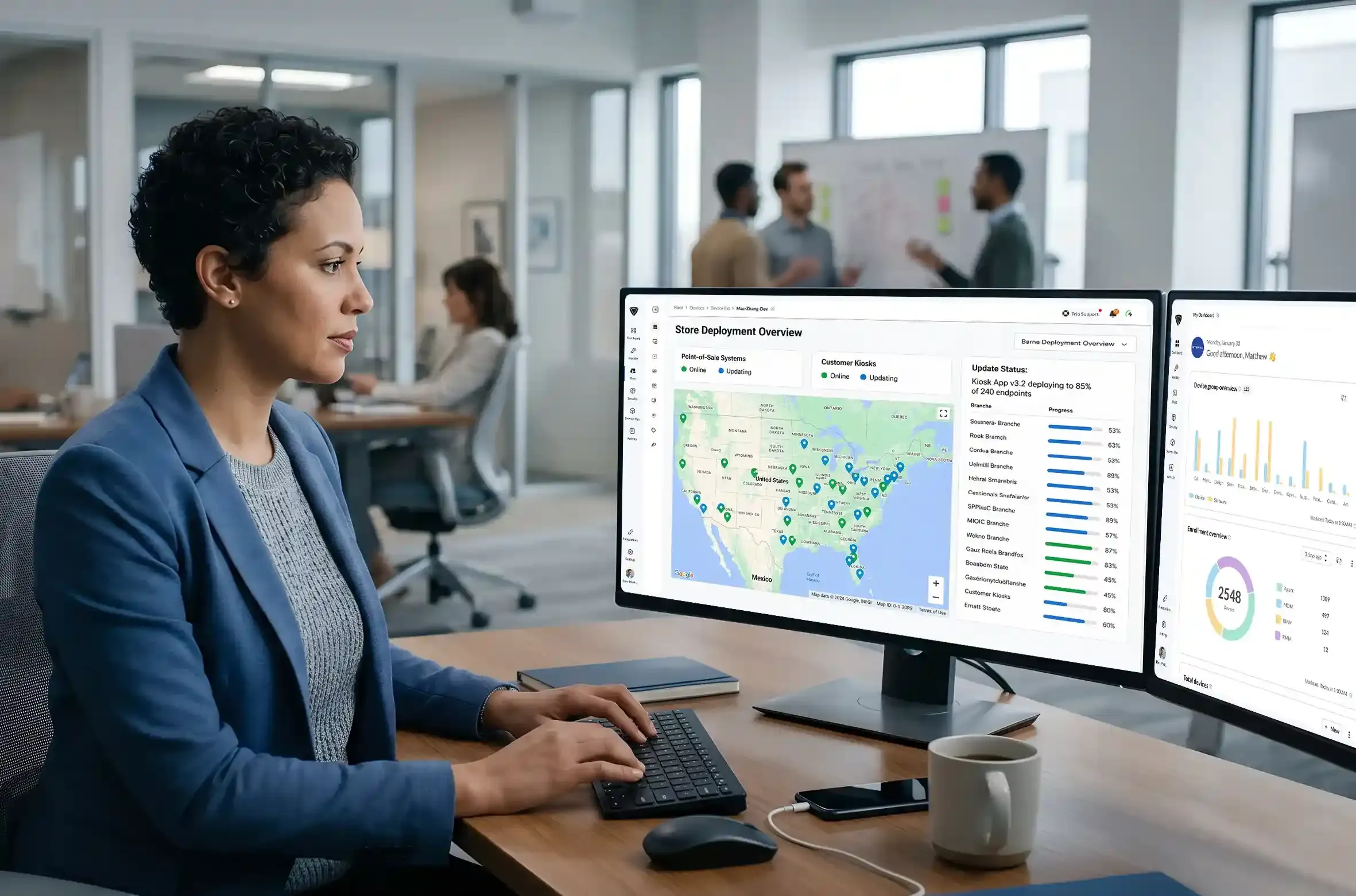
Retail operations running Android POS systems and shared staff devices across locations needed application lockdown without per store IT dependency. Trio took the load off their IT team by delivering:
- Kiosk mode locking devices to approved POS workflows
- Silent app updates across every store simultaneously
- Centralized policy enforcement regardless of staff turnover
The device policy stayed consistent across every location with zero per-store IT involvement.
Unified Endpoint Management Platform
Your Android MDM sits Within a Full UEM Platform
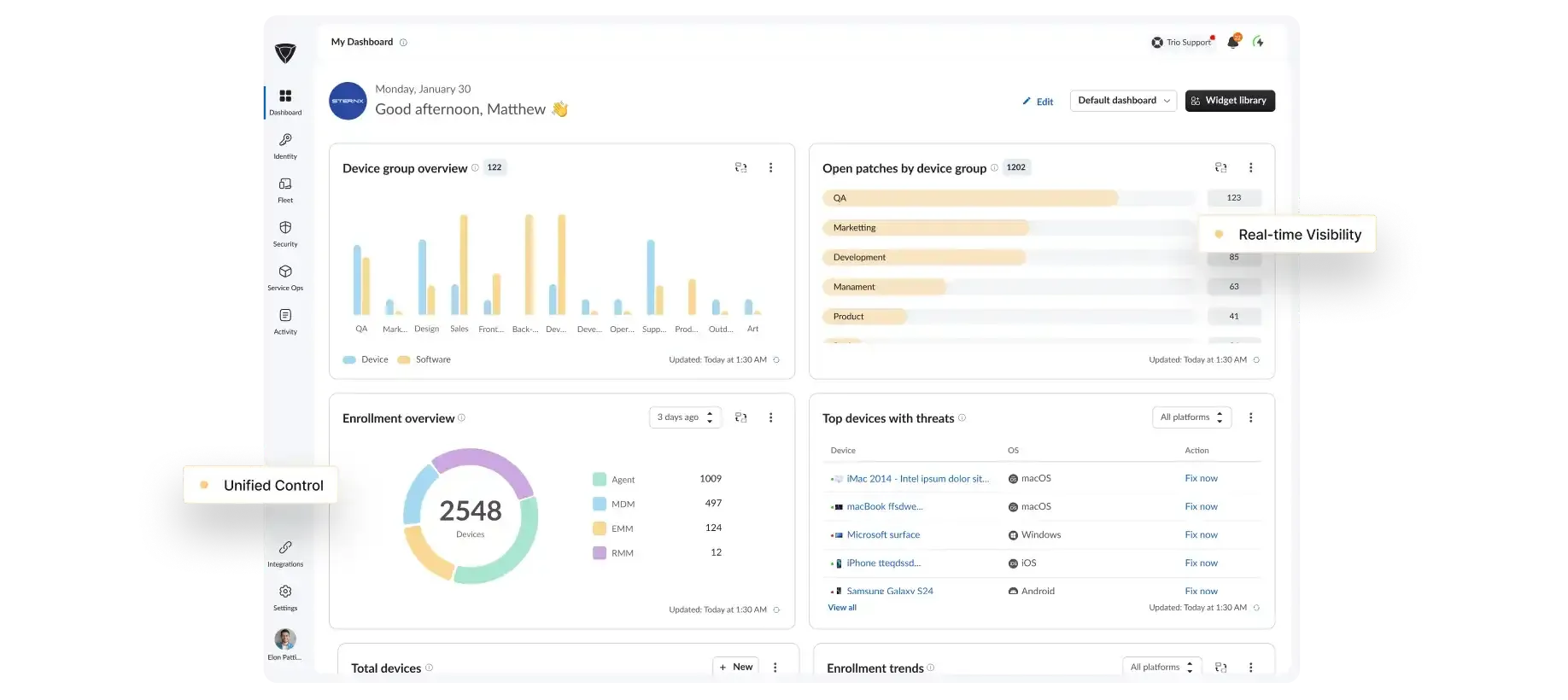
Android device management is one capability within the Trio UEM platform. Your Android fleet sits alongside Windows, macOS, iOS, and Linux endpoints under a single management and security framework.
Cross-OS Management
One console for Android, iOS, Windows, macOS, and Linux endpoints.
Security Enforcement
Consistent security policy across every operating system and device type in your environment.
Device Lifecycle Management
Enroll, manage, and retire devices across all platforms from a single admin layer.
Trio Support
Real people. Real fast.
When something breaks, you need an answer now, not a ticket queue and a 48 hour wait.
<1 Min
Live chat response
<1 Hr
Email response
<6 Hr
Ticket resolution
24/7
Support Available
<1 Min
Live chat response
<1 Hr
Email response
<6 Hr
Ticket resolution
24/7
Support Available
Why Trio
Why IT teams choose Trio for Android MDM
Most Android MDM software was built for enterprise IT departments with dedicated administrators. Trio gives you the same depth of control without the overhead.
Faster to Deploy
Trio gets your Android environment under centralized management in under 30 minutes, where enterprise tools take weeks.Easier to Operate
Manage Android devices, compliance, and app delivery from one console without a dedicated MDM administrator.Built for Scale
Trio handles Android MDM solutions from 50 devices to 5,000 on the same platform without migration or contract renegotiation.Transparent Pricing
Android MDM solutions starting at €1.50 per device per month. No setup fees, no contracts, no surprise invoices.
FAQs
Under 30 minutes. Trio connects your tenant to Android Enterprise and Managed Google Play automatically, so your first policy reaches devices the same day you sign up.
Yes. Trio manages BYOD through Android Enterprise work profiles that keep corporate data completely separate from personal content, and corporate owned devices through fully managed or kiosk mode configurations, all from the same console.
The Android MDM solution supports zero-touch enrollment, QR code provisioning, Knox Mobile Enrollment, and work profile setup for BYOD. Every method applies policy, apps, and configurations automatically during enrollment without manual IT steps.
HIPAA, GDPR, SOC 2, and ISO 27001. Trio monitors every device against your configured baselines continuously and generates audit-ready evidence trails automatically so your team is never caught unprepared.
Yes. Trio supports single app and multi app kiosk configurations for POS terminals, digital signage, rugged field devices, and shared workstations, with remote maintenance and scheduled reboot windows managed centrally.
Trio Android MDM software is significantly faster to deploy and easier to operate for SMB IT teams. Intune requires Azure infrastructure, licensing expertise, and weeks of configuration. Trio delivers the same policy depth, app management, and compliance coverage without the enterprise overhead or dedicated administrator requirement.