



Remote Device Management
Remote Device Management Software for Your Entire Fleet
Lock, wipe, troubleshoot, and patch any device from one console. trio.so reaches every Windows, macOS, Linux, iOS, and Android endpoint over the air, with every action bound to the device record and logged for audit.
No Credit Card Required Setup in MinutesTrusted by IT teams Globally




Distance turns simple fixes into slow ones
Your devices left the building. The problems did not. A user three time zones away reports a frozen app, a stolen laptop, or a failed update, and you have no hands on the keyboard.
One Platform, Every Kiosk
Remote device management solutions in one platform
trio.so puts the full management toolset behind every enrolled device. Send a command, take the screen, push an app, or enforce a policy without leaving the dashboard.
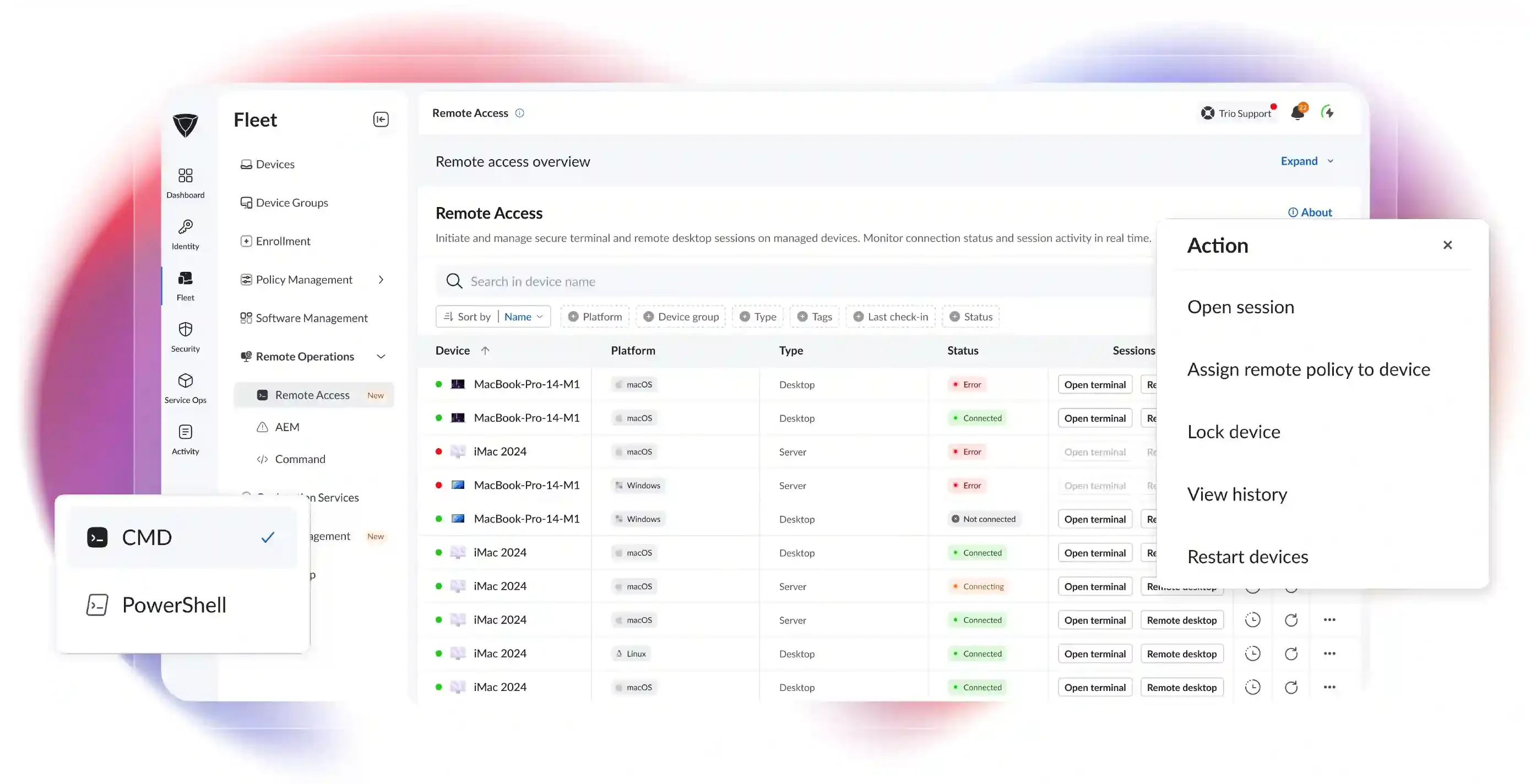
Remote Actions
Secure or fix any device the moment something goes wrong, wherever it sits. Lock, wipe, restart, or clear a passcode over the air, and commands queue automatically when a device is offline.
Live Remote Access
Get hands on a remote device without flying anyone out or shipping it back. Drive the screen on Windows and macOS or open a shell on Linux, all through the browser with no VPN and no inbound ports.
Apps and Patching
Keep every device current and stocked with the right software automatically. Push apps silently and schedule OS and security updates through Windows Update for Business rings, DNF, and APT.
Supported Operating Systems
Every major operating system, one console
trio.so's Remote device management solution manages your whole environment without a separate tool per platform.


Commands, apps, patching, policy, compliance, and location reach all platforms. Full screen control covers Windows and macOS, and the remote terminal adds Linux.
Onboarding
3 steps to a fully managed fleet
Standing up remote device management is a setup, not a project. The agent on each device keeps an outbound channel to the cloud, and every action rides it.
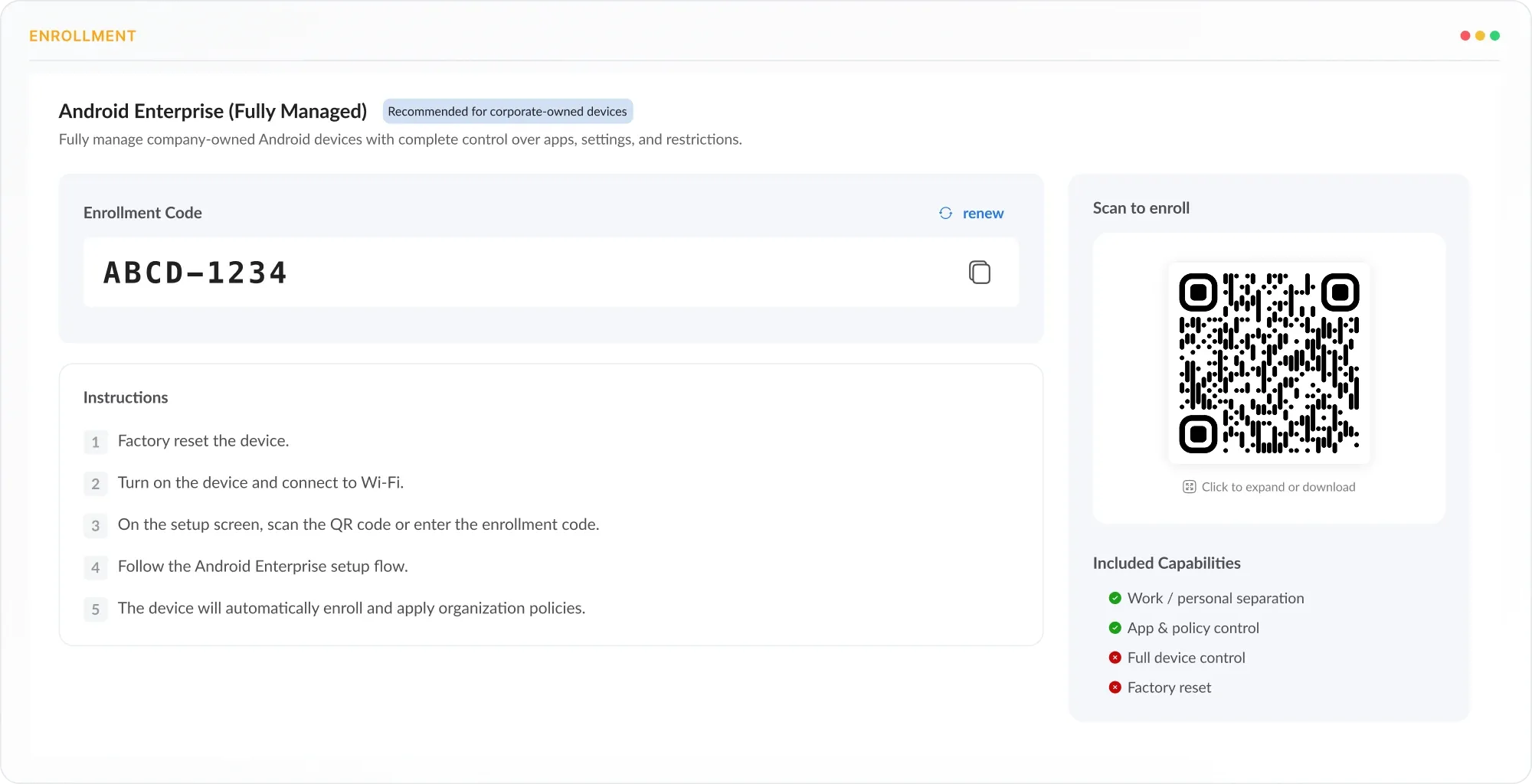
Enroll
Bring devices under management without touching each one at a desk. Enroll through pairing codes, silent scripts, or zero touch programs like Apple Business Manager, Microsoft Autopilot, and Google.
Configure
Decide the policies, apps, and access rules each device should carry. Assign configuration profiles, app catalogs, and compliance rules by group, OS, or tag, so devices land preconfigured.
Deploy
Hand devices to users ready to work, then manage them remotely from day one. Devices arrive fully set up, and the full remote toolset is live on each one for commands, access, and patching.
See Remote device management software in action
Enroll your first devices and run a live command the same afternoon.
Remote Command
Run any action across your fleet at once
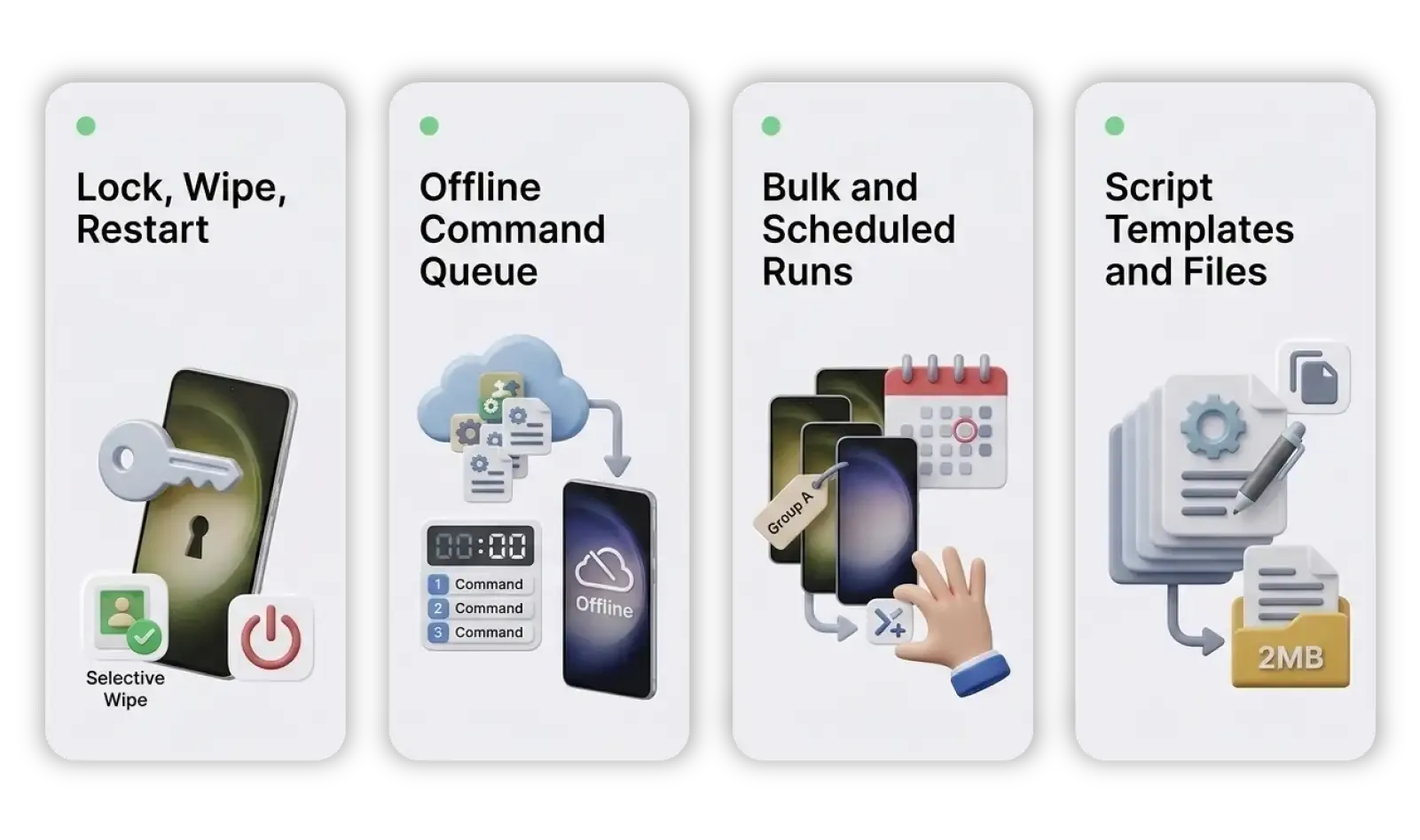
Send secure actions to any device without touching it. Lock, clear a passcode, restart, run a script, or wipe corporate data, all over the air.
Shut down risk on a lost or stolen device in seconds. Remote lock holds the device, selective wipe clears managed apps and profiles, and full wipe runs a factory reset.
A device being offline never means a command is lost. The remote device management system queues the action in the cloud and runs it automatically the moment the device reconnects, in the correct order.
Fix or update a whole group at once instead of device by device. Push a script across a device group or schedule it for a maintenance window, filtered by OS, tag, or location.
Standardize the fixes your team runs most. Save a proven command as a reusable template and attach supporting files up to 2MB to the deployment.
Remote Access
Take the screen or the shell on any device
Reach any device from a browser tab, no VPN required. Take the screen, open a shell, or fire a command across Windows, macOS, and Linux.
Remote Desktop Control
Drive the mouse and keyboard when a fix needs a real screen. Full control sessions on Windows and macOS run in the browser with no RDP gateway and no port 3389 to expose.
Explore Remote Desktop ManagementRemote Terminal Access
Open the native shell when a command line is faster than a screen. PowerShell, CMD, Bash, and Zsh open in a browser tab with auto privilege escalation and no SSH keys to rotate.
Explore Remote TerminalRemote Command Console
Fire a single command or script at a device without opening a full session. Run CMD, PowerShell, and bash commands live with output streamed back and queued automatically when the device is offline.
Explore Remote CommandLocation and Geofencing
Know where every device is, always
See and recover any device the moment it goes missing. trio.so tracks live location across Android, iOS, Windows, and macOS using GPS, Wi-Fi, and cellular positioning.
Live Fleet Location
Location History

Geofence Enforcement
Apps and Patching
Keep every device current and stocked
Get the right apps onto every device and keep them patched. trio.so deploys from official stores, its catalog, or custom uploads, and automates OS and security updates.
Silent App Deployment
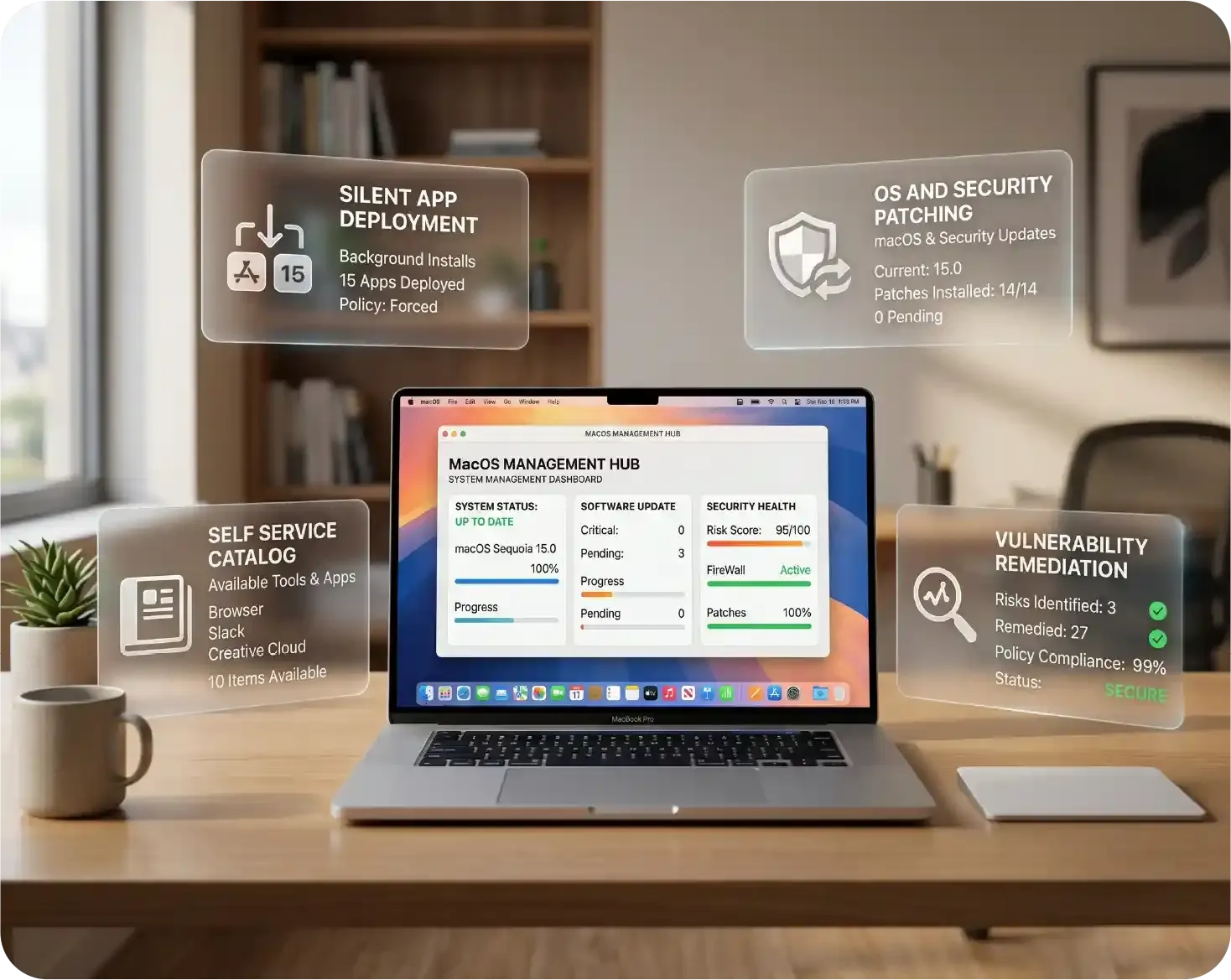
Install and update business apps without a single user prompt. Push APK, IPA, PKG, MSI, and EXE packages silently, with install switches and post install commands for complex apps.
OS and Security Patching
Close vulnerabilities before they become incidents, with no user disruption. Schedule security and feature updates through Windows Update for Business rings, and patch Linux through DNF and APT.
Self Service Catalog
Let users grab approved software on their own while IT keeps control.
A company portal lists IT approved apps with install permissions, update notifications, and usage tracking.
Vulnerability Remediation
Catch and fix devices that drift out of policy automatically.
trio.so flags outdated OS and missing patches against a compliance baseline and remediates on a schedule you set.
Policy and Compliance
Hold one security baseline everywhere
Enforce one baseline across every device and prove it on demand. trio.so pushes policy, automates compliance checks, and gates access on device health.
Policy Enforcement
Apply consistent settings and restrictions across the whole fleet. Configuration profiles for Wi-Fi, VPN, encryption, and restrictions deploy by group, OS, or tag from one console.
Compliance Automation
Stay audit ready without manual checks or spreadsheets. trio.so's remote device management solution monitors encryption status, OS patch level, and policy adherence continuously, with templates for HIPAA, GDPR, and SOC 2.
Conditional Access
Keep risky and unmanaged devices away from corporate resources. Access requires a device to be compliant and trio.so managed before sign in, integrated with Microsoft Entra ID, Okta, and Google Workspace.
Security and Access Control
Privileged access without the sprawl
Keep every remote path tight and accountable. Every action is identity bound, encrypted end to end, and written to an exportable audit trail.
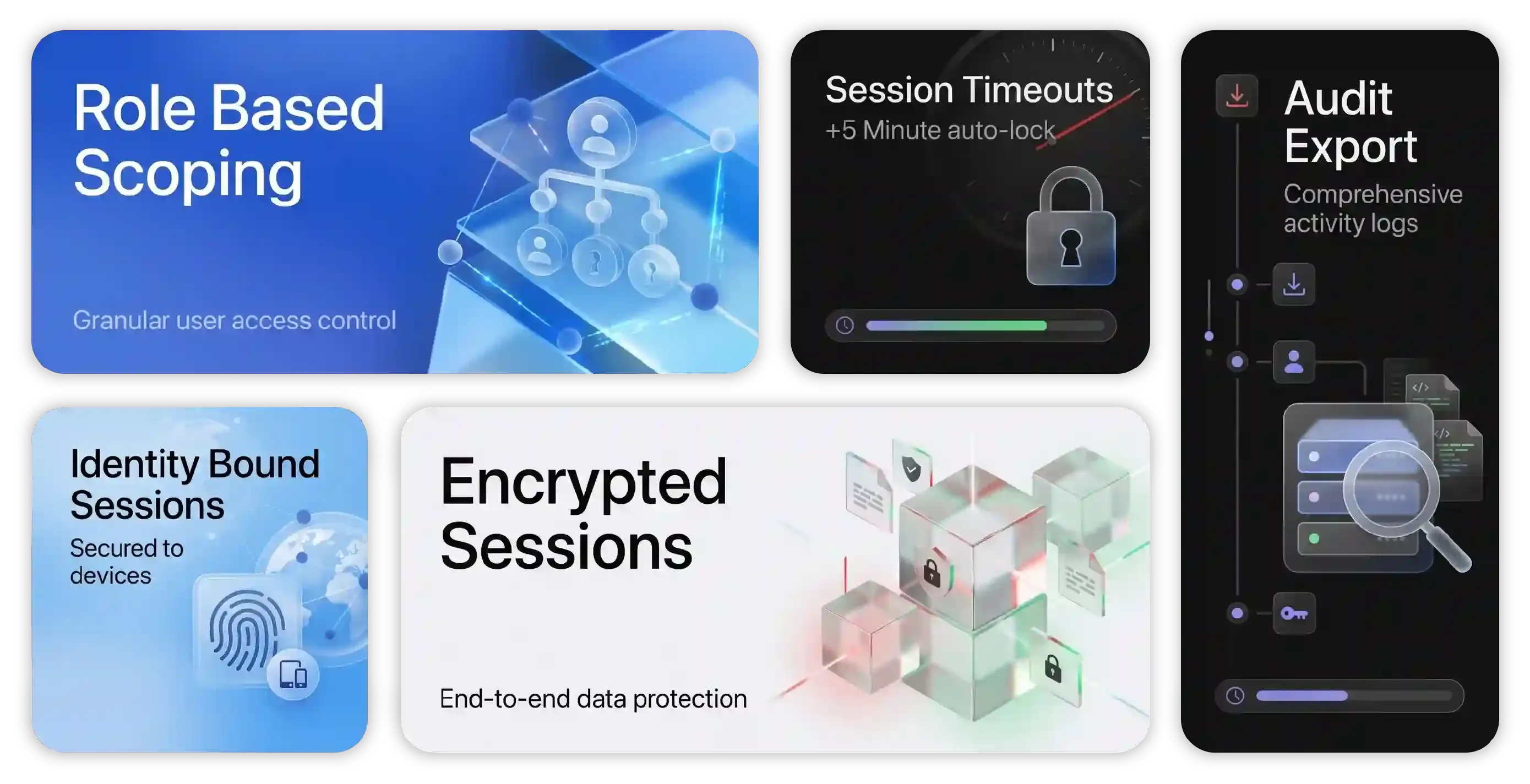
Role Based Scoping
Decide exactly who can touch which devices. Scope access by admin role, device group, and OS, so a help desk role reaches laptops but not servers.
Encrypted Sessions
Keep every remote session private on any network. TLS 1.3 encrypts the channel end to end between the browser, the cloud, and the device agent.
Audit Export
Turn every privileged action into compliance evidence. Sessions and commands log the actor, device, and timestamps, and export to SIEM for SOC 2, ISO 27001, GDPR, and HIPAA.
Identity Bound Sessions
Tie every privileged action to a real person, not a shared login. Each session is opened by a named admin signed into trio.so, with the actor, device, and time window on the record.
Visible to the User
Keep remote work transparent so users trust the support, not fear it. trio.so' remote device management software shows a notification on the device when an admin connects, with the text and timing set in policy.
Session Timeouts
Close the door on sessions left open by accident. Idle sessions end on a configurable timeout, so an unattended terminal never stays live.
A remote device management system your whole team can run
One console, one login, every action behind every device.
More Remote device management Features
More built into the platform
The capabilities that round out remote management beyond access and commands.
Kiosk Mode
Lock devices to approved apps for task focused use.
BYOD Work Profile
Separate work and personal data on employee owned devices.
Certificate Provisioning
Issue Wi-Fi and identity certificates automatically through SCEP.
Threat Defense
Auto lock devices with outdated OS or abnormal behavior.
Data Loss Prevention
Stop leaks from unauthorized apps and services.
Content Distribution
Push documents and files to devices by group.
Device Inventory and Reports
Track every device with exportable inventory and compliance reports.
Activity and Service Monitor
Inspect processes, services, and network from the device view.
Single Sign On
Give users one secure login across cloud and on premises resources.
Platform Integration Layer
Remote actions wired into your workflows
trio.so connects to the systems your team already runs through webhooks and a REST API. Automated triggers respond to monitoring alerts, service events, and enrollment hooks without custom glue.












Standardize Remote device management Solution across every OS
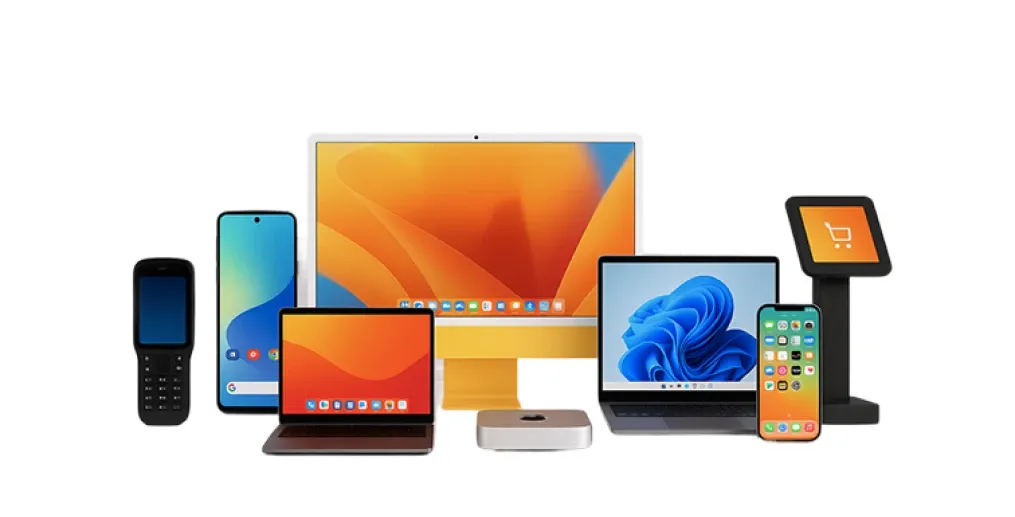
Bring Windows, macOS, Linux, iOS, and Android under one set of controls.
Built for Every Environment
How teams put remote device management software to work
Remote device management earns its keep wherever devices live outside the office and outnumber the people supporting them. These are the environments where IT leans on it most, every day.
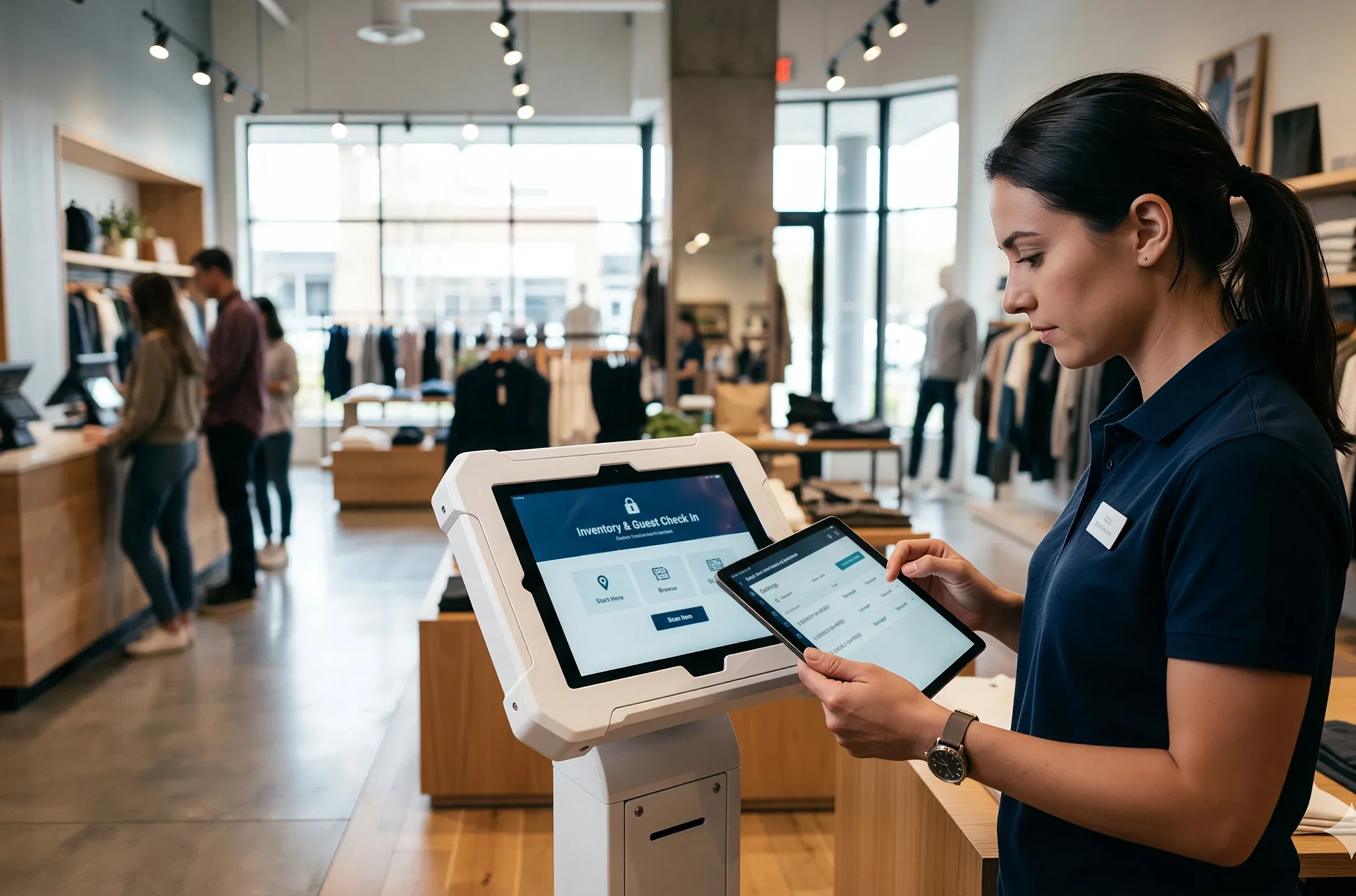
Retail
Stores run POS terminals, scanners, and tablets across dozens of locations with no IT staff on site. trio.so pushes fixes, apps, and commands to every store from one console, and a remote session clears a frozen register without a truck roll.
- Fix store devices without a visit.
- Deploy apps across all locations at once.
- Lock kiosks to approved retail apps.
Store downtime drops without on site support.
Unified Endpoint Management Platform
Built on a complete UEM foundation
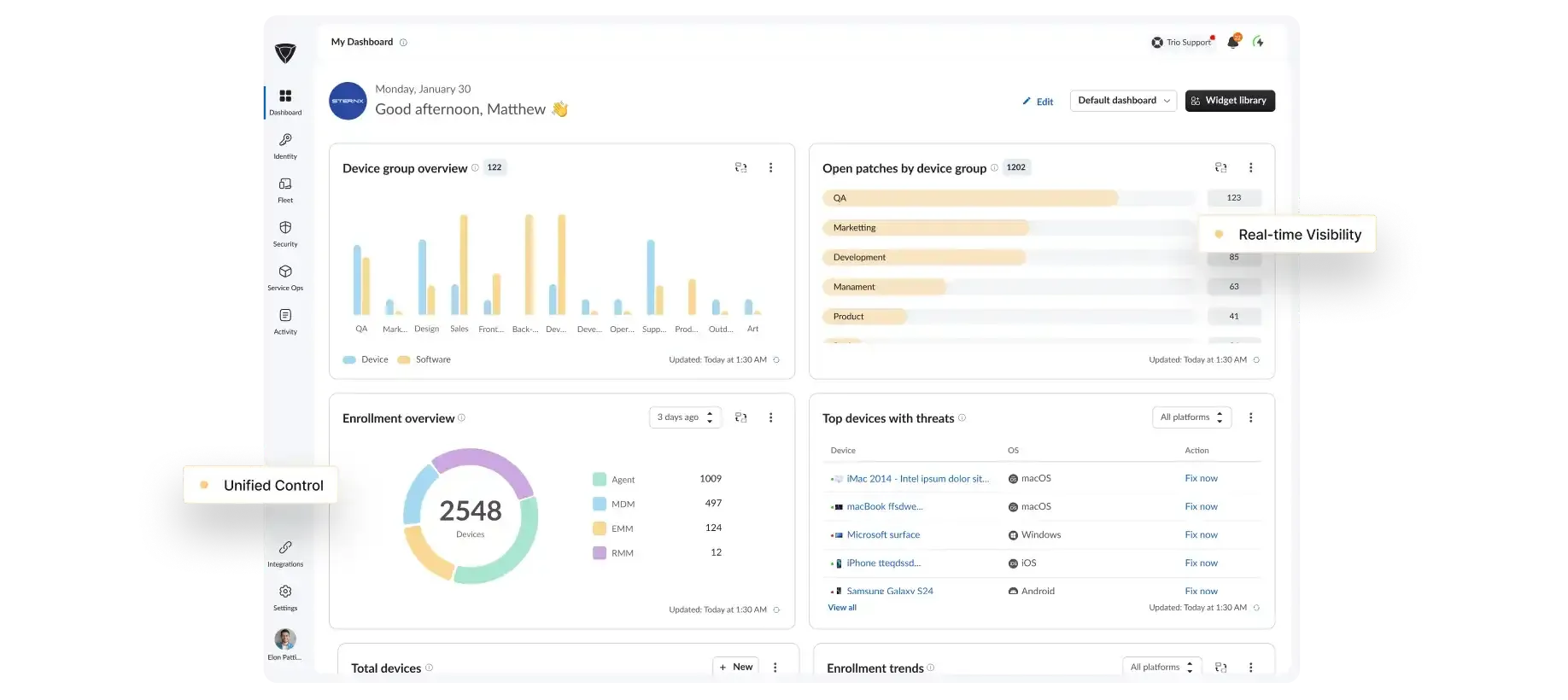
Remote device management is one capability inside a broader UEM platform. The same console handles enrollment, security, patching, compliance, and the full device lifecycle.
Cross OS Management
One console manages every device type across your environment.
Security Enforcement
Policies, access rules, and compliance controls apply fleet wide.
Automation Workflows
Routine IT work runs on its own with rules and triggers.
trio.so Support
Real people. Real fast.
When something breaks, you need an answer now, not a ticket queue and a 48 hour wait.
<1 Min
Live chat response
<1 Hr
Email response
<6 Hr
Ticket resolution
24/7
Support Available
<1 Min
Live chat response
<1 Hr
Email response
<6 Hr
Ticket resolution
24/7
Support Available
Why trio.so for MDM Remote Control
Why IT Teams Choose trio.so for Remote Device Management
Most remote device management solutions solve one platform or one task. trio.so gives a lean team the whole management surface without a dedicated administrator to run it.
No Specialist Needed
Run the whole platform without a dedicated administrator on staff.One Mixed Fleet
Windows, macOS, iOS, and Android managed side by side, not through separate consoles.Audit Ready Control
Role based access and a full audit trail keep every action controlled and recorded.Works When Offline
Queued commands run the moment a device reconnects, with no waiting.
FAQs
Remote device management software lets IT teams monitor, configure, secure, and control work devices from a central console without physical access. trio.so brings Windows, macOS, Linux, iOS, and Android under one dashboard, where admins enroll devices, push policy and apps, run commands, and troubleshoot remotely.
Most teams go live the same week they sign up, and switching from Workspace ONE or legacy MDM takes hours, not weeks. Devices enroll through pairing codes, silent scripts, or zero touch programs and the full toolset works immediately, with some teams moving 500 plus devices in a single day.
Plans start at $5 per device, and every remote management capability is included rather than sold as separate add ons. A 14 day free trial covers the full platform with no credit card, and there is no device minimum.
Yes, every remote session runs over TLS 1.3 and is opened by a named admin, with role based access controlling who can act on which devices. trio.so logs every command and session to an exportable audit trail that supports SOC 2, ISO 27001, GDPR, and HIPAA reviews.
No, trio.so does not require a VPN. A lightweight agent on each device keeps an outbound channel to the cloud, so every remote session, command, and patch runs without opening inbound ports or pushing a VPN client.
Yes, the trio.so remote device management system provides MSPs a single console to manage multiple client organizations as separate tenants, each with its own devices, policies, and role-based access. MSPs delivering remote device management services can replicate policy baselines across client tenants, run per-client compliance checks, and onboard new clients without onsite visits.