


MSP client kit
Templates for every stage of a client relationship: discovery, contract and SLA, onboarding, QBRs, incidents and offboarding. They reference each other, so you sign, onboard, review and hand over every client the same way.
16 files in Word, Excel and PowerPoint. Free, and yours to brand and reuse.
 DOCX
 DOCX
 DOCX
 PPTX
Where client work goes wrong
Most problems with clients come from steps nobody wrote down. These come up again and again, and each one has a file in the kit.
Every technician onboards a client differently
Someone skips the test restore or leaves the previous provider's agents running, and you find out during the first incident.
06 Onboarding tracker55 tasks in order, each with an owner and a test for when it's done. Go-live comes after every device is enrolled.
Clients argue about what's covered
Without a written scope, every new laptop, office move or evening call turns into a negotiation.
05 Scope and responsibility matrix58 activities marked included, billable or not offered, with who does each one. It's signed as part of the agreement.
The SLA promises numbers nobody defined
If response and resolution mean different things to you and the client, and the clock never pauses, service credits end in a dispute.
04 SLA scheduleA priority matrix, response and resolution defined, clock pauses, escalation, and credits with a cap.
QBRs get skipped or turn into ticket counts
The client never sees the risk trend or the replacement plan, so renewals and projects stall.
10 QBR deck and 11 monthly reportThis quarter next to last, security posture, a four-quarter replacement plan, and decisions with owners.
Exits leave a mess behind
Passwords sent by email, devices unmanaged once your agents come off, no record of what was handed over.
14 Offboarding tracker and 15 handover documentAccess transferred before your tools come off, recovery keys exported, data deletion confirmed in writing.
See inside
Shown here with sample data. In the files, the parts you fill in are highlighted so you can find them.
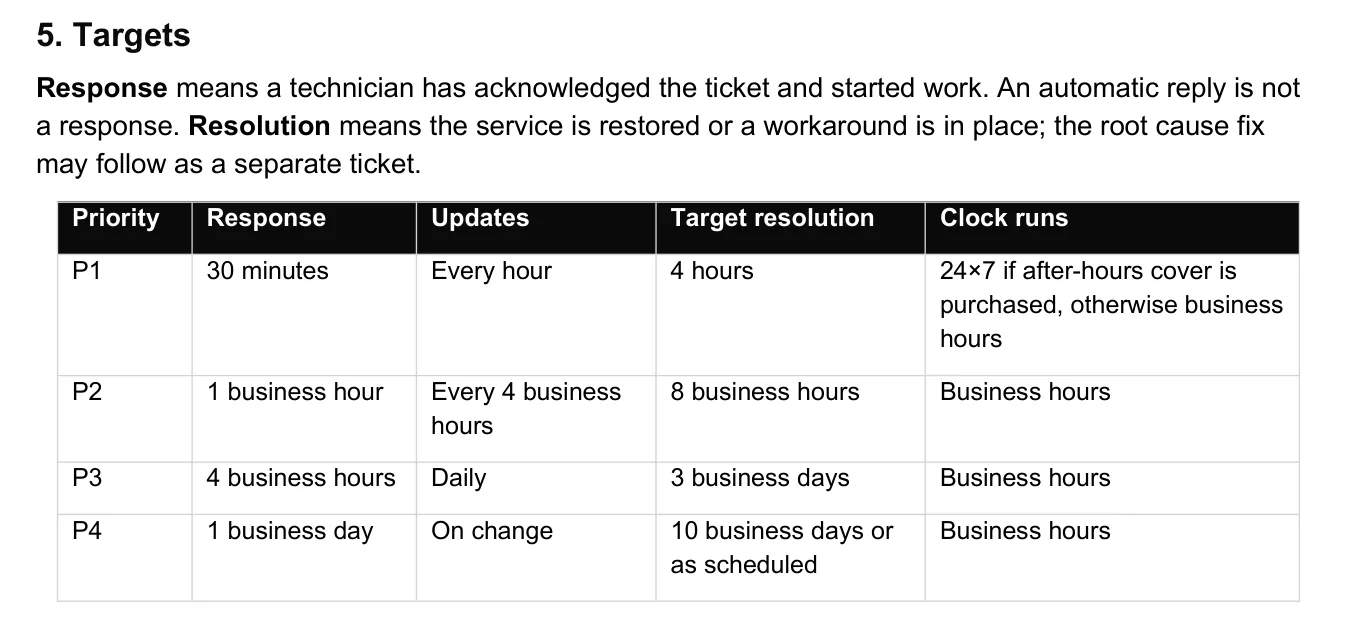
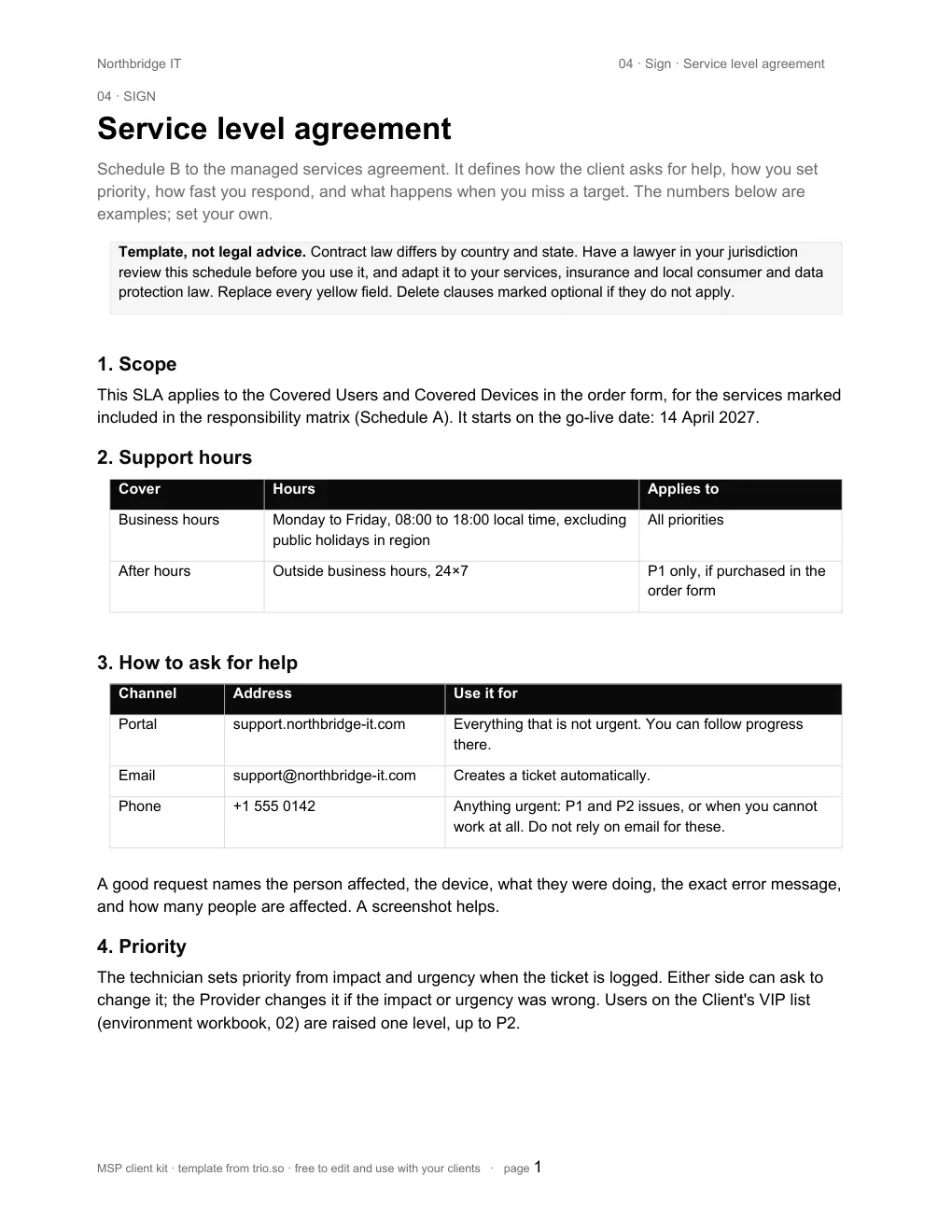
04 SLA schedule. Response and resolution are defined before the targets, so a missed target means the same thing to both sides.
| ID | Task | Done when | Owner | Day | Status |
|---|---|---|---|---|---|
| ON-12 | Get admin access to Microsoft 365 / Google Workspace | Named admin accounts with MFA for each technician (for Microsoft 365, delegated partner access through GDAP with least-privilege roles). No shared logins. | Client | Day -21 to -14 | Done |
| ON-17 | Store every credential in your password manager | One vault per client. Record the vault entry, never the password, on the Admin accounts sheet. | Your MSP | Day -21 to -14 | Done |
| ON-18 | Create two break-glass admin accounts | Excluded from conditional access, long random passwords, stored offline, sign-ins alerted. | Your MSP | Day -21 to -14 | Done |
| ON-22 | Reconcile the device list | Devices in management vs devices signing in to Microsoft 365/Google vs purchase records. Differences explained. | Your MSP | Day -14 to -7 | Done |
| ON-24 | Check backups and run a test restore | Proof that at least one restore works before you rely on the backups. | Your MSP | Day -14 to -7 | Waiting on client |
| ON-29 | Deploy your RMM / device management agent to every computer | Windows, macOS and Linux. Coverage report shows 100% of the reconciled list. | Your MSP | Day -14 to -2 | In progress |
| ON-30 | Enrol company phones and tablets | Apple devices through Apple Business Manager, Android through Android Enterprise zero-touch where available. | Your MSP | Day -14 to -2 | In progress |
| ON-37 | Remove the previous provider's agents and accounts | Only after your own tools cover every device. Their admin accounts disabled. | Your MSP | Day -14 to -2 | Not started |
06 Onboarding tracker. Status, owner and day are dropdowns; filter by owner to send the client their list.
| ID | Control | Target | Applies to | Status |
|---|---|---|---|---|
| ID-01 | MFA enforced for every user | All accounts registered; legacy authentication blocked | Accounts | Met |
| ID-02 | Phishing-resistant MFA for admins | FIDO2 security key or passkey for every admin account | Accounts | Partly |
| DV-02 | Disk encryption on, keys escrowed | BitLocker, FileVault or LUKS with recovery keys stored centrally | All devices | Met |
| DV-03 | Screen lock at 15 minutes or less | Set by policy; users cannot extend it | Computers | Met |
| DV-04 | No local admin rights for users | Standard accounts on every computer | Computers | Not met |
| DV-11 | Personal phones separated from work data | Work profile (Android) or user enrollment (iPhone); unenrolled phones blocked from email | Phones and tablets | Met |
| PT-01 | OS security updates within 14 days | Report of devices that are behind, reviewed weekly | All devices | Partly |
| EM-03 | DMARC at quarantine or reject | With aggregate reports going to a mailbox someone reads | Mail domains | Exception |
| BK-05 | Test restore every quarter | Recorded with date, data restored and time taken | Backups | Met |
09 Security baseline. 50 controls with what each covers, the target, and the evidence you'd show an auditor.
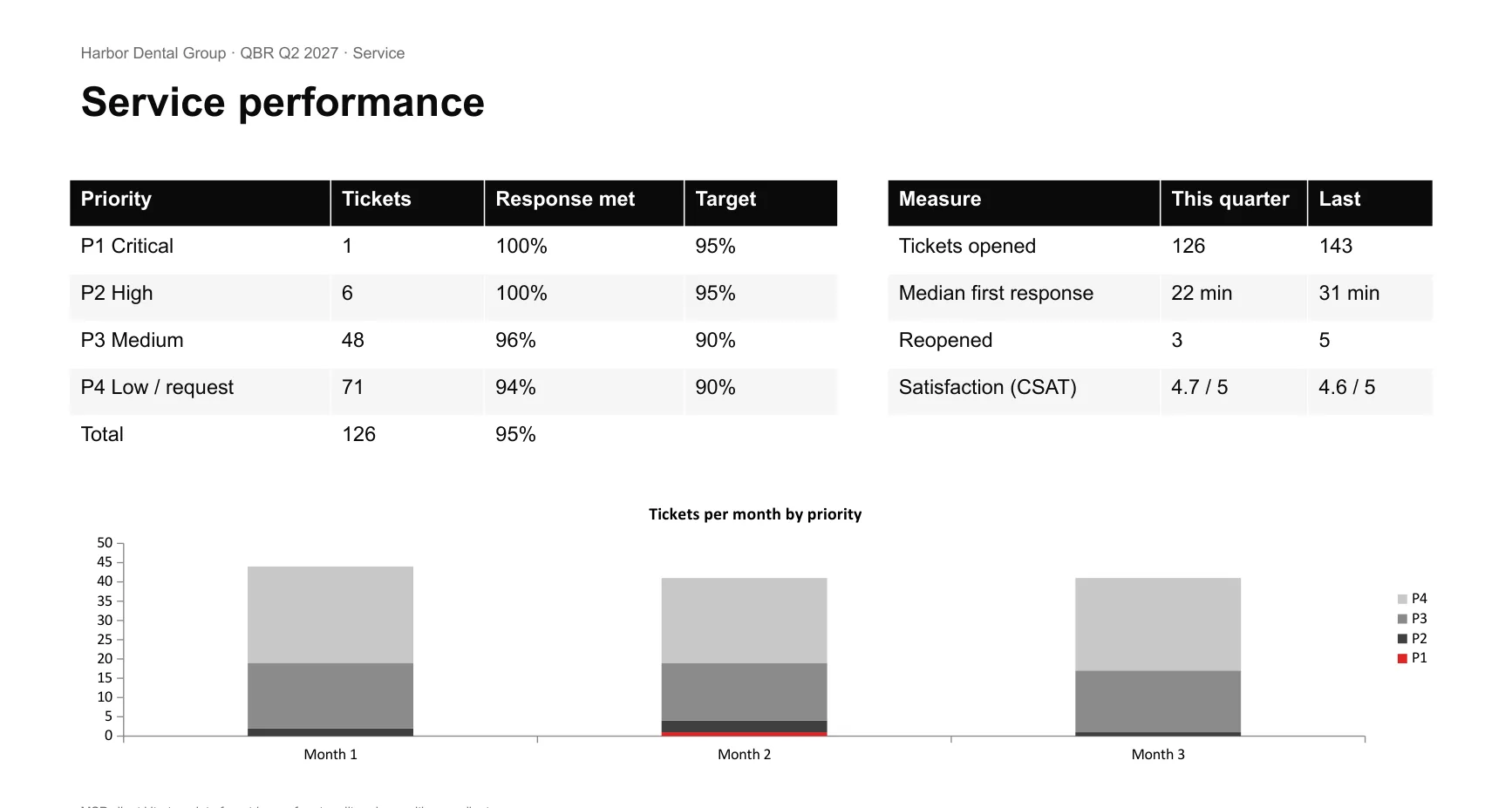
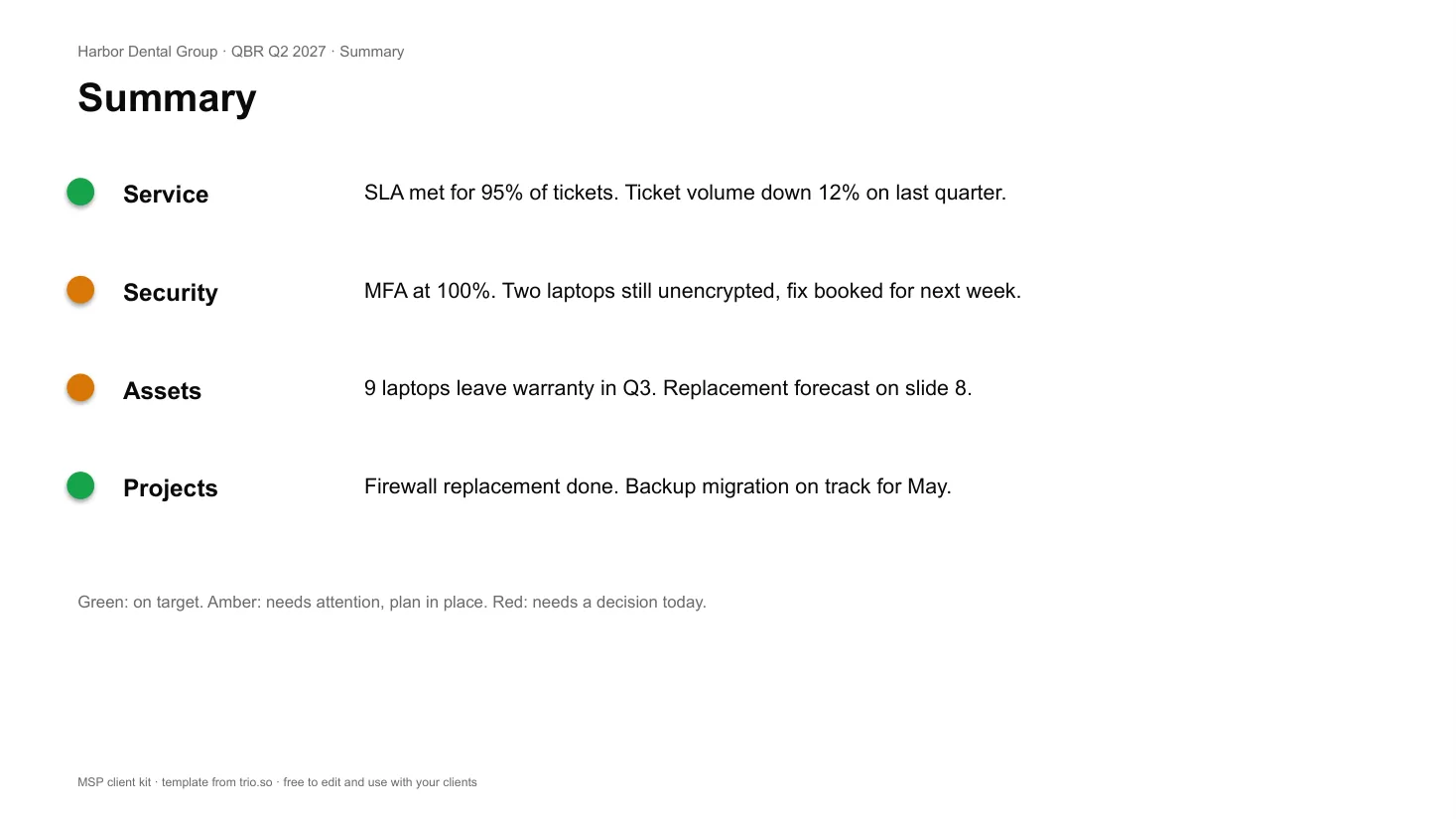
10 QBR deck. 13 slides with speaker notes; the chart is a native PowerPoint chart you update from your PSA numbers.
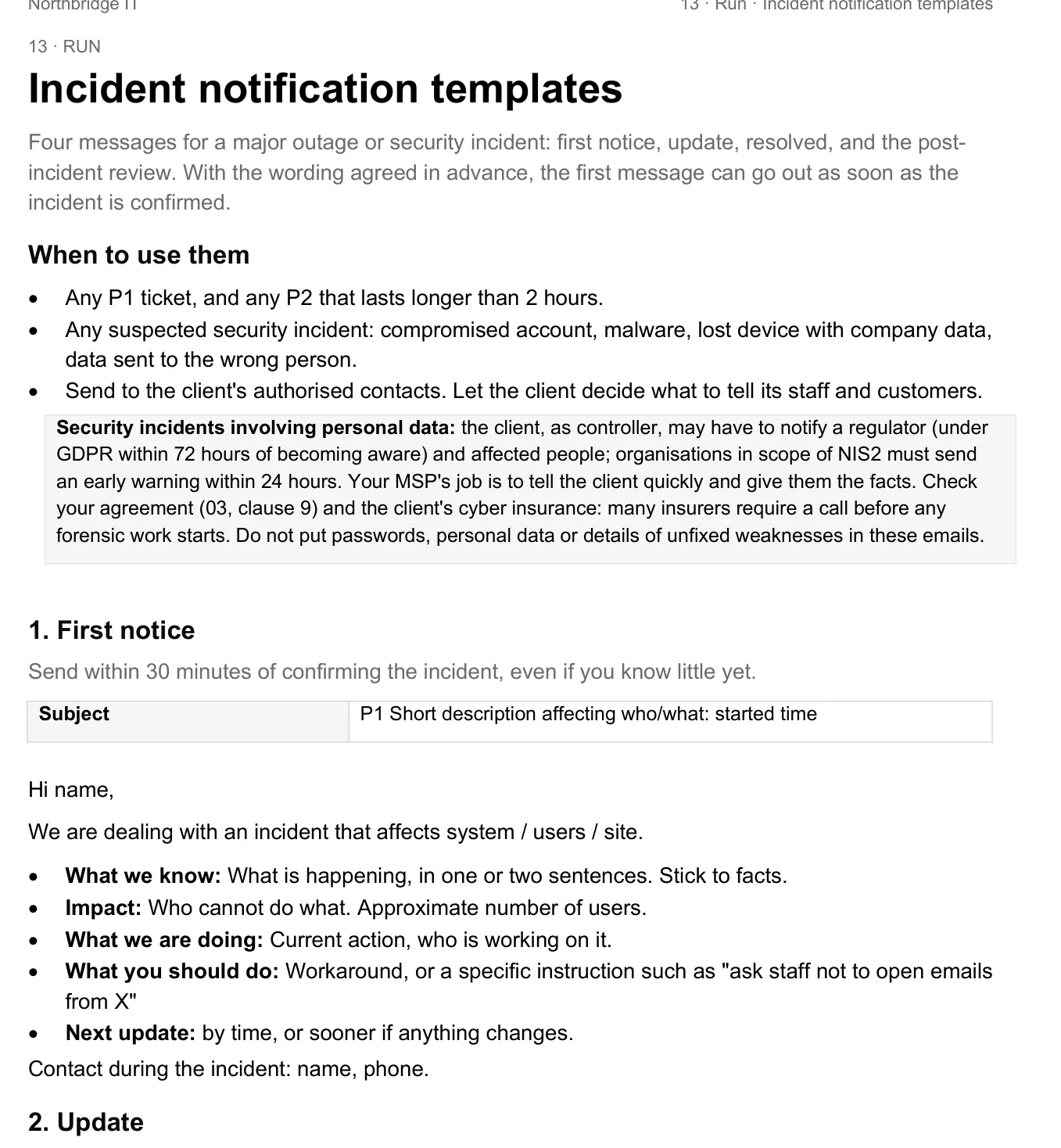
13 Incident notification templates. Written before you need them, including what to leave out of an email during a security incident.
| ID | Task | Done when | Owner | Day | Status |
|---|---|---|---|---|---|
| OFF-17 | Transfer credentials from your vault | Through a secure sharing method or in person. Ask the recipient to change them on receipt. | Your MSP | Day -10 to 0 | Done |
| OFF-18 | Transfer domain registrar and DNS control | Client is the registrant. Transfer codes sent securely if the domain moves. | Your MSP | Day -10 to 0 | Done |
| OFF-19 | Transfer licensing held through your MSP (CSP / resale) | Check commitment terms first: Microsoft annual subscriptions can usually be cancelled only within 7 days of purchase or renewal, and a partner-to-partner transfer keeps the term. Plan the date so there is no gap. | Your MSP | Day -10 to 0 | In progress |
| OFF-24 | Export disk encryption recovery keys | BitLocker and FileVault keys exported from your device management and handed over securely before devices are released. | Your MSP | Day 0 to +5 | Not started |
| OFF-25 | Release devices from your device management | In Apple Business Manager, reassign devices to the new provider's MDM server. Agree which devices need an erase and re-enrollment (Android fully managed devices, and Apple devices that cannot migrate). | Your MSP | Day 0 to +5 | Not started |
| OFF-26 | Uninstall your RMM and remote access agents | Coverage report shows zero remaining devices. | Your MSP | Day 0 to +5 | Not started |
| OFF-27 | Hand over or remove antivirus / EDR | Turn off tamper protection only at the moment of handover. | Your MSP | Day 0 to +5 | Not started |
14 Offboarding tracker. The order matters: the client gets access first, your tools come off last.
What's in the kit
Numbered in the order you use them. Open 00 Start here first: it shows how the files connect and how to brand them.
Win
Before the contract
53 questions for the first technical call: users, devices, email, network, backups, security, budget.
Twelve sheets for sites, contacts, users, devices, servers, network, SaaS, domains, vendors, admin accounts and findings. Kept current for the whole contract.
Sign
The contract
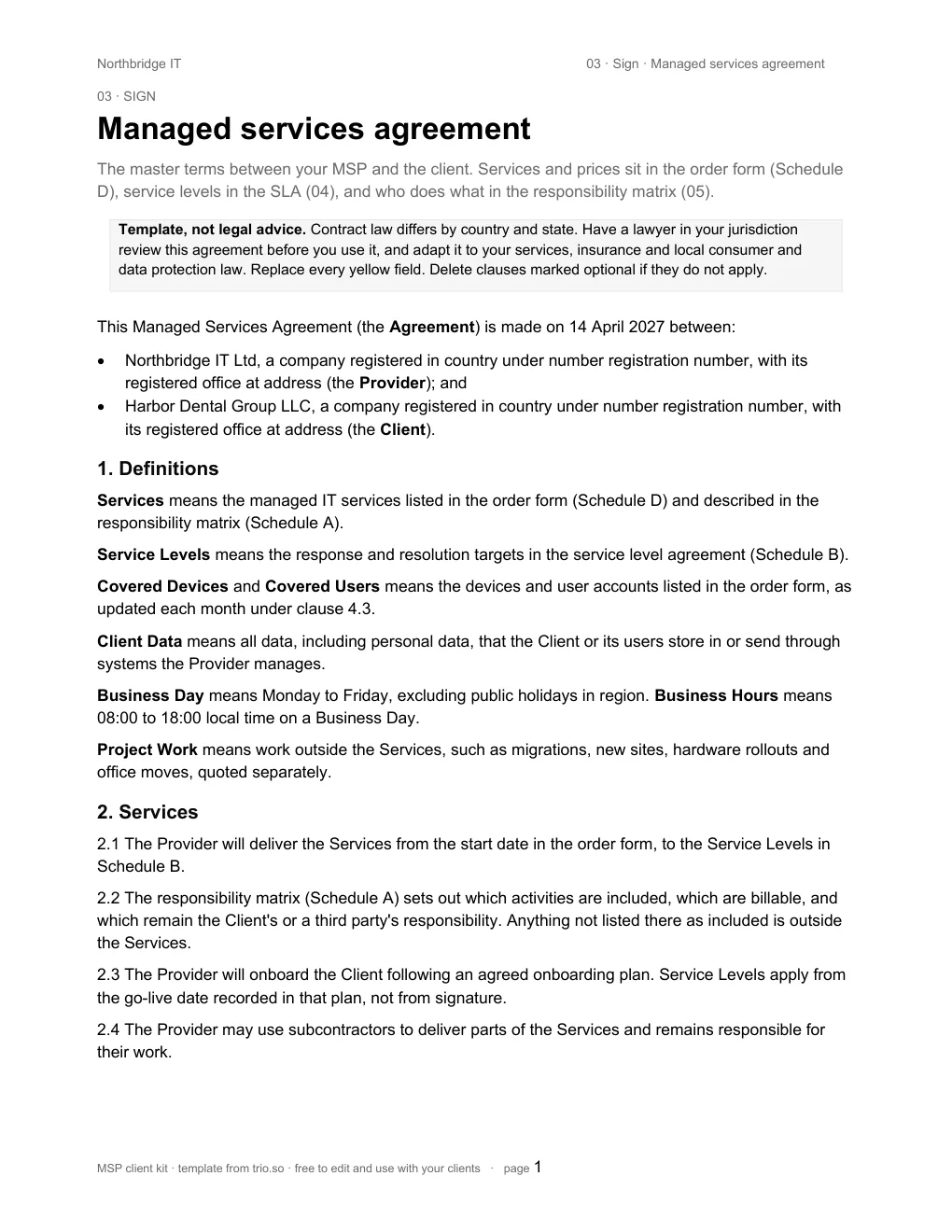
22 clauses, from fees and data protection to exit and transition, with an order form for services and rates.
Impact and urgency matrix, P1 to P4 targets, clock rules, escalation, exclusions and service credits.
58 activities marked included, billable or not offered, with who does each one.
Onboard
Signature to first QBR
55 tasks in eight phases, each with an owner, a day and a definition of done. Milestones and a RAID log.
A timed 75-minute agenda and the access request list to send ahead.
The email the client sends its team before go-live, with a printable support card.
50 controls with targets, scope, evidence and an exceptions register.
Run
Every month and quarter
13 slides with speaker notes: summary, SLA, tickets, security posture, assets, roadmap, budget and actions.
Two pages a client can read in five minutes.
Risk, rollback plan and approvals for any change that affects users.
First notice, update, resolved and post-incident review.
Exit
When a client leaves
39 tasks from notice to archive, in an order that never leaves devices unmanaged.
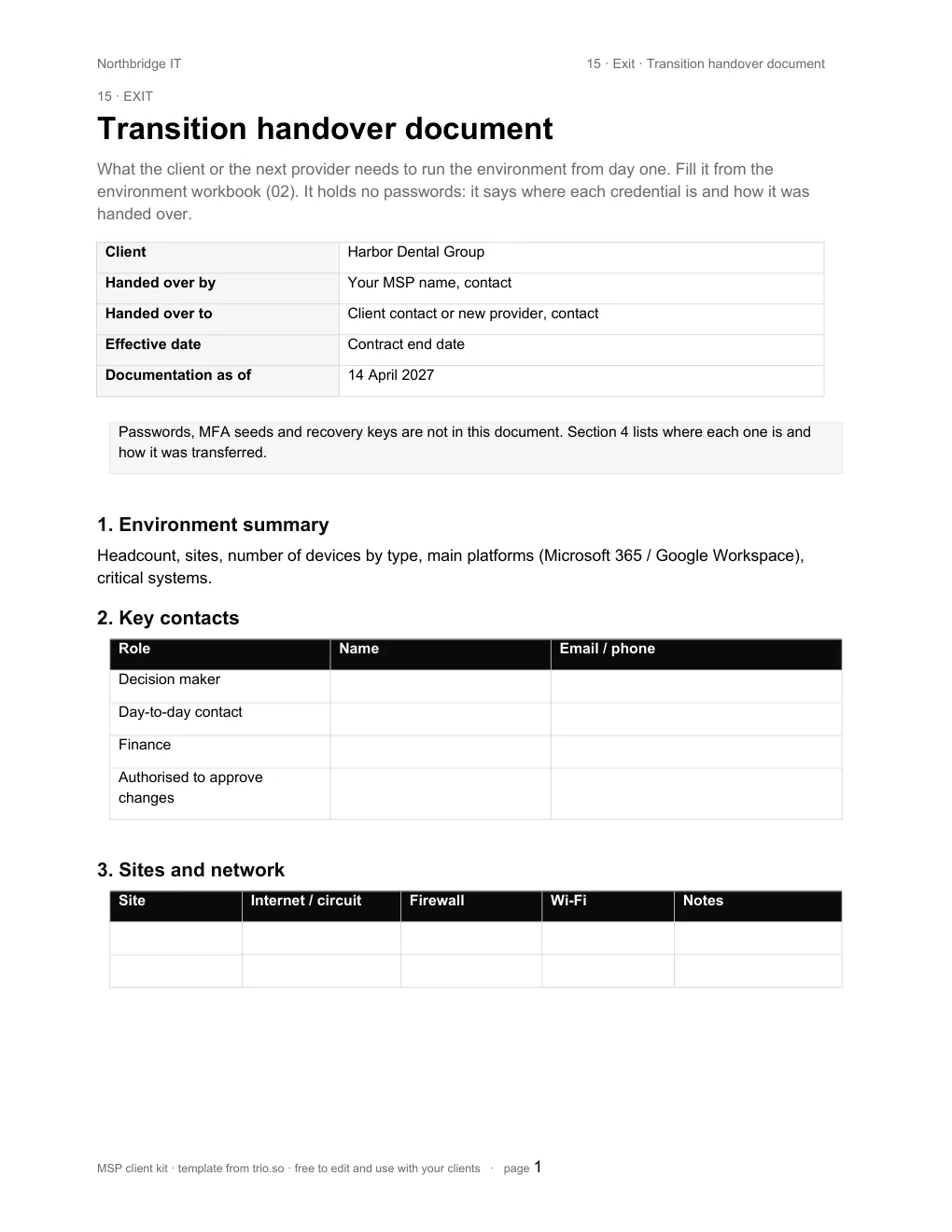
Everything the next provider needs, without a single password in it.
Get the kit
We'll email you the kit. It usually arrives within a minute.
- All 16 files in one ZIP, sorted into the five stages, sent to your work email
- A start-here guide that shows how to brand them in about 15 minutes
- Works in Microsoft Office and Google Docs, Sheets and Slides
Run every client from one console
trio.so has a multi-client console for MSPs. It manages Windows, macOS, Linux, iOS/iPadOS and Android devices for all your clients, with patching, remote access and compliance checks. These steps from the kit happen there:
- 06Enrol every client device, then check coverage against the reconciled device list.
- 09Show encryption, screen lock and patch status per device as evidence for the baseline.
- 10Pull device, patch and compliance numbers for the QBR and the monthly report.