




How-Tos
HIPAA Risk Assessment: 8 Steps and a Free Worksheet
How to do a HIPAA risk assessment in 8 steps: scope, inventory, threats, scoring and the risk management plan. Free Excel worksheet with 21 starter risks.
Learn how SMB IT managers and admins can secure, automate, and scale device management with the right MDM implementation strategy.


Content writer, trio.so
The rapid shift to hybrid and remote work has made mobile device management implementation essential for small and mid-sized businesses. As employees access company data from phones, tablets, and laptops, IT teams face a growing challenge, securing every device without slowing productivity.
This 2025 guide shows how to implement Mobile Device Management (MDM) the right way , built specifically for SMB IT managers, admins, and CTOs who need enterprise-level control without enterprise complexity. From defining policies and onboarding devices to automating compliance and transitioning to UEM, you’ll learn every critical step to modernize your device strategy.
Whether you manage 50 or 5,000 devices, this complete MDM implementation guide will help you protect data, simplify IT operations, and keep your business audit-ready in 2025 and beyond.
For SMBs, the challenge isn’t lack of technology, it’s fragmented control. Devices are often managed ad hoc, with security depending on user behavior rather than policy. This creates risk and inefficiency.
Implementing Mobile Device Management helps you:
Example: A 50-person SaaS startup reduced device setup time by 70% using Trio’s zero-touch provisioning and policy templates.

MDM acts as the control tower for every device accessing your company’s data. Once devices are enrolled, administrators can manage configurations, policies, and apps remotely from a single dashboard.
Key Components for SMB IT Teams:
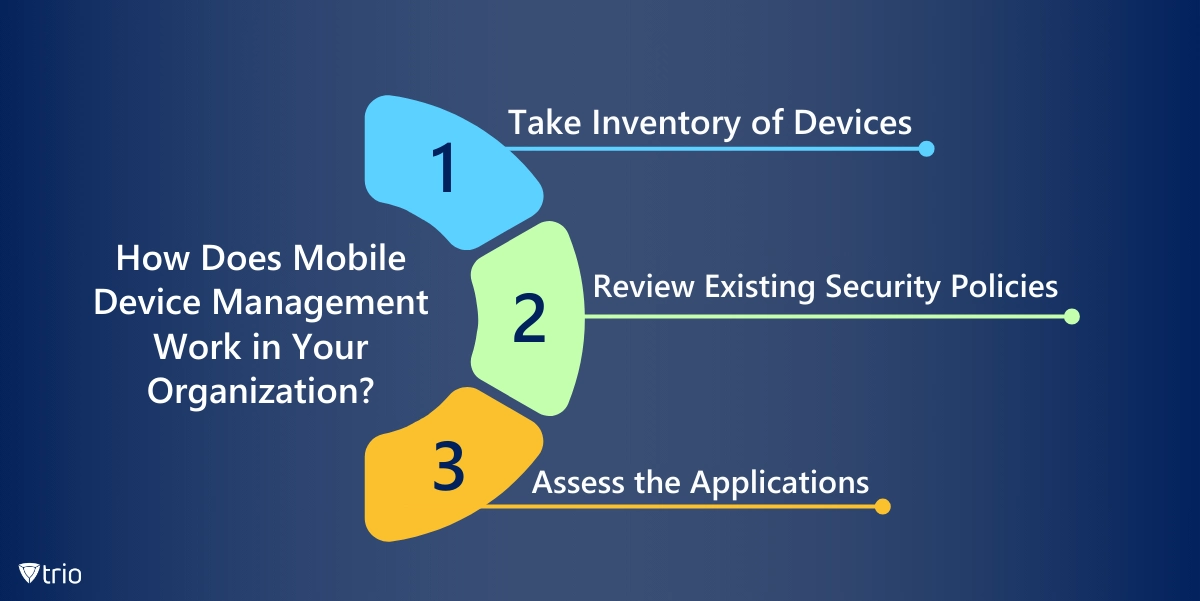
Many of the steps mentioned below might not happen in this exact order or they might be merged into one step; it all depends on the MDM solution you use. Most MDM solutions have a detailed and rigorous setup that allows you to create policies, profiles, and restrictions, onboard employees, and enroll devices step-by-step. The key MDM implementation steps typically include:
This involves registering mobile devices with the MDM system. It can be done manually by users or automatically through device provisioning profiles.
MDM solutions allow administrators to remotely configure device settings such as Wi-Fi, email, VPN, and security policies. This ensures that devices are set up according to organizational requirements.
MDM solutions enable the creation and enforcement of security policies on mobile devices. This includes password requirements, encryption settings, and restrictions on certain device features.
MDM solutions allow administrators to distribute, manage, and update applications on mobile devices. This includes the ability to push apps, control app access, and remotely wipe app data if necessary, such as when you’re offboarding an employee.
MDM solutions provide security features such as remote lock, remote wipe, and tracking of lost or stolen devices. This helps protect sensitive data and ensures compliance with security policies.
MDM solutions facilitate the secure access and distribution of content on mobile devices. It may include document sharing, file synchronization, and collaboration tools.
MDM solutions offer monitoring capabilities to track device usage, compliance with policies, and potential security threats. Reporting tools provide insights into device status and activities.
Integrating with identity management systems allows MDM solutions to enforce access controls based on user roles and permissions.
MDM solutions enable administrators to remotely update device firmware and software, ensuring that devices are running the latest and most secure versions.
MDM solutions often integrate with other enterprise systems such as directory services, email servers, and enterprise mobility suites for seamless management.
Some MDM solutions use containerization to create secure containers on devices, separating work and personal data. This helps in maintaining data privacy and security. Separating work and personal data, especially if your company has a BYOD policy is extremely important, especially for end users. The best thing to do is to be upfront and honest about the data that will be recorded or gathered with employees. Usually, when organizations are honest and reasonable with the data, they collect end users and won’t have a problem. But we strongly advise against not being transparent, especially if employees bring their own devices to work.
MDM solutions include features to check and enforce compliance with organizational policies. Auditing capabilities provide a record of device activities and changes.
BYOD policies are cost-effective for SMBs but introduce complexity. A robust mobile device management implementation ensures security and privacy coexist.
Transparency builds adoption. Before enforcing new controls, communicate:
This clarity helps IT managers avoid resistance during rollout.
In SMBs, the IT team is often small and juggling multiple responsibilities, making automation essential. A practical MDM implementation finds the middle ground between maintaining tight security and ensuring employee privacy. According to Verizon’s 2024 Data Breach Investigations Report, 74% of breaches involve human elements such as misuse or error—highlighting why automated enforcement and transparency matter most for SMB IT teams.
Organizations that adopt structured device policies see measurable improvements in compliance. Gartner (2025) notes that businesses using automated MDM workflows reduce policy violations by up to 45%, while IDC’s 2024 SMB Mobility Survey found that 68% of SMBs reported reduced IT overhead within six months of implementing MDM solutions.
When an employee exits, automation is critical. Workflows can revoke access, remove corporate apps, and secure data without touching personal files. These capabilities, combined with regular compliance audits and transparent reporting, build trust and reduce friction. Employees understand that security controls protect business data, not their privacy.
A good MDM solution will go through all the steps mentioned above automatically while allowing you to customize each part based on your organization. One such MDM solution is Trio. While using Trio, you will be taken through a delicate, yet easy-to-understand setup of the MDM solution throughout your organization. You will be able to enroll large numbers of devices or only a small number, since Trio is scalable to your organization. Afterward, you can set default policies and restrictions organization-wide, specific to a department, or even change policies and profiles based on employees. But Trio goes much further than this, allowing you to streamline the employee onboarding process. To see how Trio works and why we think it’s the best MDM solution for you, try out our free demo today!
Every organization today needs a solution to automate time-consuming tasks and strengthen security. Without the right tools, manual processes drain resources and leave gaps in protection. trio.so is designed to solve this problem, automating key tasks, boosting security, and ensuring compliance with ease.
Every organization today needs a solution to automate time-consuming tasks and strengthen security. Without the right tools, manual processes drain resources and leave gaps in protection. trio.so is designed to solve this problem, automating key tasks, boosting security, and ensuring compliance with ease.





Have questions? We've got answers. This section covers some of the most commonly asked questions related to this topic.
Related
The related industry news, interviews, technologies, and resources.
How to do a HIPAA risk assessment in 8 steps: scope, inventory, threats, scoring and the risk management plan. Free Excel worksheet with 21 starter risks.

To run powershell script on multiple computers reliably, you need to know which method breaks on offline machines, workgroups, and Mac endpoints.
You can stop employees from installing software on Windows using GPO, AppLocker, or MDM. Here's how each method works and which fits your setup.
If you want to know how to block websites on iPhone, this guide covers Screen Time, DNS filtering, and MDM — including where each method breaks down.
If you're learning how to block an app on iPhone for a managed fleet, start here: supervised enrollment is the gate to real MDM enforcement.
Learn how to choose the right MDM solution with 9 essential criteria. Complete guide for evaluating features, security, and vendor capabilities.
Learn how to execute scripts remotely with security in mind. Methods, best practices, and scaling strategies for IT operations.
Complete guide to pushing Android remote updates with MDM. Learn methods for app, system, and policy updates across managed devices.