


Company-owned
Inventory, settings, apps and updates
Lock, lost mode and wipe, where the platform supports them
Set up a new laptop or phone without touching it, apply the same settings to a group of devices, and wipe a company-owned one that gets lost. trio.so does this on Windows, Mac, iPhone, iPad and Android, and manages Linux from the same console.
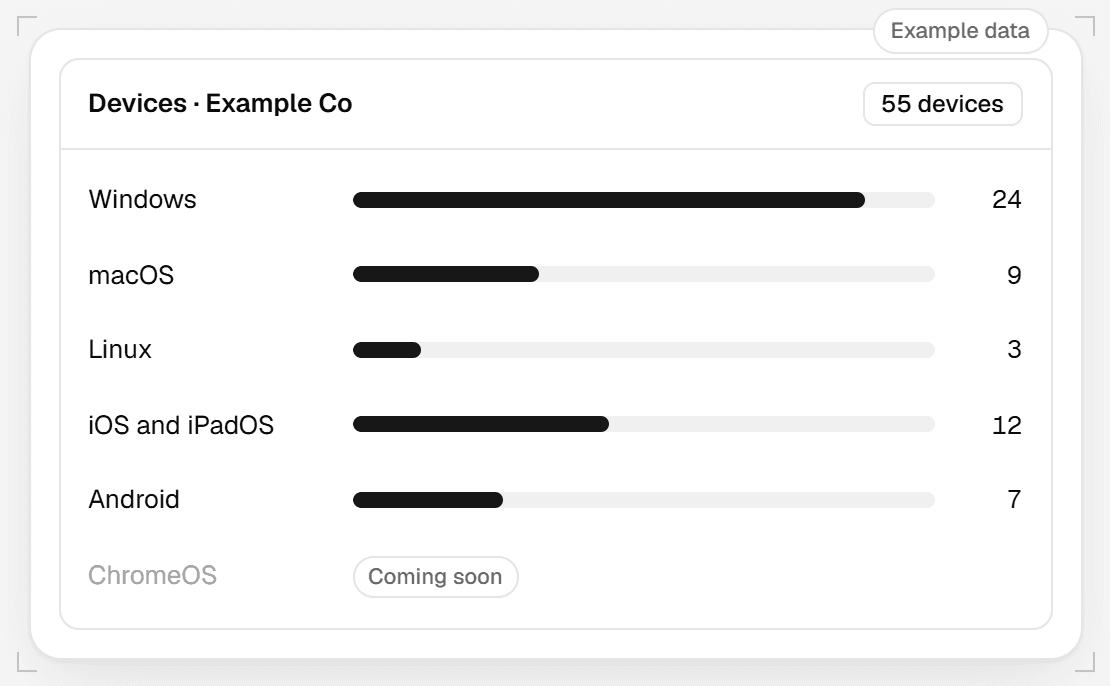
trio.so manages Windows, macOS, Linux, iOS, iPadOS and Android devices in one list. ChromeOS is coming soon.
Phones and tablets take commands only. They have no terminal or remote desktop, so the console doesn't show tools they can't use.
| Platform | How a device enrolls | What you can do remotely |
|---|---|---|
| Windows | Windows Autopilot, or install the trio.so agent | Restart, wipe, run scripts, open a terminal or remote desktop |
| macOS | Apple Automated Device Enrollment | Restart, lock, wipe, run scripts, open a terminal or remote desktop |
| iPhone and iPad | Apple Automated Device Enrollment | Restart, lock, lost mode, wipe |
| Android | Zero touch or Samsung Knox enrollment | Restart, lock, lost mode, wipe |
| Linux | The trio.so agent | Restart, run scripts, open a terminal |
| ChromeOS | Coming soon | Coming soon |
Enrollment is how a device becomes managed. For company-owned Apple, Windows and Android devices, you can enroll them before they reach the user. The first time the device starts, it joins trio.so and receives your settings. On Linux, you install the trio.so agent.
You don't hand-configure each new hire's laptop. Order the device, assign it, and let the user turn it on.
Configuration is a set of settings you choose once: passcode rules, disk encryption, Wi-Fi and the apps you want installed. You apply it to a group of devices, and each device reports whether it applied.
You see which devices applied the settings and which did not. The ones that failed list a reason.
A dedicated device runs one app or a short list of apps and nothing else. Use it for a front-desk tablet, a shop-floor scanner or a lobby display. Kiosk mode works on Windows, macOS, iOS, iPadOS, Android and Linux.
What you can do depends on the platform, so trio.so shows only the actions a device supports.
| Platform | Lost or stolen device |
|---|---|
| iPhone and iPad | Turn on lost mode, lock, or wipe a company-owned device |
| Mac | Lock (the Mac restarts and asks for a 6-digit PIN), wipe, or mark it lost or stolen |
| Windows | Wipe, or mark it lost or stolen. Windows has no remote lock |
| Android | Lock, turn on lost mode, or wipe. On a work profile, lock covers the work profile only |
| Linux | Mark it lost or stolen |
A wipe works on company-owned devices only. When you lock a Mac, trio.so shows you the PIN. Keep it, because the Mac needs it.
Some employees use their own phones for work. trio.so treats a personal device differently from a company-owned one.
Inventory, settings, apps and updates
Lock, lost mode and wipe, where the platform supports them
It can sync inventory, and on Android it can lock the work profile.
It can't wipe a personal device.
Day to day, MDM tools come down to four jobs. On Windows, macOS, iOS and Android, trio.so covers all four. Linux devices enroll with the agent, run scripts and open a terminal; see the table above.
Once your devices are enrolled, you can automate fixes on them. Automations and Trio MCP are in Beta.
Repeats a routine fix across a group of devices, and each device reports its result.
AutomationsMobile device management covers phones and tablets. Unified endpoint management covers laptops and desktops as well, with security and compliance on top. trio.so does both in one console, so you can start with devices and add the rest later. Unified endpoint management in trio.so
Covered
Covered
Not covered
Covered
Not covered
Covered
IT teams of any size who manage a mix of Windows, Mac, Linux and phones, and want one MDM platform instead of one tool for each. There is no device minimum. Plans start at $5 per device. See pricing
Start a free trial and enroll a laptop or a phone.