
Top BYOD Security Risks and How SMBs Can Stay Safe
Discover key BYOD security risks for SMBs and learn proven strategies to protect data, ensure compliance, and support remote teams.
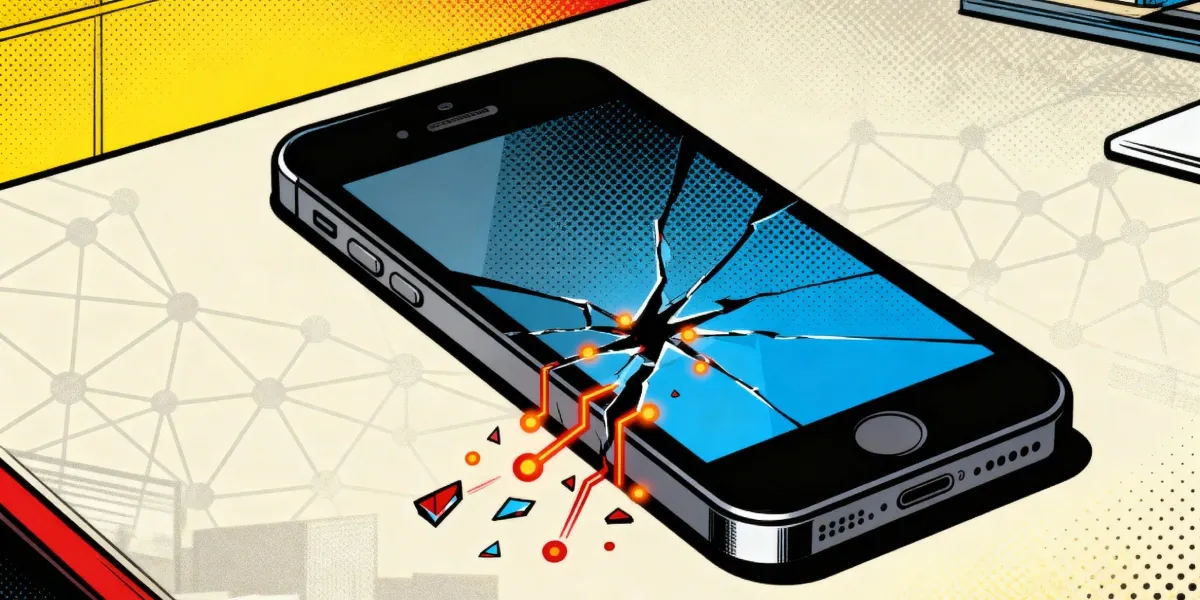
Bring Your Own Device (BYOD) refers to the practice of employees using their personal smartphones, laptops, tablets, and other devices to access company systems, data, and applications. For many small and medium-sized businesses, BYOD has become a practical choice offering flexibility for employees, boosting productivity, and reducing hardware costs for the company.
But the convenience of BYOD comes with a trade-off: security. When personal devices connect to business networks, they can introduce vulnerabilities that threaten data privacy, compliance, and overall IT integrity.
This blog breaks down the most pressing BYOD security risks SMBs are facing today and, more importantly, how IT admins can mitigate them effectively.
Why BYOD Matters
With remote work on the rise and a mobile-first workforce, BYOD has become a standard way of working. Employees expect to use personal devices for work, and many SMBs rely on BYOD to cut costs and stay flexible. Even larger enterprises have adopted it to support productivity and employee satisfaction.
As BYOD becomes the norm, following BYOD best practices and ensuring mobile device security is no longer optional for IT admins.
BYOD Policy Security Challenges
While BYOD policies offer flexibility and cost savings, they also introduce a wide range of security challenges. Below are the top risks IT administrators must understand and manage to protect their organization’s data and systems.
Data Leakage
One of the most serious endpoint risks of BYOD is data leakage. When employees use personal devices, sensitive company data can easily end up outside the organization’s control.
Key Scenarios
- Personal apps accessing corporate data: Employees may copy and paste corporate content into personal messaging apps like WhatsApp or Slack, or store documents in unapproved apps.
- Cloud sync: Apps like Google Drive, Dropbox, or iCloud may automatically sync files from the device, including confidential work documents. A sales rep, for instance, might save a client proposal on their phone, which then syncs to a personal cloud account.
- Lost or stolen devices: If a device is lost or stolen and lacks remote wipe capabilities, corporate data could fall into the wrong hands.
Weak Device Security
Many personal devices lack the basic security hygiene required to protect business data.
Common Issues
- No PIN or biometric lock: A device left unlocked makes it easy for anyone to access emails, files, and company apps.
- Outdated operating systems: Devices running old OS versions may be vulnerable to known exploits. For example, outdated Android versions have been targets for several ransomware variants.
- Jailbroken or rooted devices: These devices bypass built-in security restrictions, increasing exposure to malware and unauthorized access.
- Lack of antivirus or MDM: Without tools like mobile antivirus or a Mobile Device Management (MDM) solution, like Trio, IT teams can’t enforce security standards or detect threats early.
Malware & Phishing
Personal devices are more likely to encounter malware and phishing attempts due to user behavior and limited protections.
Examples
- Malicious app downloads: Users may install apps from unofficial app stores or those with hidden malware. Even as recently as in 2025, the "SpyNote" malware disguises itself as a messaging app spreading widely on Android devices.
- Phishing via personal apps: BYOD users often access personal email, SMS, or social media on the same device used for work. A single click on a phishing link can compromise stored credentials or install spyware.
Unsecured Networks
BYOD users frequently connect to public Wi-Fi networks, exposing their devices, and your company, to risk.
Common Threats
- Public Wi-Fi in cafes, hotels, and airports: These networks are often unencrypted, making it easy for attackers to intercept traffic.
- Man-in-the-middle attacks: Hackers can set up rogue Wi-Fi hotspots that look legitimate. Once connected, the attacker can eavesdrop on communications or inject malicious code into sessions.
Lack of Visibility & Control
With BYOD, IT teams often have limited visibility into how devices are used and what data is at risk.
BYOD Challenges Include
- No centralized management: Without MDM or endpoint management, IT can’t enforce policies or ensure compliance.
- Inconsistent updates: Devices may run unpatched software for weeks or months, leaving them exposed to threats.
- Lack of audit trails: If there’s a security incident, it can be difficult to trace what happened or who accessed what, especially when logs are missing or inaccessible.
Compliance and Legal Bring Your Own Device Risks
BYOD can unintentionally lead to violations of data protection regulations, which carry significant legal and financial consequences.
Key Risks
- Non-compliance with GDPR, HIPAA, etc.: If personal devices store or transmit protected data, the company may be liable for breaches, even if the device isn’t company-owned.
- No clear data ownership: If an employee leaves, retrieving sensitive files from a personal device can be difficult.
Insider Threats
Not all threats come from outside the organization. BYOD can make it easier for malicious insiders to steal or misuse data.
Scenarios Include
- Intentional data exfiltration: Employees can use personal cloud apps, USB drives, or messaging platforms to transfer confidential data without detection.
- Retaliation or exit behavior: Disgruntled employees may copy client lists, financials, or IP before quitting, especially if no monitoring is in place.
Who’s Most at Risk?
While all businesses face some level of risk from BYOD, certain industries and employee types are especially vulnerable due to the nature of their work and the data they handle.
High-Risk Industries
Healthcare
With strict regulations like HIPAA and a high volume of sensitive patient data, healthcare organizations are a prime target. Personal devices used to access electronic health records (EHRs) or communicate with patients can easily become a source of data leakage if not properly secured. A single lost smartphone without encryption or remote wipe can result in a serious compliance breach.
Finance
The financial sector deals with confidential data such as banking details, investment strategies, and client information. BYOD can expose firms to fraud, phishing, and insider threats if mobile devices are not tightly managed. Regulatory requirements like PCI DSS and GLBA further raise the stakes for proper BYOD security in this space.
Education
Schools and universities often adopt BYOD for flexibility, especially in hybrid learning environments. But with students, staff, and faculty using a wide range of devices, it's difficult to enforce consistent security controls. These environments frequently lack IT resources, making them soft targets for ransomware and data breaches involving student records or research data.
High-Risk Employee Types
Contractors and Freelancers
These workers often use their own devices without full integration into the company’s IT ecosystem. They may not follow internal security policies or use company-approved tools, increasing the risk of data loss or exposure. Since contractors frequently work across multiple clients, there's also the risk of accidental data crossover.
Remote Workers
Employees working from home or in public places rely heavily on personal networks and devices. Their devices are more likely to connect to unsecured Wi-Fi, miss software updates, or lack endpoint protection, making them prime targets for cyberattacks.
Temporary or Part-Time Staff
These workers might not receive the same level of security training or oversight as full-time employees. Combined with high turnover, this creates a situation where access controls are often neglected, and sensitive data may linger on devices long after the contract ends.
How to Mitigate BYOD Security Challenges
Reducing the security risks of BYOD doesn't mean banning it altogether. Instead, IT admins can take a layered, proactive approach to secure personal devices without sacrificing flexibility. Here are some BYOD protection strategies to implement:
Establish a Clear BYOD Policy
To combat data leakage and lack of visibility, start with a formal BYOD policy.
Include procedures for onboarding and offboarding employees, especially those in high-risk roles like contractors or remote workers.
Implement MDM or EMM Solutions
To address weak device security and regain control and visibility, deploy a Mobile Device Management (MDM) like Trio or Enterprise Mobility Management (EMM) solution. These tools allow IT to:
- Enforce encryption
- Push updates and security patches
- Restrict app usage
- Separate personal and corporate data using containerization
MDM like Trio also supports compliance with industry regulations by enabling consistent policy enforcement and data handling.
Enforce Strong Password and PIN Policies
Combat unauthorized access and data loss from lost or stolen devices by requiring:
- Strong alphanumeric passcodes or biometric authentication
- Automatic screen locks after inactivity
- Limited login attempts before the device locks or wipes itself
This simple step can prevent unauthorized users from accessing sensitive company data on a misplaced or stolen device.
Use VPNs and Network Security Tools
To protect against unsecured networks and man-in-the-middle attacks, require the use of a company-approved Virtual Private Network (VPN) when accessing corporate resources remotely. You can also:
- Block connections to untrusted Wi-Fi
- Use endpoint protection that flags risky network activity
- Implement Zero Trust Network Access (ZTNA) for high-sensitivity apps
VPNs ensure encrypted communication, especially when working from coffee shops, airports, or home networks.
Enable Remote Wipe and Device Encryption
To limit damage from lost or stolen devices and data breaches, enforce full-disk encryption and remote wipe capabilities. With MDM or built-in OS features like Apple’s "Find My" or Android Device Manager, IT can:
- Remotely lock or erase a device
- Revoke access to company apps and data
- Track lost devices (if location tracking is enabled)
This ensures corporate data doesn’t stay on a device after it’s been compromised.
Educate Staff on Security Hygiene
To reduce malware infections, phishing, and insider threats, provide regular security training. Focus on:
- Recognizing phishing emails and malicious links
- Avoiding third-party app stores
- Safely storing and sharing files
- Understanding the risks of mixing personal and work data
Make this training mandatory during onboarding and refresh it annually to account for new threats.
Conduct Regular Audits and Compliance Checks
To manage compliance and legal risks, conduct scheduled reviews of devices and access logs. Ensure:
- Devices meet minimum security standards
- Only authorized users have access to sensitive data
- Data handling complies with GDPR, HIPAA, or other relevant laws
Maintain an audit trail through MDM tools and document compliance for potential regulatory scrutiny.
Final Tips for a Secure BYOD Strategy
Building a secure BYOD program is about finding the right balance between user convenience and IT control. Make security seamless, not burdensome, so employees stay productive without cutting corners.
Adopt a Zero Trust approach, where no device or user is automatically trusted, verify everything, every time. This mindset helps reduce the impact of compromised credentials or rogue devices.
Finally, consider partnering with a trusted security platform that offers mobile management, threat detection, and policy enforcement. The right tools make it easier to secure your BYOD environment without stretching your IT team too thin.
One such solution is Trio, designed specifically to help SMBs manage and secure personal devices with ease. Trio MDM streamlines device enrollment, enforces security policies, and provides real-time threat monitoring, all from a simple, centralized dashboard.
Ready to see how Trio can strengthen your BYOD security? Get a free demo today and experience firsthand how it can protect your business without adding complexity. When you’re ready, sign up for a free trial and take control of your mobile environment with confidence.
Conclusion
BYOD offers significant benefits like increased flexibility, employee satisfaction, and productivity, especially for SMBs, but it also introduces serious security risks if left unmanaged. From data leakage to compliance issues, the threats are real and growing.
To stay protected, businesses need more than good intentions. A proactive BYOD security strategy that combines clear policies, the right tools, and ongoing education is essential. Take action now to secure your data, protect your people, and future-proof your business.

Start your free trial
Get Ahead of the Curve
Every organization today needs a solution to automate time-consuming tasks and strengthen security. Without the right tools, manual processes drain resources and leave gaps in protection. Trio MDM is designed to solve this problem, automating key tasks, boosting security, and ensuring compliance with ease.
Every organization today needs a solution to automate time-consuming tasks and strengthen security. Without the right tools, manual processes drain resources and leave gaps in protection. Trio MDM is designed to solve this problem, automating key tasks, boosting security, and ensuring compliance with ease.




