



Explained
Activation Lock for iPhone and iPad: How It Works and How to Remove It
What Activation Lock is, how to turn it off before you sell or return a device, the legitimate ways to remove it, and how IT avoids locked iPhones.
MDM vs GPO: how Group Policy and MDM differ, what happens when both set the same policy (MDMWinsOverGP), and how to move Windows settings to MDM in stages.

Content writer, trio.so
Group Policy (GPO) and mobile device management (MDM) both push settings to Windows devices, but they reach them in different ways. Group Policy comes from Active Directory and applies when a domain-joined PC can reach a domain controller, which makes it strong for Windows PCs in the office. MDM delivers settings from the cloud to any enrolled device with an internet connection, on Windows, macOS, iOS, Android and Linux. Many organizations run both for a while: the MDMWinsOverGP setting makes MDM win for most Windows policies they both set, and settings move from GPO to MDM in stages.
If your laptops rarely come to the office anymore and you are deciding what to do with years of Group Policy, the sections below compare the two, explain what happens when they overlap, and lay out a staged move.
Group Policy has been part of Windows administration since Windows 2000 and is built into Active Directory Domain Services. A Group Policy Object is a collection of settings for users and computers in a domain: password rules, software installation, desktop configuration, security options, scripts and thousands of registry-based settings from administrative templates.
GPOs are linked to sites, domains or organizational units (OUs) and inherit down the tree, so a company-wide policy can set a baseline while a department's OU adds or overrides settings. Admins edit and link them in the Group Policy Management Console (GPMC), and features such as security filtering, WMI filtering and loopback processing (for kiosks and shared PCs) give fine control.
The limits come from the same design. Group Policy needs on-premises Active Directory and domain controllers to run and maintain. A PC refreshes its policies only when it can reach a domain controller, so a laptop that works from home for months, without a VPN, misses changes. And Group Policy manages Windows: it does not manage iPhones, Android phones or Macs.
For examples of everyday Group Policy work, see disabling Control Panel with Group Policy, enabling Remote Desktop with Group Policy and disabling a domain controller GPO.
MDM started with phones and tablets and now covers laptops and desktops too. Devices enroll in an MDM service, and the service sends settings, apps and commands over the internet using each operating system's management protocol. On Windows, MDM settings are delivered through configuration service providers (CSPs), the same mechanism Microsoft Intune and other MDMs use; Apple and Google provide their own MDM frameworks.
Devices do not need to be domain-joined. They enroll through Microsoft Entra ID, Windows Autopilot, an enrollment link or a user sign-in, and they keep receiving policies wherever they are. MDM also covers remote lock and wipe, app deployment, inventory and compliance reporting, and on phones it can separate work and personal data with a work profile or user enrollment.
The trade-offs: MDM depends on a cloud service, and a few Group Policy settings have no direct MDM equivalent and need a custom setting or a script instead.
| Group Policy (GPO) | MDM | |
|---|---|---|
| Where it comes from | On-premises Active Directory and domain controllers | A cloud service |
| When devices get changes | When they can reach a domain controller | Whenever they are online |
| Platforms | Windows | Windows, macOS, iOS, Android, often Linux |
| Device requirement | Domain-joined | Enrolled (Entra-joined, registered or personal) |
| Targeting | Sites, domains and OUs, with inheritance and filtering | Groups of users or devices |
| Windows updates | WSUS or Group Policy update settings | Windows Update for Business through the Update CSP |
Group Policy is tied to Active Directory: domain controllers store the policies and PCs pull them. MDM runs as a service on the internet and works with a cloud identity directory such as Microsoft Entra ID, so there is no server to maintain on site.
Group Policy is built for Windows domains. MDM covers several platforms from one console, so the same rule (for example, require encryption) can be applied to Windows laptops, Macs and phones, each through its own platform settings.
Group Policy's inheritance, link order, security filtering and WMI filters allow very fine targeting, which is also why large GPO estates get hard to follow. MDM policies are assigned to groups and are flatter: a device gets the policies of the groups it belongs to.
On a PC that receives both Group Policy and MDM, the two can set the same thing. Microsoft's ControlPolicyConflict/MDMWinsOverGP policy, available from Windows 10 version 1803 on Pro, Enterprise and Education, settles it: when it is set to 1, any MDM policy in the Policy CSP that has an equivalent Group Policy blocks that Group Policy setting, so the MDM value applies.
Two limits are easy to miss. It only covers policies in the Policy CSP, not settings in other CSPs such as the Defender CSP, and Microsoft warns that configuring the same setting in both places outside its control gives no guarantee which one wins. For Windows Update, Microsoft recommends the IgnoreWindowsUpdateGroupPolicies setting instead. To see which Group Policy settings are being blocked on a PC, open Settings > Accounts > Access work or school, select the work account and create the Advanced Diagnostic Report.
Group Policy manages users and computers inside a domain and suits standard office desktops. MDM manages devices and their users wherever they are, which suits laptops, phones and tablets that leave the building.
Group Policy can install MSI packages at startup or sign-in and points Windows Update at WSUS. MDM installs apps silently from a catalog and manages Windows updates through Windows Update for Business, with deferrals and deadlines, without an update server.
Group Policy enforces security baselines on domain PCs. MDM enforces settings such as BitLocker, firewall and passwords on every enrolled device, reports compliance per device and can feed that status to conditional access, so a non-compliant laptop loses access to company apps until it is fixed.
Group Policy pros:
Group Policy cons:
MDM pros:
MDM cons:
Group Policy still makes sense for Windows PCs that stay on site, such as factory floor terminals, lab machines or office desktops in a company that already runs Active Directory and has no plans to change.
MDM is the better fit when people work remotely or in a hybrid model, when you manage Macs, phones or tablets as well as Windows, when you support personal devices, or when you want to retire on-premises servers. Many organizations sit in between: domain-joined PCs that are also enrolled in MDM, with settings moving across one group at a time.
Moving from Group Policy to MDM works best in stages, not in one switch-over:
Settings with no MDM equivalent can often be handled with a script run from the MDM. New PCs can skip the domain altogether and join Microsoft Entra ID through Windows Autopilot; see Autopilot vs Intune and Intune vs SCCM.
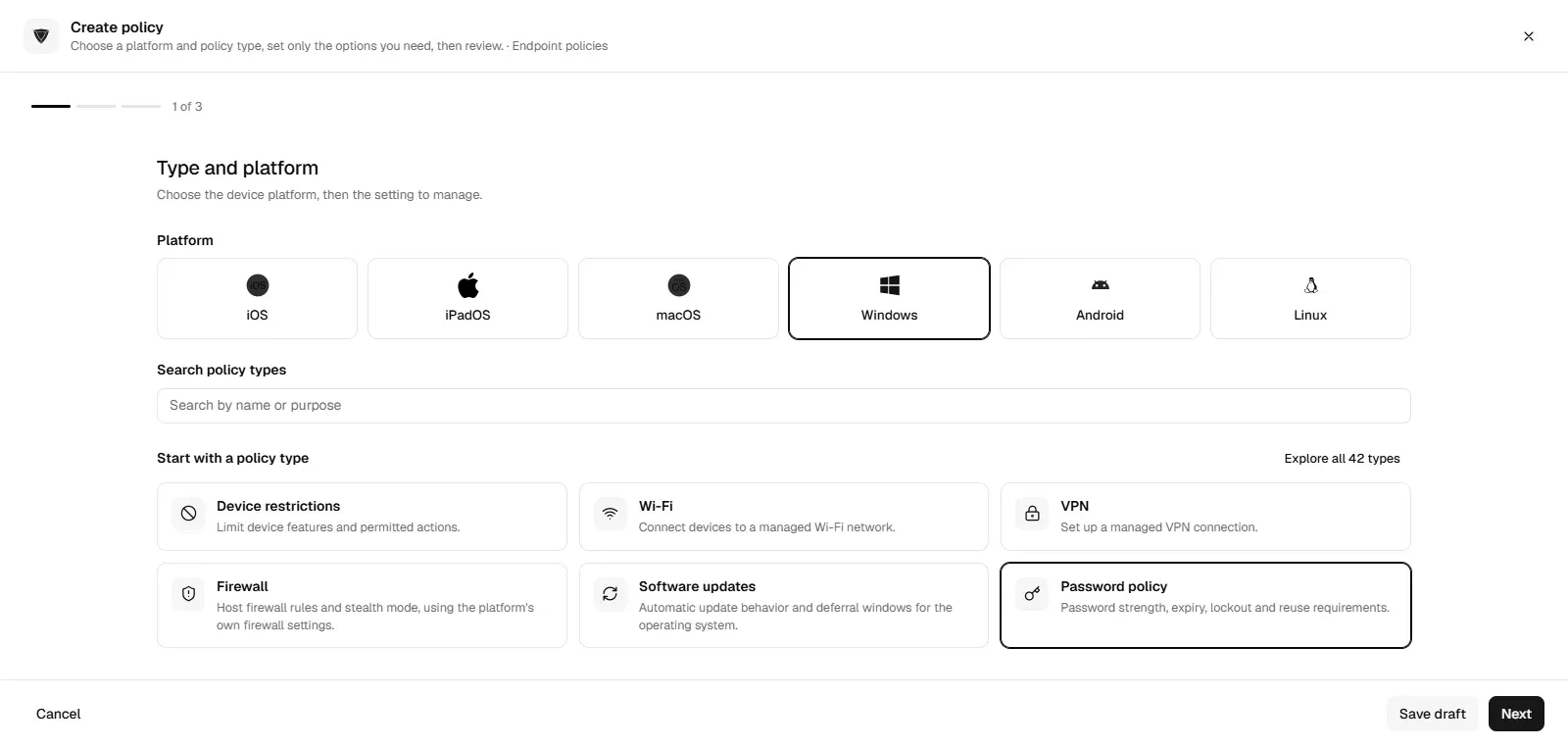
trio.so applies Windows settings through MDM, such as BitLocker, password, firewall and update policies, to PCs whether or not they reach a domain controller, and runs scripts on enrolled Windows PCs for anything a policy does not cover. Macs, iPhones and Android devices sit in the same console. See mobile device management, or compare options in Microsoft Intune alternatives.
The choice comes down to where your devices are and what they run. Group Policy gives deep control over Windows PCs that stay on the domain; MDM manages every platform wherever devices are. Most organizations moving to MDM run both for a while, let MDM win where the two overlap, and retire GPOs group by group.
trio.so applies BitLocker, password, firewall and update policies to Windows PCs through MDM, wherever they are, from one console.
Every organization today needs a solution to automate time-consuming tasks and strengthen security. Without the right tools, manual processes drain resources and leave gaps in protection. trio.so is designed to solve this problem, automating key tasks, boosting security, and ensuring compliance with ease.
Every organization today needs a solution to automate time-consuming tasks and strengthen security. Without the right tools, manual processes drain resources and leave gaps in protection. trio.so is designed to solve this problem, automating key tasks, boosting security, and ensuring compliance with ease.





Have questions? We've got answers. This section covers some of the most commonly asked questions related to this topic.
Related
The related industry news, interviews, technologies, and resources.
What Activation Lock is, how to turn it off before you sell or return a device, the legitimate ways to remove it, and how IT avoids locked iPhones.
How to disable the App Store on an iPhone with Screen Time, and on managed iPhones, Macs, Windows PCs and Android phones with an MDM restriction.
Learn how to securely distribute, install & manage iOS enterprise apps outside the Apple App Store. Step-by-step for IT admins & business teams for iOS devices.

Complete guide to application blacklisting security strategy. Learn endpoint blacklisting tools, best practices, and implementation.
Unlock the power of Apple Business Manager for SMBs with this guide. Learn setup, benefits, and how MDMs supercharge ABM for IT admins.
What is the best Scalefusion alternative for SMBs? trio.so offers scalable MDM with better support, flexible pricing, and simple deployment.

Learn endpoint hardening best practices for 2025. Complete guide covering OS configuration, access controls, CIS compliance & automated implementation.
EDR vs MDM: what each one does, where they overlap, why most teams run both, and how they share data to find and fix risky devices faster.
14 day free trial. No credit card required.
trio.so for MSPs: one console, separate clients