Every school year, as the semester approaches, IT administrators across K-12 schools and universities face the same daunting reality: prepare thousands of devices for students, teachers, and administrators, all within a very short time frame. The stakes are high: if the technology isn’t ready, classrooms stall, learning suffers, and frustration rises across the board.
Traditionally, this process requires weeks of manual imaging, device configuration, and troubleshooting. Lean IT teams often work late nights and weekends to get everything done. Despite their best efforts, bottlenecks happen: devices arrive late, setups are inconsistent, and teachers face disruptions during critical teaching periods.
But there’s a better way. With
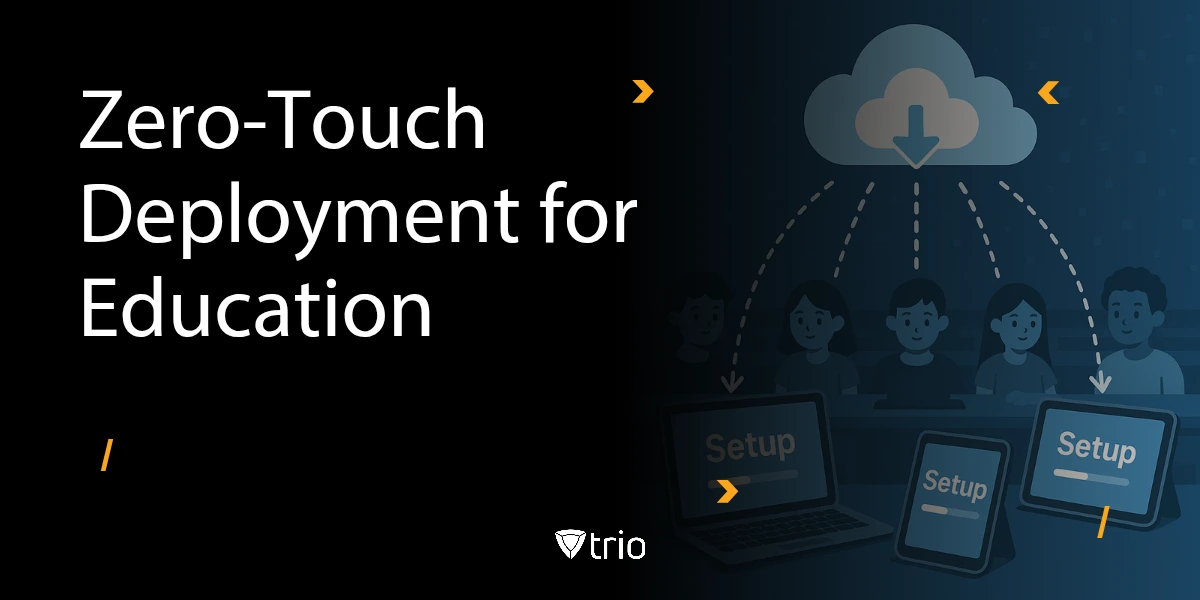
zero-touch deployment, schools can complete in hours what used to take weeks. Devices ship straight from the vendor to students or staff, automatically enroll into the school’s management system, and self-configure with the right apps, policies, and security settings—all without IT physically touching the device.
This blog explores why zero-touch deployment is revolutionizing education IT, how it works in practice, and what measurable benefits it delivers for K-12 and higher education institutions.
TL;DR: Zero-Touch Deployment for Schools
Preparing thousands of devices manually every semester drains school IT teams, delays learning, and introduces security gaps. Zero-touch deployment changes the game:
Setup in Hours, Not Weeks: Devices ship directly to students and teachers, auto-enroll into management, and self-configure with the right apps and policies.
Role-Based Configurations: Students get learning apps and filters, teachers get classroom tools, and administrators get oversight dashboards.
Automation for Exams and Labs: Devices auto-reset after use and enforce strict lockdown policies during exams.
Consistent Security: Policies follow devices everywhere—classroom, home, or hybrid.
Proven Impact: 5,000 devices provisioned in 3 days vs. 3–4 weeks with 90% fewer IT hours.
Why it matters: Schools save time, reduce costs, and ensure equitable learning access on day one. With Trio’s unified, automation-first platform, education IT teams can scale 1:1 programs without extra staff or budget.
The Education IT Challenge
Educational institutions face unique technology management hurdles that differ significantly from traditional enterprise environments. From massive seasonal device deployments to budget constraints and evolving security requirements, school IT teams must navigate complex challenges while ensuring seamless learning experiences for students and educators.
Seasonal Device Rollouts = Huge Workload
Back-to-school season means rolling out hundreds or even thousands of devices. For IT, this translates to manually preparing labs, configuring policies, and supporting 1:1 device programs, all under tight deadlines.
Limited IT Staff and Budget
Unlike enterprises with large IT departments, schools usually have small teams and constrained budgets. Hiring external contractors or dedicating months to device setup isn’t practical.
Complexity of 1:1 Programs and Labs
Modern learning environments depend on every student having access to a personal device. Add the need for specialized use cases like exam-mode lockdowns or lab resets, and the workload grows exponentially.
The Security Gap
BYOD policies, shared devices, and distributed learning environments create vulnerabilities. Without consistent policy enforcement, schools face compliance risks and potential data breaches.
Result: IT staff spend more time firefighting than innovating.
How Zero-Touch Deployment Works in Schools
Devices ship directly to end users. Once powered on and connected to Wi-Fi, they automatically enroll into the
school’s device management platform. This eliminates the need for IT to manually touch, image, or configure the device, reducing errors and accelerating the entire deployment cycle. Parents, teachers, and students experience a seamless unboxing where everything just works, creating confidence before classes begin.
Preloaded Policies and Apps by Role
- Students receive learning applications (Google Classroom, Microsoft Teams, Zoom) and collaboration tools tailored to their grade level. Content filters and age-appropriate restrictions are applied automatically.
- Teachers get classroom management apps, content delivery platforms, grading systems, and secure communication tools, ensuring they can start teaching immediately without waiting for IT setup.
- Administrators are provisioned with productivity suites, compliance reporting dashboards, and security monitoring apps, giving them oversight and control without delays.
This ensures every role gets the exact configuration they need without IT intervention, while maintaining consistency and compliance across thousands of devices.
Reset & Exam-Mode Automation
- Shared lab devices reset automatically to a clean state after each use, eliminating risks of leftover data, malware, or misconfigurations from the previous session.
- During exams, devices switch into exam mode—restricting apps, blocking browsing, disabling copy/paste, and enforcing strict security policies. Settings are restored immediately after the exam ends, so devices return to regular classroom-ready status.
- IT staff no longer need to manually reconfigure hundreds of devices between sessions; automation ensures consistency, reduces human error, and saves dozens of hours each week.This automation drastically reduces manual IT intervention and ensures consistency.
Benefits for K-12 and Higher Education
Educational technology deployment presents unique opportunities to transform learning environments and student outcomes. Zero-touch provisioning addresses the specific needs of academic institutions by streamlining
device management, reducing administrative overhead, and ensuring equitable access to technology resources across diverse student populations.
Faster Readiness for Classrooms and Labs
Zero-touch enables devices to be classroom-ready within hours rather than days or weeks. Teachers can begin instruction immediately without waiting for IT setup, and labs can be reset overnight for the next group. This faster readiness eliminates wasted time at the beginning of semesters and reduces disruption in the curriculum. For schools running 1:1 device programs, it also ensures every student has an operational device on day one, leveling access and reducing inequity.
Reliability During Peak Times
Whether it’s semester startup, exam season, or standardized testing days, zero-touch ensures devices remain compliant, up-to-date, and operational without IT bottlenecks. Automatic policy enforcement keeps every device secure and consistent, even as hundreds of users sign in simultaneously. This reliability prevents downtime during critical academic moments and builds trust between faculty and IT.
Improved Teacher & Student Experience
When devices just work, teachers can focus fully on instruction and not on troubleshooting. Students spend more time learning rather than waiting for technical fixes. Reduced downtime translates to more teaching hours, smoother lesson flow, and fewer interruptions. Over time, this improved experience boosts both teacher satisfaction and student engagement, creating measurable academic benefits.
Extended Learning Beyond the Classroom
Zero-touch deployment also supports remote and hybrid learning environments. Devices sent directly to students’ homes are classroom-ready from the moment they’re unboxed. IT can push updates, enforce security, and provide virtual support without physical intervention. This means learning can continue seamlessly whether students are in school, at home, or in the field.
Equity and Accessibility Gains
Fast, consistent provisioning helps close the digital divide by ensuring all students receive properly configured devices on time. Accessibility settings can be preloaded for students with special needs, ensuring inclusivity from day one. For districts with diverse student populations, zero-touch also supports multilingual setups, ensuring smoother onboarding for non-native speakers.
Real-World Education Scenario
Consider a large school district deploying 5,000 Chromebooks and iPads before fall. Traditionally:
- Devices would first be collected at a central site, requiring transport logistics and delays.
- IT staff would then manually image each one, a process taking hours per device.
- Policies and apps had to be applied individually, with high risk of errors or inconsistencies.
- Finally, each device would be tested and redistributed back to students and staff, adding further overhead and lost time.
This would take 3–4 weeks with significant overtime.
With zero-touch deployment:
- Devices ship directly to users.
- Once connected to Wi-Fi, they auto-enroll into the management system.
- Pre-configured apps and policies apply instantly.
Result: 5,000 devices fully provisioned in 3 days, with 90% fewer IT hours required and minimal disruption to teaching schedules.
Supporting Data
- Forrester TEI Study: IT staff saved 76% of their time managing Chromebooks, meaning 6 IT staff could handle the workload of 25 (Forrester).
- Microsoft Autopilot Case: Device setup reduced from 24 hours to 10 minutes (Microsoft).
- IDC Study: Zero-touch deployment cut device setup time by 50% and reduced IT support costs by 70% (IDC via Growrk).
- Latechnet Research: 70% of IT admins spend over 20 hours per week on manual enrollment (Latechnet).
Trio’s Education Advantage
Trio takes zero-touch deployment a step further by combining it with unified cross-platform management and automation-first workflows, making it a complete solution for education IT teams who want speed, consistency, and scale. Unlike point tools that only handle a single OS, Trio unifies the entire environment into one pane of glass, while automation eliminates repetitive, error-prone manual tasks. This delivers not just faster deployment, but sustainable efficiency year-round.
- Cross-Platform Coverage: Manage Chromebooks, iPads, Windows laptops, and Mac desktops from one dashboard, ensuring all devices are secured and monitored with the same set of policies.
- Role-Based Provisioning: Automatically assign policies and apps by role (student, teacher, admin), so every user receives exactly the tools and restrictions they need from day one.
- Reporting & Compliance: Generate audit-ready reports for state funding, federal programs like E-Rate, or strict regulatory requirements (FERPA, HIPAA, GDPR).
- Scalable Management: Deploy and manage fleets of any size without increasing IT headcount—scale 100 devices or 10,000 with the same effort.
- Always-On Security: Policies follow the device wherever it goes, keeping remote and hybrid learners protected without additional IT effort.
- Cost Efficiency: By reducing manual labor and error rates, schools cut support costs while increasing device longevity.
Conclusion: Why Schools Can’t Afford to Wait
Education IT teams simply cannot afford weeks of manual deployment, inconsistent setups, and security risks. With zero-touch deployment, schools save time, reduce costs, and ensure reliable technology for every classroom and exam.
Trio enables this transformation with:
- Unified cross-platform management
- Automation-first workflows
- Scalable, role-based provisioning
- Audit-ready compliance reporting
Ready to transform your next back-to-school rollout?
Book a demo with Trio’s education team and see how zero-touch deployment can get your classrooms ready in hours, not weeks.