


How-Tos
How to Run a PowerShell Script on Multiple Computers
To run powershell script on multiple computers reliably, you need to know which method breaks on offline machines, workgroups, and Mac endpoints.
Remote wipe Windows 10 erases device data remotely through MDM solutions for critical security protection when devices are lost, stolen, or compromised.
Remote wipe Windows 10 erases all data from a device remotely through MDM solutions or built-in Windows features, providing critical data protection when devices are lost, stolen, or compromised. This capability operates through Windows' RemoteWipe Configuration Service Provider (CSP), allowing administrators to trigger complete data erasure from any internet-connected location.
Remote wipe Windows 10 permanently erases device data through MDM solutions or Microsoft's Find My Device Enterprise solutions offer selective wipe, keep enrollment, and BitLocker integration capabilities Prerequisites include internet connectivity, device enrollment, and proper authentication Full wipe removes everything while selective wipe preserves personal data on BYOD devices PowerShell and automated scripts enable zero-touch remote wipe deployment Common issues include offline devices, BitLocker recovery prompts, and incomplete data removal
Remote wipe Windows 10 is a security mechanism that allows administrators to completely erase data from Windows devices without physical access. The process leverages Microsoft's RemoteWipe Configuration Service Provider (CSP), which supports Windows Pro, Enterprise, Education, and IoT Enterprise editions starting from Windows 10 version 1511. When executed, remote wipe triggers operations equivalent to "Reset this PC > Remove everything" from Windows Settings. The process includes several wipe types: doWipe (standard reset), doWipeProtected (tamper-resistant reset), doWipePersistProvisionedData (preserves enrollment), and doWipePersistUserData (keeps user files). Windows 11 version 22H2 enhanced cloud-based remote wipe operations through new Configuration Service Provider methods, building on existing cloud reset functionality available since Windows 10 version 1903. The capability operates through enterprise management servers or mobile operator DM servers, making data recovery extremely difficult once the wipe completes. This functionality proves essential for organizations managing distributed Windows device fleets where physical device recovery isn't feasible.
Organizations face escalating data security risks with remote work environments. Data breaches cost $1.07 million more when remote work is involved, highlighting the financial impact of unsecured endpoints. Additionally, 61% of IT security leaders report remote workers caused data breaches, demonstrating widespread vulnerability in distributed work models. Remote wipe addresses multiple critical scenarios that threaten organizational data. Device theft represents the most common trigger, particularly for laptops containing sensitive corporate information. Employee offboarding situations require immediate data protection when personnel transitions occur. Compliance violations necessitate rapid response to prevent regulatory penalties. Suspected security breaches demand instant containment to limit data exposure. The capability provides immediate containment for compromised devices, preventing unauthorized access to corporate networks, email systems, and confidential documents. Organizations implementing comprehensive remote wipe policies reduce their attack surface significantly while maintaining operational flexibility for remote workers. Modern MDM for Windows solutions integrate remote wipe with broader security frameworks, enabling coordinated response to security incidents across entire device fleets.
Successful remote wipe implementation requires specific technical prerequisites that administrators must configure before deployment. Device enrollment represents the foundational requirement - Windows devices must connect to an enterprise management system through Azure AD, Microsoft Intune, or third-party MDM solutions. Internet connectivity is mandatory for remote wipe execution. Devices operating offline cannot receive wipe commands, creating potential security gaps. Organizations should implement policies requiring regular network connections for managed devices. Authentication systems must support remote device management capabilities. This includes configuring appropriate user permissions, device certificates, and management profiles. The managing account requires sufficient privileges to execute remote wipe commands across target devices. Device power requirements must be met for successful wipe completion. BitLocker recovery key configurations need review, as encrypted devices may require recovery key input during the wipe process. Organizations should maintain centralized recovery key storage for seamless operations. Windows edition compatibility spans Pro, Enterprise, Education, and IoT Enterprise versions. Home editions lack built-in remote wipe support, requiring third-party solutions for comprehensive coverage. Network infrastructure must allow communication between management servers and target devices. Firewall configurations should permit MDM protocol traffic while maintaining security standards. 
Microsoft provides native remote wipe capabilities through Find My Device functionality, integrated into Windows 10 and 11 systems. This built-in solution offers basic remote wipe for individual users and small organizations without requiring third-party MDM investments. Find My Device activation requires location services enablement through Windows Settings > Update & Security > Find My Device. Users must sign in with Microsoft accounts to access remote wipe functionality through account.microsoft.com. The web portal displays device locations and provides remote lock and wipe options. The native solution executes standard device resets, removing all user data, applications, and personal files. However, BitLocker-encrypted devices require recovery keys for successful wipe completion. Users should document recovery keys before enabling remote wipe to prevent data recovery complications. Limitations include requirement for device power and internet connectivity. Offline devices cannot receive wipe commands until reconnection occurs. The built-in solution lacks enterprise features like selective wipe, audit logging, and policy enforcement capabilities. For enhanced security, Microsoft recommends combining Find My Device with BitLocker drive encryption group policy configurations to ensure data remains protected even if remote wipe fails to execute completely. Advanced users can leverage PowerShell Execution Policies to create automated remote wipe scripts, though this approach requires significant technical expertise and careful testing.
Enterprise environments require sophisticated remote wipe capabilities that exceed built-in Windows functionality. Microsoft Intune provides comprehensive remote wipe through cloud-based management, supporting both full device wipe and selective app data removal. Intune's remote wipe workflow begins with device selection in the Microsoft Endpoint Manager admin center. Administrators choose between "Retire" (removes company data) and "Wipe" (factory reset) options based on device ownership and data sensitivity requirements. The system queues commands for execution when devices connect to networks. Third-party MDM solutions like Trio MDM, VMware Workspace ONE, Citrix Endpoint Management, and IBM MaaS360 offer enhanced remote wipe features. These platforms provide enterprise wipe capabilities that remove only corporate data while preserving personal information on BYOD devices. This selective approach maintains employee privacy while protecting organizational assets. Enterprise solutions integrate with Active Directory and cloud identity providers for streamlined authentication. Remote wipe commands can trigger automatically based on predefined policies, such as multiple failed login attempts or device location changes outside geofenced areas. Advanced monitoring provides real-time status updates throughout the wipe process. Administrators receive notifications confirming successful completion or identify devices requiring manual intervention. Failed wipe attempts generate detailed logs for troubleshooting and compliance documentation. Enterprise MDM platforms support Windows Defender Application Control integration, ensuring comprehensive security policy enforcement during and after remote wipe operations.
Organizations must understand the distinction between full wipe and selective wipe approaches to implement appropriate data protection strategies. Full wipe completely erases all device content, returning Windows devices to factory default states. This comprehensive approach removes operating system configurations, user profiles, applications, and all stored data. Full wipe proves optimal for company-owned devices where complete data removal is necessary. The process includes secure deletion of temporary files, browser data, cached credentials, and application data. Recovery becomes extremely difficult even with specialized data recovery tools. Selective wipe targets only corporate data while preserving personal information on employee-owned devices. This approach removes company email accounts, managed applications, and enterprise data without affecting personal photos, contacts, or non-corporate applications. Selective wipe maintains employee privacy while ensuring corporate data protection. Modern MDM solutions like Trio MDM offer granular control over selective wipe scope. Administrators can specify which applications, data types, and user profiles to target during remote wipe execution. This flexibility supports diverse device ownership models within single organizations. Keep enrollment wipe options preserve device management relationships while removing user data. This approach maintains MDM enrollment, Wi-Fi profiles, and device certificates, enabling rapid device redeployment without complete reconfiguration. The doWipeProtected method provides tamper-resistant wipe execution that continues even if users attempt to interrupt the process. This capability proves essential for lost or stolen device scenarios where unauthorized users might try to prevent data erasure.
PowerShell scripting enables automated remote wipe deployment for organizations requiring zero-touch operations. The MDM_RemoteWipe API provides programmatic access to Windows remote wipe functionality through WMI interfaces and Configuration Service Providers. Advanced administrators can create PowerShell scripts that monitor device status and trigger remote wipe based on predefined conditions. These scripts can integrate with network monitoring systems, security incident response platforms, and asset management databases for coordinated responses. Automated wipe triggers include multiple failed authentication attempts, device movement outside approved geographical boundaries, or detection of malware infections. Organizations can establish escalation procedures where initial security measures like device locking progress to full remote wipe if conditions warrant. Group Policy deployments can distribute remote wipe configurations across enterprise environments. This approach ensures consistent settings while reducing manual configuration overhead for large device fleets. Command-line utilities enable remote wipe execution through enterprise management tools and remote desktop solutions. Administrators can integrate these commands into broader security orchestration workflows for streamlined incident response. Scheduled remote wipe capabilities support device lifecycle management, automatically wiping devices approaching replacement dates or employee departure schedules. This proactive approach reduces data exposure risks during personnel transitions.
Remote wipe operations occasionally encounter technical obstacles that administrators must address promptly. Offline device status represents the most frequent issue, as remote wipe commands cannot reach devices without internet connectivity. Organizations should implement policies requiring regular network connections for managed devices and maintain remote wipe audit logs for compliance tracking. BitLocker recovery prompts can interrupt remote wipe processes on encrypted devices. When devices lack automatically accessible recovery keys, the wipe process may stall requiring manual intervention. Centralized recovery key management through Azure AD or enterprise key repositories resolves these complications. Partial data remaining after remote wipe completion indicates unsuccessful operations. This situation typically occurs when wipe processes are interrupted by power loss, network disconnections, or system crashes. The doWipeProtected method addresses these scenarios by continuing wipe attempts until completion. Command delivery failures result from network restrictions, firewall configurations, or expired device certificates. Administrators should verify MDM communication channels and update device management profiles as necessary. Network logs can identify communication failures between management servers and target devices. Queue wipe command status tracking helps administrators monitor remote wipe progress and identify stalled operations. Most enterprise MDM solutions provide real-time status updates showing command delivery, execution progress, and completion confirmation with remote wipe incident notification capabilities. Device boot failures may occur after remote wipe execution, particularly with doWipeProtected operations that fully clean internal drives. While this ensures complete data removal, it may render devices temporarily unusable requiring Windows reinstallation. Organizations should balance security requirements with operational continuity needs. 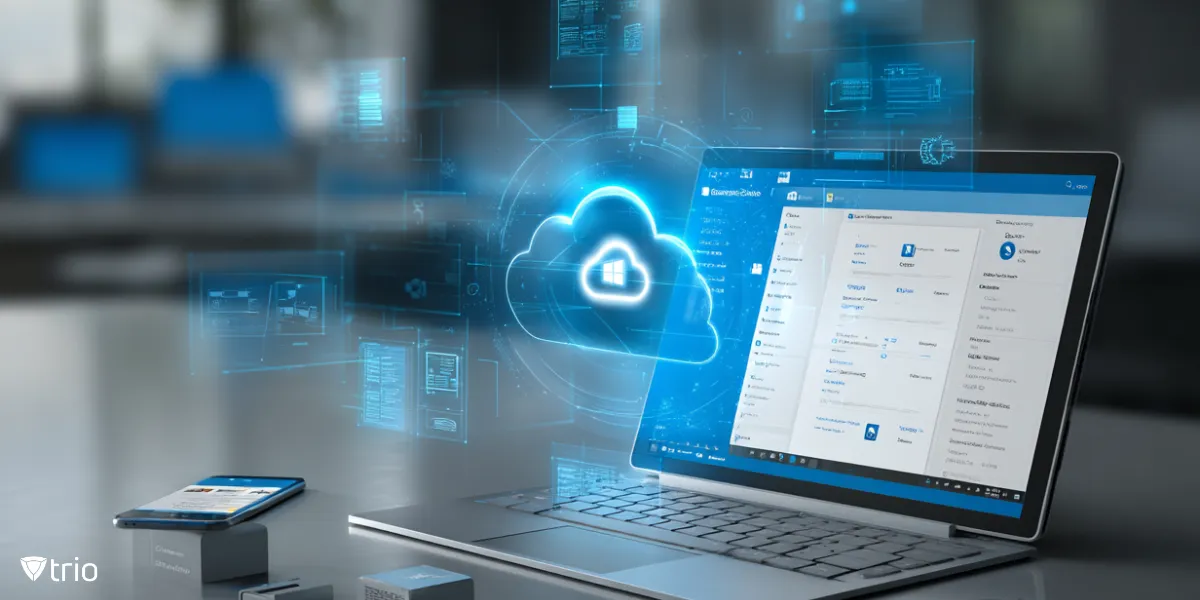
Successful remote wipe deployment requires comprehensive planning and policy development. Organizations should establish clear remote wipe policies defining trigger conditions, approval processes, and post-wipe procedures. These policies must address both emergency situations and routine device lifecycle management. Regular backup strategies ensure data recovery capabilities for legitimate users while maintaining security through remote wipe. Organizations should implement automated backup solutions that sync critical data to secure cloud storage before device loss occurs. This approach balances data protection with business continuity requirements. Inventory tracking systems must maintain current device enrollment status, ownership information, and configuration details. Accurate inventory enables rapid remote wipe deployment while preventing inadvertent wipe of personal or non-corporate devices. Employee training programs should cover remote wipe procedures, device security requirements, and personal data protection measures. Workers must understand their responsibilities for device security and the consequences of remote wipe activation. Testing procedures should validate remote wipe functionality across different device configurations, network conditions, and security states. Regular testing identifies potential issues before emergency situations require remote wipe deployment. Compliance documentation requires detailed logging of all remote wipe activities, including authorization details, execution timestamps, and completion verification. These records support regulatory compliance and incident response investigations. Post-wipe device cleanup involves removing devices from management systems, updating inventory records, and preparing devices for redeployment or secure disposal. Organizations should establish standardized procedures ensuring complete data protection throughout device lifecycles. Integration with Mobile Device Management platforms provides centralized control over remote wipe capabilities while supporting broader endpoint security strategies.
| Method | Data Removal | Enrollment Status | Best Use Case |
|---|---|---|---|
| Full Wipe | Complete device reset | Removed | Lost/stolen corporate devices |
| Selective Wipe | Corporate data only | Maintained | BYOD device management |
| Keep Enrollment | User data removal | Preserved | Device redeployment |
| Protected Wipe | Tamper-resistant complete | Removed | High-security requirements |
| Cloud Download Reset | Enhanced reliability with fresh OS files | Configurable | Distributed remote workforce |
Remote wipe Windows 10 provides essential data protection for modern organizations managing distributed device fleets. With the global average data breach cost reaching $4.88 million in 2024, implementing comprehensive remote wipe capabilities represents critical risk mitigation rather than optional security enhancement. The combination of built-in Windows functionality, enterprise MDM solutions, and automated scripting options enables organizations to develop layered remote wipe strategies. Success requires careful attention to prerequisites, thorough testing, and integration with broader security frameworks including BitLocker encryption and endpoint protection platforms. Organizations should prioritize remote wipe implementation as part of comprehensive device lifecycle management, ensuring rapid response capabilities for security incidents while maintaining operational efficiency for legitimate users. Ready to implement enterprise-grade remote wipe capabilities? Get Trio's free demo to explore advanced Windows device management features that protect your organization's data wherever your workforce operates.
Every organization today needs a solution to automate time-consuming tasks and strengthen security. Without the right tools, manual processes drain resources and leave gaps in protection. Trio MDM is designed to solve this problem, automating key tasks, boosting security, and ensuring compliance with ease.
Every organization today needs a solution to automate time-consuming tasks and strengthen security. Without the right tools, manual processes drain resources and leave gaps in protection. Trio MDM is designed to solve this problem, automating key tasks, boosting security, and ensuring compliance with ease.





Have questions? We've got answers. This section covers some of the most commonly asked questions related to this topic.
Related
The related industry news, interviews, technologies, and resources.
To run powershell script on multiple computers reliably, you need to know which method breaks on offline machines, workgroups, and Mac endpoints.
You can stop employees from installing software on Windows using GPO, AppLocker, or MDM. Here's how each method works and which fits your setup.

If you want to know how to block websites on iPhone, this guide covers Screen Time, DNS filtering, and MDM — including where each method breaks down.

If you're learning how to block an app on iPhone for a managed fleet, start here: supervised enrollment is the gate to real MDM enforcement.
Learn how to choose the right MDM solution with 9 essential criteria. Complete guide for evaluating features, security, and vendor capabilities.

Learn how to execute scripts remotely with security in mind. Methods, best practices, and scaling strategies for IT operations.

Complete guide to pushing Android remote updates with MDM. Learn methods for app, system, and policy updates across managed devices.
Explore all methods to remotely lock Windows PCs - from built-in Windows features to MDM solutions and enterprise management tools.