

Kiosk Managemn Software
Kiosk Software That Locks Every Device to Its Job
Turn any tablet, phone, or desktop into a single purpose device. Trio Kiosk solution locks the apps, the settings, and the screen across every operating system you run, all managed from one console.
No Credit Card Required Setup in MinutesTrusted by IT teams Globally



Unmanaged shared devices never stay locked
A device meant for one task rarely stays that way. Users wander into settings, install apps, or close the kiosk, and your public facing fleet turns into a support queue.
One Platform, Every Kiosk
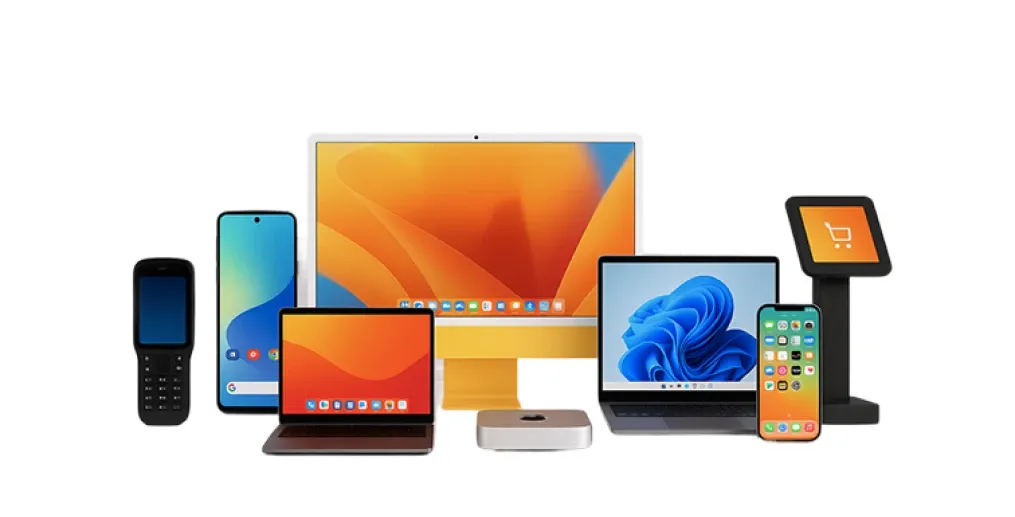
Kiosk management software built for mixed fleets
Trio Kiosk solution gives you one place to lock down, configure, and watch every dedicated device you run. Unlike kiosk software solutions that cover a single platform, Trio holds the policy across all of them.
Total Device Lockdown
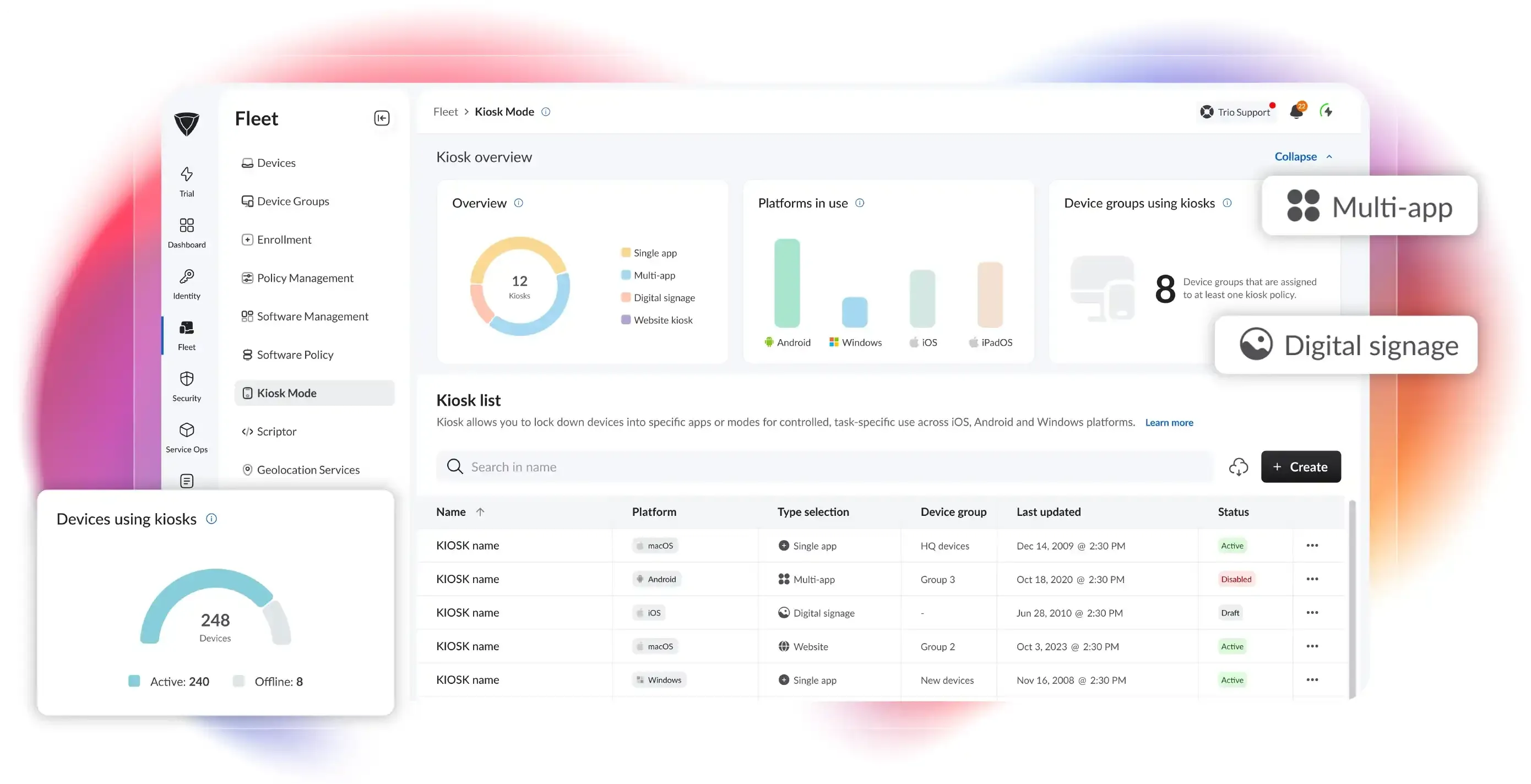
Lock any device to one app or a controlled set so it only does its job. Native supervised mode and Device Owner enforcement keep the boundary in place.
App Deployment Built In
Push the right apps to every kiosk and keep them current without touching a device. Managed app deployment installs and updates them silently through the platform.
Digital Signage Mode
Turn screens into unattended displays that loop images, video, or web content on schedule. The built in Trio Browser and media engine handle playback and refresh.



Onboarding Kiosk Management Software
From box to locked kiosk in three steps
No imaging stations. No per device setup. You build the policy once and Trio applies it as devices come online.
Enroll the Devices
Devices arrive already locked and ready, with no staging or manual setup per unit. Zero touch enrollment through Apple Business Manager and Android Zero Touch applies the profile on first connection.
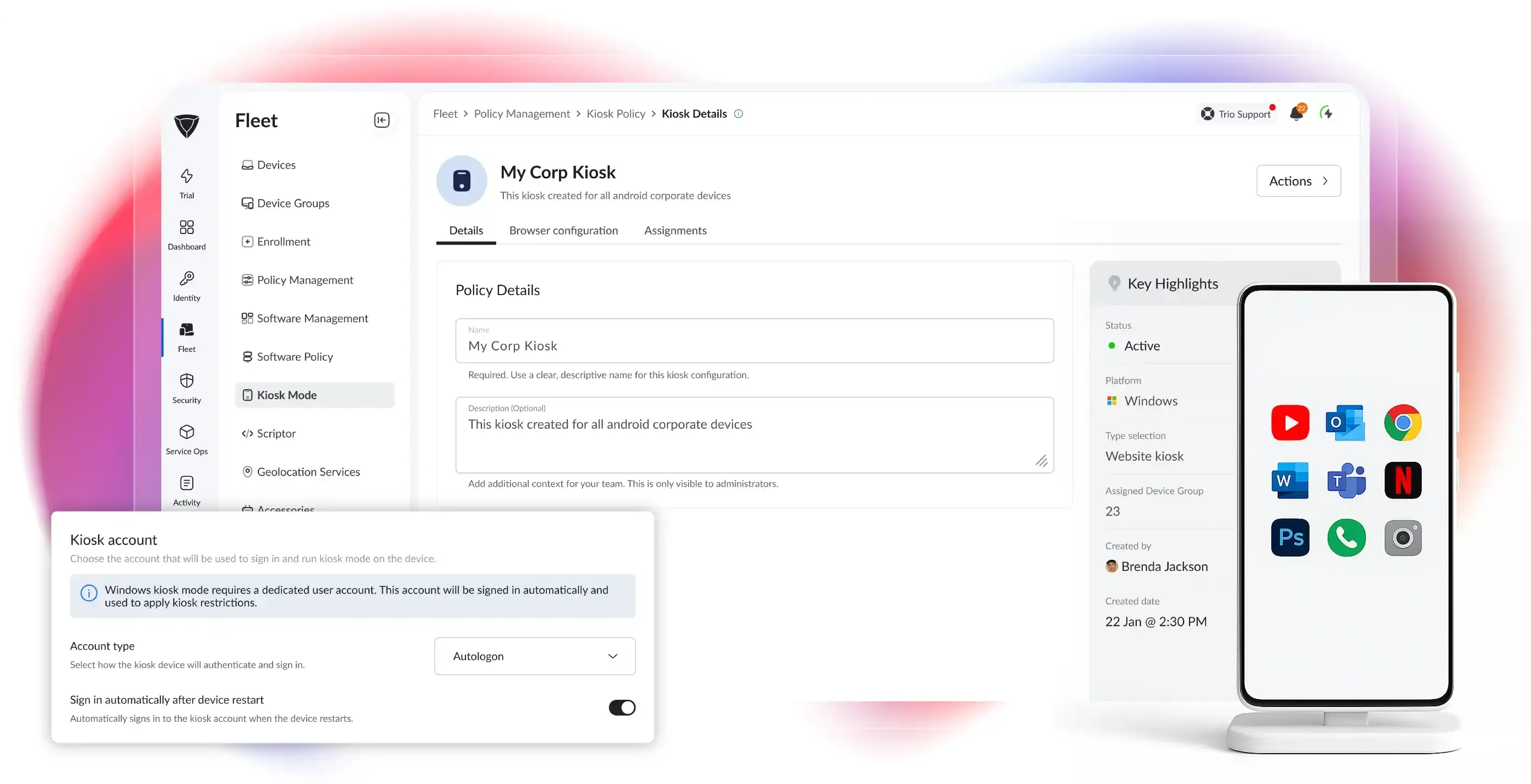
Build a Kiosk Profile
Pick a mode once and reuse it across a whole category of devices. Reusable templates carry the platform specific settings so one profile fits many devices.
Assign and Push
Send the profile to a device group and watch it land across the fleet in real time. AutoPilot handles Windows units while assignment tracking shows live device counts and status.
Stand up your first kiosk solution in minutes
Pick a mode, build a profile, and push it to a device group from one screen.
Kiosk Lockdown Modes
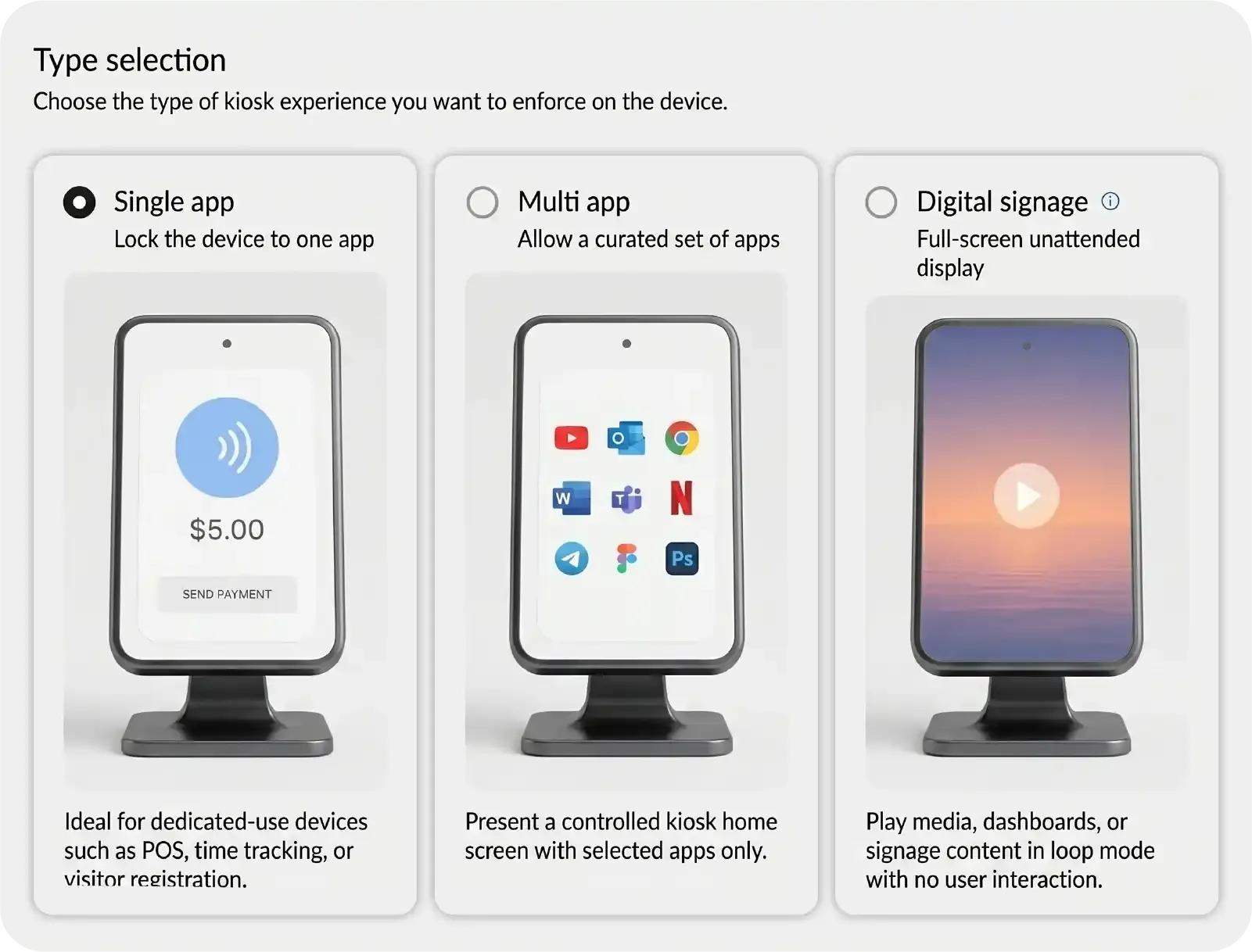
Single app and multi app kiosk lockdown
Trio is kiosk mode software that runs five distinct lockdown modes from one console.
Autonomous Single App Kiosk
Lock a device to one app that launches on its own and hides everything else. Apple supervised mode enforces the lockdown on iOS, iPadOS, and macOS until you remove the policy.Controlled Multi App Kiosk
Let staff switch between a fixed set of approved apps while the rest of the device stays sealed. Android Device Owner mode and Windows restrictions hold the boundary across the session.No Custom Development
Deploy every mode without writing or maintaining scripts. Apple Device Management APIs, Android Enterprise, and Windows Configuration Service Providers do the enforcement.
App Deployment
Get the right apps onto every kiosk
Push the apps a kiosk needs and keep them current without ever touching the device.
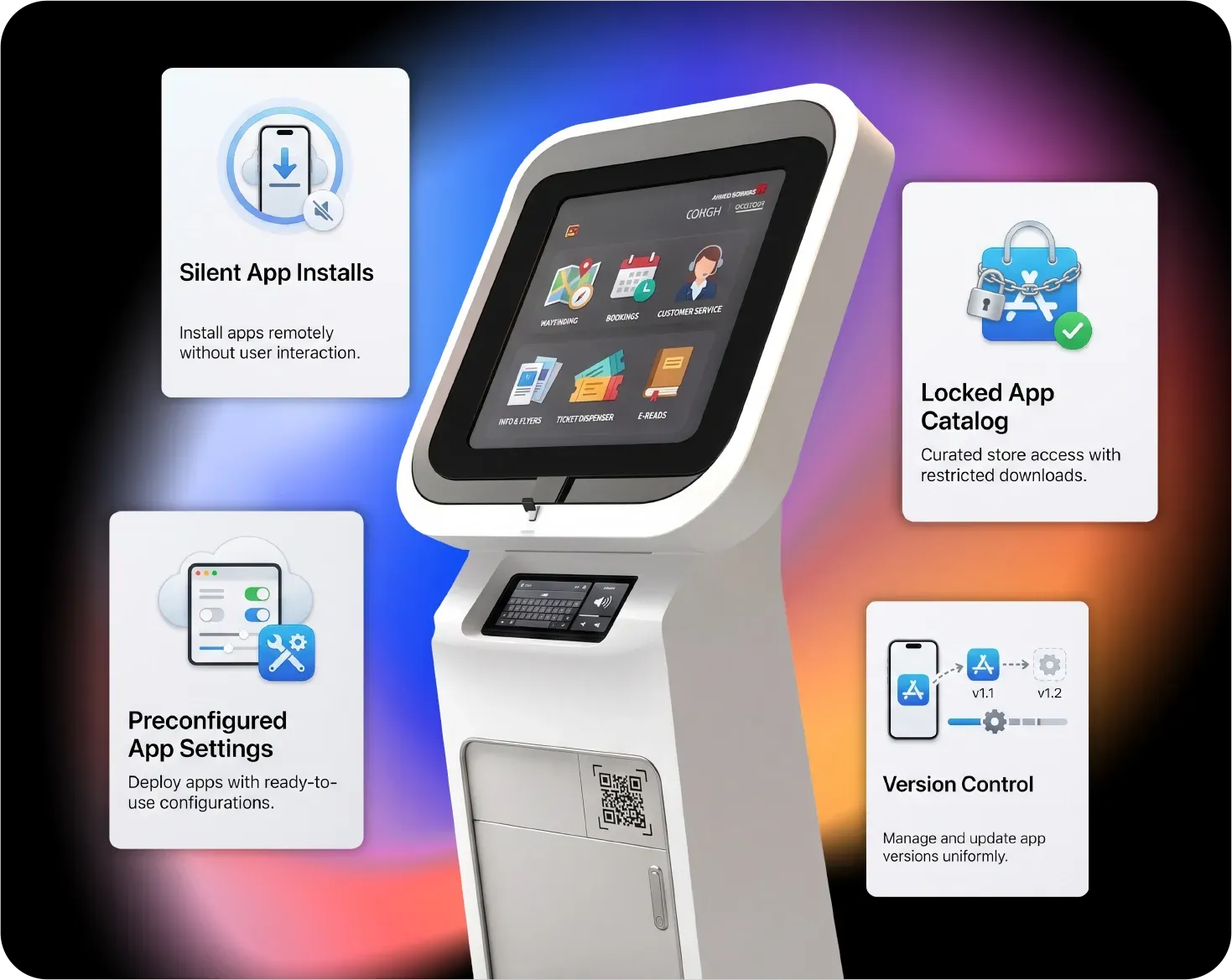
Silent App Installs
Approved apps land on the device automatically, with no user prompts or manual steps. Managed app deployment installs them through Apple VPP, Managed Google Play, and Windows packages.
Locked App Catalog
Decide exactly which apps a kiosk can run and block everything else. App allowlists tie to the kiosk profile so unapproved apps never install.
Version Control
Keep every kiosk on the same app version and update them all at once. The platform pushes updates on a schedule and rolls back a bad release on command.
Preconfigured App Settings
Apps work the moment they land, with server URLs and sign in modes already set. Managed app configuration pushes those settings alongside the app, so no one touches the device to set it up.
Remote Kiosk Management and Support
Fix and update kiosks from anywhere
Manage a kiosk fleet remotely so a frozen screen or a bad config never needs a site visit.
Remote Troubleshooting
Remote Reboot and Recovery
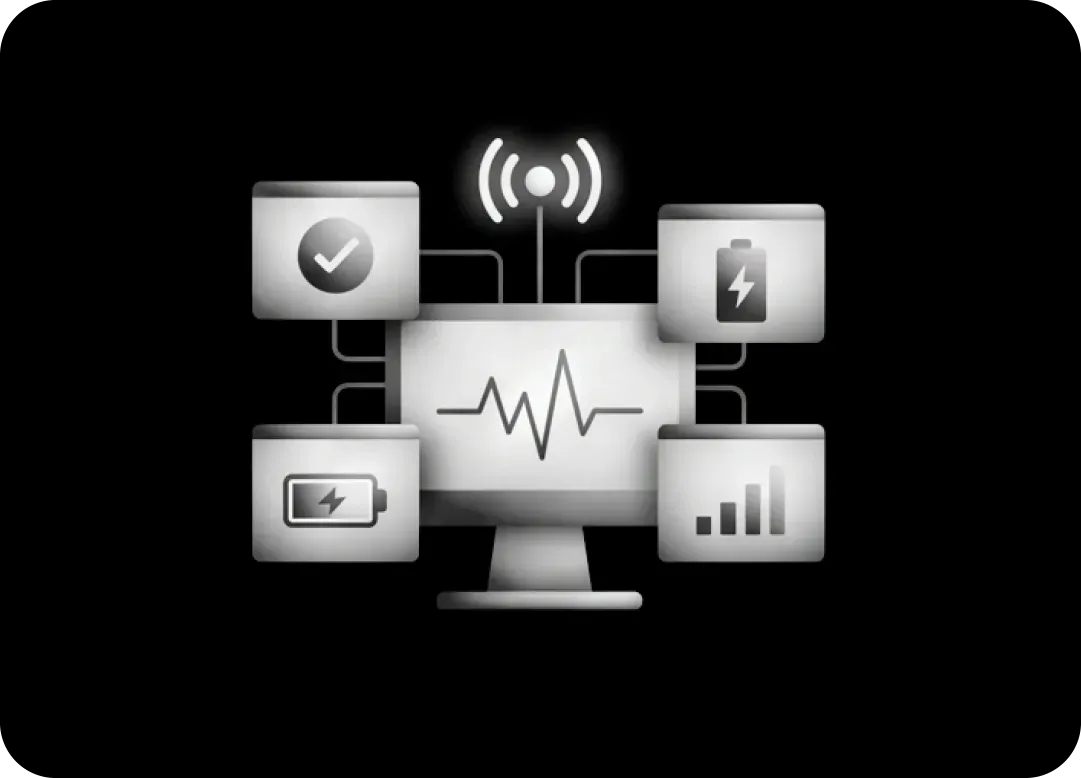
Live Device Status
Digital Signage
Turn screens into managed digital signage
Convert devices into unattended displays that play media and web content on a schedule you control.
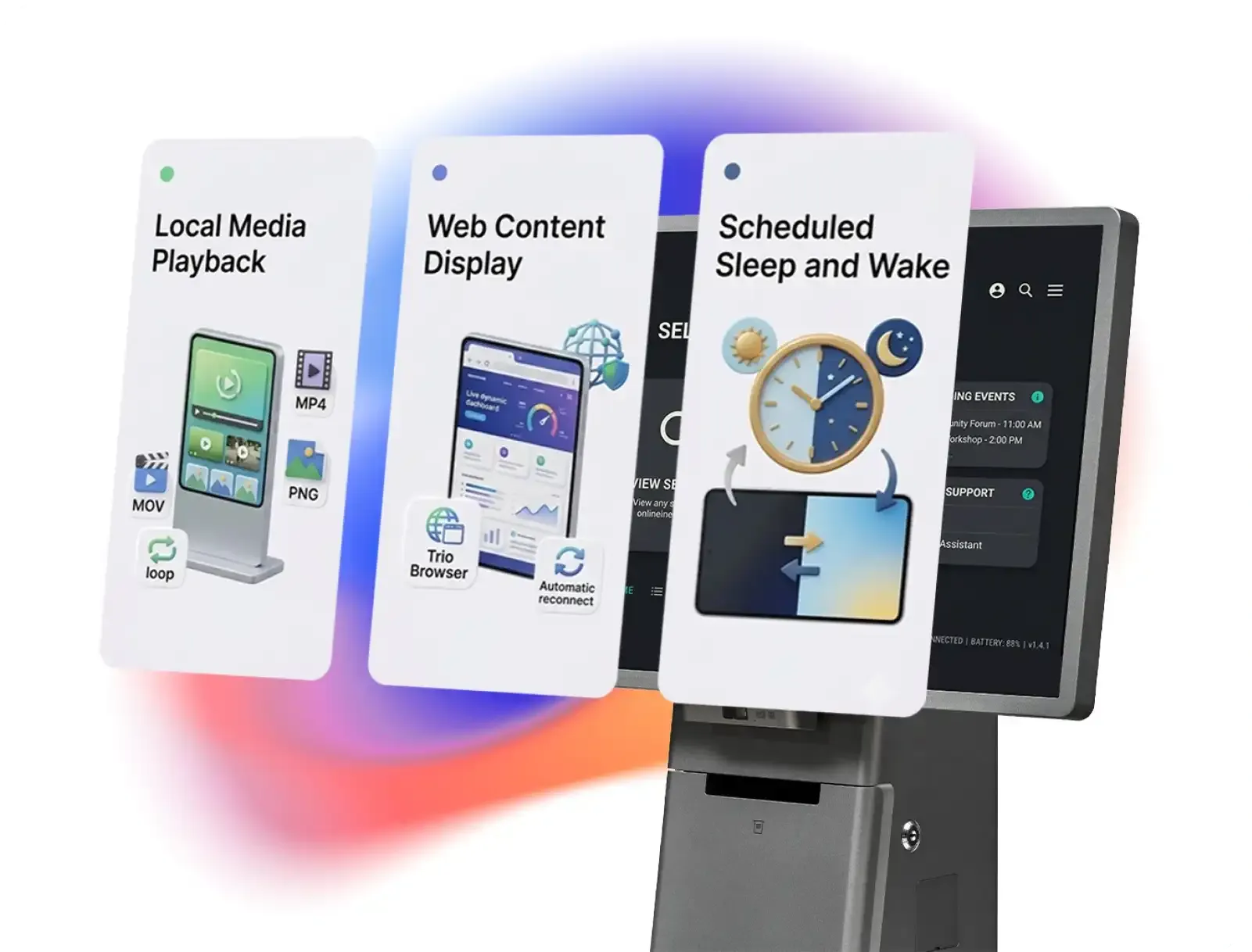
Local Media Playback
Loop images and video on a screen without a separate signage app. Trio plays common formats like MP4, MOV, JPEG, and PNG with device specific optimization.Web Content Display
Show live web pages or dashboards full screen and keep them fresh. The built-in browser in Trio Kiosk software holds the page loaded and reconnects on its own.Scheduled Sleep and Wake
Screens power down after hours and wake on their own for the next day. Sleep timing runs on a clock or a loop count so displays are not left on overnight.
See the kiosk management software in action
Watch how a single profile locks down an entire mixed fleet.
Hardware and Peripheral Control
Control every input, network, and display
Decide exactly what a kiosk solution can touch, connect to, and show.
Touch and Accessibility
Tune the interface for public touch use with larger icons and gesture limits. Settings adapt to specialized touch hardware and built in accessibility options.
Network Permissions
Decide whether users can reach wireless, mobile data, Bluetooth, or hotspot. Granular controls open airplane mode and network switching only where a deployment needs them.
Display and Power
Set brightness, screen timeout, and status bar visibility to match the room. Keep alive stops the screen dimming during continuous operation.
Access Control and Compliance
Kiosk security that fits your access policy
Kiosk restrictions plug into the same access and compliance controls as the rest of your endpoints.
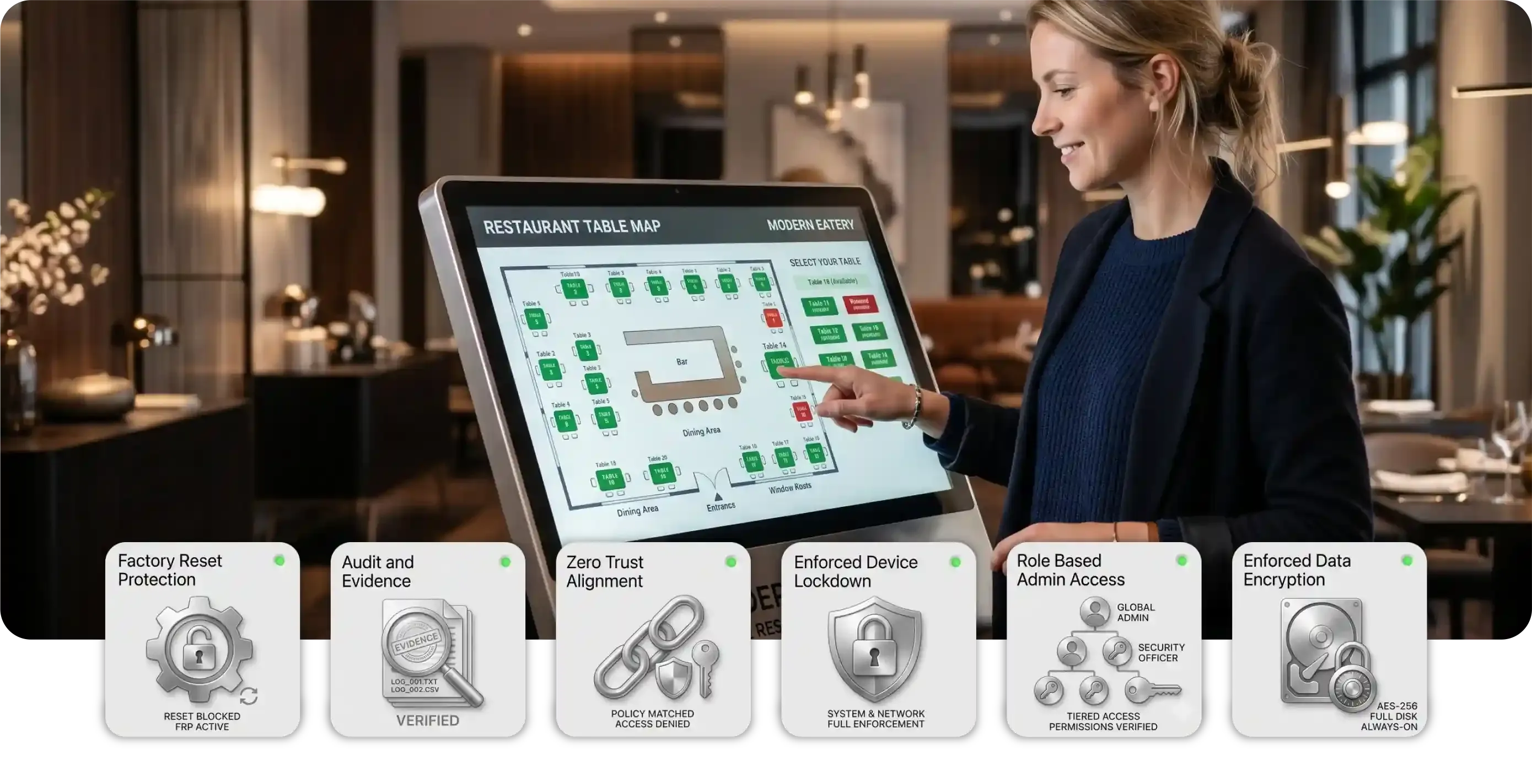
Enforced Device Lockdown
Block app installs, system changes, and data access while the device keeps doing its job. Platform native restriction APIs hold the boundary even against workaround attempts.
Audit and Evidence
Keep a complete record of every config and deployment change for review. Automated evidence collection supports SOC 2 and HIPAA reporting.
Zero Trust Alignment
Match kiosk security to the standard that governs your other devices. Restrictions of kiosk software coordinate with your conditional access and Zero Trust policies.
Factory Reset Protection
Stop anyone wiping a device to slip out of kiosk mode and walk away with it. Reset protection binds the device to your account, so a factory reset still demands managed credentials.
Enforced Data Encryption
Keep the data on every kiosk encrypted, so a lost device never turns into a breach. Trio enforces device encryption and flags any unit that drifts out of compliance.
Role Based Admin Access
Decide which admins can change kiosk policy and which can only look. Role based access control scopes every action to the right team and records who did what.
More Kiosk Software Features
More built into every kiosk deployment
Small capabilities that make running kiosk management software easier day to day.
Custom Launcher Branding
Brand the home screen and lock the app layout users see.
Web Content Filtering
Restrict the kiosk browser to approved URLs only.
Offline Policy Caching
Devices stay locked even when the connection drops.
Remote Reboot
Restart a frozen kiosk without a site visit.
Lost Device Lock
Lock or wipe a missing dedicated device remotely.
Location Tracking
See where every field kiosk is on a map.
OS Update Control
Schedule and enforce operating system updates across kiosks.
Real Time Alerts
Get notified when a device drops offline or out of policy.
Idle Session Reset
Return the kiosk to its start screen and clear the session after inactivity.
Platform Integration Layer
Kiosk software that fits your existing stack
Trio plugs into the enrollment and identity tools you already run. Kiosk profiles deploy through Apple Business Manager, Android Zero Touch, and Windows AutoPilot, and coordinate with your conditional access and Zero Trust policies.











Roll out kiosk lockdown software across your fleet today
One profile, every device, no per unit setup.
Kiosk Software for Every Environment
How teams put Trio kiosk software to work
IT teams use Trio to turn everyday hardware into reliable single purpose devices. The result is centralized control, less drift, and a consistent experience no matter where a device sits.
Retail
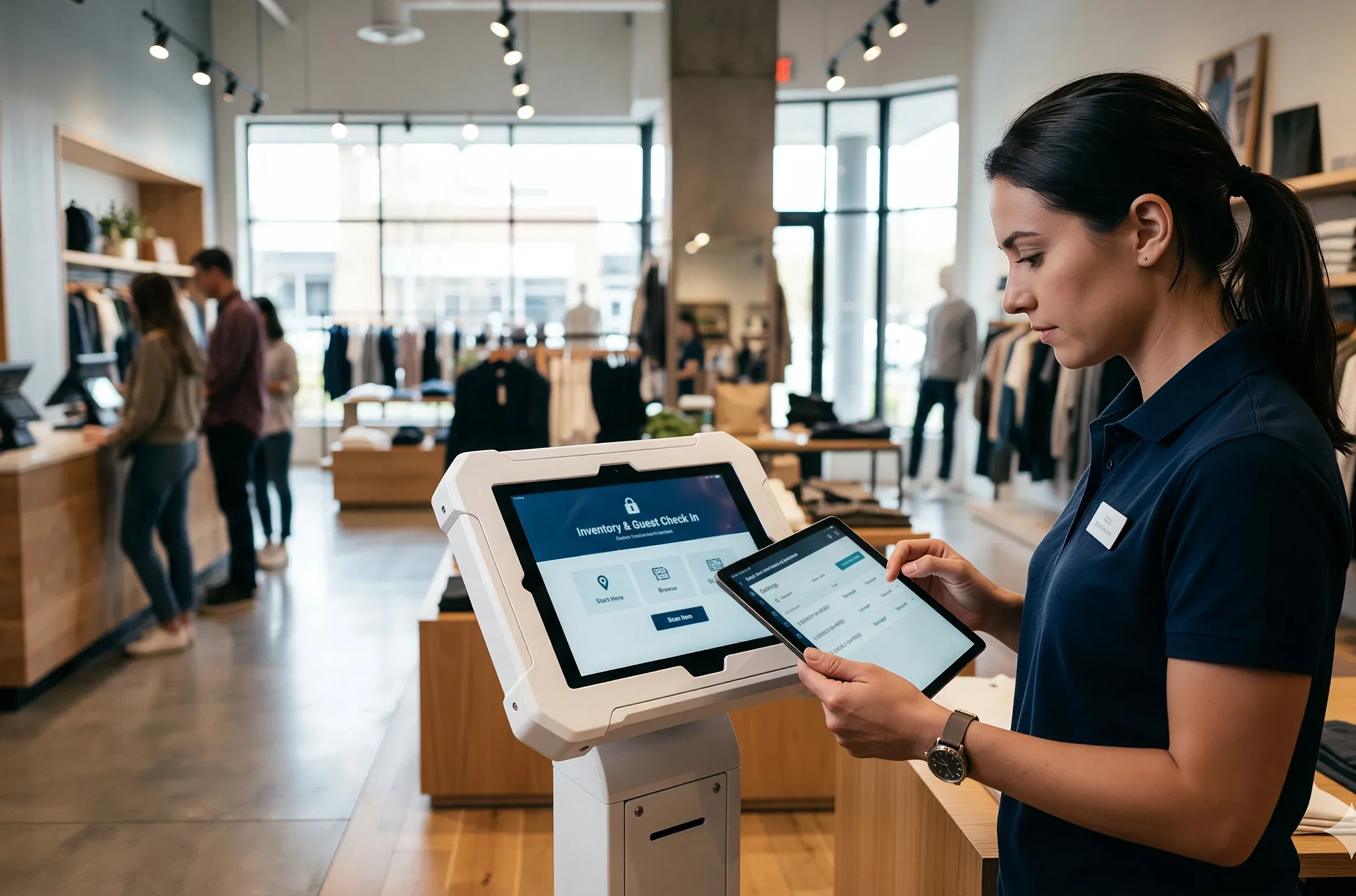
Retail teams running POS and inventory tablets needed staff to switch between approved apps without reaching the rest of the device. With Trio, IT locked each tablet to a controlled app set and pushed the policy across every store at once.
- Multi app lockdown across POS and inventory
- Staff stay in approved apps only
- New app versions roll out fleet wide
Consistent checkout devices that stay on task through every shift.
Unified Endpoint Management Platform
Built on a complete UEM foundation
Kiosk lockdown is one capability inside Trio's full UEM platform. The same console manages devices, enforces security, automates work, and reports on compliance across your entire environment.
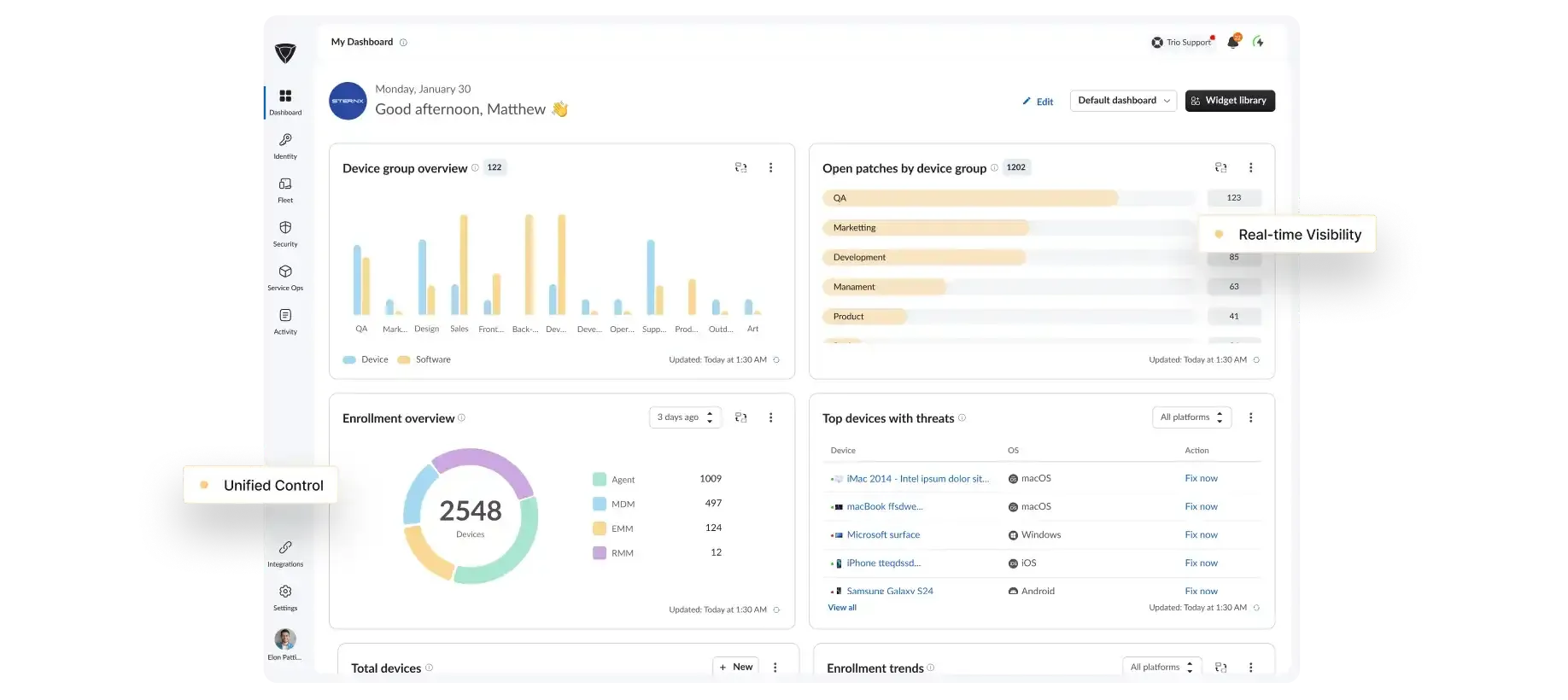
Cross OS Management
Manage every device type from one console.
Security Enforcement
Apply and enforce policy across the fleet.
Compliance Reporting
Track posture and produce audit ready reports.
Trio Support
Real people. Real fast.
When something breaks, you need an answer now, not a ticket queue and a 48 hour wait.
<1 Min
Live chat response
<1 Hr
Email response
<6 Hr
Ticket resolution
24/7
Support Available
<1 Min
Live chat response
<1 Hr
Email response
<6 Hr
Ticket resolution
24/7
Support Available
Why Trio
Why IT teams choose Trio for kiosk Management
Locking down a device is easy to promise and hard to sustain. The Trio kiosk solution holds the policy across every platform without a heavy admin burden.
Simpler Than Intune
Cross platform kiosk control without the setup weight of Intune or Jamf.One Console, Every OS
Manage every operating system you run from one screen, no separate tools.No Dedicated Admin
Runs without a full time administrator, so your existing team absorbs it.Scales With You
Start with a handful of devices and scale to thousands on one platform.
FAQs
Trio supports kiosk lockdown mode on iOS, iPadOS, Android, Windows, macOS, ChromeOS, and Linux, all from one console. That breadth lets you standardize tablets, desktops, and handhelds on a single platform instead of running a separate kiosk tool per operating system.
Single app mode locks a device to one application, while multi app mode lets users switch between a fixed set of approved apps. Single app suits digital signage or a self service check in screen, and multi app fits frontline roles that need a POS, inventory, and messaging app together.
No. Trio kiosk management software reset protection ties the device to your account, so a factory reset still requires managed credentials before the device can be reused.
Devices enroll and lock down themselves the moment they power on, using zero-touch enrollment through Apple Business Manager and Android Zero Touch. You build a reusable kiosk profile once and assign it to a device group, so a rollout of hundreds needs no manual setup per unit.
Trio runs kiosk control across seven operating systems from one console, without the setup weight of Intune or Jamf and without a dedicated administrator. The kiosk software solution also sits inside a full UEM platform alongside identity, patching, and security, so you manage locked devices and everything else in one place.
Strong kiosk management software gives you cross-platform lockdown, remote deployment, and policy enforcement from one console. The Trio's kiosk solution covers all three across seven operating systems, so you evaluate one platform instead of stitching separate tools together.