

BYOD MDM Software
Powerfull BYOD MDM to Secure Work Data on Personal Devices
Your team already works from personal phones and laptops. Trio containerizes corporate apps and data on every personal device, so work stays secured and managed while personal photos, messages, and apps remain completely private.
No credit card required Trusted by 4,000+ teamsHIPAA, GDPR, and SOC 2 ready




Unmanaged BYOD Risk
Unmanaged personal devices put corporate data at risk
Employees use their own phones and laptops because it is faster and more comfortable. The problem starts when corporate email, files, and apps live on devices IT cannot see or control.

Corporate Data Everywhere
Work files and email sit on personal devices with no encryption, no policy, and no way to pull them back.
Privacy Versus Control
Push too hard and employees resist enrollment. Push too little and sensitive data walks out the door unprotected.
Gaps After Offboarding
When someone leaves, their personal phone leaves with your customer data still on it.
Compliance Blind Spots
Auditors expect proof that regulated data is protected on every device, including the ones you do not own.
MDM for BYOD
BYOD management that works for IT and employees
Trio's BYOD management tool brings personal and corporate devices under one set of controls. You secure the work side completely while the personal side stays private, all from one console.
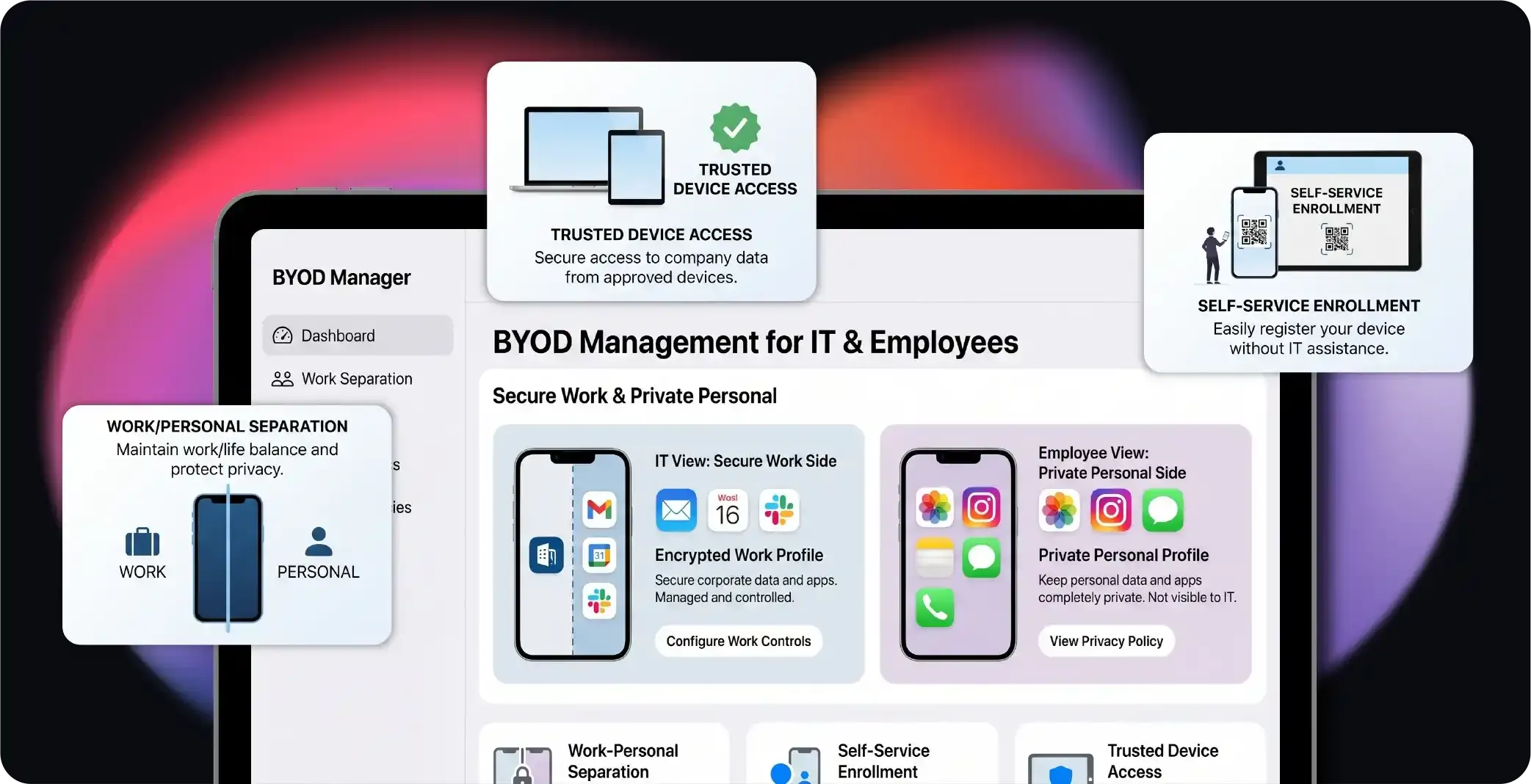
Work Personal Separation
Work data stays protected while personal content stays private. Trio holds corporate apps and files in a managed work profile, separate from everything personal.
Self Service Enrollment
Employees set up their own devices in minutes with no IT ticket. Trio runs a guided enrollment flow that provisions each device over the air.
Trusted Device Access
Only compliant, verified devices reach corporate apps and data. Trio checks device posture and user identity before granting access.
Every OS, One Console
BYOD management across every operating system
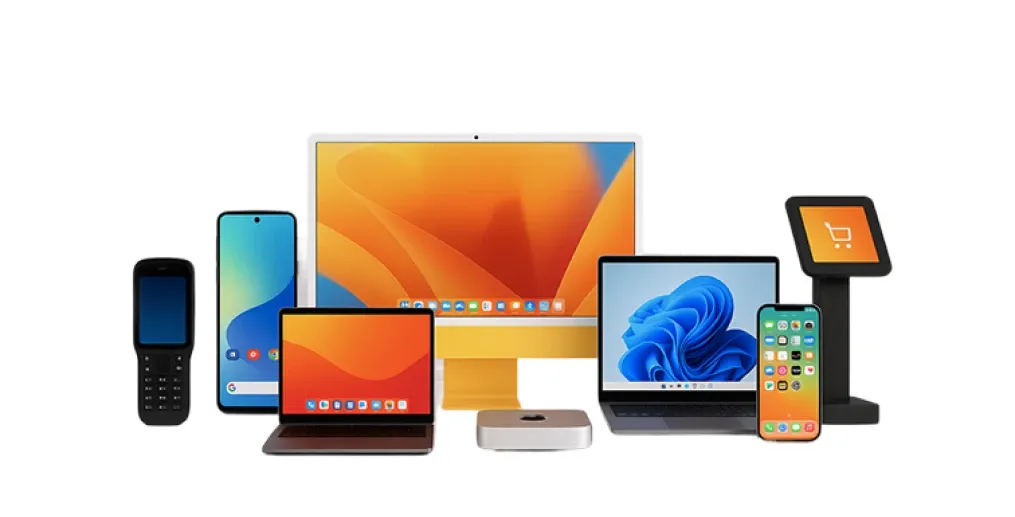
Trio manages personal devices running iOS, iPadOS, Android, Windows, macOS, and ChromeOS from a single dashboard.

Android

ChromeOS
Apple

Linux
Windows
Android
ChromeOS
Apple
Linux
One set of BYOD policies applies consistently, no matter what device an employee brings.
BYOD management software that your employees will actually accept
Strong security on the work side. Full privacy on the personal side. Both at once.
Onboarding
BYOD MDM setup in 3 simple steps
Trio removes the manual work from Bring Your Own Device (BYOD) rollout. Employees onboard themselves, and the right policies apply automatically.
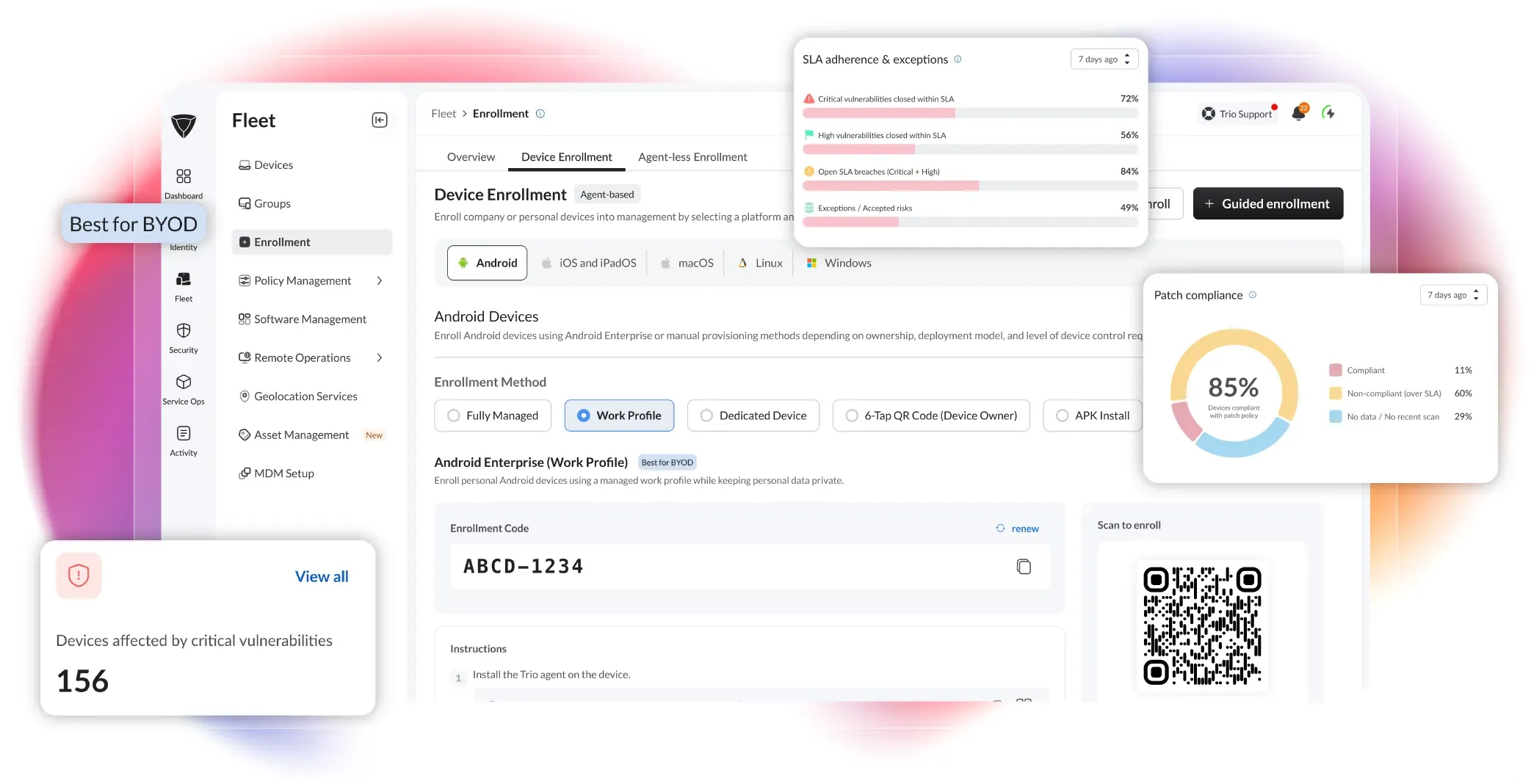
Invite and Enroll
Employees add their own device in minutes with no IT ticket. Trio sends a link or QR code and verifies identity before enrollment begins.
Auto Configure Work Profile
The device is ready for work the moment it enrolls. Trio provisions a managed work profile and pushes apps, WiFi, VPN, and certificates automatically.
Manage and Monitor
You stay in control of every device from one place. Trio tracks compliance, enforces policy, and runs remote actions in real time from a single dashboard.
BYOD Enrollment
Let employees enroll their own devices
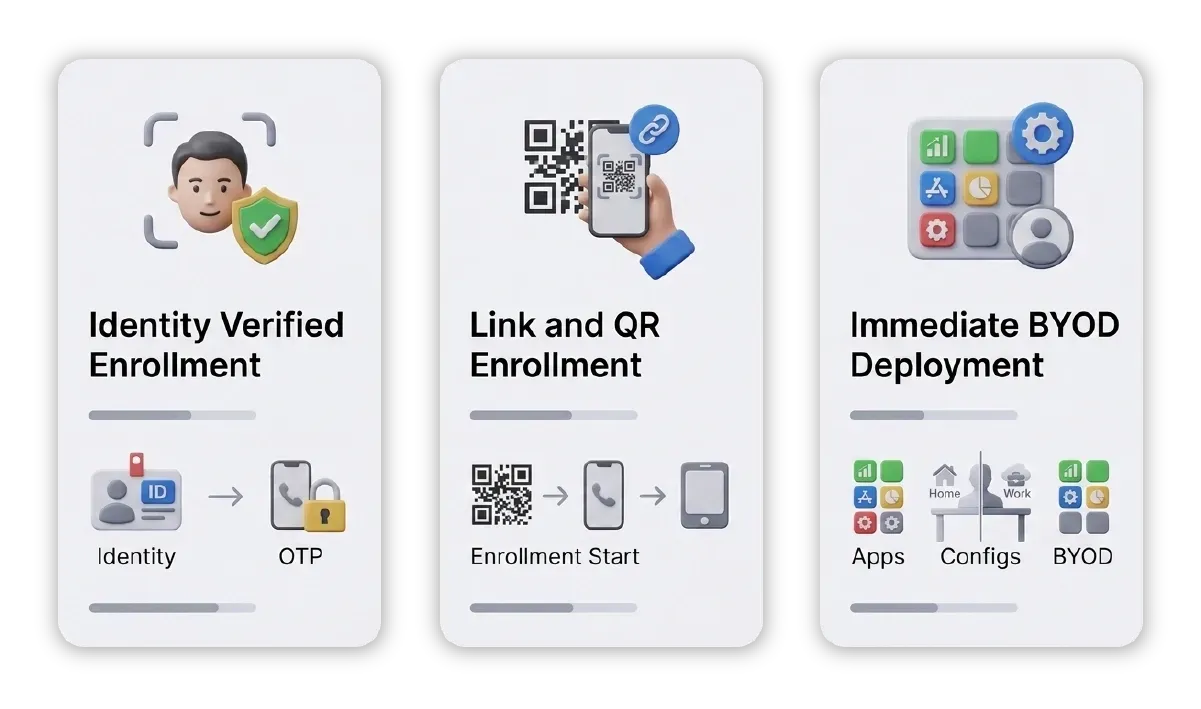
Onboarding personal devices should not create IT tickets or manual setup. Trio lets employees enroll their own phones and laptops through a guided, self service flow.
Only the right person can enroll a device against your fleet. Trio confirms identity through your directory, Microsoft Entra ID, or a one time passcode before enrollment begins.
Employees start from a link or QR code with no help from IT. Trio runs the entire setup over the air with no console access or manual profile work.
New devices get the right apps and policies the moment they join. Trio's bring your own device (BYOD) mobile device management solution assigns configurations by user role, team, or device type during enrollment.
Role Based Access Control
Keep work and personal data fully separate
Work data and personal data should never mix on a personal device. Trio holds corporate apps and files in a managed work profile, separate from everything personal.
Managed Work Container
Corporate apps and files stay isolated from the personal side of the device. Trio manages only the work profile and never touches personal apps, photos, or messages.
Data Loss Prevention
Sensitive work data cannot leak out through removable drives or unmanaged apps. Trio enforces USB and removable storage policies and blocks data sharing into unauthorized apps.
Device Restriction Controls
You decide which hardware features work in a work context. Trio's BYOD MDM solution gives granular control over camera access, USB transfers, and unknown source installations.
App and Connectivity Management
Deliver apps and secure connections automatically
Employees need work tools and safe access the moment they enroll. Trio pushes apps, network settings, and security policies straight into the managed profile at scale.
Silent App Installations
Secure Connectivity

Web Content Filtering
Conditional Access and Identity
Give corporate access only to trusted devices
A managed, healthy device is the condition for access. Trio combines device posture with user identity, so only compliant devices and verified users reach corporate resources.
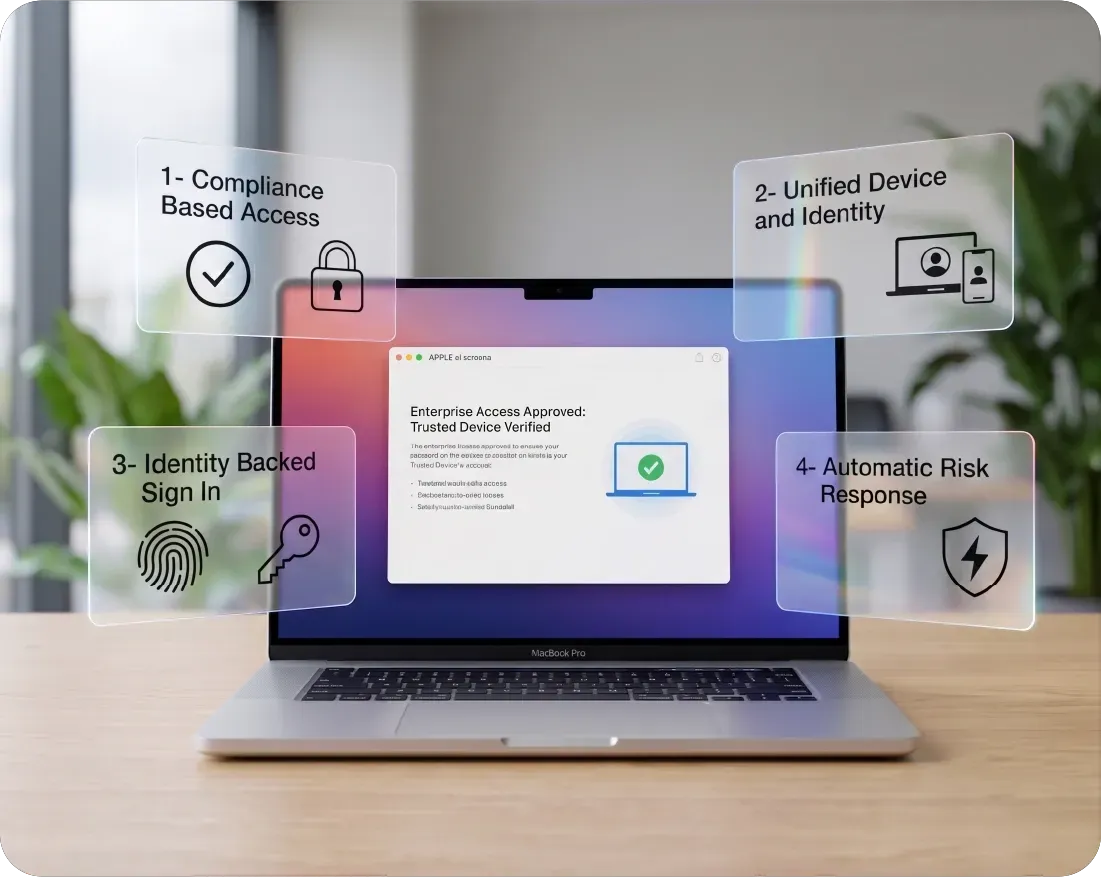
Compliance Based Access
Devices that fall out of policy lose access until they are fixed. Trio gates corporate apps and email on real time device posture, not a one time enrollment check.
Unified Device and Identity
You manage devices and the people using them from one source of truth. Trio ties role based access control to device trust, so access always matches both posture and role.
Identity Backed Sign In
Every login is verified before any corporate data opens. Trio enforces MFA and SSO through Microsoft Entra ID, Active Directory, and SAML based providers.
Automatic Risk Response
Risky devices lock themselves before they become a problem. Trio automatically locks endpoints running outdated operating systems or signing in from abnormal locations.
Trio's MDM for BYOD covers your entire fleet
iOS, Android, Windows, macOS, and ChromeOS, all under one set of controls.
Privacy and Offboarding
Protect privacy and remove data cleanly on exit
BYOD Mobile device management solution only works if employees trust it and offboarding is clean. Trio confines management to the work side and removes corporate data the moment a device or person leaves.
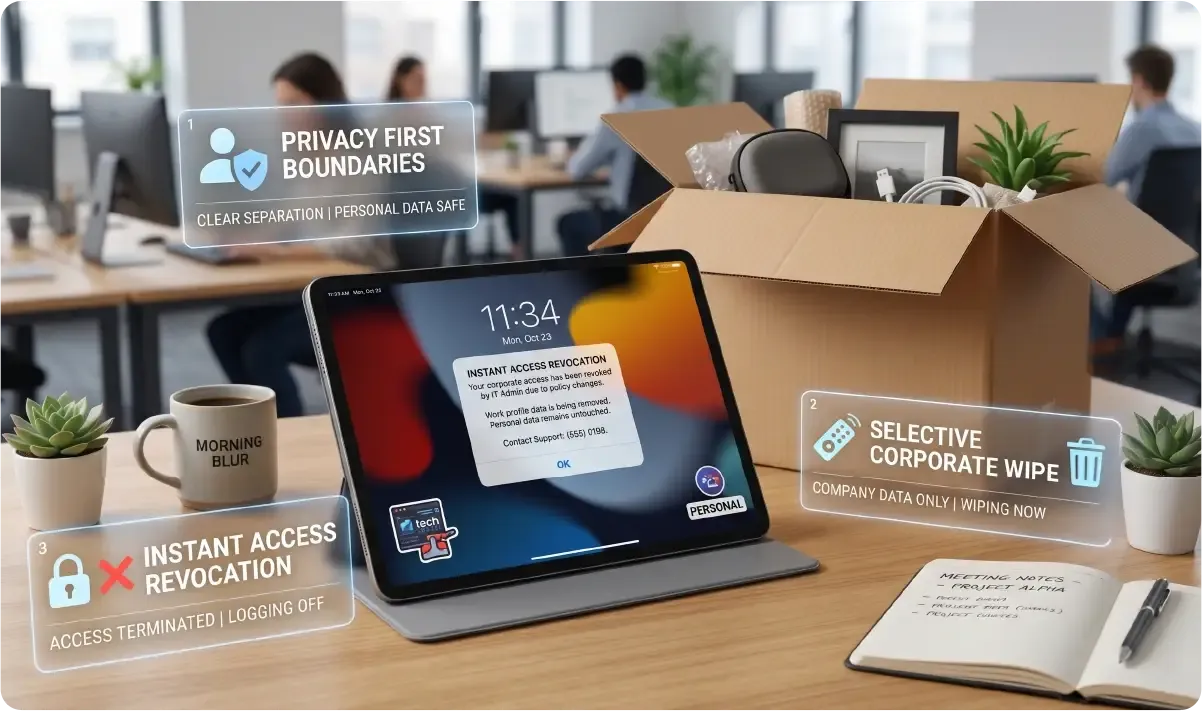
Employees know exactly what IT can and cannot see on their device. Trio limits all monitoring and data collection to the work profile, never the personal side.
Work data disappears on offboarding or loss while personal content stays untouched. Trio wipes only the managed work profile, leaving every personal file in place.
Access to corporate apps and email ends the moment someone leaves. A BYOD management tool revokes resource access and removes the device from management in a single action.
Endpoint Security
Patch, protect, and prove compliance on every device
BYOD devices touch the same data as company hardware, so they need the same protection. Trio adds patching, threat defense, and compliance enforcement to every enrolled device.
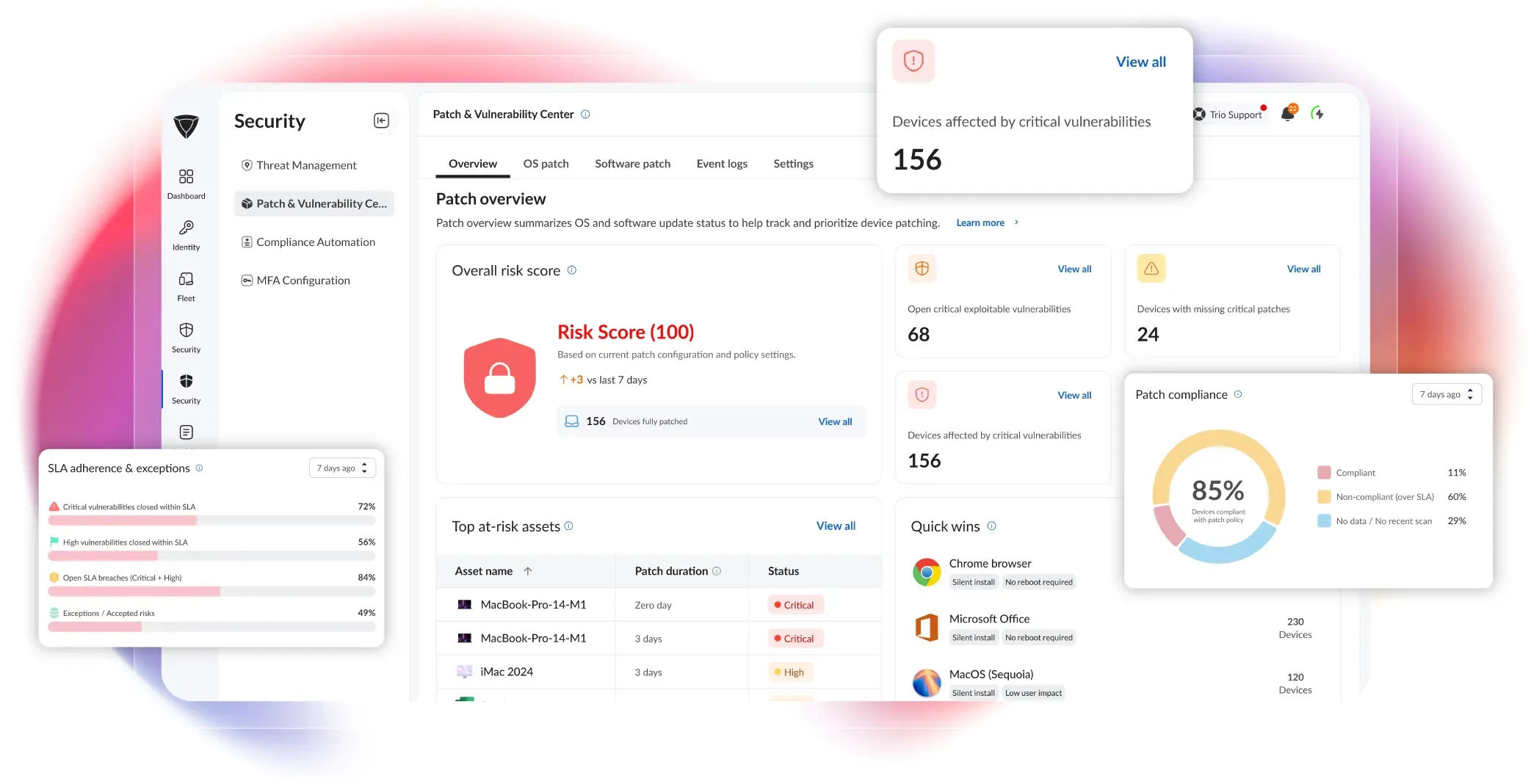
Patch and Vulnerability Management
Known vulnerabilities get closed before attackers can use them. Trio BYOD management tool prioritizes and deploys critical patches across the fleet by severity, with no custom scripts.
AI Threat Defense
Threats are caught and stopped without anyone watching the dashboard. Trio runs continuous endpoint detection on macOS and Windows and neutralizes threats automatically around the clock.
Compliance Enforcement
Regulated data stays protected and audit ready on personal devices. Trio enforces encryption with BitLocker and FileVault and runs continuous checks against HIPAA, GDPR, and SOC 2 baselines.
Application Control
Only approved software can run on a managed device. Trio enforces app allowlists and Gatekeeper policy so untrusted applications never execute.
OS Update Enforcement
Your fleet stays on current, supported OS versions without nagging users. Trio enforces and schedules operating system updates across every device.
Configuration Drift Control
Devices hold their secure configuration over time. Trio detects configuration drift and corrects it automatically to keep endpoints compliant.
More BYOD MDM Features
More built into Trio's MDM for BYOD
BYOD management software is one layer of a broader endpoint platform. These capabilities come standard.
Geofencing and Location
Track managed devices and trigger policy by location.
Remote Lock and Locate
Lock, locate, or alarm a missing device instantly.
Remote Scripting
Fix device issues remotely by pushing scripts.
Hardware and OS Alerts
Get real time hardware and OS health alerts.
Device Inventory
See every enrolled device and its real time status.
Shadow IT Discovery
Surface unsanctioned SaaS apps employees are using.
Access Audits and Alerts
Get alerted the moment a device falls out of compliance.
Smart Automation
Let AI handle repetitive IT tickets and tasks.
Bulk Device Actions
Run actions across many devices in one click.
Put every personal device under BYOD management
One console for enrollment, security, and offboarding across your entire fleet.
Platform Integrations
Bring Your Own Device (BYOD) MDM Solution that fits your existing tools
Trio connects to the identity and productivity tools your team already runs. User identities, access, and policies stay in sync across systems.













Unified Endpoint Management Platform
Built on a complete UEM foundation
BYOD MDM is one capability inside Trio's UEM platform. The same console handles cross-OS device management, security enforcement, automation, compliance reporting, and lifecycle management. This is mobile device management for both your own device and company-owned hardware in one place.
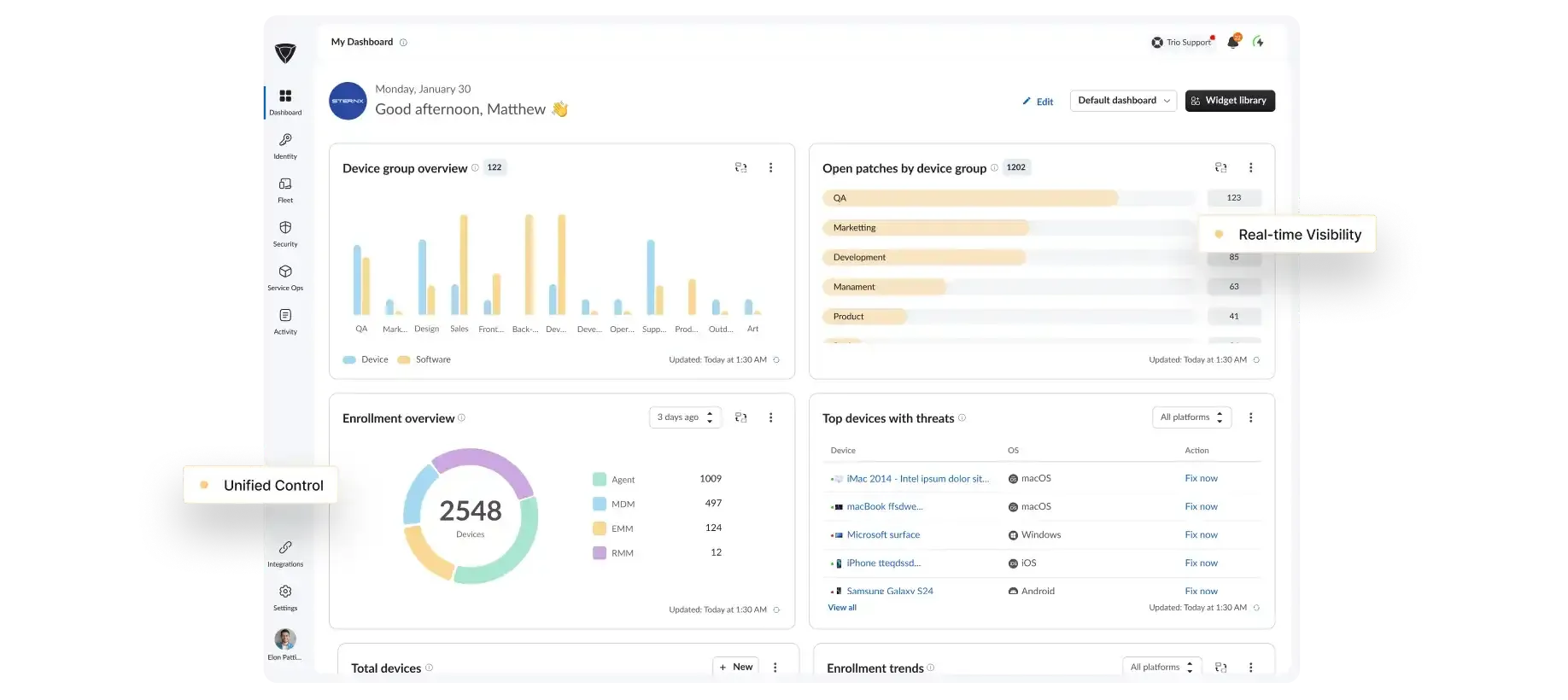
Cross OS Device Management
Manage every endpoint from one place.
Security Enforcement
Push policies and block threats everywhere.
Workflow Automation
Replace repetitive IT tasks with rules.
BYOD Solution for Every Industry
How teams put BYOD MDM solution to work with Trio
IT teams across regulated and fast-moving industries use Trio to bring personal devices under control without slowing people down.
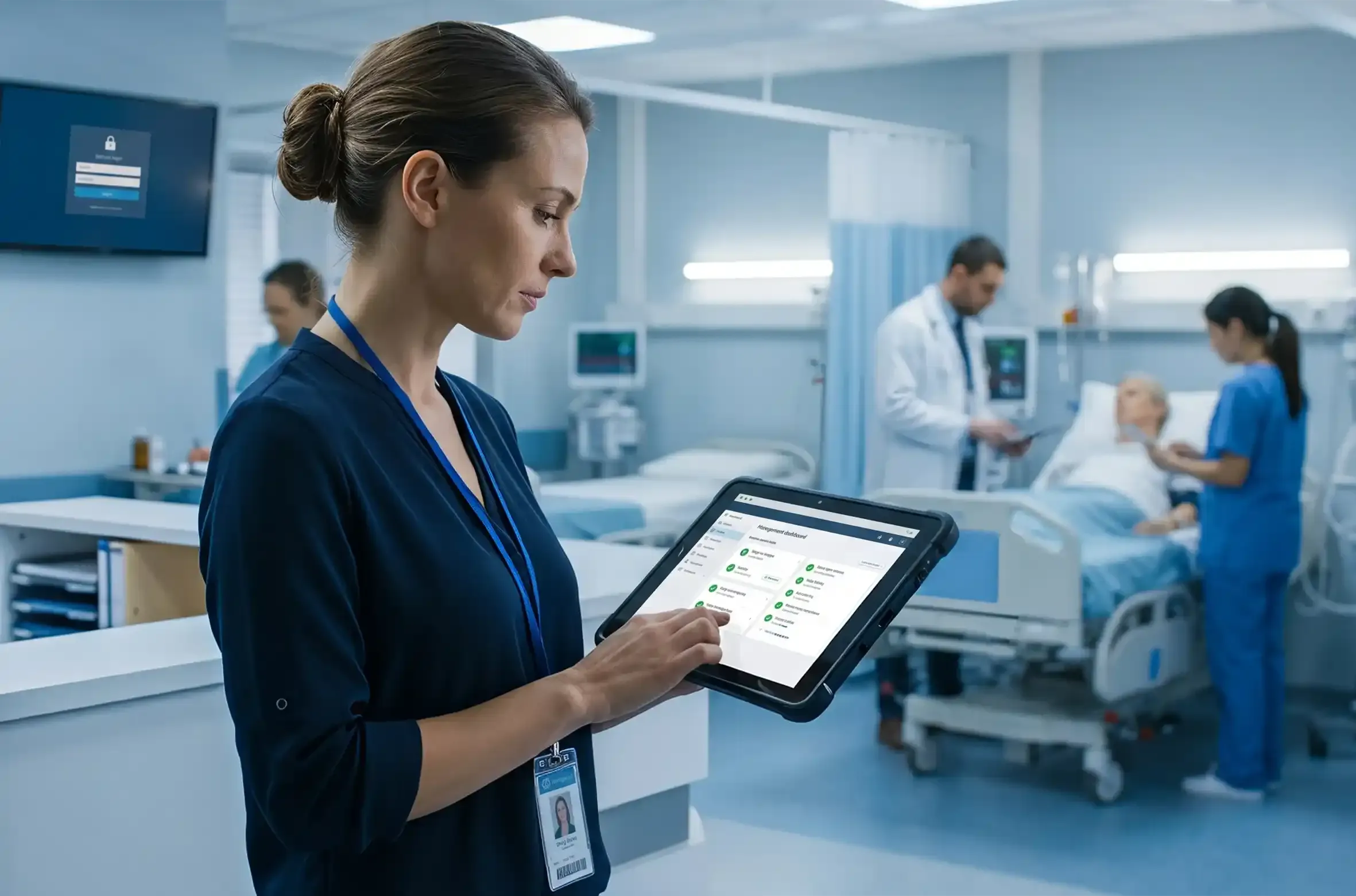
Healthcare
Healthcare teams accessing patient records from personal phones needed protection without exposing private staff data. With Trio, IT contained clinical apps in a managed work profile and enforced compliance on every device.
- Clinical apps isolated in a managed work profile
- Encryption and HIPAA baselines enforced automatically
- Selective wipe on staff turnover, personal data untouched
HIPAA ready access on personal devices, with zero reach into personal data.
Trio BYOD MDM Support
Real people. Real fast.
<1 Min
Live chat response
<1 Hr
Email response
<6 Hr
Ticket resolution
24/7
Support Available
<1 Min
Live chat response
<1 Hr
Email response
<6 Hr
Ticket resolution
24/7
Support Available
Why Trio
Why IT teams choose Trio for BYOD MDM
BYOD platforms are easy to find. A platform that secures the work side, respects the personal side, and does not need a specialist to run is rarer.
No Privacy Tradeoff
Full control over work data, with zero reach into anything personal.Live in Minutes
Trio goes live in about 15 minutes with no dedicated admin required.Platform, Not Point Tool
One console replaces the patchwork of BYOD management tools you would otherwise stitch together.Built for Lean Teams
Automation handles enrollment, policy, and compliance for teams of 50 to 5,000 devices.
FAQs
BYOD MDM is mobile device management built for personal devices used at work, securing corporate data while keeping the personal side private. Trio delivers MDM for bring your own device through a managed work profile, so IT controls company apps and data without touching anything personal.
Yes. Trio offers a multi tenant plan built for MSPs, so you can manage BYOD across separate client environments from one platform. Each client stays isolated with its own devices, policies, and reporting.
Trio byod mdm uses simple per device pricing with no per user fees, and you can start free for 14 days. There is no minimum user count and no enterprise contract, so BYOD management software costs scale cleanly from 50 devices to 5,000.
Yes. Most teams move from their current MDM to Trio in hours, not weeks, by enrolling devices through a guided flow and rebuilding policies in the console. You keep full control of your fleet throughout the switch.
Yes. Trio manages BYOD, corporate owned, and fully managed devices from one console, with a separate policy set for each ownership model. That makes it a single BYOD MDM for personal and company hardware, with no second tool to buy.
Trio delivers the same core BYOD management with faster setup, transparent per device pricing, and no dedicated administrator. It manages Android, iOS, Windows, macOS, and ChromeOS from one console, while tools like Jamf focus mainly on Apple.