


PCI DSS compliance for every device you manage
PCI DSS asks a lot of the laptops, desktops and phones that touch your card data environment. trio.so sets the required settings on every device, checks that they stay on, and gives you the evidence your assessor asks for. It covers Windows, macOS, Linux, iOS/iPadOS and Android from one console.






 Endpoint compliance › Frameworks › PCI DSS
- Disk encryption is enabledcritical9 devices
CTL-ENC-012.2.1 - Firewall is onhigh0 devices
CTL-FW-011.5.1 - Passcode is requiredhigh5 devices
CTL-PWD-018.3.6 - Automatic security updates are onmedium3 devices
CIS-MACOS-1.36.3.3
09:42Trio · Finding resolved · Firewall is on (1.5.1) · open → resolved after next evaluation · 6 devices








Every device in scope needs controls and proof
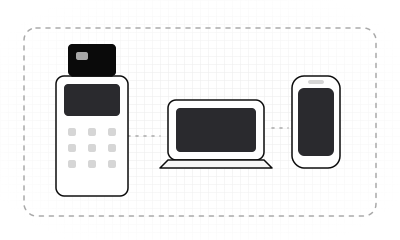
Card data stays on the terminal, but the laptops and phones next to it are in scope too. PCI DSS reaches every company or employee owned device that connects to your card data environment. trio.so sets the required controls on each one, checks that they stay on, and keeps the record your assessor asks for.
- Scope is wideRequirement 1.5.1 covers staff laptops and phones that reach both the internet and your card data environment.
- Settings slipA firewall switched off for a quick fix stays off until someone notices.
- Patches have a deadlineRequirement 6.3.3 gives you one month to install critical patches.
- Policies aren't proofAssessors ask you to show each control in place, device by device.
How it works
How PCI DSS checks work in trio.so
Checks usually live in three tools, and the proof in a spreadsheet. trio.so automates the device checks instead: you turn on the PCI DSS framework, see which devices fail which controls, and fix the settings with policies from the same console. It keeps checking on the schedule you set.
- Turn on PCI DSSActivate PCI DSS v4.0.1 for Windows, macOS, Linux, iOS/iPadOS and Android. trio.so maps its device checks to it.
- See what failsFindings rank every failing control by severity and devices affected, each with a due date.
- Fix and confirmUpdate the policy for the failing devices. A finding counts as resolved only after the next evaluation passes.
Requirements
PCI DSS requirements trio.so helps you meet
Most of PCI DSS covers your payment systems and processes. Here is how trio.so helps with the device requirements, and where the proof lives.
Applies firewall and other security settings as managed policies on every enrolled device, company owned or personal.
Policy status for each device, and firewall check results.
Enforces passcode, disk encryption, firewall, USB storage blocking on Windows and Linux, and WPA2 or WPA3 Wi-Fi.
Findings for each control, device by device.
Checks that anti-malware is active on each computer, and shows Microsoft Defender for Endpoint alerts per device.
Check results for each device, with Defender alerts beside them.
Ranks vulnerabilities by CVSS, EPSS and the KEV list, then patches the OS and third party apps on your schedule.
Patch history: each job, the devices it reached and the result.
Passcode policies set auto-lock time, minimum length and lockout after failed attempts. A check confirms screen lock is on.
Screen lock check results and passcode policy status for each device.
Lists each device's owner, serial number, OS and installed apps.
A device list you can export as CSV whenever you need it.
Requirement numbers from PCI DSS v4.0.1 (June 2024).
Controls
Enforce PCI DSS controls on every device
Settings drift between audits. trio.so sends policies to every enrolled device, and their status comes back: applied, failed or pending, device by device. Scheduled checks confirm the settings stay on.
- EncryptionBitLocker on Windows, FileVault on macOS and disk encryption on Linux.
- Screen lockAuto-lock minutes, minimum passcode length and lockout after failed attempts.
- Firewall and updatesThe firewall on, and OS updates current, with a check that confirms both.
- USB and Wi-FiUSB storage blocked on Windows and Linux, and WPA2 or WPA3 Wi-Fi.
Remediation
Track fixes and keep the record
A fix nobody checks is a guess. When a device fails a control, you fix the setting with a policy, the next check confirms it, and trio.so logs every step, so the history is ready when your assessor asks.
- Fixes through policiesA configuration policy sets the firewall, encryption or passcode on the failing devices, and each device reports applied, pending or failed.
- Verified next checkA finding is resolved only after the next evaluation passes on that device.
- Exceptions expireAn exception covers one control on one device, with an expiry date. Then the finding opens again.
- Audit trailFramework changes, policy updates, evaluations and resolved findings, with who, when and what changed.
See your PCI DSS findings in a free trial
Start a free trial, enroll a few devices and turn on the PCI DSS framework. The findings fill in from your own fleet.
- 5
- platforms, Linux included
- $5
- Plans start at $5 per device.
- 14 days
- free trial, no credit card
- 24/5
- support from our team
- Monday to Friday
Every OS
PCI DSS checks on every platform
Each operating system reports different signals, so the depth differs. Here is what trio.so checks on each, so you know what your evidence covers.
- Windows
- macOS
Windows and macOS
macOS: screen lock, FileVault, firewall, Secure Boot, OS updates and anti-malware. Windows: BitLocker, firewall, Secure Boot, OS updates and anti-malware. Plus the status of every policy.
- Linux
Linux
Posture signals such as disk encryption, firewall and OS updates, plus the status of core policies.
- iOS/iPadOS
- Android
iOS/iPadOS and Android
Whether passcode, encryption and other policies are applied on each phone and tablet, including Android work profiles.
Evidence
Evidence for your PCI DSS assessor
Screenshots go stale the day after you take them. Assessors ask you to show that a control is in place, not just that a policy exists, and trio.so keeps that record as it works.
- Policy status per deviceApplied, failed or pending, for every policy.
- Findings per controlWhich devices pass and fail each PCI DSS control.
- Fresh evidence recordsEach check result with its source, time and freshness.
- Audit trailWho changed what, from activation to resolved findings.
- Patch historyEvery patch job, the devices it reached and the result.
- ExportsEvidence, your device list and console members.
Why trio.so
Compliance checks in the same console as your devices
Another tool is another place to check. Most teams keep a compliance spreadsheet next to their MDM and their patch tool. trio.so checks, tracks fixes and records in the console that already manages the devices.
One device record
Policies, checks, patches, inventory and remote actions share one device record.
Pricing you can read
Plans start at $5 per device. Endpoint compliance is in the Secure plan and above.
Rated 4.8 on G2
Support from real people 24 hours a day, Monday to Friday.
Related
Related compliance features
Pair PCI DSS checks with these trio.so features.
Integrations
Works with the tools you already use
Send device compliance data to Vanta, see Microsoft Defender for Endpoint alerts per device, stream events to Splunk, send alerts to Slack or Microsoft Teams, and bring users in from Microsoft Entra ID or Okta.
 Vanta
 Microsoft Defender
 Splunk
 Slack
 Microsoft Teams
 Microsoft Entra ID
 Okta