


Switch MDM
Switch to trio.so from your current MDM
Move devices to trio.so in stages. Connect Intune or Jamf Pro read-only to see which devices still have to move, then re-enroll them group by group through Apple, Windows and Android zero-touch.






The problem
Why teams put off a switch
Devices re-enroll
Windows, Apple and Android allow one MDM at a time, so each device leaves the old tool before it joins the new one.
Settings live in the old tool
Profiles, scripts and app assignments built up over years have to be set up again somewhere else.
Two tools during the move
You need to know which devices have moved and which still sit on the old contract.
How it works
How a move to trio.so works
Platforms
How each platform moves
Mac, iPhone and iPad
Keep your Apple Business account and reassign the devices to trio.so. A new or erased device enrolls supervised during setup. A Mac in use can enroll with a profile link without an erase, but it is not supervised. Personal devices use account-driven user enrollment, and IT can't erase, lock or locate them.
Windows
Enroll with a link in Edge, through Windows Autopilot or Entra join, or in bulk with a provisioning package. A PC that is already in use leaves the old MDM and enrolls by link, Entra join or provisioning package, with no reinstall. Autopilot runs at first setup, so use it for new or reset PCs.
Android
Link Android Enterprise. Company devices are factory reset and enroll again by QR code or zero-touch. Personal devices remove the old work profile and add a trio.so work profile.
Linux
Run the Trio agent installer as root with an enrollment token on Ubuntu or Debian. You can push the same command with the tools you use today.
Side by side
See which devices still need to move
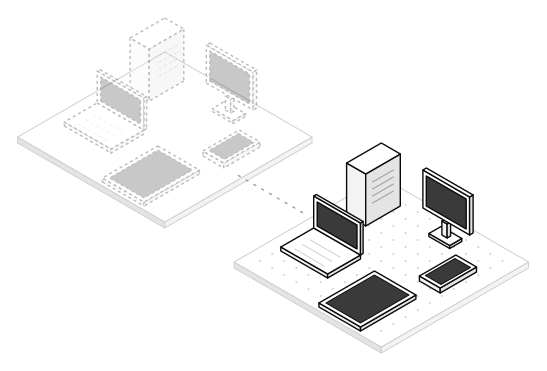
Connect your current tool read-only. trio.so matches its devices to yours by serial number, MAC address or name and lists the ones that aren't in trio.so yet. trio.so changes nothing in the old tool.
- Microsoft Intune and Jamf ProRead-only access to computers and mobile devices.
- Hexnode and Configuration ManagerThe same matching, so mixed fleets show up in one list.
- ServiceNow, HaloPSA and FreshserviceCompare against the asset records your service desk keeps.
- Trio agent on Macs you haven't movedMacs that Jamf, Kandji or Intune still manage can run the Trio agent next to them. You get remote desktop, terminal and scripts now; MDM policies, lock and erase start when the Mac enrolls in trio.so.
Switch offer
Free until your current contract ends
Don't pay for two tools while you move. If you're leaving another MDM or RMM, your trio.so plan is free until your current contract ends, for up to 3 months. A trio.so engineer reviews your current setup and plans the move with you at no cost. For new customers moving from another MDM or RMM.
- Up to 3 months freeSend us the end date of your current contract when you sign up.
- An engineer plans the moveWhich groups go first, which settings to rebuild, which devices need a reset.
- One client at a timeMSPs give each client its own space in the multi-client console and move them one by one.
trio.so in four numbers
Every plan includes a free 30 minute onboarding call and 24/5 support.
- From $5
- Plans start at $5 per device.
- 14 days
- Free trial, no credit card.
- 24/5
- Support on every plan.
- 4.8
- Rated on G2.
Live demo
See trio.so run your devices
A 30 minute call with our team about your move. Tell us what you use today and we'll plan how your devices and users move to trio.so.
- Your questions, your device mix
- Pricing for your fleet. Plans start at $5 per device.
- A move plan for your current setup
- Details
- Time
- Confirmed