



Templates
NIST 800-171 Compliance Checklist: 110 Requirements and SPRS
A NIST 800-171 compliance checklist with all 110 Rev. 2 requirements, their SPRS points, Rev. 3 changes, CMMC status and a self-assessment guide. Free Excel.
Cloud security policy template in Word and PDF, with an Excel tracker: 18 sections for IaaS, PaaS and SaaS, mapped to CSA CCM, NIST, ISO 27001 and CIS.

Content writer, trio.so
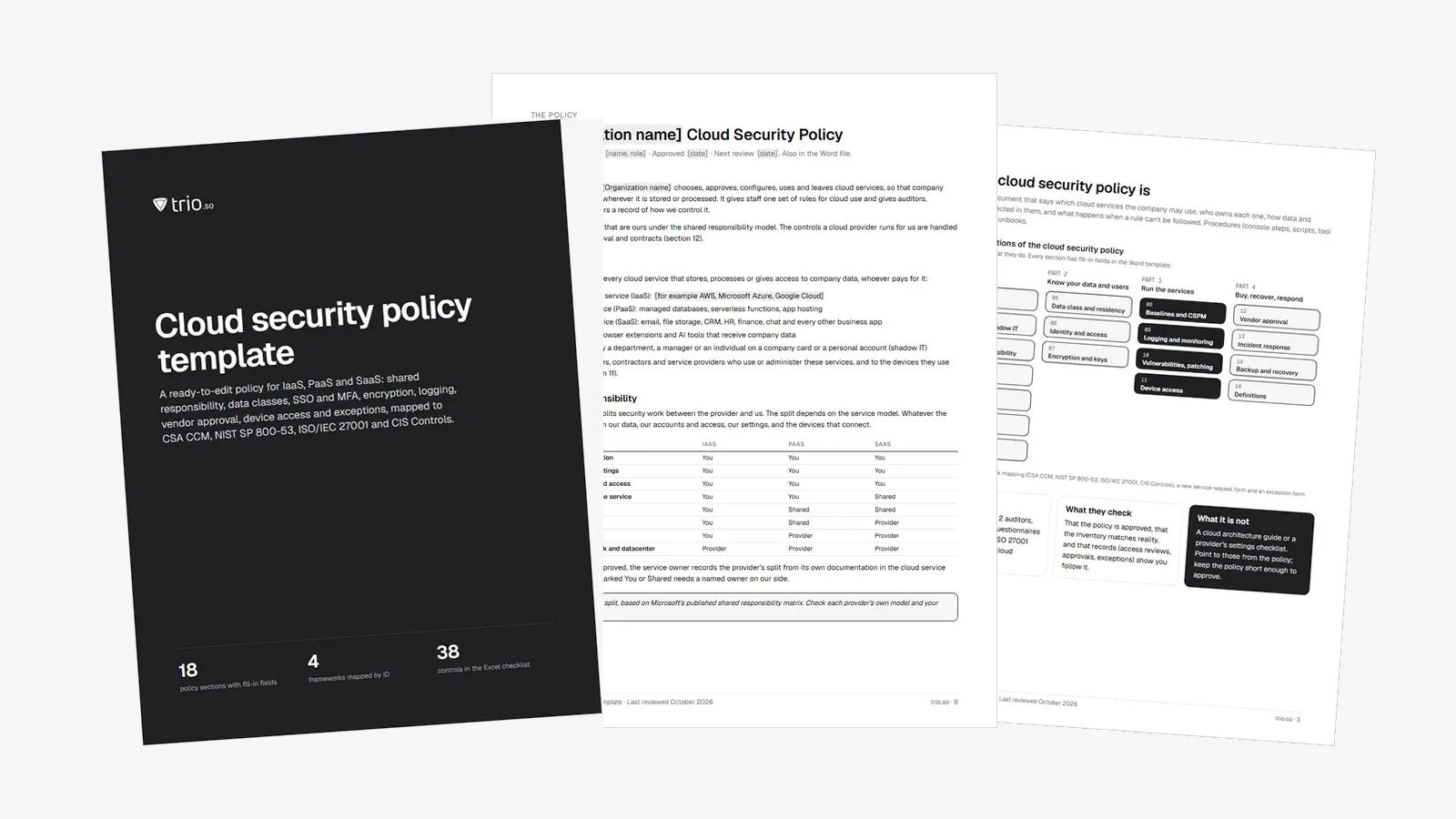
A cloud security policy is the written rule for which cloud services your company may use, who owns each one, how data and access are protected in them, and what happens when a rule can't be followed. This free template gives you that policy as an editable Word document with 18 sections, written for a company of 50 to 1,000 people that runs on SaaS and some IaaS.
Every decision you need to make sits in [brackets], with a default you can keep or change. The download also includes a PDF guide and an Excel tracker for your cloud service inventory, access reviews, exceptions and a control checklist mapped to CSA CCM, NIST SP 800-53, ISO/IEC 27001 and CIS Controls.
In short
A cloud security policy, also called a cloud computing security policy, is a short document approved by management that sets the rules for using cloud services safely. It covers which services are allowed, how they get approved, what data may go where, how people sign in, what gets logged and backed up, and who owns each decision. The detailed console steps and scripts change more often, so keep them in runbooks and point to them.
You'll be asked for it, or for proof of what it covers, in an ISO 27001 audit, a SOC 2 audit, customer security questionnaires and cyber insurance renewals. Auditors look for three things: that the policy is approved, that your cloud service inventory matches what people really use, and that your records (approvals, access reviews, exceptions) show the policy is followed.
A cloud security policy is not a cloud architecture guide or a provider's hardening checklist. Those are standards you reference. If you want a separate cloud security standard, this template's sections 6 to 9 are where its settings would go.
The template has 18 sections. The first group sets the rules, the second covers data and people, the third covers running the services, and the last covers buying, recovering and responding.
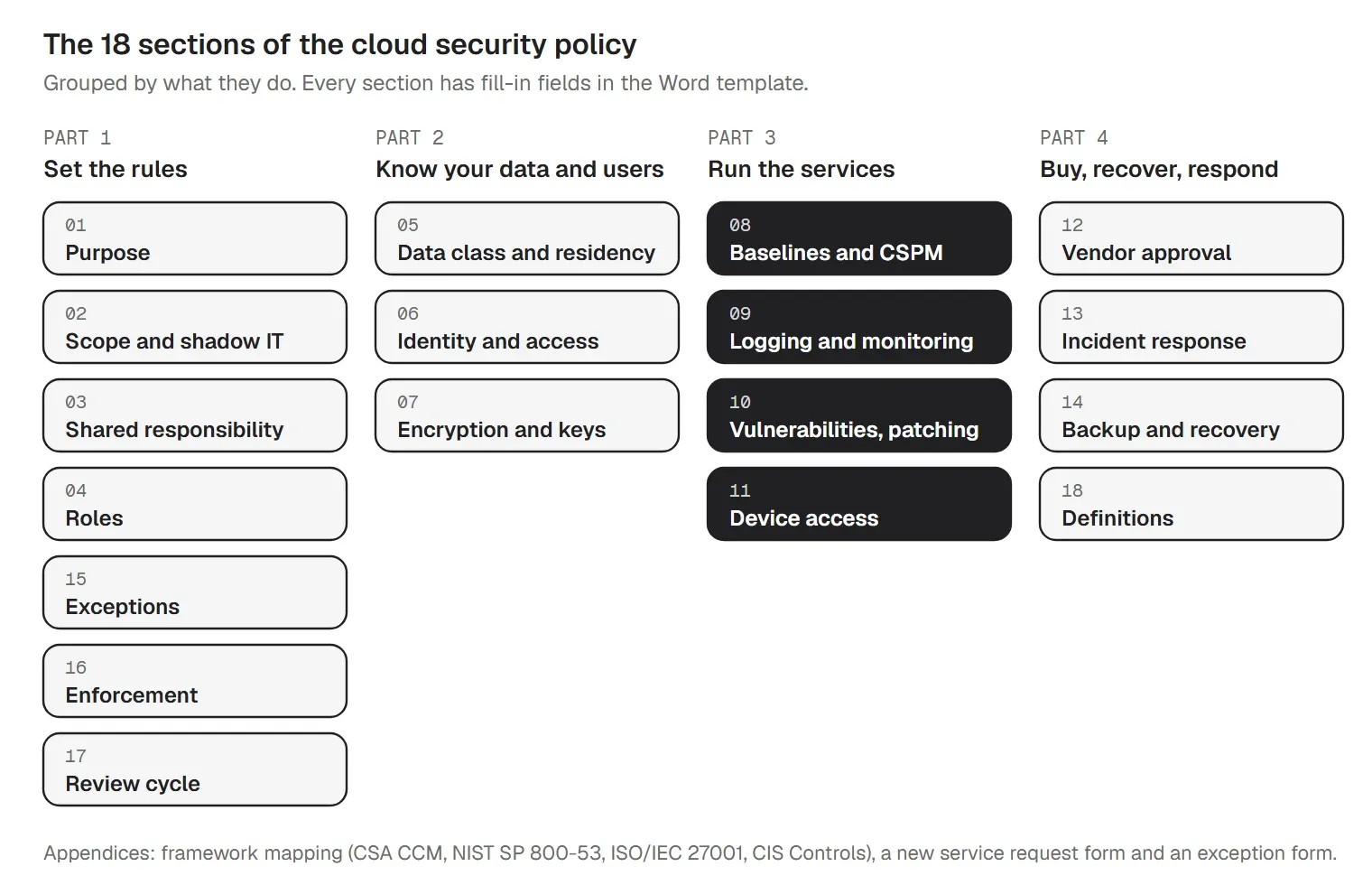
Appendices add a framework mapping table, a new cloud service request form and an exception request form.
Every cloud service splits the security work between you and the provider. NIST SP 800-145 defines the three service models: infrastructure (IaaS), platform (PaaS) and software as a service (SaaS). The further you move toward SaaS, the more of the stack the provider runs. Some things never move. Microsoft's shared responsibility model lists data, endpoints, accounts and access management as the customer's in every model, and this typical split follows it:
| Area | IaaS | PaaS | SaaS |
|---|---|---|---|
| Data and its classification | You | You | You |
| Configurations and settings | You | You | You |
| Identities, accounts and access | You | You | You |
| Devices that access the service | You | You | Shared |
| Applications | You | Shared | Shared |
| Network controls | You | Shared | Provider |
| Operating system | You | Provider | Provider |
| Physical hosts, network and datacenter | Provider | Provider | Provider |
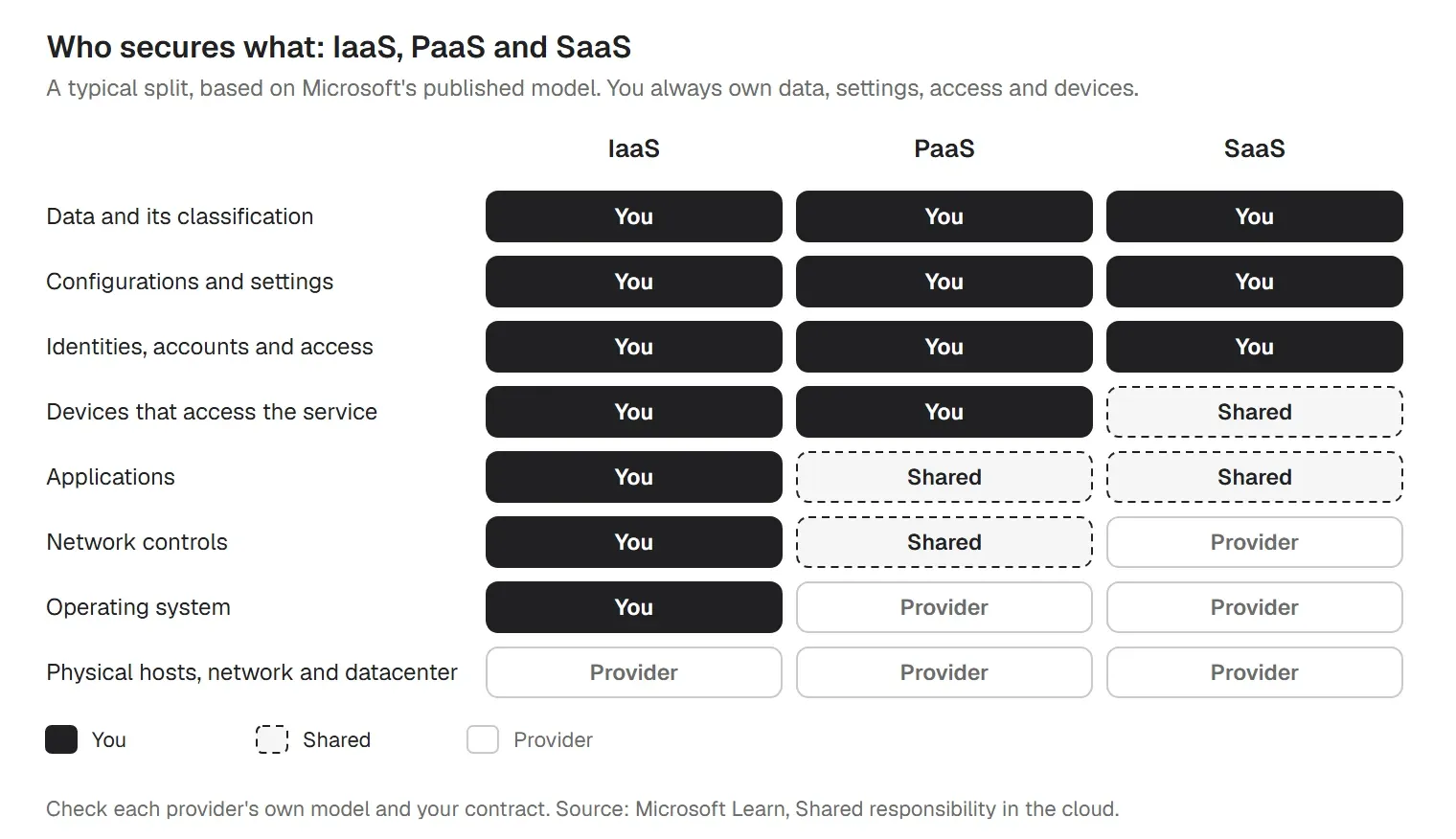
That is why a cloud security policy is mostly about your side: who may sign in, how settings are kept, where data goes and which devices connect. Section 3 of the template keeps this table, and the Excel tracker asks for a named owner on every line marked You or Shared. Provider documentation is a guide, though. Check each provider's own model and your contract, because some move these lines.
You can get from nothing to an approved policy in a few weeks if you work in this order:
If you are building this for an ISO 27001 project, the policy is one piece of the larger management system. Our ISO 27001 checklist covers the rest.
A clause that says "appropriate controls" gives an auditor nothing to test. Each clause should name a control, an owner and a number. Here are six from the template:
The numbers in brackets are our defaults, not framework requirements. Use the stricter value when a contract, regulator or insurer asks for more.
For a company that runs on SaaS, most company data sits in apps you don't operate, and the risks come from settings, not servers. If you need a SaaS security policy template, use sections 5, 6, 8 and 12 of this one, and check every SaaS app that holds Confidential or Restricted data against this list:
The template asks for a review of these admin settings every six months, because vendors add features and sharing options over time.
Cloud data doesn't stay in the cloud. People open it, download it and sync it on laptops and phones, and a lost, unencrypted laptop with a synced drive exposes that data whatever your cloud settings say. Microsoft's model lists endpoints among the things the customer always owns, and CSA's Cloud Controls Matrix has a whole domain for it, Universal Endpoint Management (UEM).
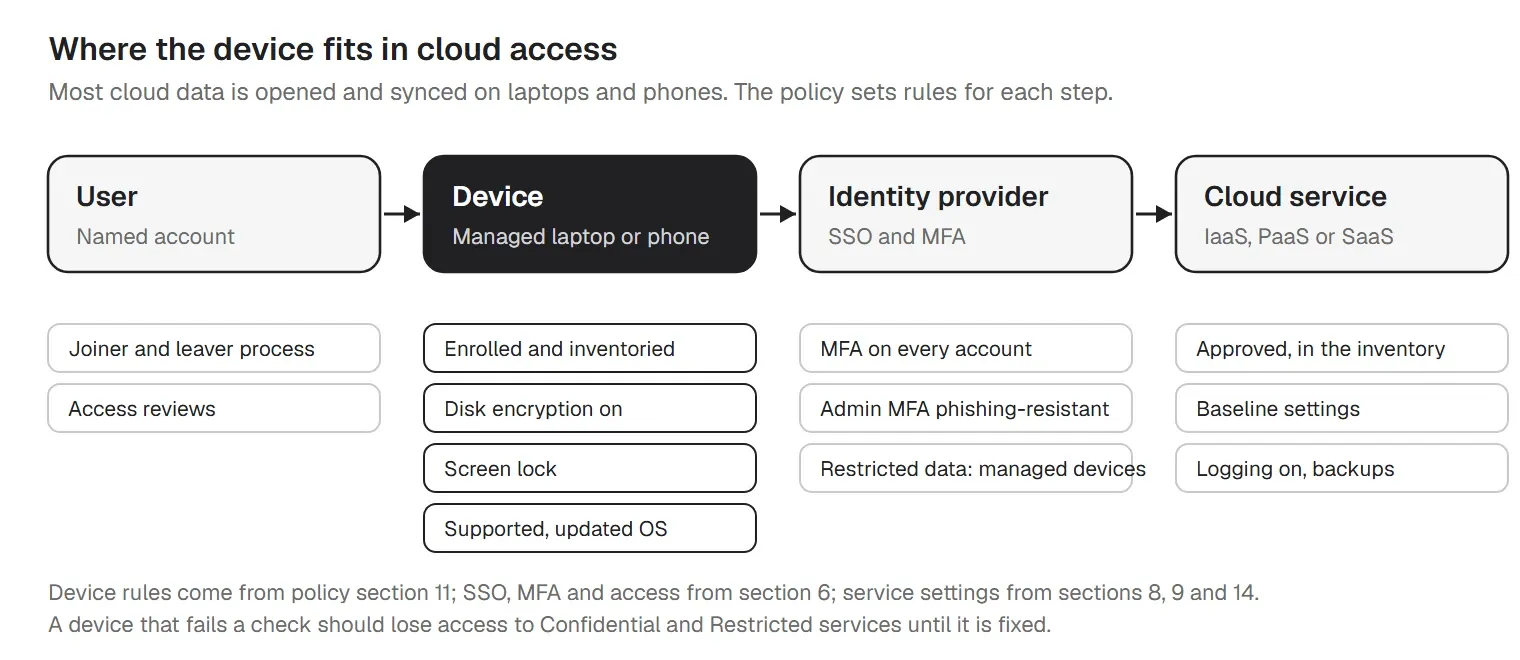
Section 11 of the template sets the device rules. Company devices that reach cloud services are enrolled in device management, have disk encryption on, lock the screen after a few minutes, run a supported operating system with updates installed on time and are reported within a day if lost. Where your identity provider supports it, Confidential and Restricted services only accept managed devices. For personal devices, the template gives you two options to pick from: not allowed, or browser and managed apps only. Our guide to patch management policy templates covers the update deadlines in detail.
Each section of the template maps to four frameworks by ID, so you can show an auditor where a control lives in your policy:
| Section | CCM domain | NIST SP 800-53 | ISO 27001 Annex A | CIS v8.1 |
|---|---|---|---|---|
| 1. Purpose | GRC | PL-1, PM-9 | 5.1, 5.23 | 15.2 |
| 2. Scope | GRC, STA | CM-8, SA-9 | 5.9, 5.23 | 1.1, 2.1, 15.1 |
| 3. Shared responsibility | STA | SA-9 | 5.23 | 15.4 |
| 4. Roles and responsibilities | GRC, HRS | PM-2, PL-1 | 5.2 | 17.1 |
| 5. Data classification and residency | DSP | RA-2, PT-2, SI-12 | 5.12, 5.13, 5.31, 5.34 | 3.1, 3.2, 3.7 |
| 6. Identity and access | IAM | AC-2, AC-2(3), AC-6, IA-2(1), IA-2(2), IA-5 | 5.15, 5.16, 5.17, 5.18, 8.2, 8.5 | 5.1, 5.3, 5.4, 5.6, 6.1, 6.2, 6.3, 6.5, 6.7, 6.8 |
| 7. Encryption and key management | CEK | SC-8, SC-12, SC-13, SC-28 | 8.24 | 3.6, 3.10, 3.11 |
| 8. Configuration baselines and CSPM | CCC, IVS | CM-2, CM-3, CM-6, CM-7, CA-7 | 8.9, 8.32 | 4.1, 4.6 |
| 9. Logging and monitoring | LOG | AU-2, AU-6, AU-11, AU-12, SI-4 | 8.15, 8.16 | 8.1, 8.2, 8.9, 8.10, 8.11 |
| 10. Vulnerability and patching | TVM | RA-5, SI-2 | 8.8 | 7.1, 7.2, 7.3, 7.4, 7.7 |
| 11. Endpoint and device access to cloud apps | UEM | AC-11, AC-17, AC-19, CM-8 | 6.7, 8.1 | 1.1, 3.6, 4.10 |
| 12. Third-party and vendor approval | STA | SA-4, SA-9, SR-6 | 5.19, 5.20, 5.21, 5.22, 5.23 | 15.1, 15.2, 15.4, 15.5, 15.7 |
| 13. Incident response | SEF | IR-4, IR-6, IR-8 | 5.24, 5.25, 5.26, 5.27, 5.28 | 17.1, 17.2, 17.4 |
| 14. Backup and recovery | BCR | CP-2, CP-4, CP-9, CP-10 | 5.30, 8.13 | 11.1, 11.2, 11.3, 11.5 |
| 15. Exceptions | GRC | CA-5, PM-9 | Clause 6.1.3 | Not mapped |
| 16. Enforcement | HRS | PS-8 | 6.4 | Not mapped |
| 17. Review cycle | GRC, A&A | CA-2, PL-1 | 5.35, 5.36 | Not mapped |
The IDs point to the source documents; check the current official text before you rely on a mapping. For control-by-control work on one framework, see our NIST compliance checklist and CIS Controls checklist.
For a cloud security audit, expect to show:
The Excel tracker keeps most of this in one file. Its Control checklist tab has 38 controls, each with how often to check it, the evidence to keep and its framework IDs. The Dashboard counts what's missing: services not approved, Restricted or Confidential services without MFA, access reviews overdue and expired exceptions.
Most of a cloud security policy is governance and cloud-platform work: vendor approval, IaaS and SaaS configuration, logging, key management and backup. trio.so does none of that. It manages devices, not your AWS, Azure or SaaS settings, and it doesn't write or approve your policy or replace your audit.
Where trio.so helps is section 11, the devices that reach your cloud apps, and the evidence around it. It is device management for Windows, macOS, iOS and Android, from one console:
Conditional access is available too. Book a demo to see how it would work with your identity provider. trio.so is itself a cloud service, so it belongs in your inventory. Its data is hosted in the US, EU or India region you pick. Learn more about compliance automation. Plans start at $5 per device.
14-day free trial. No credit card required.
Sources. Last reviewed October 2026. Framework names and control IDs identify their publishers' documents; descriptions are our own summaries. trio.so is not affiliated with or endorsed by CSA, NIST, ISO, IEC, CIS or Microsoft. This article is guidance, not legal advice. The bracketed defaults are our recommendation, not a requirement of any framework.
Every organization today needs a solution to automate time-consuming tasks and strengthen security. Without the right tools, manual processes drain resources and leave gaps in protection. trio.so is designed to solve this problem, automating key tasks, boosting security, and ensuring compliance with ease.
Every organization today needs a solution to automate time-consuming tasks and strengthen security. Without the right tools, manual processes drain resources and leave gaps in protection. trio.so is designed to solve this problem, automating key tasks, boosting security, and ensuring compliance with ease.





Have questions? We've got answers. This section covers some of the most commonly asked questions related to this topic.
Related
The related industry news, interviews, technologies, and resources.
A NIST 800-171 compliance checklist with all 110 Rev. 2 requirements, their SPRS points, Rev. 3 changes, CMMC status and a self-assessment guide. Free Excel.
A SOC 2 compliance checklist for IT teams: 69 controls mapped to the Trust Services Criteria, with the evidence auditors sample. Free PDF and Excel.
Learn what each Conditional Access policy template does and when to use it. Download ready-to-use ACP templates for identity security.
SAMA compliance checklist for the SAMA CSF: 4 domains and 32 subdomains, maturity levels 0 to 5, evidence and owners, with a free PDF and Excel tracker.
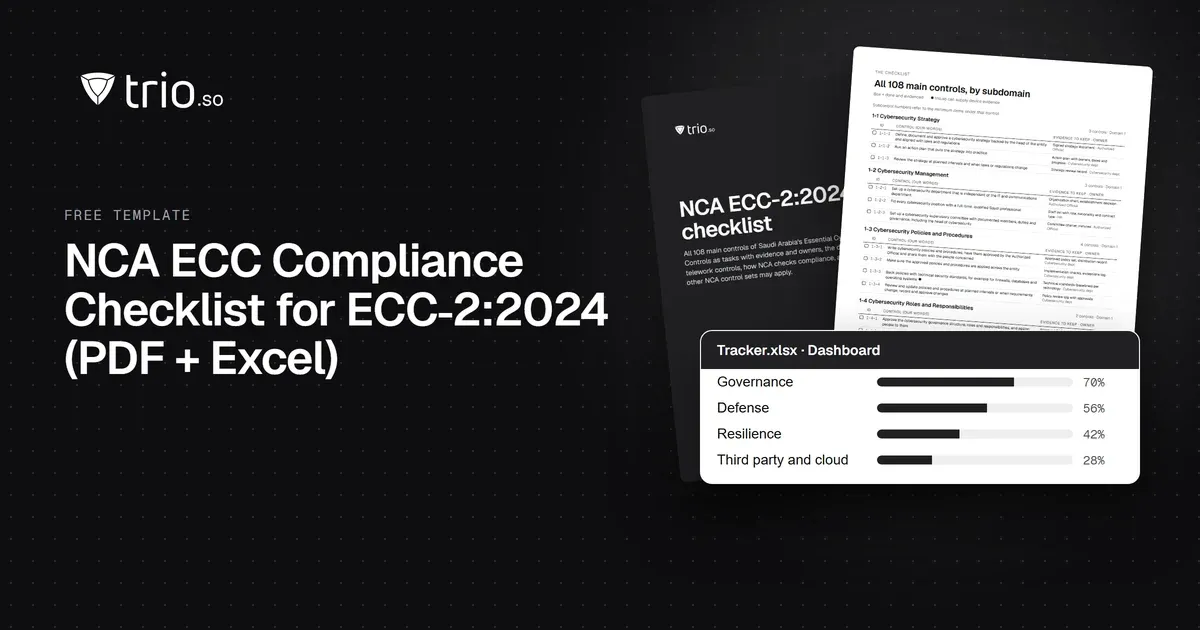
NCA ECC compliance checklist for ECC-2:2024: all 108 controls by domain, the evidence to keep and the device controls, with a free PDF and Excel tracker.
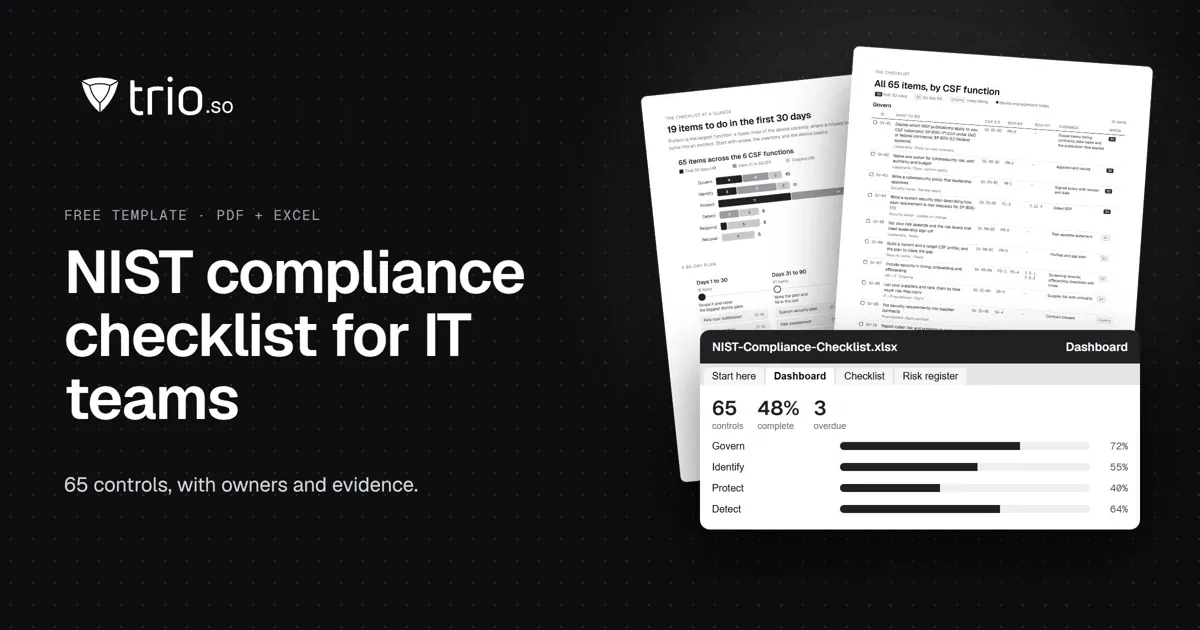
A NIST compliance checklist for IT teams: 65 controls by CSF 2.0 function, mapped to SP 800-53 and 800-171, with an SPRS calculator. Free PDF and Excel.
Feeling overwhelmed by CCPA? Use this comprehensive CCPA Compliance Checklist to secure customer data on mobile devices. Discover how MDM simplifies compliance.
Need an MDM audit checklist? Our guide covers 7 key areas & compliance strategies to ensure your mobile device management is secure and efficient.