An effective Configuration Management Policy is essential for organizations to maintain control over their IT environment. It provides a structured approach to identifying, documenting, and managing all configuration items (CIs), which include hardware, software, and other critical components. By establishing a Configuration Management Policy template, organizations can mitigate risks, ensure compliance, and optimize the performance of their IT infrastructure.
What is a Configuration Management Policy?
A Configuration Management Policy is a set of guidelines and procedures designed to ensure that all assets within an organization’s IT environment are accurately documented, maintained, and modified in a controlled manner. This policy helps to standardize the way IT assets are managed, making it easier for teams to track changes, prevent unauthorized modifications, and improve overall system reliability.
7 Configuration Management Policy Examples
Examples of a Configuration Management Policy often vary based on an organization’s specific industry, regulatory requirements, and IT infrastructure. However, the core elements of configuration management plans generally focus on controlling and documenting IT asset configurations. Here are a few common examples:
1. IT Asset Tracking Policy
Purpose: This policy specifies how hardware and software assets are documented and tracked within the organization. This software configuration management policy includes guidelines for identifying, labeling, and recording information about IT assets in a Configuration Management Database (CMDB).
Key Components:
Asset identification and labeling standards
Procedures for adding, updating, and retiring assets in the CMDB
Roles and responsibilities for asset tracking and management
Reporting and auditing requirements to ensure CMDB accuracy
2. Change Control and Configuration Management Process
Purpose: This policy outlines procedures for managing and documenting changes to configuration items. It aims to prevent unauthorized changes that could compromise system stability or security.
Key Components:
Approval process for configuration changes, including stakeholder involvement
Risk assessment and testing procedures for planned changes
Documentation requirements for all modifications
Monitoring and auditing to verify compliance with the policy
3. Configuration Item (CI) Documentation Policy
Purpose: This policy defines how configuration items (CIs) are documented, categorized, and updated. It typically applies to network devices, servers, databases, and other critical infrastructure components.
Key Components:
Classification and categorization criteria for CIs
Procedures for documenting and updating CI attributes
Guidelines for maintaining historical records of configuration changes
Requirements for backup, version control, and recovery of CI documentation
4. Security Configuration Management Policy
Purpose: Focused on maintaining secure configurations for systems and applications, this policy aims to reduce vulnerabilities by enforcing standardized security configurations across the organization.
Key Components:
Baseline security configurations for all assets (e.g., secure configurations for operating systems, applications, and network devices)
Procedures for regular reviews and updates of security settings
Monitoring and alerting for configuration drift or unauthorized changes
Role-based access control for sensitive configuration settings
5. Compliance and Audit Configuration Management Policy
Purpose: This policy helps organizations align with regulatory requirements by establishing a framework for consistent configuration management. It includes guidelines for documenting, tracking, and auditing configuration settings to ensure compliance.
Key Components:
Compliance standards (e.g., GDPR, HIPAA, PCI-DSS) and configuration requirements
Regular auditing procedures to confirm adherence to standards
Reporting and corrective action processes for non-compliance issues
Roles and responsibilities for compliance monitoring and reporting
6. Configuration Baseline Policy
Purpose: This policy establishes baseline configurations for systems and devices to ensure uniformity and security across the IT environment. Baselines provide a reference point for monitoring and comparing system states.
Key Components:
Development and maintenance of configuration baselines for various asset types (servers, workstations, network devices, etc.)
Procedures for reviewing and updating baselines in response to new threats or requirements
Guidelines for identifying and reporting configuration drift
Enforcement mechanisms to ensure all systems adhere to baseline standards
7. Incident Response and Configuration Management Policy
Purpose: This policy integrates configuration management with incident response to ensure that CIs are restored to their proper state after a security incident or other disruption.
Key Components:
Documentation of standard configuration states for incident recovery
Procedures for restoring CIs to their baseline configurations after an incident
Roles and responsibilities for managing configuration changes during incident recovery
Requirements for logging and reporting on configuration adjustments made during response efforts
Each of these examples provides a different perspective on configuration management, addressing specific areas like asset tracking, security, and compliance. These policies work together to create a comprehensive approach to configuration management that supports organizational stability, security, and efficiency.
Benefits of a Configuration Management Policy
A well-defined Configuration Management Policy provides several advantages, including:
Enhanced Security: By accurately documenting all CIs and tracking changes, organizations can detect and prevent unauthorized access or modifications, thereby reducing security risks.
Regulatory Compliance: Many industries require organizations to maintain detailed records of their IT assets. A configuration management process helps organizations stay compliant with these regulations.
Operational Efficiency: Keeping a detailed inventory of all CIs allows IT teams to respond more quickly to incidents, manage assets more effectively, and reduce downtime.
Risks of Operating Without a Configuration Management Policy
When an organization lacks a configuration management system, it faces a range of risks that can negatively impact security, compliance, and operational efficiency. Without standardized processes to track and document configuration items (CIs), IT teams struggle to maintain accurate records of the organization's assets. This lack of visibility means that unauthorized changes can go undetected, increasing the likelihood of security breaches. Additionally, without a centralized repository like a CMDB, it becomes challenging to manage dependencies between assets, which can lead to unexpected system failures and downtime.
Furthermore, the absence of a Configuration Management Policy can lead to issues with regulatory compliance. Many industries require organizations to maintain detailed records of their IT assets and configuration changes to demonstrate adherence to security and privacy standards. Without proper documentation and auditing procedures in place, an organization risks non-compliance, which can result in fines, legal penalties, and reputational damage. A structured policy is essential not only for preventing operational disruptions but also for safeguarding the organization against the financial and legal consequences of non-compliance.
Key Components of a Configuration Management Policy
Implementing a Configuration Management Policy involves several key components:
CI Identification: Each asset in the IT environment is identified, categorized, and documented with a unique identifier. The Configuration Manager ensures that all CIs are accurately recorded in a CMDB, which serves as the central repository for configuration data.
Configuration Baseline: Establishing a baseline configuration for each CI provides a snapshot of the current state. This allows IT teams to track changes over time, identify discrepancies, and respond to incidents more effectively.
Change Management Integration: The policy should include procedures for handling changes to CIs. Any proposed changes require a formal change request, which should be reviewed and approved by the Configuration Manager and Change Management Team.
Monitoring and Auditing: Continuous monitoring and periodic audits ensure compliance with the policy. Automated tools can help detect unauthorized changes, while regular audits verify the accuracy of the CMDB and identify areas for improvement.
Steps to Implement a Configuration Management Policy
Here are the general steps one needs to take in order to implement a configuration management policy template:
Define Roles and Responsibilities: Assign specific roles, such as the Configuration Manager, to oversee the implementation and enforcement of the policy.
Establish the CMDB: Use a CMDB to store detailed information about each CI, including its relationships with other CIs. Ensure that the database is regularly updated and accurate.
Integrate with Change Management: Implement a change management process that aligns with your configuration management efforts. This process should ensure that changes to CIs are reviewed, approved, and documented.
Develop Monitoring and Auditing Procedures: Use monitoring tools to track changes to configurations and set up a schedule for regular audits. Document any findings and take corrective actions as needed.
Free Configuration Management Policy Template
A Configuration Management Policy is an essential part of any organization’s IT governance framework. By accurately documenting and controlling all configuration items, organizations can enhance security, maintain compliance, and improve operational efficiency. Implementing this policy requires careful planning, but the long-term benefits are well worth the effort. Try out our own configuration management policy template to get started.
For an all-in-one solution that simplifies configuration and change management, consider Trio. Trio is a Mobile Device Management (MDM) solution that offers comprehensive tools for tracking, monitoring, and managing your IT assets in one convenient platform. Start a free trial today and experience streamlined IT operations with enhanced security and compliance.
Every organization today needs a solution to automate time-consuming tasks and strengthen security. Without the right tools, manual processes drain resources and leave gaps in protection. trio.so is designed to solve this problem, automating key tasks, boosting security, and ensuring compliance with ease.
Don't let inefficiencies hold you back.
Every organization today needs a solution to automate time-consuming tasks and strengthen security. Without the right tools, manual processes drain resources and leave gaps in protection. trio.so is designed to solve this problem, automating key tasks, boosting security, and ensuring compliance with ease.
Have questions? We've got answers. This section covers some of the most commonly asked questions related to this topic.
Yes, you can try us free for 14 days. If you'd like, we'll also provide a free, personalized 30-minute onboarding call to help you get up and running quickly.
Yes, you can upgrade or downgrade your plan at any time. Changes will be reflected in your next billing cycle.
You can cancel your subscription at any time. Your account will remain active until the end of the current billing period.
Yes, you can add company details such as your business name, address, or tax ID to your invoice from your billing settings.
Billing is handled automatically based on your selected plan and billing cycle (monthly or annually). Charges are applied to the payment method you provide.
You can update your account email in your profile or account settings. A confirmation may be required for security purposes.
Related
From the blog
The related industry news, interviews, technologies, and resources.
A NIST 800-171 compliance checklist with all 110 Rev. 2 requirements, their SPRS points, Rev. 3 changes, CMMC status and a self-assessment guide. Free Excel.
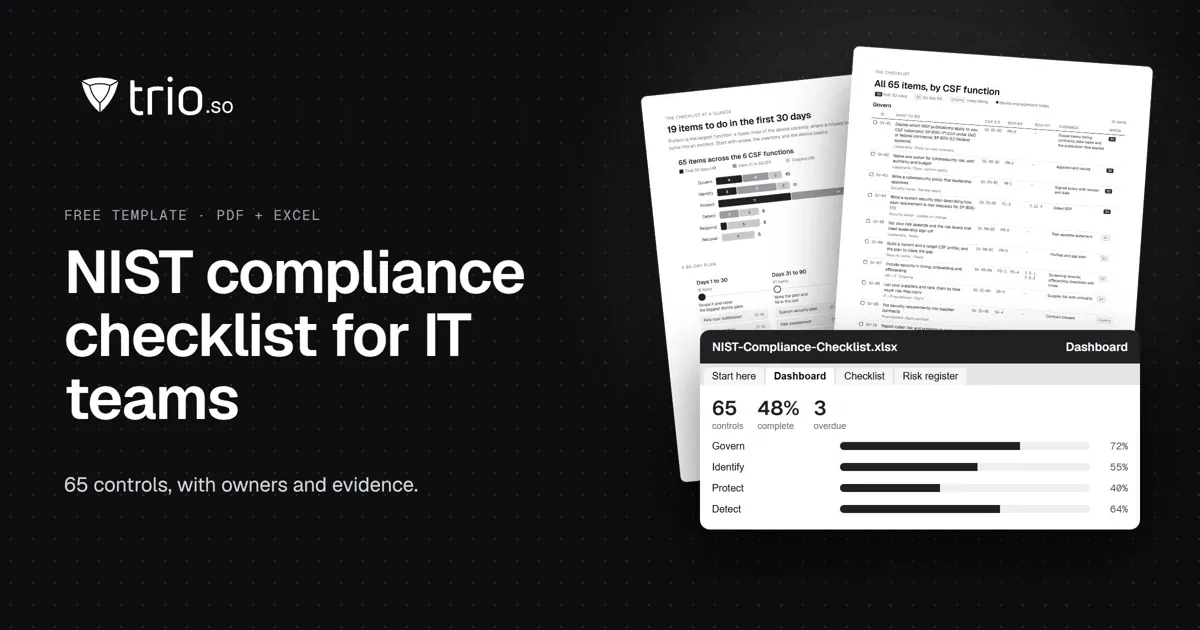
A NIST compliance checklist for IT teams: 65 controls by CSF 2.0 function, mapped to SP 800-53 and 800-171, with an SPRS calculator. Free PDF and Excel.
Feeling overwhelmed by CCPA? Use this comprehensive CCPA Compliance Checklist to secure customer data on mobile devices. Discover how MDM simplifies compliance.