
iPads in Healthcare: What IT Admins Should Consider
Explore how iPads are revolutionizing healthcare for small and medium businesses. Discover benefits, use cases, and challenges.
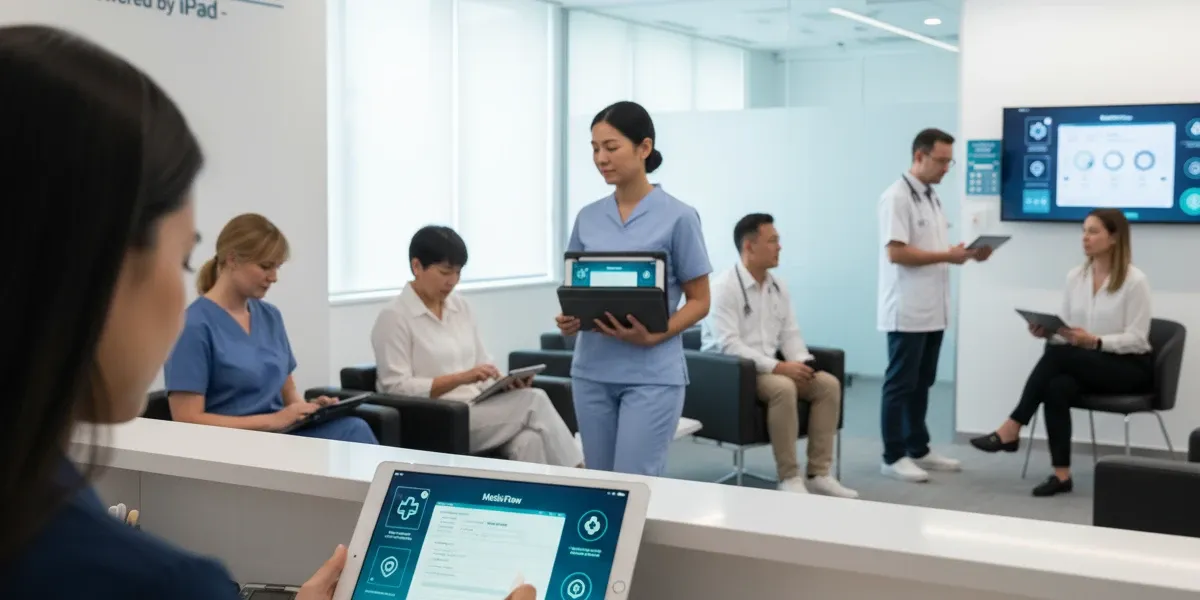
In the fast-paced world of healthcare, where efficiency, accuracy, and patient privacy are paramount, mobile technology has emerged as a game-changer. For IT administrators in healthcare, managing devices that support clinical workflows while ensuring compliance can be a daunting task. Enter the iPad, a versatile, user-friendly tablet that's transforming how healthcare providers deliver care. From streamlining patient interactions to enabling remote consultations, iPads are not just gadgets; they're essential tools that boost productivity and improve outcomes.
As an IT admin, you're likely juggling limited resources, tight budgets, and the need to scale operations without compromising security. This blog post dives deep into the role of iPads in healthcare, highlighting their benefits, real-world use cases, potential challenges, and strategies for effective management. We'll also explore how a robust Mobile Device Management (MDM) solution like Trio can simplify your life, offering features tailored for healthcare environments. By the end, you'll have actionable insights to deploy iPads confidently in your organization.
The adoption of iPads in healthcare isn't new, but its impact continues to grow. According to studies, medical schools and hospitals have integrated iPads to enhance e-learning and point-of-care decision-making. Let's unpack why iPads are a smart investment and how to make the most of them.
The Rise of iPads in Healthcare
The iPad's journey into medical device management began shortly after its launch, evolving from a consumer device to a professional staple. Today, it's used in hospitals, clinics, and even home care settings to bridge gaps in traditional workflows. This means affordable access to technology that rivals enterprise-grade systems.
One key driver is the iPad's intuitive interface, which requires minimal training—ideal for busy healthcare staff. Unlike bulky laptops or desktops, iPads offer portability, allowing providers to move seamlessly between patients. Research shows that incorporating iPads into clinical workflows enhances mobility, communication, and documentation efficiency. This flexibility translates to time savings and reduced errors.
Moreover, Apple's ecosystem supports a vast array of healthcare-specific apps. From electronic health records (EHR) integration to telemedicine platforms, iPads enable real-time data access. A study on mobile devices in healthcare highlighted how apps assist with tasks like information management and clinical decision-making at the point of care. For IT admins, this means focusing on app deployment and security rather than hardware maintenance.
The COVID-19 pandemic accelerated this shift, with iPads facilitating virtual visits and contactless check-ins. Adopting such technology can differentiate your practice, attracting tech-savvy patients and improving satisfaction scores. However, success hinges on proper management to mitigate risks.
Key Benefits of iPads in Healthcare
iPads bring a multitude of advantages tailored to the needs of healthcare providers. Here's a closer look:
- Enhanced Mobility and Productivity: Healthcare professionals can access patient data on the go, reducing paperwork and wait times. For instance, iPads automate registration, cutting costs and boosting staff productivity. This means fewer administrative burdens, allowing focus on patient care.
- Improved Patient Engagement: iPads enable interactive education, such as showing 3D models or videos during consultations. This fosters better understanding and adherence to treatment plans. Studies indicate that resident physicians save about an hour daily using iPads, increasing efficiency by 78%.
- Cost-Effective Solutions: Compared to dedicated medical devices, iPads are economical. They can be deployed with carts for shared use, as seen in facilities where iPad carts revamped operations. This scalability fits tight budgets without sacrificing functionality.
- Seamless Integration with Existing Systems: iPads support EHR systems like Epic or Cerner, ensuring data flows securely. For IT admins, healthcare data security means easier API integrations and less downtime.
Telemedicine and Remote Care: With built-in cameras and apps, iPads support virtual visits, crucial for rural areas. A study on telemedicine using iPads in spinal cord injury patients noted reduced stress and improved access to specialized care.
These benefits aren't just theoretical; they're backed by real implementations. Healthcare teams report streamlined workflows and better coordination via iPads. For IT admins, the ROI is clear: happier staff, satisfied patients, and operational savings.
Real-World Use Cases in Healthcare Settings
To illustrate iPads' versatility, consider these practical applications:
- Patient Check-In and Registration: In a busy clinic, patients use iPads for self-check-in, updating info digitally. This reduces front-desk queues and errors, as automated tasks enhance data flow.
- Bedside Care and Nursing: Nurses use iPads for vital signs monitoring, medication administration, and charting. Apple's guide on deploying iPhones and iPads for nursing emphasizes third-party apps for clinical communication. This means fewer trips to central stations.
- Telemedicine Consultations: For remote patients, iPads enable video calls with secure sharing of records. This is especially useful in home health services, where portability is key.
- Medical Education and Training: Providers use iPads for staff training via interactive apps, similar to medical schools distributing them for e-learning.
- Inventory and Task Management: iPads coordinate schedules, track supplies, and send secure messages, revolutionizing team collaboration.
- Marketing and Sales in Healthcare: Innovative uses include iPads for point-of-care marketing, like demonstrating procedures to patients.
These cases show iPads' adaptability, but deployment requires addressing hurdles like security.
Overcoming Challenges: Security, Compliance, and Device Management
While iPads offer immense value, they introduce challenges, particularly in regulated environments like healthcare. IT admins must navigate these to avoid pitfalls.
- Security Risks: Mobile devices are prone to breaches; about 25% of providers experience data violations from mHealth apps. Lost or stolen iPads could expose protected health information (PHI).
- HIPAA Compliance: HIPAA mandates safeguards for PHI, but personal devices often lack them. Challenges include secure configuration, encryption, and access controls.
- Device Management Issues: Managing multiple iPads—updates, app distribution, remote wipes—can overwhelm teams. Without proper tools, compliance falters.
- Data Privacy in Telemedicine: Virtual care amplifies risks; user authentication and secure communications are critical.
- Integration and Training: Ensuring iPads work with legacy systems and training staff adds complexity.
The solution? Implement an MDM platform. MDM enforces policies like remote locking, data encryption, and containerization, ensuring HIPAA compliance. Mobile technology in healthcare means centralized control without heavy IT overhead. Best practices include using encrypted platforms, regular audits, medical device training, and secure email services. By addressing these, iPads become secure assets rather than liabilities.
Why Trio MDM is the Ideal Solution for Healthcare IT Admins
As an IT admin, you need an MDM that's intuitive, scalable, and healthcare-focused. Trio stands out by offering comprehensive features:
- HIPAA-Compliant Security: Trio ensures PHI protection with encryption, access controls, and remote wipe capabilities.
- Easy Device Enrollment: Bulk deployment and zero-touch setup save time.
- App Management: Distribute and update healthcare apps securely.
- Monitoring and Reporting: Real-time insights into device usage and compliance.
- Cost-Effective Pricing: Tailored for small budgets, with no hidden fees.
Trio integrates seamlessly with iPads, addressing common pain points like those in mobile device breaches. Users praise its user-friendly interface and robust support.
Conclusion
iPads are reshaping healthcare, offering organizations tools to enhance care delivery, efficiency, and patient satisfaction. From mobility benefits to diverse use cases, the advantages are clear. Yet, success depends on overcoming security and compliance challenges through effective MDM.
Ready to harness iPads in your healthcare organization without the headaches? Sign up for Trio's free demo to see how it simplifies management and boosts security. Or dive in with our free trial—no commitment required. Transform your device strategy today!

Start your free trial
Get Ahead of the Curve
Every organization today needs a solution to automate time-consuming tasks and strengthen security. Without the right tools, manual processes drain resources and leave gaps in protection. Trio MDM is designed to solve this problem, automating key tasks, boosting security, and ensuring compliance with ease.
Every organization today needs a solution to automate time-consuming tasks and strengthen security. Without the right tools, manual processes drain resources and leave gaps in protection. Trio MDM is designed to solve this problem, automating key tasks, boosting security, and ensuring compliance with ease.




