



Explained
A Comprehensive Guide to IT Infrastructure
Explore the fundamentals of IT infrastructure, including its components, types, and core concepts, to understand modern business operations.
The core IT department roles and what each one does, how an IT team is structured at 1, 5 and 25+ people, and how to split access between roles.

Content writer, trio.so
An IT department's core roles are the IT leader (a CIO or IT director, and an IT manager who runs the team day to day), systems and network administrators who keep servers and networks running, help desk and desktop support who look after users and their devices, a security specialist, cloud and DevOps engineers, database and data staff, and someone who owns IT assets and purchasing. In a small company one or two people cover all of these jobs; the roles become separate positions as the company grows. Whatever the size, each responsibility needs a named owner and only the access that job requires.
If you are building an IT team from scratch or reorganizing one that grew by accident, the role table and the "by team size" section show who should own what at your stage.
| Role | Main responsibilities | When it becomes its own job |
|---|---|---|
| CIO or IT director | IT strategy, budget, vendors, risk, reporting to the leadership team | Mid-size and larger companies; earlier in regulated or technology-heavy ones |
| IT manager | Runs the team day to day, sets priorities, owns processes and service levels | Once there are three or more IT staff |
| Help desk and desktop support | User requests, device setup, troubleshooting, onboarding and offboarding | The first IT hire in most companies |
| Systems administrator | Servers, directory, email, backups, patching, endpoint management | Often combined with support in small companies |
| Network administrator | Firewalls, switches, Wi-Fi, VPN, internet links, network monitoring | Several sites, or a network that needs daily attention |
| Security specialist | Security policies, vulnerability management, alerts, incident response, access reviews | When customers or regulators ask for proof of security, or after the first incident |
| Cloud and DevOps engineer | Cloud accounts, infrastructure as code, deployment pipelines, cost control | Companies that build and run their own software or large cloud workloads |
| Database administrator and data roles | Databases, performance, data quality, reporting and analytics platforms | When business systems or data volumes need a specialist |
| IT asset and procurement | Device and licence inventory, purchasing, renewals, device lifecycle | Hundreds of devices or a large software estate |
| Software engineer or developer | Internal tools, integrations, business applications | Companies with custom systems to build and maintain |
Every IT department, whatever its size, covers the same six areas of work:
The roles below are how that work gets divided once there are enough people to divide it.
The CIO, or IT director in smaller companies, owns IT as a business function. Responsibilities include setting the IT strategy and budget, choosing major vendors, reporting technology risk to the leadership team and board, and making sure IT spending supports what the business is trying to do.
In companies that build software, the CTO leads the technology the company sells or builds on: product architecture, engineering teams and technical direction. In many small companies the CTO also owns internal IT. Where both roles exist, the CIO looks inward at the company's own systems and the CTO looks outward at the product.
The IT manager runs the team day to day: assigning work, setting priorities, writing the processes for requests, changes and incidents, managing service levels, and hiring. In a team of three to ten people, the IT manager is often also its most senior technician.
Systems administrators keep servers and core services running: the directory (Active Directory or Microsoft Entra ID), email and collaboration tools, file storage, backups, and operating system patching. In most small teams the systems administrator also manages endpoints, which means enrolling devices, pushing settings and apps, and checking that every device is encrypted and up to date.
Network administrators look after everything that connects devices: firewalls, switches, Wi-Fi, VPNs and internet links. They plan network segmentation, monitor capacity, apply firmware updates and investigate outages. In smaller companies the systems administrator does this job too, often with help from a managed service provider.
Cloud engineers manage the company's accounts in AWS, Microsoft Azure or Google Cloud: building infrastructure as code, controlling cost and setting up access. DevOps engineers build the pipelines that test and deploy software. Companies that mostly use SaaS tools rarely need either role full time.
Database administrators keep databases fast, backed up and secure. Data engineers and analysts build the pipelines and reports that turn business data into decisions. In a small company these jobs are usually done by a developer or by the vendor of the business system.
The help desk is the part of IT most people meet. Responsibilities include answering tickets, resetting passwords, setting up new starters' devices and accounts, troubleshooting hardware and software, and removing access when people leave. Larger teams split support into tiers: first-line staff handle common requests and pass harder problems to second-line technicians or to the administrators. The tools they rely on are covered in IT support tools.
Desktop support handles the physical side: replacing hardware, preparing devices for new starters, fixing printers and meeting-room equipment, and collecting devices from people who leave. In remote and hybrid companies much of this work moves to remote tools and shipping devices that set themselves up on first start.
The security role owns the security policies, vulnerability management, security alerts, access reviews and incident response. It also answers customer security questionnaires and works with auditors. In small companies this is usually a part of the IT manager's or systems administrator's job; a dedicated security hire typically follows when customers start asking for evidence or after a first incident. A large company may also have a Chief Information Security Officer (CISO) leading a security team.
Two habits matter whoever holds the role: review who has admin rights on a schedule, and give each person only the access their job needs. Excessive permissions explains how access builds up and how to remove it.
The asset manager keeps the inventory of devices and software licences, buys hardware, tracks warranties and renewals, and plans replacements. Without this role, companies pay for licences nobody uses and lose track of devices when people leave. See IT asset management.
Project managers run larger changes, such as an office move, a new system or a migration to the cloud, with a plan, a budget and a schedule. Small teams give this job to the IT manager.
Some IT departments build internal tools, integrations between business systems and automation. Where the company also sells software, these developers usually sit in a separate engineering team.
One person does everything: support, devices, accounts, network, backups and security. The priority is to automate repeat work and write things down, so the company is not stuck when that person is away. Outside help, such as a managed IT service provider or vendor support contracts, covers the specialist work, and a regular IT maintenance schedule keeps routine checks from being forgotten.
A typical team of five has an IT manager, two support technicians, one systems administrator who also handles the network, and one person who leans towards security or cloud. Each area has a primary owner and a named backup. Requests go through one ticket queue, and the IT manager owns priorities.
At this size the department splits into teams: service desk, infrastructure and operations, security, cloud and platform, and often business applications and data. A director or CIO leads, with a manager for each team. Written processes for changes, incidents and access requests become essential, because no one person sees everything.
The more people in IT, the more important it is that each one has only the access their role needs. A support technician does not need to change firewall rules, and an auditor needs to see evidence without changing anything. In practice:
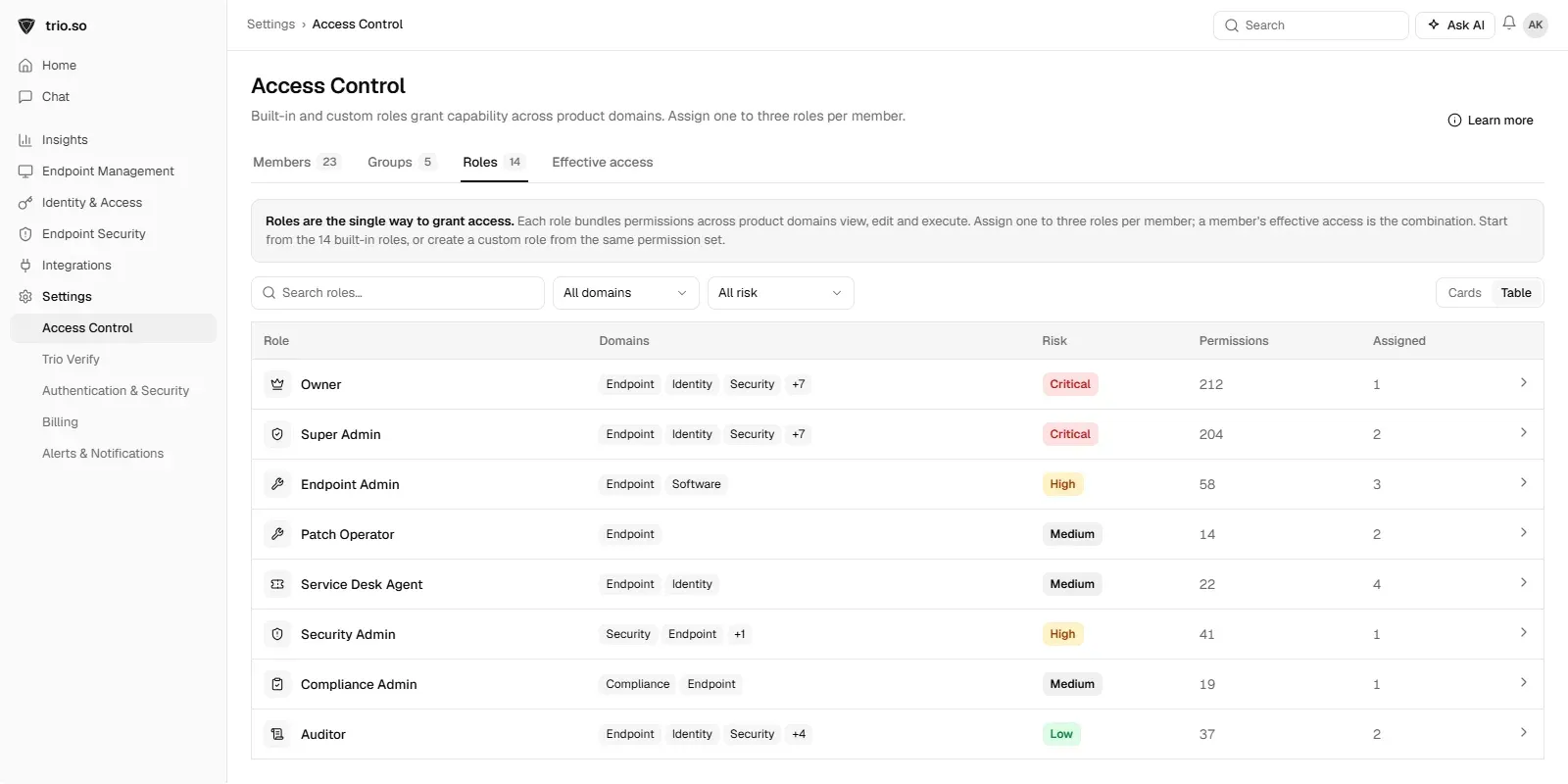
The same rule applies inside the IT team's own tools. In trio.so, each IT team member gets console access through roles, one to three per person: built-in roles such as Endpoint Admin, Patch Operator, Service Desk Agent or Auditor, or custom roles you define for your own team. The help desk, the patching team and an auditor each see only what their job needs.
Related reading: IT support tools, excessive permissions and managed IT services.
trio.so gives every IT team member console access through built-in and custom roles, one to three per person.
Every organization today needs a solution to automate time-consuming tasks and strengthen security. Without the right tools, manual processes drain resources and leave gaps in protection. trio.so is designed to solve this problem, automating key tasks, boosting security, and ensuring compliance with ease.
Every organization today needs a solution to automate time-consuming tasks and strengthen security. Without the right tools, manual processes drain resources and leave gaps in protection. trio.so is designed to solve this problem, automating key tasks, boosting security, and ensuring compliance with ease.





Have questions? We've got answers. This section covers some of the most commonly asked questions related to this topic.
Related
The related industry news, interviews, technologies, and resources.
Explore the fundamentals of IT infrastructure, including its components, types, and core concepts, to understand modern business operations.

This article puts ITIL vs ITSM, shedding light on their distinctions, similarities, & the synergy that propels your organization toward operational excellence.

This article discusses the most common IT problems which, if not addressed promptly, can lead to a negative impact on your business's bottom line.
How to write an IT contingency plan in seven steps, based on NIST SP 800-34, with a copyable outline, a worked example and how it differs from DR plans.
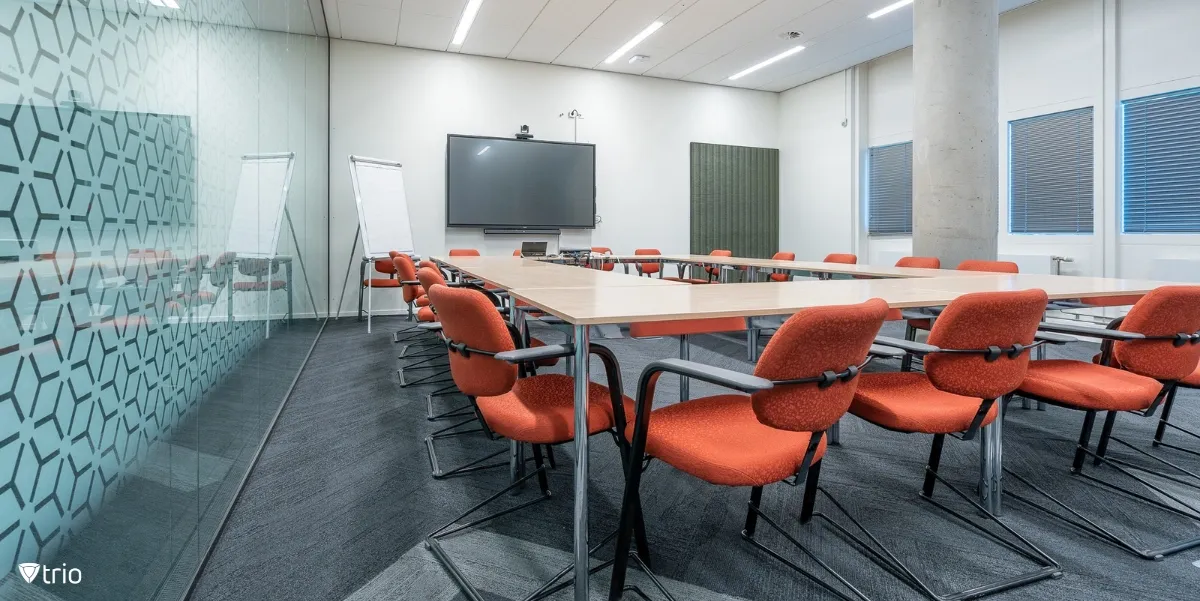
Modern conference room setups elevate collaboration with their design and technology, fostering productivity and secure communication.

Discover how Managed IT Services benefit both businesses and IT admins by allowing them to outsource the maintenance of the IT environment.

Let’s take a look at the transformative power of knowledge management for unlocking innovation and operational excellence.
The IT support tools every team needs, by category: help desk, remote support, device management, knowledge base, monitoring and more, and how to choose.
14-day free trial. No credit card required.
trio.so for MSPs: one console, separate clients