
A Beginner’s Guide to Your First NAS Network Setup
Learn everything about NAS network setup with this step-by-step guide, covering prerequisites, troubleshooting, and advanced configurations.
In our increasingly connected world, managing data efficiently is crucial for both individuals and businesses. This is where Network Attached Storage (NAS) comes into play. A NAS setup provides a centralized storage solution that ensures seamless file sharing, enhanced data security, and accessibility across devices. Whether you’re a tech-savvy home user or an IT professional managing SMB infrastructure, a NAS network setup can revolutionize how you store and access data. Let’s explore how to set up a NAS network, its prerequisites, and its advanced configurations to maximize performance and functionality.
What Is a NAS Network?
A NAS network is a dedicated file storage system that connects to your network, enabling multiple users and devices to access shared data. Unlike traditional external hard drives that connect to a single device, NAS devices operate as standalone systems with their own IP address, allowing file sharing across computers, mobile devices, and more. While a NAS storage setup offers centralized file storage and access, network storage setup can include various other storage solutions, such as direct-attached storage (DAS) or cloud storage systems, depending on the user’s needs.
Use Cases of NAS Networks:
- Home Use: Stream media files, create shared folders for family photos, or back up personal data.
- Business Use: Centralize data storage, facilitate collaboration, and maintain secure backups of critical files.
NAS systems vary based on the number of drive bays they offer. Single-bay systems cater to basic needs, while multi-bay systems support advanced storage management techniques like RAID (Redundant Array of Independent Disks).
Prerequisites for Setting Up a NAS Network
Before diving into the setup process, it’s crucial to prepare the necessary hardware, software, and network requirements. These prerequisites ensure a seamless and efficient NAS storage setup, tailored to meet your data storage and access needs.
Hardware Requirements
- NAS Device: Choose a device suitable for your needs. Popular options include Synology, QNAP, and Western Digital.
- Hard Drives: Ensure compatibility with your NAS device. Opt for drives designed for NAS systems to handle continuous operation.
- Router/Switch: A robust router or network switch with available Ethernet ports ensures stable connectivity.
Software Requirements
- NAS Operating Systems: Most devices come preloaded with software like Synology DSM or QNAP QTS, which offer user-friendly interfaces.
- Applications: Install apps like Plex for media streaming or Time Machine for backups.
Network Requirements
- Wired or Wireless Connection: While wireless is convenient, wired Ethernet connections provide better stability and speed.
- Static IP Setup: Assigning a static IP address to your NAS device ensures uninterrupted remote access.
Proper server management and addressing DHCP server issues are also essential during the preparation phase, as these influence network stability and device connectivity. 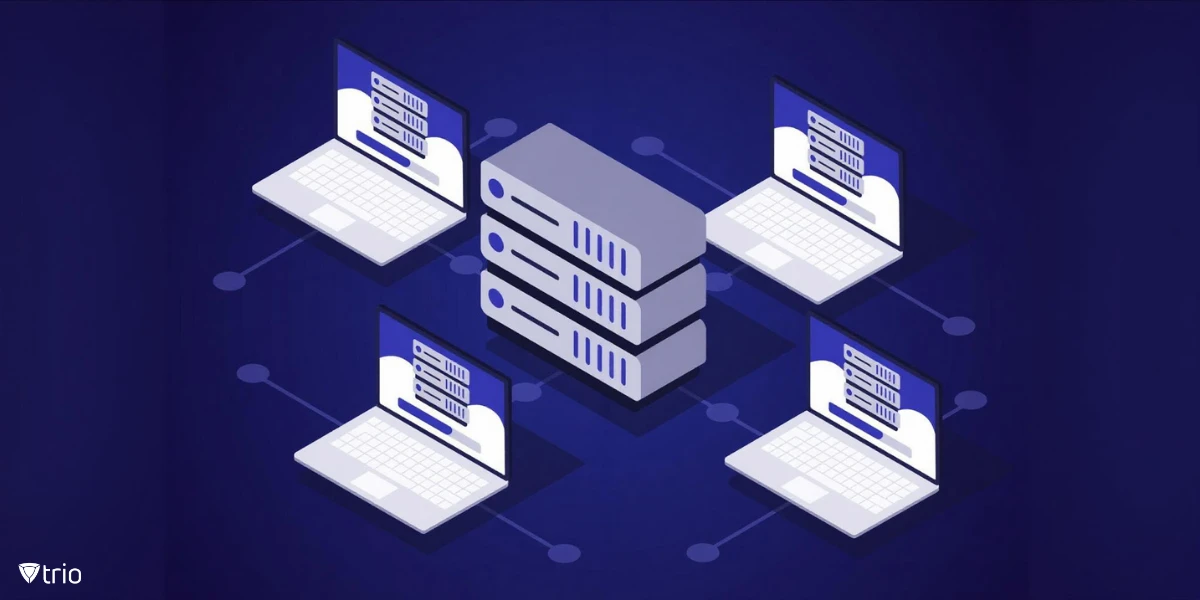
How to Setup a NAS Network: Step-By-Step Guide to Setup Your NAS Network
Before diving into the technical steps, it’s important to understand that setting up your NAS network requires attention to detail to ensure seamless operation. From unboxing to advanced configurations, each step builds on the last to create a reliable storage system.
Step 1: Unboxing and Assembly
- Start by unboxing your NAS device. Insert your hard drives into the drive bays, ensuring each drive is plugged in securely.
- Connect the NAS device to your router or switch using an Ethernet port.
Step 2: Initial Setup
- Power on the NAS device and access its setup interface via a web browser. Most devices will display a default IP address or hostname in the manual.
- Configure basic settings like language, time zone, and device name. Use a strong username and password for security.
Step 3: Configuring the Network
- Assign a static IP address to your NAS for consistent network identification.
- Enable DHCP if you prefer automatic IP assignment. Configure your NAS to allow remote access through port forwarding.
When assigning IPs, follow DHCP server best practices to avoid conflicts and ensure efficient device management on your network.
Step 4: Setting Up RAID and Storage Pools
- Choose a RAID level based on your storage and redundancy needs. RAID 0 offers faster performance, while RAID 1 or 5 provides redundancy.
- Use the NAS interface to create storage pools and volumes for efficient storage management.
Step 5: User Management and Permissions
- Add users and groups to your NAS system. Assign appropriate permissions to shared folders to ensure secure access.
- Set up guest accounts if needed for temporary access.
Step 6: Installing and Configuring Services
- Enable file-sharing protocols like SMB, NFS, or AFP to facilitate cross-platform compatibility.
- Configure your NAS for media streaming or cloud backups, depending on your requirements.
Step 7: Securing Your NAS
- Enable two-factor authentication for an extra layer of security.
- Configure firewall rules and access controls to limit unauthorized access.
- Schedule automated backups to ensure data safety.
Incorporating server security best practices here ensures that your NAS network remains protected from threats.
Troubleshooting Common NAS Setup Issues
Even with the most meticulous setup, issues can arise. Here are solutions to some common problems:
- NAS Not Detected on the Network: Ensure the Ethernet cable is securely connected, and the device has power. Verify the IP address settings.
- Slow Transfer Speeds: Check for outdated firmware, low-quality Ethernet cables, or bandwidth limitations.
- Remote Access Issues: Recheck port forwarding settings and ensure your ISP doesn’t block the required ports.
Using network segmentation best practices can help isolate and resolve issues related to device traffic and interference.
Optimizing Your NAS Network
To get the best performance from your NAS network:
- Use gigabit Ethernet connections for faster data transfer.
- Enable SSD caching if supported by your NAS device.
- Regularly update the firmware to access new features and security patches.
Additionally, explore productivity apps like task managers and entertainment options like media servers for a more versatile NAS experience.
Advanced Configuration Tips
For IT professionals looking to maximize functionality:
- Set Up a VPN: Ensure secure remote access to your NAS network.
- Virtual Machine Hosting: Some NAS devices support virtual machines, allowing you to run applications directly.
- Cloud Integration: Sync your NAS with cloud storage services for hybrid data management.
Implementing DNSSEC and advanced server management practices will ensure a robust and efficient NAS network setup. 
How Trio Can Help with NAS Network Setup
Setting up and managing a NAS network can be complex, especially for SMBs and IT teams with limited resources. Trio, an advanced Mobile Device Management (MDM) solution, simplifies the process by offering centralized device management, secure configurations, and real-time monitoring. With Trio, you can configure your NAS, manage IP addresses, and ensure data security with ease. Explore Trio today and experience seamless IT management. Request a free demo now!
Conclusion
A NAS network setup is a powerful way to centralize data storage, enhance accessibility, and improve collaboration. With the right hardware, software, and best practices, you can unlock the full potential of NAS systems. Whether for home use or professional environments, the flexibility and scalability of NAS make it an invaluable addition to your IT toolkit.

Start your free trial
Get Ahead of the Curve
Every organization today needs a solution to automate time-consuming tasks and strengthen security. Without the right tools, manual processes drain resources and leave gaps in protection. Trio MDM is designed to solve this problem, automating key tasks, boosting security, and ensuring compliance with ease.
Every organization today needs a solution to automate time-consuming tasks and strengthen security. Without the right tools, manual processes drain resources and leave gaps in protection. Trio MDM is designed to solve this problem, automating key tasks, boosting security, and ensuring compliance with ease.





Frequently Asked Questions (FAQ)
Have questions? We've got answers. This section covers some of the most commonly asked questions related to this topic.