
Android Fastboot: Everything IT Admins Should Know
In this comprehensive guide, we'll dive deep into what Android Fastboot is, how it works, and why it's such a crucial part of the Android ecosystem.
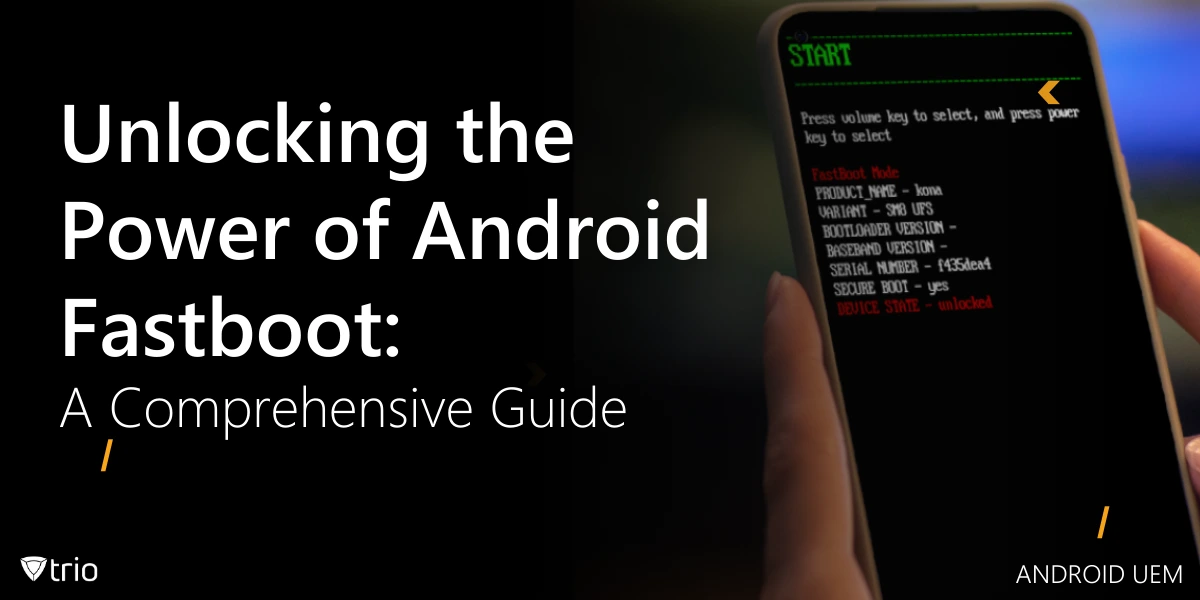
In the world of Android devices, there's a powerful tool that often flies under the radar for many users but is essential for developers and enthusiasts alike. This tool is Android Fastboot, a protocol that allows you to modify your Android device's firmware through a USB connection. In this comprehensive guide, we'll dive deep into what Fastboot is, how it works, and why it's such a crucial part of the Android ecosystem.
What is Fastboot Android?
Fastboot is a diagnostic protocol included in the Android SDK (Software Development Kit) that comes with a powerful set of command-line tools. It's primarily used to modify the flash filesystem in Android devices from a computer over a USB connection. But what is fastboot Android exactly? It's a mode that allows you to send commands to your Android device's bootloader, enabling you to perform various low-level operations that aren't possible through the regular Android interface.
Fastboot Mode: A Closer Look
Fastboot mode, also known as fastboot on Android, is a special boot mode that allows you to make changes to your device's firmware. When you put your device into fastboot mode, it bypasses the normal Android operating system and boots directly into the bootloader. This gives you direct access to the device's hardware, allowing you to perform actions like flashing custom ROMs, recovery images, or even unlocking the bootloader.
Fastboot Mode Meaning
The term "fastboot mode" might sound technical, but its meaning is quite straightforward. It refers to the state your Android device enters when it's ready to receive commands via the Fastboot protocol. In this mode, your device is essentially waiting for instructions from a connected computer, allowing you to perform various system-level operations.
How to Enter Fastboot Mode Android
Entering fastboot mode android can be done in several ways:
- Using ADB (Android Debug Bridge):
- Enable USB debugging on your device
- Connect your device to your computer
- Open a command prompt or terminal
- Type "adb reboot bootloader"
- Using hardware keys:
- Power off your device
- Press and hold a specific combination of buttons (varies by device)
- Common combinations include Volume Down + Power or Volume Up + Volume Down + Power
- From Recovery Mode:
- Enter recovery mode
- Select "Reboot to Bootloader" or "Reboot to Fastboot"
The Benefits of Android Fastboot
Android Fastboot offers several advantages for both developers and power users:
- Low-level access: Fastboot provides direct access to the device's hardware, allowing for system-level modifications.
- Custom ROM installation: It enables the installation of custom ROMs, giving users more control over their device's software.
- Recovery from soft bricks: Fastboot can be used to recover devices that have become unresponsive due to software issues.
- Bootloader unlocking: It allows for unlocking the bootloader, which is necessary for installing custom ROMs or rooting the device.
- Firmware updates: Fastboot can be used to manually update device firmware when over-the-air updates aren't available.
Fastboot vs. ADB: Clearing Up Confusion
| Feature | ADB (Android Debug Bridge) | Fastboot |
|---|---|---|
| When to use | Device is running Android OS | Device in bootloader (pre-OS) |
| Typical tasks | App installation, log collection, shell access | Flashing partitions, unlocking bootloader |
| Connectivity | USB or network (with debugging enabled) | USB only |

Essential Fastboot Commands
Here are some of the most commonly used fastboot commands:
- fastboot devices: Lists connected devices
- fastboot reboot: Reboots the device
- fastboot flash [partition] [filename]: Flashes a specific partition with a given file
- fastboot oem unlock: Unlocks the bootloader (if supported by the device)
- fastboot boot [filename]: Boots a custom kernel or recovery image
Unlocking the Bootloader: A Key Step
Unlocking the bootloader is often the first step in modifying your Android device. It's important to note that this process usually wipes all data on the device and may void your warranty. Here's a general process:
- Enable OEM unlocking in Developer Options
- Reboot to fastboot mode
- Connect to your computer
- Run the command: fastboot oem unlock
- Confirm on your device
Fastboot and Custom Recovery Images
Fastboot is often used to install custom recovery images like TWRP (Team Win Recovery Project). This allows for more advanced recovery options and the ability to flash custom ROMs. The process typically involves:
- Downloading the custom recovery image
- Booting into fastboot mode
- Flashing the recovery image using the command: fastboot flash recovery
When and How to Use Android Fastboot in an SMB Environment
While Fastboot isn’t meant for routine fleet management, it’s invaluable for targeted, emergency tasks. Below are common SMB scenarios.
“Soft-Bricked” Device Recovery
Devices stuck in boot loops or unresponsive due to firmware corruption can often be revived with Fastboot. 1. Enter Fastboot Mode adb reboot bootloader Or power off, then hold Volume Down + Power until the bootloader screen appears. 2. Verify Connection fastboot devices Your device’s serial number confirms the USB link. 3. Flash Stock Boot Image fastboot flash boot stock-boot.img fastboot reboot Restores the original boot partition and reboots into Android.
Manual Firmware Updates (Specific Cases)
When an OTA update fails or isn’t available for a niche device:
- Download the Official Firmware Package for your exact model.
- Extract the necessary image files to your platform-tools folder.
- Use Fastboot to apply the update via scripted commands tailored to your environment.
Tip: Automate repetitive update scripts and maintain a centralized repository of verified firmware files to minimize errors.
The Scalability Challenge: When Fastboot Falls Short
Fastboot excels at one-off rescues but struggles with fleet-wide demands:
- Physical Access Required: Every device needs a cable and hands-on time.
- Manual, One-Device Workflow: Unsustainable for dozens or hundreds of units.
- No Policy Enforcement or Remote Control: No way to push security settings or apps en masse.
- Lack of Auditing: Hard to track which device was flashed when—and by whom.
If you’re tethered to USB cables and command lines more often than you’d like, it’s time to look beyond Fastboot.
Embracing Modern Android Device Management: The Role of MDM
Mobile Device Management (MDM) platforms address Fastboot’s gaps. Here’s how they compare:
| Capability | Fastboot | MDM Solutions |
|---|---|---|
| Remote Management | No—physical USB needed | Yes—over-the-air configuration |
| Automated Deployment | No—manual commands | Yes—policies and apps roll out automatically |
| Policy Enforcement | None | Enforce encryption, passcodes, restrictions |
| Device Provisioning | Manual | Zero-touch enrollment |
| Security & Compliance | Limited to local fixes | Remote wipe, geofencing, reporting |
| Scalability | One device at a time | Hundreds or thousands from one console |
| Reporting & Analytics | None | Detailed dashboards and alerts |
How They Complement Each Other
Fastboot remains your go-to rescue tool for individual devices—soft bricks, custom firmware installs, lab experiments. MDM handles the daily grind: onboarding new hires, enforcing security policies, pushing app updates, and monitoring compliance across your entire fleet.
How TrioMDM Enhances Fastboot Workflows
While Fastboot excels at device-level fixes, TrioMDM streamlines and safeguards these operations within your broader management framework:
- Centralized Firmware Distribution: Host and version-control your image files in TrioMDM’s repository—no more hunting for the right .img.
- Orchestrated Execution: Push a small agent-based utility to devices that automatically triggers Fastboot scripts when connected locally, reducing manual steps.
- Compliance Reporting: Capture logs of every Fastboot session in TrioMDM’s dashboard, ensuring audit trails for recovery and update tasks.
- Automated Remediation: Combine MDM policies with Fastboot triggers to automatically re-lock bootloaders and verify integrity post-flash.
Strategic Considerations for SMB IT Admins
- Assess Your Footprint
- How many devices?
- Where are they located?
- What apps and data must stay protected?
- Strengthen Your Skillset
- Train your team on Fastboot basics for emergency recovery.
- Invest in MDM platform training for policy creation, reporting, and remote support.
- Start Small, Scale Fast
- Pilot your chosen MDM on a subset of devices.
- Integrate occasional Fastboot workflows as documented runbooks.
- Prioritize Security
- Use MDM to enforce encryption and passcodes.
- Restrict bootloader unlocking to lab devices only—track any exceptions.
- Plan for Growth
- Choose an MDM solution that grows with you—licensing, integrations, and support.
- Maintain a clear inventory of firmware images and Fastboot scripts for known device models.
Conclusion – Empowering Your Android Fleet
Android Fastboot gives you unmatched control for specialized, low-level tasks on individual devices. But for the day-to-day efficiency, security, and oversight of an entire fleet, an MDM platform is essential. By combining:
- Precision—Fastboot’s rescue-and-recovery capabilities, and
- Scale—MDM’s automated, policy-driven management,
your SMB can confidently handle both the occasional device emergency and the ongoing demands of mobile workforce management.
Ready to Master Your Android Fleet?
Don’t let device emergencies derail your day—or leave your organization exposed. Combine the precision of Android Fastboot with the scale and security of a modern MDM platform to:
- Rescue and recover individual devices in seconds
- Enforce policies, push updates, and monitor compliance fleet-wide
- Automate routine tasks so your team can focus on strategic IT initiatives
Get Started Today: Sign up for a free 14-day trial of TrioMDM and discover how easy it is to unify low-level device control with zero-touch enrollment, over-the-air updates, and real-time analytics. No credit card required—see for yourself why SMB IT teams trust TrioMDM to keep every Android device running smoothly and securely. Or, if you’d rather walk through the platform live, schedule your personalized demo now and let our experts show you exactly how Fastboot and MDM together can transform your workflow. Take control—your Android fleet’s future starts here.

Start your free trial
Get Ahead of the Curve
Every organization today needs a solution to automate time-consuming tasks and strengthen security. Without the right tools, manual processes drain resources and leave gaps in protection. Trio MDM is designed to solve this problem, automating key tasks, boosting security, and ensuring compliance with ease.
Every organization today needs a solution to automate time-consuming tasks and strengthen security. Without the right tools, manual processes drain resources and leave gaps in protection. Trio MDM is designed to solve this problem, automating key tasks, boosting security, and ensuring compliance with ease.





Frequently Asked Questions (FAQ)
Have questions? We've got answers. This section covers some of the most commonly asked questions related to this topic.