



Explained
7 Effective Strategies to Prevent Pharming Attacks
Learn how to prevent pharming attacks with these 7 effective strategies. Safeguard your data and protect against sophisticated cyber threats.
What defense in depth means, the five layers from perimeter to people, how it differs from layered security, and how to apply it in a small IT team.

Content writer, trio.so
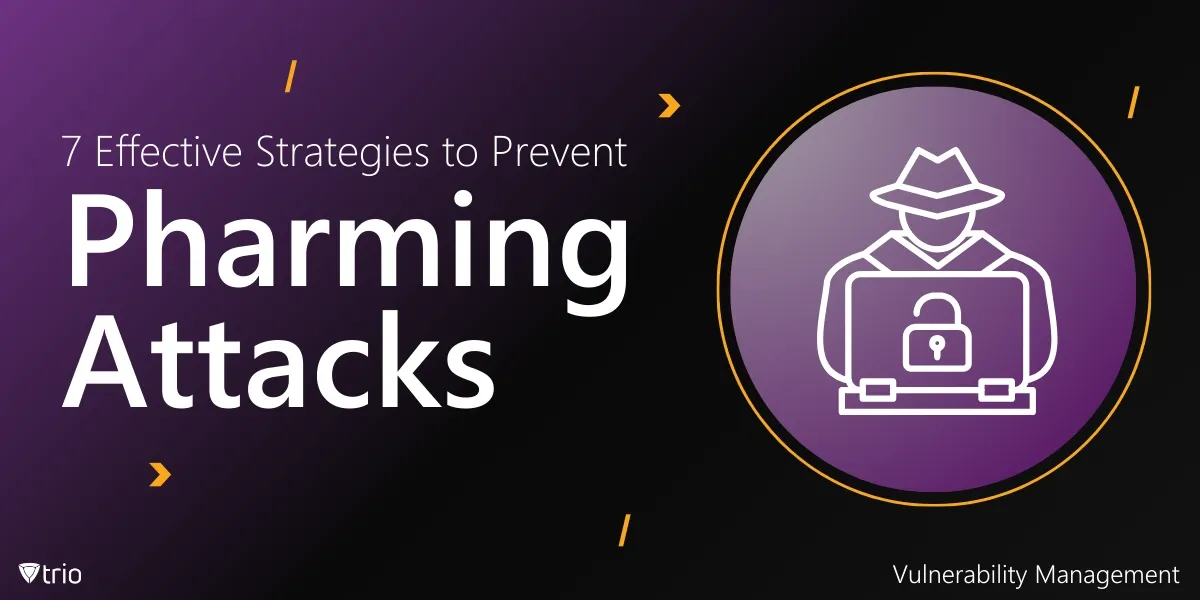
Defense in depth is a security strategy that puts several independent layers of protection between an attacker and what you are protecting, so that when one layer fails, the next one still stops or slows the attack. The five layers most organizations use are perimeter security (firewalls and network controls), endpoint security (patched, encrypted and protected devices), application and data security, identity and access management, and security awareness for the people who use it all. Each layer mixes three kinds of control: administrative (policies and training), technical (software and settings) and physical (locks and access to buildings). No single product covers it; the point is that no single failure exposes everything.
If you need a plain model to organize your security controls, for an audit, a board report or your own plan, the layer table and the implementation order below give you the short version; the sections in between explain each layer.
NIST's glossary defines defense in depth as an "information security strategy integrating people, technology, and operations capabilities to establish variable barriers across multiple layers and missions of the organization." The idea comes from military defense: instead of one wall, several lines that an attacker has to break one after another, each buying time for the defenders to notice and respond.
In IT, that means accepting that any single control will eventually fail. A firewall rule gets misconfigured, a user clicks a phishing link, a patch arrives late. Defense in depth plans for those failures by making sure something else stands behind each control.
Every layer can use three types of control:
A layer with only one type is thin. Endpoint security, for example, needs a policy that says devices must be encrypted, the technical setting that encrypts them, and a process for lost devices.
These are the five layers, from the outside in. The table summarizes each one before the detail.
| Layer | Main threats | Key controls |
|---|---|---|
| Perimeter | Intrusion from the internet, exposed services | Firewalls, network segmentation, secure remote access, email and web filtering |
| Endpoint | Malware, unpatched devices, lost laptops | Patching, encryption, endpoint protection or EDR, device management, USB control |
| Application and data | Exploited software flaws, data leaks | Updates, secure configuration, encryption, backups, data loss prevention |
| Identity and access | Stolen passwords, excessive permissions | MFA, single sign-on, least privilege, access reviews |
| People | Phishing, social engineering, mistakes | Awareness training, phishing exercises, clear reporting routes |
The perimeter is where your network meets the internet. A firewall that allows only the traffic you need, filtering for email and web traffic, and remote access through a VPN or zero trust access service with MFA keep opportunistic attacks out. Because laptops and cloud services now sit outside the office network, the perimeter is thinner than it used to be, which is exactly why the layers behind it matter. Inside the network, segmentation adds a second line: guests, staff devices, servers and building systems on separate networks, so one compromised device cannot reach everything. See network segmentation.
Laptops, desktops, phones and tablets are where most attacks start, through a phishing link, a malicious download or an unpatched browser. Endpoint security keeps operating systems and apps patched, encrypts every device, runs endpoint protection or an EDR tool, makes everyday users standard users, blocks USB storage where it is not needed, and makes it possible to lock or wipe a lost device. On phones and tablets, mobile threat defense apps add detection of malicious apps, phishing links and unsafe networks. For how device management and detection fit together, see EDR vs MDM, and for USB control, how to disable USB ports.
Applications are a common way in when they are out of date or badly configured. Keep them updated, remove what nobody uses, configure them securely, and test the software you build yourself. Protect the data behind them with encryption at rest and in transit, backups that include an offline or immutable copy, and data loss prevention for the data that matters most. Vulnerability scanning shows where the gaps are before attackers find them.
Stolen credentials are one of the most common ways into a network, and they walk straight past perimeter and endpoint controls. Multi-factor authentication stops most password attacks; phishing-resistant methods such as passkeys or security keys are best for admins. Give each person only the access their job needs, review it regularly, and keep admin accounts separate from everyday ones. See the least privilege access model.
People are both a target and a layer. Training that shows staff what real phishing looks like, short exercises, and an easy way to report a suspicious message turn employees into an early warning system. Tabletop exercises, where the team walks through an incident on paper, prepare the people who will respond when other layers fail.
The two terms are often used as synonyms. When they are distinguished, layered security usually means stacking several security products, such as a firewall, antivirus and a web filter, against similar threats. Defense in depth is the broader strategy: it covers people, processes and physical security as well as technology, and it plans for detection, response and recovery, not only prevention. Layered security is one part of defense in depth.
These are typical attack paths, not named customer stories.
A phishing email gets through. The email filter misses a well-crafted message, and an employee enters their password on a fake sign-in page (people layer fails). Multi-factor authentication blocks the attacker's sign-in (identity layer holds). The employee reports the message, and IT resets the password.
A laptop is infected. A user downloads a fake software update. Endpoint protection flags the behavior, and because the user is a standard user, the malware cannot install itself system-wide (endpoint layer). Network segmentation stops it reaching the file server (perimeter layer inside the network).
A laptop is stolen from a car. The perimeter and identity layers play no part. Disk encryption keeps the data unreadable, and IT locks or wipes the device from the device management console (endpoint layer).
An internet-facing server has a new vulnerability. The firewall cannot block traffic to a service that must be public. Fast patching closes the hole, and logging and monitoring show whether anyone tried it first (application and data layer).
You do not need every control at once. A practical order of work for a small team:
Each step adds a layer, and each one makes the failure of another layer less costly. For a broader checklist, see IT infrastructure security, and for the most common ways attackers get in, unauthorized access to computer systems.
On the endpoint layer, trio.so patches operating systems and third-party apps with the CVE severity of each finding, shows which devices are encrypted, blocks USB storage on Windows PCs and Linux devices, and shows Microsoft Defender for Endpoint alerts next to each device. trio.so is not an EDR: it works alongside one. See EDR vs MDM.

Defense in depth accepts that every control fails sometimes and makes sure something else stands behind it. Build the five layers with a mix of administrative, technical and physical controls, start with MFA, patching, encryption and backups, and review the layers regularly so a gap in one is covered by the others.
Related reading: IT infrastructure security, unauthorized access to computer systems, least privilege access model and network segmentation.
trio.so patches devices, shows which are encrypted, blocks USB storage and shows Microsoft Defender alerts next to each device.
trio.so brings device management, patching and security policies for Windows, macOS, Linux, iOS/iPadOS and Android into one console. Enroll a device and see it in the console within minutes.
trio.so brings device management, patching and security policies for Windows, macOS, Linux, iOS/iPadOS and Android into one console. Enroll a device and see it in the console within minutes.





Have questions? We've got answers. This section covers some of the most commonly asked questions related to this topic.
Related
The related industry news, interviews, technologies, and resources.
Learn how to prevent pharming attacks with these 7 effective strategies. Safeguard your data and protect against sophisticated cyber threats.
Protect your organization from remote code execution (RCE) attacks with these 5 best practices.
Learn about the indicator lifecycle in cybersecurity and enhance threat detection, streamline incident response, and strengthen security.
Learn how to detect a cyber security breach effectively with tips, detection methods, and best practices for IT professionals.

Four verified IT security quotes from Richard Clarke, Kevin Mitnick, Bruce Schneier and Ginni Rometty, with sources and one practical step for your team from each.
We'll explore cybersecurity tabletop exercises, their significance in today's threat landscape, & how to leverage them to bolster your cyber resilience.
Read this blog on how to prevent DNS cache poisoning attacks with best practices and tools. Learn strategies for IT professionals to secure DNS systems.
What DNS cache snooping is, how to confirm the scanner finding with dig or nmap, and how to fix it on Windows DNS Server and BIND.
14-day free trial. No credit card required.
trio.so for MSPs: one console, separate clients