


Explained
How to Detect Shadow AI in Your Organization
Shadow AI breaches average $4.63M. Here is how to detect shadow AI using DNS logs, OAuth audits, and your endpoint inventory, step by step.
This blog details the steps and best practices for MDM configuration and maintaining compliance in a business environment.
Mobile Device Management (MDM) is essential for businesses that want to secure, manage, and monitor their mobile devices. According to Fortune Business Insights, the global mobile device management (MDM)market size is projected to grow from USD 12.15 billion in 2024 to USD 85.37 billion by 2032. However, simply deploying MDM software is not enough—proper configuration is key to maximizing the effectiveness of MDM solutions. A well-configured MDM system helps businesses enforce security policies, manage apps, and ensure compliance, all while providing a seamless user experience. MDM configuration involves setting up profiles, policies, and restrictions tailored to your organization’s needs. From securing corporate data to managing app access, the right configuration makes a significant difference in how MDM supports your business goals. This blog explores the steps and best practices for configuring MDM to get the most out of your investment.
One of the first steps in configuring MDM is setting up user profiles and device groups. User profiles allow IT administrators to define settings, permissions, and restrictions based on the role of the user within the organization. For example, a profile for sales personnel might include access to specific CRM apps, while a profile for executives could have different security settings and app access. Device groups allow for the segmentation of devices based on criteria such as department, operating system, or security level. This segmentation makes it easier to manage devices and apply policies consistently. Grouping devices streamlines the management process, ensuring that the right settings are applied automatically as new devices are added to the group. Depending on the MDM, you might have to take extra steps to make sure that your MDM config for Android is the same as your MDM config for iPhone devices in your organization.
Security policies are at the heart of any MDM configuration, providing the rules and protocols that keep devices and data secure. Key security settings include enforcing strong passwords, enabling encryption, and setting up automatic lock screens after periods of inactivity. These basic measures protect sensitive data and reduce the risk of unauthorized access. Additionally, policies should be configured to control data sharing and app permissions. For example, restricting the ability to copy and paste data between corporate and personal apps helps prevent data leakage. Remote wipe and device lock features should also be configured to ensure that lost or stolen devices can be quickly secured. 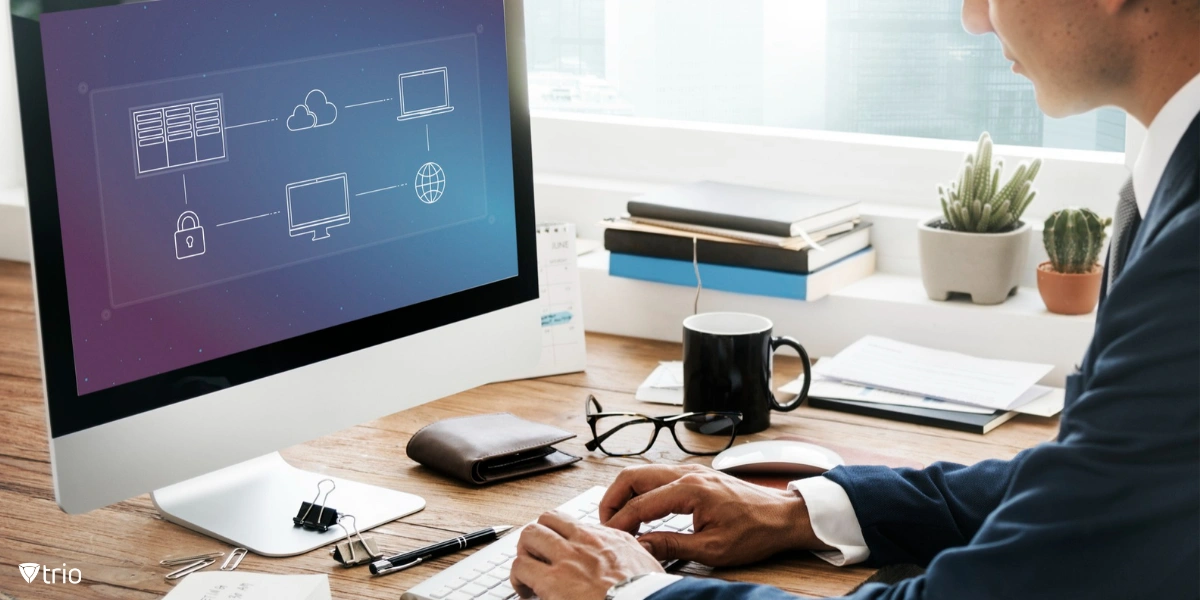
Configuring MDM to manage app distribution and updates helps ensure that employees have access to the right tools while maintaining security and compliance. IT administrators can push approved apps to devices, blacklist unauthorized apps, and schedule automatic updates to keep software up-to-date. Using MDM, businesses can create a company app store that provides employees with easy access to pre-approved apps, reducing the risk of installing unapproved or malicious software. Controlling app distribution also helps maintain consistency across devices, ensuring that all employees are using the same versions of applications, which simplifies support and troubleshooting.
Device restrictions are crucial for maintaining control over how devices are used. MDM allows businesses to disable features such as cameras, Bluetooth, and external storage to minimize security risks. Restrictions can also be applied to prevent access to specific websites, ensuring that employees stay focused on work-related tasks and avoid potentially harmful content. Compliance checks are another critical aspect of MDM configuration. These checks can automatically monitor devices to ensure they meet security standards, such as having the latest software updates or adhering to password policies. If a device falls out of compliance, MDM can trigger alerts, enforce restrictions, or even block access to company resources until the issue is resolved.
Ensuring secure network access is an essential part of MDM configuration. By setting up VPN configurations through MDM, businesses can secure remote connections to company networks, providing employees with safe access to corporate resources from any location. Wi-Fi settings can also be pre-configured, allowing employees to connect to trusted networks without manually entering credentials. MDM can automatically disconnect devices from insecure networks, reducing the risk of data interception and other network-based threats. Proper network configuration ensures that all data transmitted between devices and the company network is encrypted and secure.
Data Loss Prevention (DLP) measures help protect sensitive information from unauthorized access or sharing. Configuring DLP policies within MDM enables businesses to control how data is stored, accessed, and transferred on mobile devices. For example, DLP policies can restrict the sharing of company files through unapproved apps or prevent screenshots from being taken within certain applications. These measures are particularly important for businesses that handle sensitive data, such as financial information or personal customer data. By configuring DLP settings, MDM helps ensure that confidential information remains within the company’s control, even on mobile devices.
MDM configuration is not a one-time process; ongoing monitoring and reporting are essential for maintaining security and compliance. Configuring MDM to provide real-time alerts and detailed reports on device status, security incidents, and compliance issues helps IT administrators stay informed and respond quickly to potential threats. Reporting features allow businesses to track key metrics, such as app usage, security compliance, and device health. These insights can inform future MDM configurations, helping to optimize policies and improve overall device management. Regularly reviewing MDM reports ensures that your configuration continues to meet the evolving needs of your organization.
Setting MDM configurations properly is crucial for maximizing its benefits and ensuring the security of your mobile devices. From setting up user profiles and security policies to managing apps and monitoring compliance, the right configuration supports a secure, efficient, and productive mobile environment. Trio’s MDM solution offers powerful configuration tools that simplify the process and help your business stay ahead of cyber threats. Ready to see how Trio can optimize your MDM strategy? Try our free demo today and experience the difference a well-configured MDM solution can make.
Every organization today needs a solution to automate time-consuming tasks and strengthen security. Without the right tools, manual processes drain resources and leave gaps in protection. Trio MDM is designed to solve this problem, automating key tasks, boosting security, and ensuring compliance with ease.
Every organization today needs a solution to automate time-consuming tasks and strengthen security. Without the right tools, manual processes drain resources and leave gaps in protection. Trio MDM is designed to solve this problem, automating key tasks, boosting security, and ensuring compliance with ease.





Have questions? We've got answers. This section covers some of the most commonly asked questions related to this topic.
Related
The related industry news, interviews, technologies, and resources.
Shadow AI breaches average $4.63M. Here is how to detect shadow AI using DNS logs, OAuth audits, and your endpoint inventory, step by step.

Declarative device management is Apple's answer to MDM polling delays and unreliable compliance data — here's how it works and how to start using it.

An APNS certificate is what lets your MDM platform send commands to iPhones, iPads, and Macs — here's how to create, renew, and protect it.

Device location history works differently on Android, iPhone, and MDM platforms. Here's what each one actually stores and how to access it.

Unlike full-device VPN, per-app VPN tunnels only the apps you choose — and without MDM enforcement, users can bypass it entirely on unmanaged devices.

A remote wipe on a Mac is only possible if the right tools are in place first — here is how MDM, Find My, and native macOS each handle device erasure.

Compare SOC 2 Type 1 and Type 2 audits. Discover key differences, audit scope, duration, and how to choose for compliance needs.

Compare managed and unmanaged devices - definitions, security differences, control levels, and how to choose the right approach for IT.