



Explained
9 Applivery Alternatives Worth Considering
Nine Applivery alternatives compared on platforms and published pricing, with Applivery's own plans and what to check before switching MDM.
Seven Scalefusion alternatives compared on platforms, kiosk support and published pricing, plus Scalefusion's own plans and what to check before switching.

Content writer, trio.so
The main alternatives to Scalefusion are Hexnode, Microsoft Intune, ManageEngine Endpoint Central, IBM MaaS360, Miradore and trio.so for mixed fleets, and Jamf for Apple-only fleets. Scalefusion is a capable MDM with strong kiosk and Android features and low published prices, so teams usually compare alternatives at renewal, when billing terms, plan tiers or depth on Windows and Apple devices matter more than the entry price.
If your Scalefusion renewal is coming up, this guide covers why teams look around, Scalefusion's own published plans, seven alternatives compared fairly, and what to check before you switch.
Scalefusion manages Android, iOS, Windows and macOS, and lists Linux and ChromeOS as well. It is a solid choice for frontline and kiosk fleets. The reasons teams still compare it with other tools are usually these:
| Feature | Why it matters | Who needs it most |
|---|---|---|
| Multi-OS support | One console instead of one tool per platform | Mixed fleets and BYOD |
| Kiosk and dedicated device support | Locks shared tablets and screens to the apps they need | Retail, logistics, field teams |
| Automatic enrollment | New devices set themselves up through Apple Business, Windows Autopilot or Android zero-touch | Teams that ship devices to staff |
| Patching | Operating system and third-party app updates with clear status | Any team with laptops |
| Roles and access | Admins see and change only what they should | Teams with more than one admin |
| Clear pricing | Knowing which plan includes the features you need | Everyone at renewal |
Scalefusion's pricing page, checked on 8 November 2026, lists four UEM plans per device per month: Essential $2, Growth $3.50, Business $5 and Enterprise $6. All plans are billed annually only, with a minimum of 10 devices, and a 14-day free trial includes all features. Add-ons such as Veltar and vulnerability management cost extra. Check which plan includes the platforms and features you use; Windows patching and Windows Autopilot, for example, are listed under Business.
Prices come from each vendor's own pricing page, checked on 8 November 2026. Vendors change them often, so confirm before you buy.
Hexnode manages Windows, macOS, iOS, Android and Linux, and includes kiosk features. It publishes Pro at $2.2, Enterprise at $3.2 and Ultimate at $4.7 per device per month, with Ultra on request and a 14-day trial. Like Scalefusion, it puts some features in higher tiers. See Hexnode alternatives.
Intune manages Windows, macOS, iOS/iPadOS, Android and some Linux devices and is included in Microsoft 365 E3 and E5. Standalone, Intune Plan 1 is $8 per user per month. It fits companies already on Microsoft 365 and Entra ID.
Endpoint Central covers Windows, macOS, Linux, iOS, iPadOS, Android, ChromeOS and tvOS, in the cloud or on premises. It publishes $795 per year for 50 endpoints for the Professional edition and has a free edition for up to 25 endpoints. It offers a wide feature set, which takes more effort to configure.
MaaS360 manages phones, tablets and laptops across operating systems, with mobile threat management and analytics in higher tiers. IBM publishes prices from $1.64 per device per month (Fast Start) and offers a 30-day trial. It suits larger organizations with security teams.
Miradore, now sold as LogMeIn Miradore by GoTo, manages Android, iOS, Windows and macOS. It is free for up to 50 devices after a 14-day trial, with Premium from $2.75 per device per month. It suits small fleets and first deployments; it has no Linux support.
For fleets that are mostly Mac, iPhone and iPad, Jamf is the Apple specialist. It publishes $12.50 per Mac and $5.75 per mobile device per month, billed annually, with a 25-device minimum. It does not cover Windows or Android.
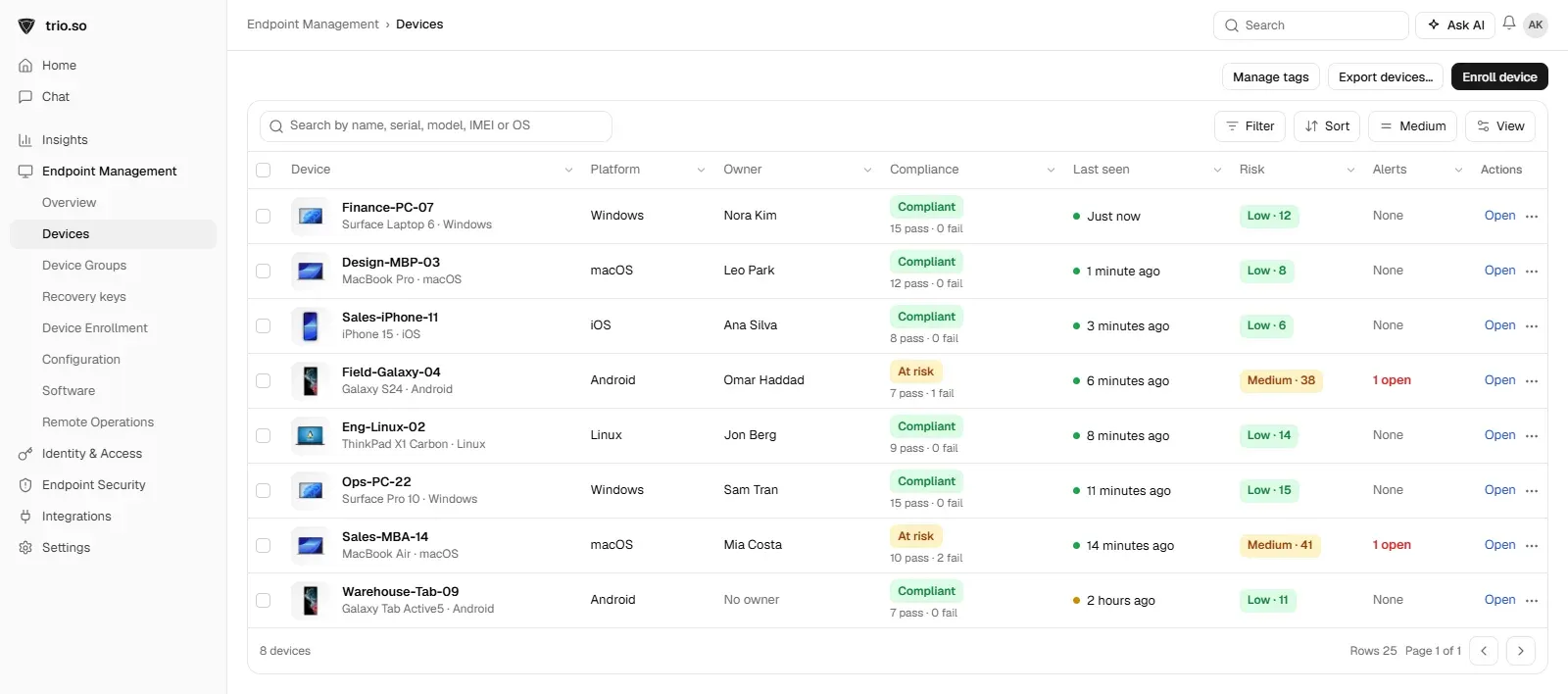
trio.so manages Windows, macOS, Linux (Ubuntu and Debian), iOS/iPadOS and Android from one console, priced per device with no device minimum. Kiosk mode covers Android, iPhone and iPad, Mac and Windows, devices enroll automatically through Apple Business, Windows Autopilot and Android zero-touch, and remote desktop and terminal are included in every plan. Plans start at $5 per device. For a head-to-head view, see trio.so vs. Scalefusion.
| Tool | Platforms | Published starting price | Best for |
|---|---|---|---|
| Scalefusion | Android, iOS, Windows, macOS; Linux and ChromeOS listed | $2 per device (annual, 10-device minimum) | Kiosk and frontline fleets |
| Hexnode | Windows, macOS, iOS, Android, Linux | $2.2 per device | Kiosk and mixed fleets on a budget |
| Microsoft Intune | Windows, macOS, iOS/iPadOS, Android, Linux | $8 per user (Plan 1) | Microsoft 365 shops |
| ManageEngine Endpoint Central | Windows, macOS, Linux, iOS, iPadOS, Android, ChromeOS, tvOS | $795 per year for 50 endpoints | Broad features, cloud or on premises |
| IBM MaaS360 | Phones, tablets and laptops across OSes | $1.64 per device | Larger, security-led organizations |
| Miradore | Android, iOS, Windows, macOS | Free up to 50 devices; $2.75 per device | Small fleets |
| Jamf | Apple | $5.75 per mobile device, $12.50 per Mac | Apple-only fleets |
| trio.so | Windows, macOS, Linux, iOS/iPadOS, Android | $5 per device | Mixed fleets in one console |
For a full plan, see MDM migration.
Consider switching if:
The best time to compare is a couple of months before renewal, so a trial and a pilot fit before the contract ends.
trio.so manages Windows, Mac, Linux, iPhone, iPad and Android devices from one console, with kiosk mode on Android, iPhone and iPad, Mac and Windows, automatic enrollment through Apple Business, Windows Autopilot and Android zero-touch, and remote desktop and terminal in every plan. You can start with a free trial or book a demo. Plans start at $5 per device.
Hexnode, Microsoft Intune, ManageEngine Endpoint Central, IBM MaaS360, Miradore and trio.so for mixed fleets, and Jamf for Apple-only fleets. The best fit depends on your platforms, kiosk needs and how you want to pay.
Scalefusion lists Essential at $2, Growth at $3.50, Business at $5 and Enterprise at $6 per device per month, billed annually only, with a 10-device minimum and a 14-day free trial.
It can be, especially for Android and kiosk devices at low prices. The 10-device minimum and annual billing are the points to check for very small teams.
Hexnode, Microsoft Intune, ManageEngine Endpoint Central and trio.so manage Linux. Check which distributions each supports.
Map each feature you use to the new vendor's plan, test every platform and kiosk setup in a trial, check which devices need a reset to move, and overlap licences during the move.
Related reading: Hexnode alternatives, MDM software vendors, kiosk software and MDM migration.
trio.so manages Windows, Mac, Linux, iPhone, iPad and Android from one console. Plans start at $5 per device.
trio.so brings device management, patching and security policies for Windows, macOS, Linux, iOS/iPadOS and Android into one console. Enroll a device and see it in the console within minutes.
trio.so brings device management, patching and security policies for Windows, macOS, Linux, iOS/iPadOS and Android into one console. Enroll a device and see it in the console within minutes.





Have questions? We've got answers. This section covers some of the most commonly asked questions related to this topic.
Related
The related industry news, interviews, technologies, and resources.
Nine Applivery alternatives compared on platforms and published pricing, with Applivery's own plans and what to check before switching MDM.
What Citrix Endpoint Management is today, six alternatives compared on platforms, deployment and pricing, and how to plan a move off it.
Eight Hexnode alternatives compared on platforms, Windows depth, Linux support and published pricing, with what to check before you switch MDM.
Seven SimpleMDM alternatives compared on platforms and published pricing, with SimpleMDM's own plans and what to check before you switch.
Seven Mosyle alternatives compared on platforms and published pricing, with Mosyle's own plans and what changes when your fleet adds Windows or Android.
Seven GFI LanGuard alternatives for patching and vulnerability scanning, compared on platforms, deployment and pricing, and how to pick one.
Eight Jamf alternatives compared on platforms, starting price and minimums, with Jamf's own pricing and what switching from Jamf involves.
Seven Addigy alternatives for MSPs and internal IT, compared on platforms and published pricing, with Addigy's own prices and what switching involves.
14-day free trial. No credit card required.
trio.so for MSPs: one console, separate clients