




Explained
Intune vs trio.so: 5 Microsoft Intune Pros and Cons
Discover the key Microsoft Intune pros and cons. This SMB-focused comparison highlights strengths and drawbacks of Microsoft Intune.
Windows Autopilot sets up new PCs and Intune manages them after. How the two work together, what Autopilot reset does, and what small IT teams need.


Content writer, trio.so
Windows Autopilot and Microsoft Intune are not alternatives to each other. Autopilot is a provisioning service: it takes a new or reset Windows PC through first-run setup, joins it to Microsoft Entra ID and hands it to a mobile device management (MDM) service. Intune is that MDM service in most Microsoft shops: it manages the PC for the rest of its life, with policies, apps, updates, compliance and remote actions. Autopilot needs an MDM to hand the device to, and Intune works without Autopilot, so you always need the MDM and add Autopilot when you want PCs to set themselves up.
If you are setting up new laptops and keep seeing both names, the sections below explain what each one does, how they work together, what you need to license, and where the pair gets heavy for a small team.
Windows Autopilot is a set of Microsoft cloud services that prepares Windows devices for business use without building and loading a custom image. The PC keeps the Windows installation the manufacturer put on it. During the out-of-box experience (OOBE), the user connects to a network and signs in with a work account, and Autopilot does the rest: it joins the device to Microsoft Entra ID, enrolls it in the MDM, and lets the MDM apply settings and install apps. It can also step the edition up, for example from Windows Pro to Windows Enterprise.
Microsoft now has two versions:
Microsoft Intune is Microsoft's cloud endpoint management service. It manages Windows, macOS, iOS, iPadOS and Android devices (and ChromeOS in some scenarios): it pushes configuration and security settings, deploys apps, controls Windows updates, checks devices against compliance rules that Microsoft Entra Conditional Access can use, and runs remote actions such as wipe, retire and restart. Autopilot uses Intune as its usual destination, but Intune also manages devices that were enrolled in other ways, such as from Settings, through Group Policy auto-enrollment or by a bulk provisioning package.
| Windows Autopilot | Microsoft Intune | |
|---|---|---|
| What it is | A provisioning service for Windows setup | An endpoint management (MDM) service |
| When it acts | During first-run setup and on reset | For the whole life of the device |
| Platforms | Windows (and HoloLens 2) | Windows, macOS, iOS, iPadOS, Android |
| Needs the other? | Needs an MDM, usually Intune | Works without Autopilot |
| Main job | Join to Entra ID, enroll, get the user to a ready desktop | Policies, apps, updates, compliance, remote actions |
| Licensing | Comes with the Entra ID and MDM licences below | Intune licence per user or device |
A typical rollout with both:
Autopilot needs an MDM, but Microsoft's licensing page lists "Microsoft Intune subscription or an alternative MDM service" alongside Microsoft Entra ID P1 or P2. Automatic enrollment into a non-Microsoft MDM is configured in Microsoft Entra ID with the vendor's enrollment URLs. Autopilot device preparation, in contrast, is built around Intune features such as enrollment time grouping.
Autopilot Reset removes personal files, apps and settings, reapplies the device's original settings, and keeps its Microsoft Entra ID join and its MDM enrollment, along with Wi-Fi details and provisioning packages. It is meant for handing a device to the next user, not for a lost device. IT can start it locally from the lock screen (Ctrl + Windows key + R, once the policy allows it) or remotely from the MDM. It does not support Microsoft Entra hybrid joined devices, which need a full wipe instead.
Autopilot and Intune are a strong combination for Windows fleets in Microsoft 365, and Microsoft recommends cloud-native Entra join for new devices. A few limits are worth knowing before you commit:
Autopilot profiles, device preparation policies, Entra ID groups, enrollment restrictions, Intune policies and the Enrollment Status Page each have their own settings. Most setup failures come from how they interact, so plan time to test with real hardware before a large rollout.
Autopilot needs Microsoft Entra ID P1 or higher, which many small businesses only have through Microsoft 365 Business Premium or an E3 plan. If you run Google Workspace or a basic Microsoft 365 plan, the licence change is part of the cost.
Autopilot covers Windows. Macs, iPhones and iPads use Apple Business (formerly Apple Business Manager) for automated enrollment, and Android uses zero-touch or a setup QR code. Intune can manage all of those, but each has its own enrollment setup.
Classic Autopilot depends on the device being registered before it reaches the user. PCs bought from a retailer that does not register them, or used PCs, need their hardware hash collected manually, or a move to device preparation.
If you weigh up other options, our guides to Microsoft Intune alternatives and Intune pros and cons compare them, and Intune vs SCCM covers on-premises management.
Autopilot gets a Windows PC from the box to a managed desktop, and Intune, or another MDM, manages it from then on. You always need the MDM, and you add Autopilot when you want new and reset PCs to set themselves up without imaging. For a broader view of setup without hands-on work, see zero-touch deployment and our guide to Windows Autopilot.
trio.so enrolls company-owned Windows PCs through Windows Autopilot with your Microsoft connection, and manages them next to Macs, iPhones, iPads, Android and Linux devices from one console. Plans start at $5 per device. See mobile device management.
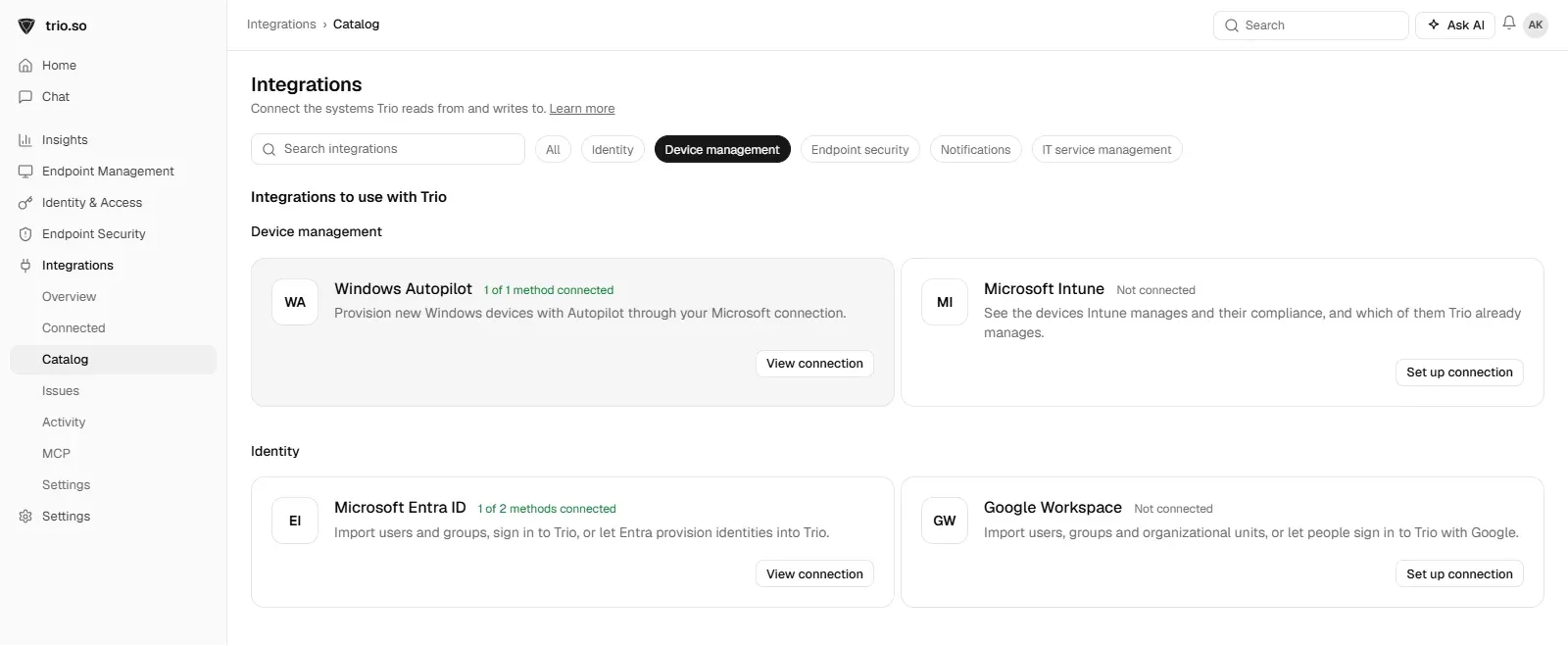
Related reading: Windows Autopilot, Microsoft Intune alternatives, zero-touch deployment and remote wipe on Windows.
trio.so enrolls company-owned Windows PCs through Windows Autopilot and manages them next to your Macs, iPhones and Android devices. Plans start at $5 per device.
trio.so brings device management, patching and security policies for Windows, macOS, Linux, iOS/iPadOS and Android into one console. Enroll a device and see it in the console within minutes.
trio.so brings device management, patching and security policies for Windows, macOS, Linux, iOS/iPadOS and Android into one console. Enroll a device and see it in the console within minutes.





Have questions? We've got answers. This section covers some of the most commonly asked questions related to this topic.
Related
The related industry news, interviews, technologies, and resources.
Discover the key Microsoft Intune pros and cons. This SMB-focused comparison highlights strengths and drawbacks of Microsoft Intune.

MDM vs GPO: how Group Policy and MDM differ, what happens when both set the same policy (MDMWinsOverGP), and how to move Windows settings to MDM in stages.

Seven Scalefusion alternatives compared on platforms, kiosk support and published pricing, plus Scalefusion's own plans and what to check before switching.
Nine Applivery alternatives compared on platforms and published pricing, with Applivery's own plans and what to check before switching MDM.
What Citrix Endpoint Management is today, six alternatives compared on platforms, deployment and pricing, and how to plan a move off it.

Eight Hexnode alternatives compared on platforms, Windows depth, Linux support and published pricing, with what to check before you switch MDM.
Seven SimpleMDM alternatives compared on platforms and published pricing, with SimpleMDM's own plans and what to check before you switch.
Seven Mosyle alternatives compared on platforms and published pricing, with Mosyle's own plans and what changes when your fleet adds Windows or Android.
14-day free trial. No credit card required.
trio.so for MSPs: one console, separate clients