iPhone remote lock can be activated through Find My lost mode or MDM solutions, immediately securing your device with a passcode, disabling Apple Pay, and enabling location tracking. This security measure prevents unauthorized access to personal and corporate data when your device goes missing.
TL;DR Summary:
- Find My lost mode locks iPhone with passcode and displays custom contact message
- MDM solutions provide advanced remote lock capabilities for supervised business devices
- Remote lock should be your first action before considering remote erase options
- Only 7% of lost smartphones are recovered, making immediate action critical
- Lost mode works even when iPhone is offline and activates once device reconnects
What Is Remote Lock on iPhone?
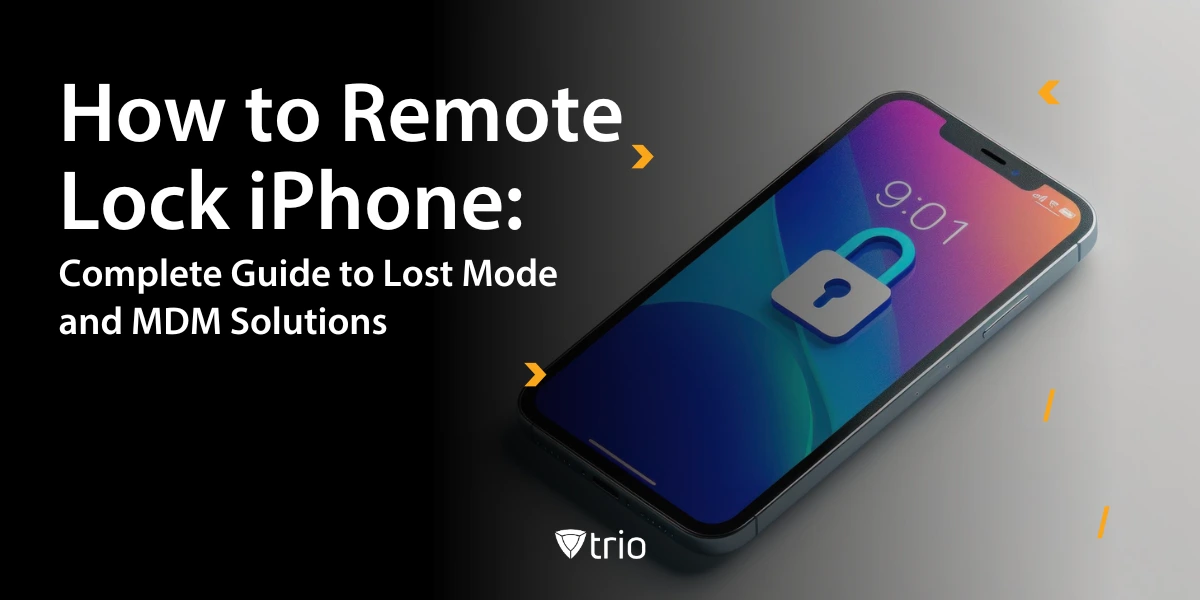
Remote lock iPhone functionality enables you to secure your device from any location using Apple's Find My service or mobile device management platforms. When activated, remote lock immediately applies a passcode to your iPhone screen, preventing unauthorized users from accessing your apps, photos, contacts, and sensitive information.
The remote lock feature operates through two primary methods: Apple's built-in Find My lost mode for personal devices and MDM-based remote lock for supervised business devices. Both approaches serve the same core purpose of protecting your data while maintaining device tracking capabilities.
Lost mode differs from standard remote lock by adding communication features. Beyond securing your device, Find My activated lost mode displays a custom message on the lock screen with your contact information, enabling honest finders to return your iPhone. The system also suspends Apple Pay transactions and activates continuous location tracking. iOS activate lost mode iPhone procedures require internet connectivity for immediate command delivery, though iOS remote lock troubleshooting may be required when connectivity issues prevent immediate activation.
For business environments, supervised device remote lock provides additional administrative controls. IT administrators can deploy custom lock messages for business-owned iPhone devices, enforce low-power mode to extend battery life, and maintain tracking capabilities even when users disable location services. Organizations can lock only business-owned iPhone devices through MDM policies while allowing personal device flexibility.
Why Remote Lock iPhone Matters for Security
Mobile device security has become critical as
80% of organizations consider mobile devices critical to their operations. When your iPhone contains access to corporate networks, banking apps, and personal accounts, a lost device represents a significant security breach waiting to happen.
Remote lock iPhone prevents immediate data access while buying time for additional security measures. Thieves who gain possession of an unlocked iPhone can reset passwords, access two-factor authentication codes, and compromise multiple accounts within minutes. Lost mode eliminates this window of vulnerability.
Apple Pay suspension protects financial transactions automatically when lost mode activates. Remote lock Apple Pay suspend functionality ensures your credit cards, debit cards, and student ID cards become inaccessible until you recover the device and disable lost mode. This prevents unauthorized purchases and protects your financial accounts.
Location tracking through remote lock enables device recovery in many cases. The system provides real-time GPS coordinates when your iPhone connects to Wi-Fi or cellular networks, with lost mode location tracking helping law enforcement locate stolen devices and increasing recovery chances.
For business devices, remote lock maintains compliance with data protection regulations. Companies handling sensitive customer information must demonstrate immediate response capabilities when devices go missing. MDM remote lock provides the audit trail and rapid response required for regulatory compliance.
Built-In Find My Lost Mode Implementation
Find My lost mode requires an active Apple ID and Find My iPhone enabled before device loss occurs. These prerequisites cannot be configured after your iPhone goes missing, making proactive setup essential for security protection.
Activating Lost Mode Through iCloud.com:
- Navigate to icloud.com/find and sign in with your Apple ID
- Select your missing iPhone from the devices list
- Click "Mark as Lost" to initiate lost mode
- Create a numeric passcode for device access
- Enter contact phone number for lock screen display
- Add custom message offering reward or return instructions
- Select "Activate" to enable lost mode remotely
The lost mode contact info display appears prominently on the locked screen, allowing honest finders to contact device owners directly.
Using Find My App on Another Device:
- Open Find My app on iPad, Mac, or family member's iPhone
- Tap "Devices" tab and select your missing iPhone
- Scroll to "Mark as Lost" section
- Follow identical passcode and message setup process
- Confirm activation to begin remote lock procedure
Lost mode activates immediately when your iPhone has internet connectivity. For offline devices, the lock engages automatically once Wi-Fi or cellular connection resumes. The system sends confirmation email to your Apple ID address when lost mode successfully activates.
Custom messages should include essential contact information without revealing personal details. Effective messages offer modest rewards for return while avoiding information that could enable social engineering attacks against your other accounts.
When implementing RMM solutions, organizations can extend lost mode capabilities through enterprise-grade remote control systems that provide enhanced tracking and recovery options.
MDM-Based Remote Lock for Supervised Devices
MDM remote lock provides advanced capabilities beyond consumer Find My features for business-owned and supervised iOS devices. These systems enable IT administrators to deploy remote lock commands with enterprise-specific policies and enhanced tracking capabilities.
Supervised Device Requirements:
- Device enrollment through Apple Business Manager or Apple School Manager
- MDM profile installation with appropriate permissions
- Administrative access to MDM console with device management rights
- Active cellular or Wi-Fi connectivity for command delivery
MDM Remote Lock Advantages
Managed lost mode extends tracking capabilities beyond standard Find My limitations. Even when users disable location services, supervised devices continue reporting location data through MDM channels, ensuring consistent tracking for corporate asset recovery.
Custom messaging through MDM allows branded communications with company contact information. IT departments can display specific return instructions, security contact numbers, and legal notices about corporate device policies on locked screens. The remote lock custom message feature enables personalized communication with device finders while maintaining professional branding.
Low-power mode activation through MDM remote lock extends battery life significantly during device recovery periods. This feature reduces power consumption while maintaining essential tracking and communication capabilities, improving recovery success rates.
Administrative bypass prevention ensures users cannot disable lost mode without proper authorization. While consumer lost mode allows device owners to deactivate tracking, MDM systems require administrative credentials for lock mode changes.
The global MDM market demonstrates growing adoption, with
market size valued at USD 12.15 billion in 2024, projected to grow to USD 81.72 billion by 2032, reflecting increased enterprise focus on mobile security management.
Organizations utilizing
RMM tools can integrate iPhone remote lock with broader device management workflows, connecting lost device procedures with
remote access security protocols and remote maintenance solutions.
Remote Lock vs Erase: Strategic Decision Making
The decision between remote lock and remote erase depends on device recovery probability, data sensitivity, and time factors. Remote lock should always be your first response, with erase reserved for situations where recovery appears impossible.
When to Choose Remote Lock First
Device tracking shows movement patterns suggesting potential recovery through law enforcement intervention. If location data indicates your iPhone remains in accessible areas like restaurants, offices, or transportation hubs, remote lock provides security while preserving recovery options.
Recent loss timing favors lock over erase during first 24-48 hours. Statistics show most recovered devices are found within this initial period, making premature erasure counterproductive for device retrieval.
Personal data backup status influences decision timing. When recent iCloud or iTunes backups exist, remote erase becomes less devastating to personal productivity, but immediate lock still provides the best recovery opportunity.
Progression to Remote Erase
Corporate security policies often mandate erase timelines for business devices. Many organizations require remote erase within 72 hours when devices contain sensitive customer data or financial information, regardless of recovery prospects.
Suspicious location changes indicate device compromise when tracking shows rapid movement between distant locations or extended time in unfamiliar areas. These patterns suggest theft rather than simple misplacement, favoring erase over continued lock attempts.
Failed recovery attempts through law enforcement or location tracking may necessitate data protection through erasure. When multiple recovery strategies prove unsuccessful, preventing data breach becomes the priority over device retrieval.
Implementing
remote wipe mobile device capabilities requires careful planning to balance security needs with recovery possibilities, often coordinated through
device remote locking protocols.
Troubleshooting Common Remote Lock Issues
Remote lock implementation can encounter various technical obstacles that prevent successful device securing. Understanding common failure modes enables rapid troubleshooting and alternative security measures.
Find My Service Disabled
When Find My iPhone wasn't enabled before device loss, standard lost mode activation becomes impossible. This situation requires immediate Apple ID password changes and account security reviews to prevent unauthorized access to cloud services and other devices.
Alternative security measures include contacting your wireless carrier to suspend cellular service, preventing data usage and reducing device functionality for potential thieves. Credit card companies should also receive notifications about potential device-based payment compromise.
Device Offline Status
iPhones without cellular connectivity or Wi-Fi access cannot receive remote lock commands immediately. The system queues commands for delivery when connectivity resumes, but timing becomes unpredictable based on thief behavior.
Battery depletion represents another offline scenario where tracking and lock commands fail until device charging occurs. Modern iOS versions preserve minimal power for Find My functionality, but complete battery drain eliminates all remote management capabilities.
Passcode Policy Conflicts
MDM environments may experience conflicts between existing device passcodes and remote lock requirements. Some configurations require specific passcode complexity that conflicts with user-selected codes, preventing successful lock activation.
Administrative permission levels can block remote lock deployment when MDM profiles lack sufficient device control permissions. Reviewing and updating MDM policies ensures remote lock capabilities function properly during emergency situations.
Advanced troubleshooting often requires remote screen sharing Mac capabilities for IT administrators to guide users through complex recovery procedures, integrated with
remote access for PC systems for comprehensive device management.
Best Practices for Pre-Loss Device Setup
Proactive iPhone security configuration dramatically improves remote lock effectiveness and overall device recovery success rates. Implementing comprehensive security measures before device loss occurs provides maximum protection options during emergency situations.
Essential Security Features
Apple Secure theft protection activation provides advanced security for devices used in unfamiliar locations. This feature requires Face ID or Touch ID verification plus one-hour delays for sensitive account changes when away from trusted locations, preventing rapid account compromise.
Strong passcode configuration using alphanumeric combinations rather than simple numeric codes increases security against forced access attempts. Six-digit passcodes provide minimal protection compared to complex alphanumeric alternatives that resist shoulder surfing and brute force attacks.
Apple Secure features including automatic iOS updates, app store restrictions, and biometric authentication create multiple security layers. These features work together with remote lock to provide comprehensive device protection.
Data Protection Strategies
Regular backup procedures ensure data preservation regardless of device recovery outcomes. Both iCloud and iTunes backups should occur weekly minimum, with daily backups for business-critical information and frequent photo synchronization.
IMEI documentation provides essential information for law enforcement and insurance claims. Following best practices to document IMEI before loss by recording device serial numbers, IMEI codes, and purchase receipts in secure locations enables proper device identification and ownership verification.
Cloud storage diversification reduces data loss risks when single-vendor backup solutions fail. Utilizing multiple cloud services like Google Photos, Microsoft OneDrive, or Dropbox alongside iCloud provides redundant data protection.
Organizations implementing comprehensive security strategies often leverage
rugged device management protocols alongside consumer devices, creating layered security through RMM agent deployments for enterprise-wide device monitoring.
Actions After Successfully Remote Locking iPhone
Post-lock security measures extend protection beyond initial device securing and maximize recovery opportunities while preventing additional compromise. Systematic follow-up actions address both immediate security needs and long-term account protection.
Immediate Response Steps
Law enforcement notification should occur within hours of device theft, providing crime reference numbers essential for insurance claims and potential device recovery. Police reports establish official theft records and enable tracking assistance through law enforcement channels.
Wireless carrier contact suspends cellular service and prevents unauthorized usage charges while maintaining account security. Most carriers offer temporary suspension options that preserve your phone number while blocking device functionality.
Financial institution alerts protect banking and credit accounts accessed through your iPhone. Even with Apple Pay disabled, thieves may attempt account access through saved passwords or cached banking sessions.
Extended Security Measures
Password rotation across all accounts accessed through your iPhone prevents credential compromise from cached login sessions. Focus on financial accounts, email services, and social media platforms with priority on accounts containing personal or professional sensitive information.
Two-factor authentication updates ensure backup authentication methods work properly without your primary device. Moving authenticator apps to backup devices or updating phone numbers for SMS codes maintains account access during device absence.
Trusted device list reviews remove your lost iPhone from Apple ID trusted devices, preventing its use for account recovery or verification codes. This step eliminates potential security vulnerabilities if thieves overcome device locks.
Insurance claim processing through AppleCare+ Theft and Loss or third-party device insurance requires police reports and proper documentation. Understanding coverage terms and claim procedures beforehand streamlines replacement device acquisition.
Enterprise environments benefit from integrated management platforms, where RMM solutions coordinate device security with
low-cost remote access software and being the answer to
“how to remotely uninstall software” for comprehensive device lifecycle management.
Advanced security monitoring through remote configuration systems can detect unauthorized access attempts across multiple platforms, while
remote disk management tools help secure any connected storage systems that might have been accessed through the lost device.
Remote Lock Implementation Comparison
The comparison demonstrates how MDM solutions provide enhanced capabilities for business environments, while Find My lost mode offers sufficient protection for personal devices. Enterprise implementations benefit from administrative controls and enhanced tracking, while consumer users gain adequate security through Apple's built-in features.
| Feature |
Find My Lost Mode |
MDM Remote Lock |
| Device Requirements |
Apple ID, Find My enabled |
Supervised device, MDM enrollment |
| Custom Messages |
Basic contact info |
Branded corporate communications |
| Location Tracking |
Standard GPS when online |
Enhanced tracking through MDM |
| Apple Pay Control |
Automatic suspension |
Administrative policy control |
| User Override |
Owner can disable |
Administrative credentials required |
| Offline Functionality |
Activates when online |
Command queuing through MDM |
| Battery Optimization |
Standard power usage |
Low-power mode activation |
| Recovery Success Rate |
7% for lost devices |
Higher through enterprise tracking |
| Setup Complexity |
Minimal configuration |
Enterprise deployment required |
| Cost |
Free with Apple ID |
MDM licensing fees |
Businesses evaluating MDM remote lock capabilities should
deploy an application workflow that integrates device security with broader IT management strategies, often coordinated through running a command prompt on remote computer capabilities for comprehensive system administration.
Conclusion
Remote lock iPhone functionality provides essential security for both personal and business devices through Find My lost mode and MDM solutions. Immediate activation prevents unauthorized access while maintaining recovery opportunities, making it the optimal first response to device loss.
The distinction between consumer and enterprise remote lock capabilities highlights the importance of choosing appropriate solutions for your security needs. Personal users benefit from straightforward Find My implementation, while businesses require MDM platforms for comprehensive device management and enhanced tracking capabilities.
Success depends on proactive preparation including Find My activation, strong passcode configuration, and regular backup procedures. When devices go missing, rapid response through remote lock activation, law enforcement notification, and systematic security measures maximize both recovery chances and data protection.
Understanding that
people lose 70 million smartphones each year with minimal recovery rates emphasizes the critical importance of immediate remote lock activation and comprehensive security planning for inevitable device loss scenarios.
For organizations managing multiple devices, RMM solutions provide the foundation for coordinated remote lock strategies integrated with low-cost remote access software and remotely uninstalling software capabilities for complete device lifecycle management.