


Explained
How to Detect Shadow AI in Your Organization
Shadow AI breaches average $4.63M. Here is how to detect shadow AI using DNS logs, OAuth audits, and your endpoint inventory, step by step.
With remote wipe mobile device technology, you have a potent weapon to combat the loss or theft of mobile devices in your organization.
One of the greatest threats to personal and corporate security is the loss or theft of mobile devices. Yet, with the remote wipe mobile device technology, you have a potent remedy to this menace.
“Remote wipe mobile device” is a security feature that allows IT administrators or device owners to issue a command that remotely deletes data from a device. It is the best solution to prevent unauthorized access to sensitive data when a device is lost or stolen. You can also employ it to remotely clear data from a device being retired or transferred to a fresh owner. In addition to these security measures, organizations often consider MDM Migration as a strategic move to enhance their mobile device management capabilities. Migrating to a new MDM solution can streamline device management, improve security protocols, and offer advanced features to better protect mobile devices and corporate data.
The mechanics of a remote wipe are rooted in the interaction between the device and the command issued by the user or administrator. This command can be relayed via a software application or web interface, depending on the specific tool used. Upon receiving the command, the device then proceeds to erase all specified data. The effectiveness of the remote wipe depends on the device being powered on and connected to the internet to receive the wipe command. The remote wipe may be ineffective if the device is rebooted during the process or loses connection to the internet.
A remote wipe protects corporate devices against physical threats to device security, such as data loss, theft, or misuse. The repercussions of not employing a remote wipe if a device is lost or stolen can be severe. If an unauthorized person gains access to the device, they can potentially extract sensitive data, leading to a data breach, financial loss, and reputational damage. Also, with the advent of remote work, corporate devices are being used outside the office premises more than ever, increasing the likelihood of these devices being lost or stolen. The remote wipe feature comes to the rescue in such scenarios, enabling an organization to manage physical security risks effectively. By wiping lost or stolen devices, administrators can ensure their data remains secure.
Remote wipe is a lifesaver in a variety of scenarios. Here are a few: 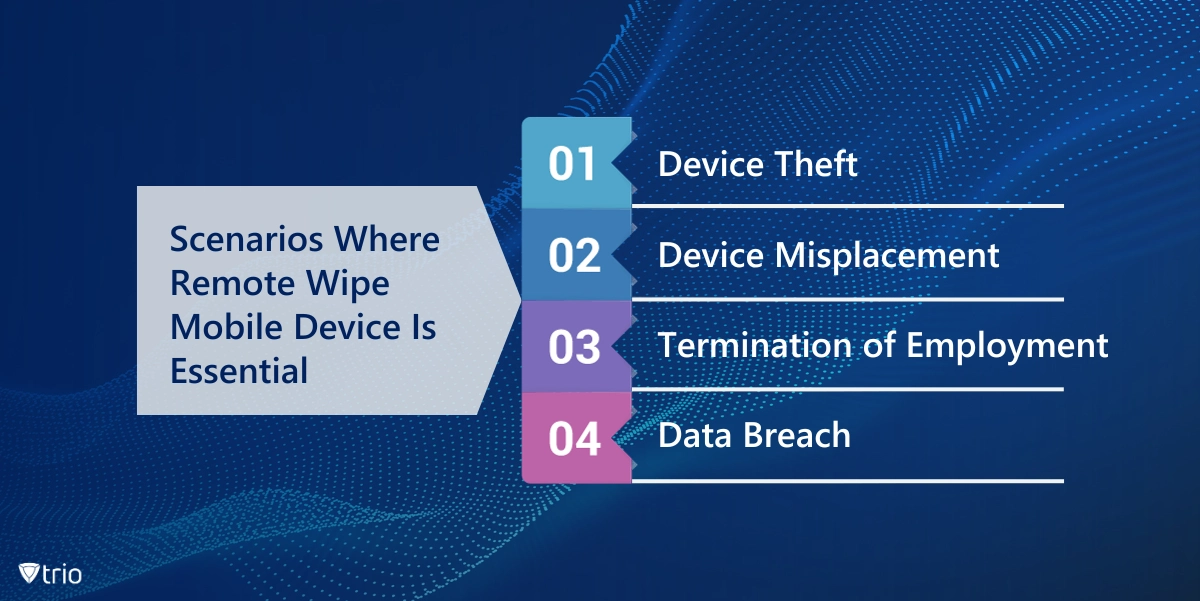 Device Theft: If an employee's device containing sensitive corporate data is stolen, you can remotely wipe it to protect the company's data. Device Misplacement: A device that's lost can potentially land in the wrong hands, putting sensitive corporate data at risk. You can remotely wipe such devices to protect sensitive data as a precautionary measure. Termination of Employment: When an employee leaves the company, it's essential to ensure that they no longer have access to any company-related data that might be stored on their device. A remote wipe can swiftly delete any business data from their devices. Additionally, implementing device remote locking can help prevent unauthorized access to the device, adding an extra layer of security during the transition period. Data Breach: In the unfortunate event of a data breach, a remote wipe can be a vital damage control measure. Wiping any devices that might be compromised in the attack can minimize the damage significantly.
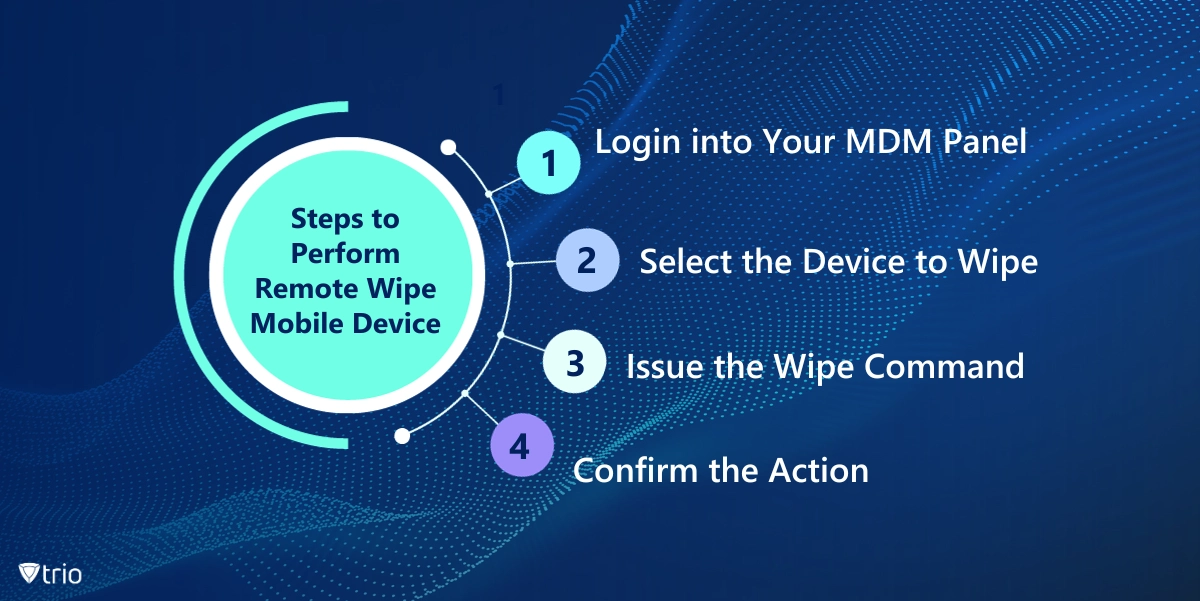
With an MDM solution, employing a device wipe is a quick and straightforward task. It requires these simple steps:
Here are some best practices to follow when performing a remote wipe: Ensure Devices Are Online: Remote wipes can only be performed on online devices. Ensure Devices Are Uninterrupted: The process will fail if the devices are rebooted during the wipe. Make sure the devices remain powered on and uninterrupted during the entire process. Have a Clear BYOD Policy: If your organization follows a Bring Your Device (BYOD) policy, ensure your remote wipe tool supports a setting that only deletes company-related data, not the employees’ data. Educate Employees on Your Mobile Device Remote Wipe Policy: Inform employees that only company-related data will be wiped in the case of a lost device. This strategy lessens the chance that an employee won't report a lost or stolen device out of fear of losing personal data. Use Mobile Containers: Using mobile containers to separate an employee's data from business data can make the process of wiping only work profiles and business-related data easier for IT admins.
Monitor Device Use: Keep an eye on how business services are being used on mobile devices. If a device hasn't accessed business data over a specified time, it could indicate that the device was lost or stolen. Additionally, implement access provisioning to ensure that only authorized users have access to business data and services on mobile devices, enhancing security and compliance.
For IT administrators, the Trio MDM solution can be a valuable tool. It offers robust mobile device management capabilities, including the ability to perform remote wipes. This makes it easier to manage and secure devices, which is particularly useful in the context of remote work or BYOD policies. By integrating Trio into your management strategy, you can effectively mitigate the risks associated with lost or stolen devices, thereby strengthening the organization's overall IT security posture.
A remote wipe mobile device is an essential tool in the IT security arsenal. It offers a potent line of defense against the loss, theft, or misuse of mobile devices, thereby protecting sensitive personal and corporate data. By understanding how it works and implementing it effectively, organizations can significantly enhance their data security and mitigate the risks associated with remote work and BYOD policies.
Every organization today needs a solution to automate time-consuming tasks and strengthen security. Without the right tools, manual processes drain resources and leave gaps in protection. Trio MDM is designed to solve this problem, automating key tasks, boosting security, and ensuring compliance with ease.
Every organization today needs a solution to automate time-consuming tasks and strengthen security. Without the right tools, manual processes drain resources and leave gaps in protection. Trio MDM is designed to solve this problem, automating key tasks, boosting security, and ensuring compliance with ease.





Have questions? We've got answers. This section covers some of the most commonly asked questions related to this topic.
Related
The related industry news, interviews, technologies, and resources.
Shadow AI breaches average $4.63M. Here is how to detect shadow AI using DNS logs, OAuth audits, and your endpoint inventory, step by step.

Declarative device management is Apple's answer to MDM polling delays and unreliable compliance data — here's how it works and how to start using it.

An APNS certificate is what lets your MDM platform send commands to iPhones, iPads, and Macs — here's how to create, renew, and protect it.

Device location history works differently on Android, iPhone, and MDM platforms. Here's what each one actually stores and how to access it.

Unlike full-device VPN, per-app VPN tunnels only the apps you choose — and without MDM enforcement, users can bypass it entirely on unmanaged devices.

A remote wipe on a Mac is only possible if the right tools are in place first — here is how MDM, Find My, and native macOS each handle device erasure.

Compare SOC 2 Type 1 and Type 2 audits. Discover key differences, audit scope, duration, and how to choose for compliance needs.

Compare managed and unmanaged devices - definitions, security differences, control levels, and how to choose the right approach for IT.