




Explained
Employee Equipment Agreement: Template, Clauses and Tips
An employee equipment agreement template to copy, what each clause covers, how to handle returns and lost devices, and how IT keeps records matched.
What to do with a terminated employee's email: block access, forward or delegate, keep it for legal needs, and remove it from the devices they used.


Content writer, trio.so
A terminated employee email policy says what happens to a departing employee's work mailbox, and the devices that hold it, from the moment they leave. On the last day, or the moment a termination takes effect, block sign-in, reset the password, sign the account out of every session and remove email from their phones and laptops. Then decide, for a set period, whether incoming mail is answered with an auto-reply, forwarded, or handed to their manager, for example by converting the mailbox to a shared mailbox. Keep the mail for as long as your retention rules and any legal hold require, then delete it and free the licence. Write the steps down once, so each departure is handled the same way.
If someone is leaving today, follow the checklist below; the sections after it cover the legal side, Microsoft 365 and Google Workspace, devices, and a sample policy to adapt. (This is about the mailbox, not the farewell email.)
A mailbox left open after someone leaves is a door into the company. A former employee, or anyone who has their password, can read customer conversations, reset passwords for other services through email, or send messages that look official. Deleting the mailbox too quickly causes the opposite problem: customer emails go unanswered, records the business needs are lost, and the company may break a legal duty to keep them. A clear policy avoids both.
The policy covers four things: cutting off access, keeping business communication flowing, keeping the records the company needs, and removing company email from the devices the person used. It applies whether the person resigned, retired, was let go or was a contractor, though the timing differs: for an involuntary termination, access usually ends during the meeting, not at the end of the day.
IT carries out the steps, HR tells IT when and how someone is leaving, and the manager decides who takes over the mailbox. Writing that split down is what makes the process repeatable.
The wider list of accounts and systems to close is in the IT offboarding checklist.
In the Microsoft 365 admin center, block sign-in for the user and sign them out of all sessions, then reset the password. To keep the mail available to the team, convert the user's mailbox to a shared mailbox and give the manager access; Microsoft lets a shared mailbox up to 50 GB exist without a licence, so you can then remove the user's licence. If the mail must be kept for legal reasons, put the mailbox on litigation hold or a retention policy first; with a hold or retention policy in place, a mailbox whose user is deleted becomes an inactive mailbox that is kept rather than deleted. Check the licence each feature needs on Microsoft Learn before you rely on it.
In the Google Admin console, reset the password and sign the user out, then suspend the account to block access while you sort out the data. Before deleting the user, transfer their Drive files and Calendar to another user with the data transfer option, and decide how to keep their email: export it, keep it under a Google Vault retention rule or hold, or keep the account as an archived user if your edition offers archived user licences. A suspended user still counts towards your licences, so do not leave accounts suspended indefinitely.
How long you keep a former employee's email, and who may read it, depends on where you operate and what industry you are in. A few examples:
This is not legal advice; agree the retention periods and access rules with your legal or HR adviser.
Usually yes, for business purposes, if your policy says so and local law allows it. Give access only to the people who need it, for a limited time, and avoid opening clearly personal messages.
Former employees should expect to lose access to their work email on their last day. Personal emails, contacts or files kept in a work mailbox are usually not guaranteed to be returned, so the policy should tell employees not to keep personal content there, and say how a leaver can ask for specific personal items before they go.
Email does not live only on the server. A leaver's phone, tablet and laptop can hold a synced copy of the mailbox, cached attachments and a still-signed-in mail app. Revoking sessions stops new mail from arriving, but company devices should also be returned, or locked and wiped if they are not. On the employee's own phone, remove the work account or work profile rather than the whole device. See remote wipe for mobile devices and how to remote lock a device, and record the equipment in an employee equipment agreement so you know what to collect.
Adapt this sample to your company and have it reviewed before use.
1. Scope. This policy applies to the company email accounts of all employees and contractors who leave the company, for any reason.
2. Access. On the employee's last working day, or at the time of an involuntary termination, IT blocks sign-in, resets the password, signs the account out of all sessions and removes company email from all devices.
3. Incoming mail. For [30] days, an automatic reply tells senders the employee has left and gives [the manager's or team's] contact details. The employee's manager may receive forwarded mail, or access to the mailbox, for the same period.
4. Retention. The mailbox is kept for [period] after the employee leaves, then deleted, unless a legal hold or a regulatory requirement applies, in which case it is kept until the hold is lifted.
5. Access to the mailbox. Only the manager or people named by HR may access a former employee's mailbox, for business purposes, and only for the period above. Access is logged.
6. Devices. Company devices are returned on the last day. Devices that are not returned are locked and wiped. On personal devices, only the company account or work profile is removed.
7. Personal content. Work accounts are for work. Employees should not keep personal content in them; the company does not guarantee its return after the employee leaves.
8. Records. IT records the date and time of each step and keeps the record with the employee's offboarding file.
Email often stays on a leaver's phone and laptop after the account is closed. trio.so lists every device assigned to the person, locks company phones, tablets and Macs, and wipes company-owned devices, including Windows PCs, that are not returned, from one console.
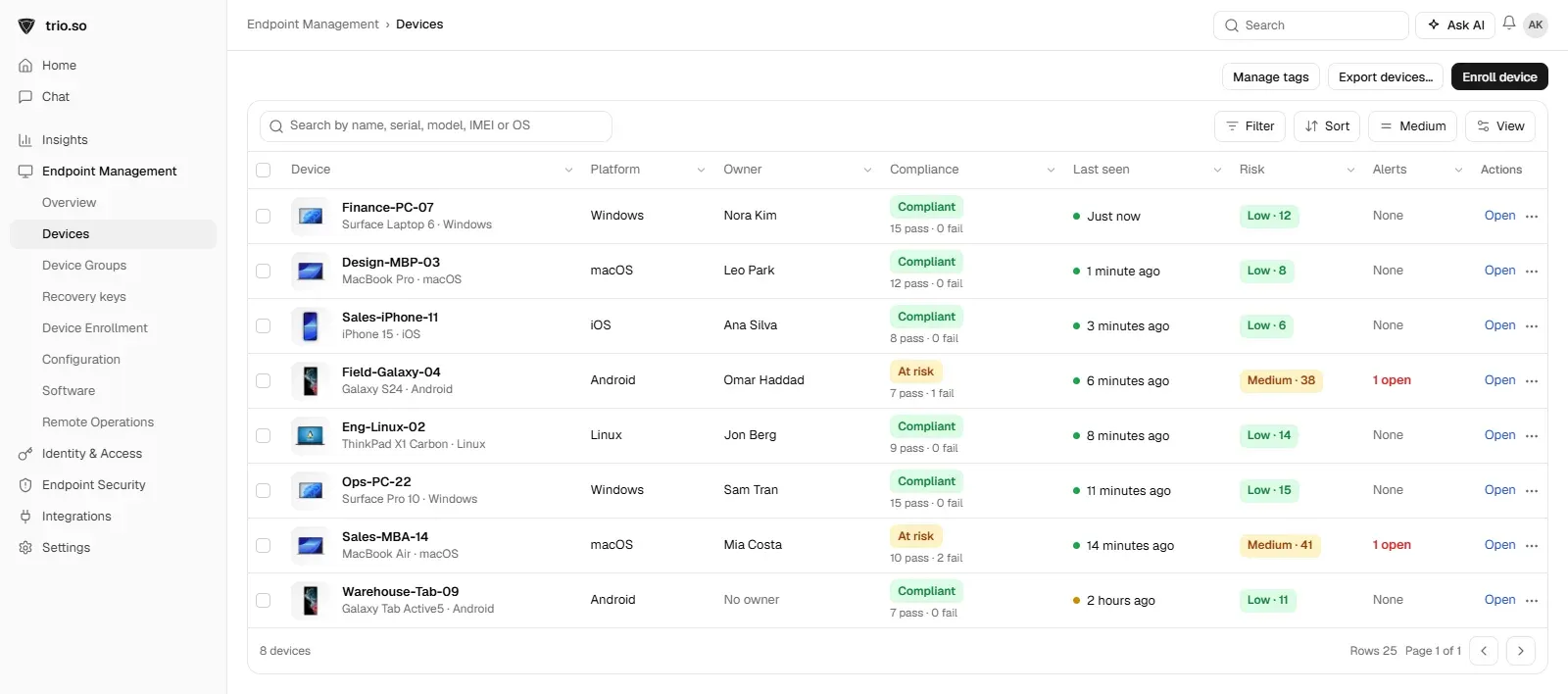
A terminated employee email policy makes every departure the same: access cut at the right moment, mail answered and handed to the right person, records kept for as long as they must be, and company email removed from every device. Write the steps down, agree the timing and retention with HR and legal, and record each step as you take it.
trio.so shows every device a leaver had and can lock or wipe company devices that are not returned.
trio.so brings device management, patching and security policies for Windows, macOS, Linux, iOS/iPadOS and Android into one console. Enroll a device and see it in the console within minutes.
trio.so brings device management, patching and security policies for Windows, macOS, Linux, iOS/iPadOS and Android into one console. Enroll a device and see it in the console within minutes.





Have questions? We've got answers. This section covers some of the most commonly asked questions related to this topic.
Related
The related industry news, interviews, technologies, and resources.
An employee equipment agreement template to copy, what each clause covers, how to handle returns and lost devices, and how IT keeps records matched.
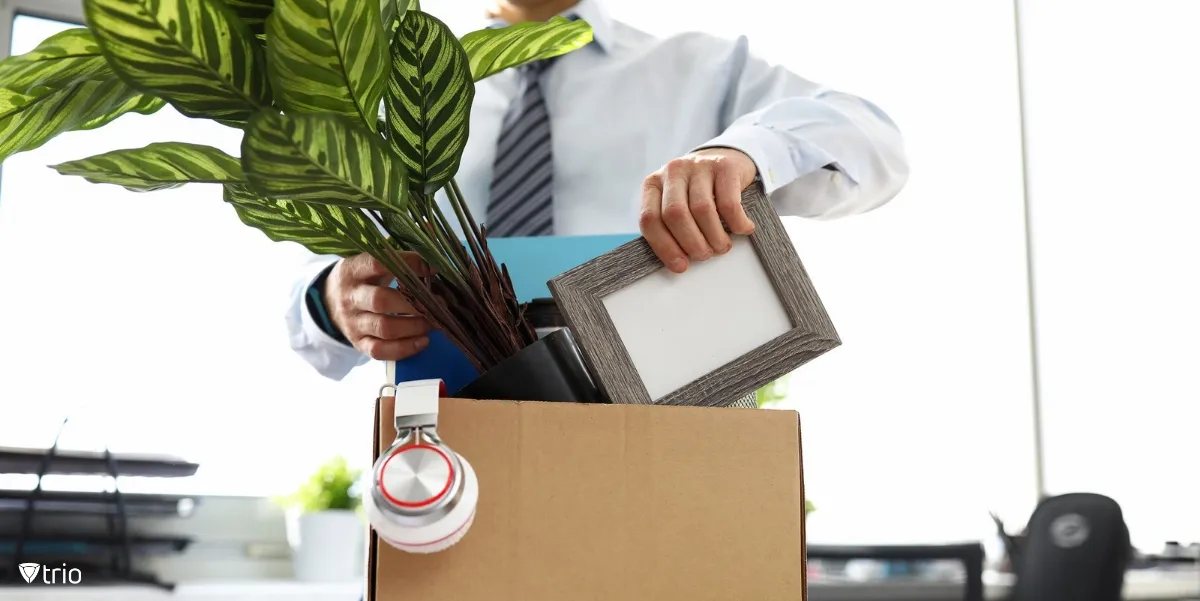
This article explores the importance and benefits of employee offboarding automation and provides a step-by-step guide to implement it.

Explore the importance of offboarding in organizations. Use this employee offboarding checklist to streamline the process.
Discover the benefits of employee onboarding automation! Streamline processes, boost productivity, and improve new hire experiences with trio.so.

Discover the benefits of effective new hire onboarding, along with practical tips to enhance organizational efficiency and security.
Mac vs PC cost for a business: purchase price, lifespan, maintenance, management and resale, compared with current figures and the costs people forget.
What device lifecycle management is, the five stages from purchase to retirement, what IT tracks at each, and how to handle devices for remote staff.
What device inventory management is, which fields to record for every laptop and phone, how to collect them automatically and keep the list current.
14-day free trial. No credit card required.
trio.so for MSPs: one console, separate clients