The Complete MDM-Friendly IT Health Check Template
Essential mobile device health check Template for SMBs. Learn security, performance, and compliance assessments to reduce risks and optimize productivity.
In today’s digital-first business environment, mobile devices have become vital assets for small and medium-sized businesses (SMBs). Smartphones, tablets, laptops, and other endpoints enable employees to work flexibly and efficiently, whether in the office, remotely, or on the go. However, managing the health of these devices—ensuring they are secure, performant, compliant, and up to date—can be a daunting task for SMBs with limited IT resources.
Regular Mobile Device Health Checks provide a structured way to assess and maintain your mobile fleet, helping you uncover vulnerabilities, optimize performance, ensure compliance, and protect business assets. This guide explains why device health matters for SMBs, key areas to monitor, and practical steps for effective health checks, including common challenges and how MDM solutions can help. We'll also explore remote work impacts, user behavior considerations, and share a real-world case study. As a bonus, we're including a free downloadable MDM-powered IT health check Template to help you implement these best practices immediately.
TL;DR
Essential yet vulnerable: Mobile devices require regular health checks to enhance security, performance, compliance and cost efficiency
Strategic integration: Essential for comprehensive risk management and business scalability
Future-ready: AI analytics and Zero Trust models are transforming mobile health management
Why SMBs Must Prioritize Mobile Device Health Checks
Cybersecurity threats, regulatory pressure, and operational demands affect businesses of all sizes, but SMBs often face unique challenges. Understanding why mobile device health checks are vital will help SMB leaders appreciate the need for proactive device management.
Increasing Cybersecurity Threats
SMBs are increasingly targeted by cybercriminals who recognize that smaller organizations typically have fewer defenses. Mobile devices are especially vulnerable since they often connect over unsecured networks, such as home Wi-Fi or public hotspots. Without regular health checks, devices may run outdated operating systems, lack essential security patches, or have insufficient encryption, creating easy entry points for hackers.
Data breaches not only cause immediate financial loss but can also damage your brand’s reputation and customer trust. Given the growing number of data privacy laws worldwide, such breaches may also trigger regulatory investigations and fines.
Growing Compliance Requirements
Many SMBs operate in industries that require adherence to standards such as GDPR (General Data Protection Regulation), HIPAA (Health Insurance Portability and Accountability Act), PCI-DSS (Payment Card Industry Data Security Standard), or sector-specific regulations. These rules mandate strict control over data accessed or stored on mobile devices.
Regular health checks verify that devices comply with such regulations—through encryption, access controls, audit logging, and other measures—helping you avoid costly penalties and maintain operational legitimacy.
Business Continuity and Productivity
Mobile device failures or security incidents can cause significant downtime, disrupting workflows and delaying critical business functions. Slow devices or frequent crashes frustrate employees and reduce productivity. By routinely assessing device health, SMBs can identify hardware degradation, app conflicts, or storage shortages early, addressing them before they impact users.
Cost Efficiency and Resource Optimization
Mobile devices represent a significant investment. Devices left unmanaged, running outdated software, or nearing end-of-life waste resources and can increase operational expenses. Health checks help SMBs make informed decisions about when to repair, replace, or reallocate devices, maximizing ROI.
Understanding the Scope of a Mobile Device Health Check for SMBs
SMBs often support a variety of devices from multiple manufacturers, running diverse operating systems like iOS, Android, Windows, or macOS. This device heterogeneity demands a flexible and comprehensive health check process tailored to your organization’s needs.
Your mobile device health check should cover:
Security: Verifying patch status, encryption, authentication, and malware defenses.
Performance: Monitoring battery health, storage capacity, app stability, and system responsiveness.
Compliance: Ensuring devices meet regulatory requirements and internal policies.
Backup and Recovery: Checking backup schedules, encryption, and data restoration capabilities.
Asset Management: Maintaining an up-to-date inventory of all devices, their status, and lifecycle.
Defining the scope at the outset will help you focus efforts on the highest-risk or highest-value assets and processes.
Key Areas to Assess During a Mobile Device Health Check
A thorough mobile device health check looks at several critical domains, each essential to maintaining a healthy mobile fleet.
Device Security
Security is paramount. Areas to assess include:
Operating System and Application Updates: Devices should run the latest OS versions and have current security patches installed to defend against vulnerabilities.
Antivirus/Endpoint Protection: Ensure that active, updated malware protection tools are installed on all devices.
Encryption: Data at rest (on the device) and in transit (over networks) must be encrypted to prevent unauthorized access.
Authentication Controls:Multi-factor authentication (MFA) and strong password policies reduce the risk of credential compromise.
Remote Wipe Capabilities: Devices should be remotely wipeable in the event of loss or theft to safeguard sensitive data.
Detection of Jailbroken/Rooted Devices: Devices that bypass manufacturer restrictions may be vulnerable and should be excluded from sensitive access.
Device Performance
Poor device performance impacts user productivity and satisfaction. Check for:
Battery Health: Batteries degrade with time, leading to unexpected shutdowns or reduced battery life. Devices with significantly deteriorated batteries should be flagged for replacement.
Storage Space: Devices with near-full storage tend to run slowly. Removing unnecessary apps and files helps maintain performance.
CPU and Memory Usage: Abnormal spikes or sustained high usage can indicate problematic apps or malware.
App Stability: Frequent crashes or hangs must be diagnosed and resolved promptly.
Compliance
Verify that devices adhere to industry and internal standards:
Access Controls: Limit data access to authorized users and devices only.
Audit Logging: Regularly review logs to detect unauthorized or suspicious activity.
Backup and Data Retention Policies: Confirm compliance with rules on data backup, retention periods, and secure deletion.
User Training Records: Document training and policy acknowledgments by users to support compliance audits.
Backup and Recovery
Data loss can be catastrophic. Ensure that:
Backups are Scheduled and Completed: Automated backup processes should run regularly without failure.
Backup Data is Secure: Backups should be encrypted and stored separately from the devices.
Restoration Tests are Performed: Regular tests validate that data can be restored quickly and fully when needed.
Asset Management
Know what devices you have and their status:
Device Inventory: Maintain an accurate record of all devices, including ownership, OS, serial numbers, and location.
Device Lifecycle Tracking: Track warranty and end-of-life dates to plan upgrades or replacements.
Unauthorized Device Detection: Identify and remove personal or unapproved devices from the corporate environment.
Practical Mobile Device Health Check Template for SMBs
Ensure nothing falls through the cracks with our comprehensive IT Health Check Template. This actionable resource includes:
Security assessment templates covering encryption, authentication, and malware protection
Performance monitoring guidelines for battery health, storage, and app stability
Compliance verification steps for GDPR, HIPAA, and industry-specific requirements
Backup and recovery testing procedures and validation checklists
Asset management tracking forms and lifecycle planning tools
Protect your SMB from costly device failures and security breaches.
How SMBs Can Conduct Mobile Device Health Checks Effectively
While many SMBs have small or no dedicated IT teams, health checks are still feasible and vital. Here’s how to implement them efficiently:
Step 1: Leverage Mobile Device Management (MDM) Solutions
Modern MDM platforms—such as Trio MDM—offer SMB-friendly features to automate much of the health check process, including:
Real-time visibility into device compliance and health.
Automated patch and app update deployment.
Security policy enforcement across devices.
Centralized reporting for easy audit preparation.
By using MDM, SMBs save time, reduce human error, and gain continuous monitoring without the need for large IT teams.
Step 2: Schedule Regular Reviews
Set quarterly or biannual health check cycles. Consistent schedules help catch emerging issues early and keep devices compliant.
Step 3: Educate Employees
User behavior affects device health. Regularly train employees on security best practices, safe app usage, recognizing phishing attempts, and reporting device problems promptly.
Step 4: Document and Prioritize Issues
Maintain a simple log of findings and remediation actions. Prioritize based on risk and operational impact to focus resources efficiently.
Common Mobile Device Challenges for SMBs and How to Overcome Them
Fragmented Device Ecosystem
SMBs often support mixed environments—iOS, Android, Windows devices from various vendors, which complicates uniform management. MDM solutions capable of cross-platform management help unify policies and simplify administration.
Limited IT Resources
Small IT teams or solo admins are common in SMBs. Automation via MDM, alongside outsourcing to managed service providers when needed, ensures device health without overwhelming staff.
Balancing Security and Usability
Strict security policies can frustrate users, leading to workarounds that undermine protection. Regular health checks allow SMBs to refine policies for security while maintaining user productivity.
Budget Constraints
Investing in new devices or security tools may be tough for SMBs. Health checks identify critical devices needing urgent replacement, helping allocate limited funds wisely.
Why Mobile Device Management Is a Game-Changer for SMBs
MDM platforms offer capabilities that make mobile device health management accessible and effective for SMBs:
Centralized Monitoring: One dashboard for all devices and their health status.
Automated Updates: Push OS and app updates without manual intervention.
Reporting: Generate reports for audits and internal reviews.
Asset Tracking: Maintain accurate device inventories and lifecycle information.
By automating routine checks and controls, MDM reduces operational overhead and improves security posture.
Impact of Remote Work on Mobile Device Health for SMBs
The shift to remote and hybrid work models has transformed mobile device management. Employees now connect from home or public locations, exposing devices to more varied and less secure networks. This environment increases risks of unauthorized access, data interception, and malware.
SMBs must:
Implement secure remote access solutions such as VPNs or zero-trust network access.
Enforce strict network access controls and device compliance policies.
Monitor devices continuously via MDM, regardless of location.
Provide clear training on secure home network setup, phishing avoidance, and device loss reporting.
Mobile device health checks should include assessments of remote device compliance and secure connectivity.
User Behavior and Its Role in Device Health
Even the best technology solutions can be undermined by risky user behavior. Common issues include:
Installing unauthorized or unsafe apps.
Ignoring OS or app update prompts.
Using weak or repeated passwords.
Connecting devices to insecure Wi-Fi networks.
Effective health checks therefore also evaluate user adherence to security policies and identify behavioral risks. Regular employee security awareness training reinforces responsible device use and reduces vulnerabilities.
Cost-Benefit Analysis of Investing in Mobile Device Health Management
Some SMBs hesitate to invest in mobile device management and health checks due to upfront costs. However, the hidden costs of neglecting device health are substantial:
Data Breach Consequences: Fines, remediation, lost business.
Downtime: Lost productivity and delayed projects.
Support Costs: Reactive troubleshooting and emergency fixes.
Device Replacement: Premature failures due to poor maintenance.
Conversely, SMBs investing in MDM and regular health checks have seen:
Reduced security incidents by up to 40%.
Lower IT support calls due to proactive issue detection.
Longer device lifespans and better resource utilization.
In short, mobile device health management pays for itself by preventing costly problems.
Integrating Mobile Device Health Checks with Overall IT Strategy
Mobile device health should be part of a broader IT governance and cybersecurity framework. Integration offers SMBs benefits like:
Holistic risk management covering endpoints, networks, and cloud services.
Simplified compliance reporting across multiple IT domains.
Better planning for IT investments aligned with business goals.
Aligning mobile device health checks with overall IT strategy helps SMBs scale securely and adapt to evolving threats.
Future Trends in Mobile Device Management and Health Checks
The field of mobile device management is rapidly evolving. SMBs can prepare for future innovations such as:
AI-Powered Threat Detection: Analyzing device behavior patterns to identify early anomalies.
Zero Trust Security Models: Continuous verification of device and user trustworthiness, regardless of network.
Automation & Self-Healing: Systems that automatically patch, remediate, or quarantine devices without manual input.
Unified Endpoint Management (UEM): Managing all endpoints—mobile, desktop, IoT—from a single platform.
Staying abreast of these trends will keep SMBs’ mobile security and health checks future-proof.
TrioMDM: Comprehensive Device Health Management for SMBs
TrioMDM simplifies mobile device health management for SMBs by combining automated monitoring, proactive remediation, and comprehensive reporting in a single, affordable platform. Designed specifically for resource-constrained organizations, TrioMDM delivers enterprise-grade capabilities without the complexity.
Automated health monitoring continuously tracks device security, performance, and compliance status across all endpoints
Proactive issue detection identifies potential problems before they impact productivity or security
One-click remediation enables quick fixes for common issues like patch updates, app management, and policy enforcement
Comprehensive reporting provides audit-ready documentation for compliance requirements and executive reviews
Ready to transform your device management from reactive to proactive?
Experience TrioMDM's comprehensive health monitoring automation with a free demo, then take advantage of our 14-day free trial to see how much healthier and more secure your mobile fleet can become.
Conclusion
Mobile devices are essential tools for SMBs but require consistent oversight to ensure security, performance, and compliance. Regular mobile device health checks uncover risks, prevent disruptions, and help optimize IT investments.
By leveraging affordable MDM solutions and adopting proactive health check routines, SMBs can safeguard sensitive data, empower employees, and build resilient IT environments. Integrating these practices within a broader IT strategy prepares SMBs for growth and evolving cyber threats.
Taking the first step toward a structured mobile device health check program is an investment in your SMB’s future success.
Every organization today needs a solution to automate time-consuming tasks and strengthen security. Without the right tools, manual processes drain resources and leave gaps in protection. trio.so is designed to solve this problem, automating key tasks, boosting security, and ensuring compliance with ease.
Don't let inefficiencies hold you back.
Every organization today needs a solution to automate time-consuming tasks and strengthen security. Without the right tools, manual processes drain resources and leave gaps in protection. trio.so is designed to solve this problem, automating key tasks, boosting security, and ensuring compliance with ease.
A NIST 800-171 compliance checklist with all 110 Rev. 2 requirements, their SPRS points, Rev. 3 changes, CMMC status and a self-assessment guide. Free Excel.
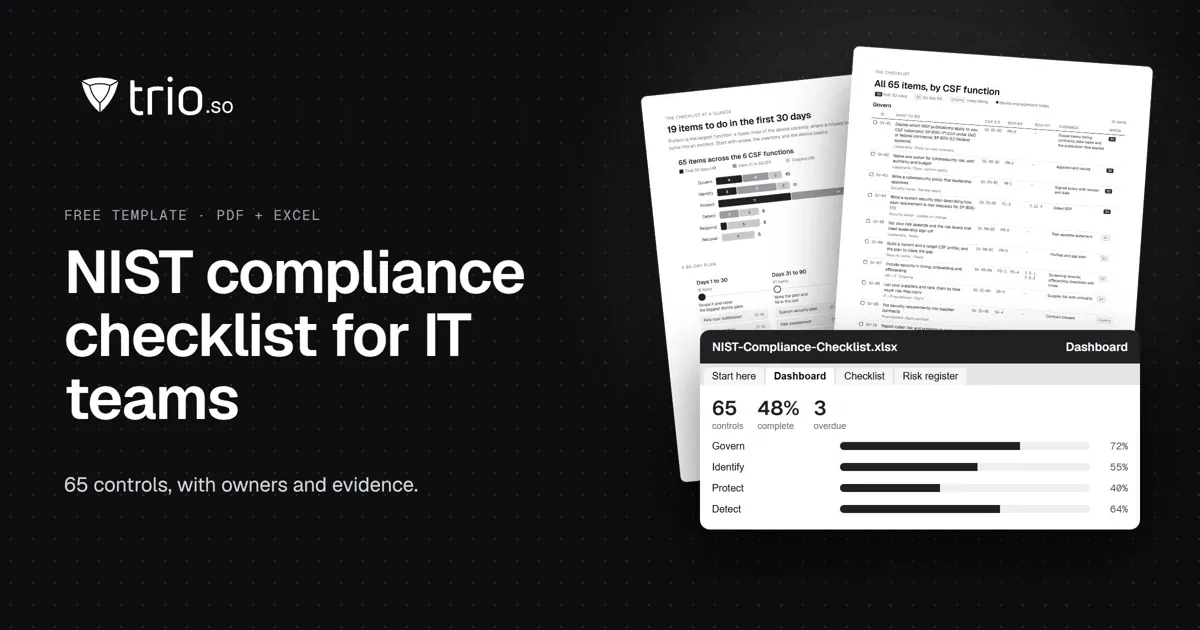
A NIST compliance checklist for IT teams: 65 controls by CSF 2.0 function, mapped to SP 800-53 and 800-171, with an SPRS calculator. Free PDF and Excel.
Feeling overwhelmed by CCPA? Use this comprehensive CCPA Compliance Checklist to secure customer data on mobile devices. Discover how MDM simplifies compliance.