



MSP
MSP vs MSSP: What Each Does, Where They Overlap, and When an MSP Adds Security
MSP vs MSSP in plain terms: what each delivers, where patching and endpoint security overlap, and when an MSP should partner for MDR or build.
Best RMM software for MSPs in 2026, compared on multi-tenancy, Mac and Linux coverage, patching, remote access and pricing.

Content writer, trio.so
The best RMM software for an MSP depends on three things: which operating systems your clients run, how many devices you manage per client, and whether you pay per device or per technician. No tool wins on all three. A Windows-only shop with 20 clients and a mixed Mac, iPhone and Linux shop need different answers.
This post compares the RMM tools MSPs shortlist most often on multi-tenancy, platform coverage, patching, remote access and pricing, and says where an RMM stops. We make trio.so, which includes RMM functions and device management, so we say where we fit and where we do not.
Many "best RMM" lists rank by feature count. An MSP owner cares about five narrower questions:
We used each vendor's own pricing page where it loaded and a trade-press comparison updated in October 2026. Where a source does not state a fact, the table says so instead of guessing. Vendors change prices and features often, so confirm on their pages before you buy.
| Tool | Pricing model, as published | Platforms, as stated by the sources we checked | What to confirm in a trial |
|---|---|---|---|
| NinjaOne | Per device. Its pricing page cites $3.75 per device per month at 50 or fewer endpoints and as low as $1.50 at 10,000 endpoints. Full pricing by quote (checked 5 Nov 2026). | Windows, macOS and Linux (Channel Insider, 6 Oct 2026) | Mobile device management depth, per-client roles, what the quote adds. |
| Atera | MSP plan starts at $129 per technician per month, billed annually (Channel Insider, 6 Oct 2026). A technician-based model. | Not specified in that source | Whether the per-technician price holds as your device count grows. |
| Datto RMM | Quote only. A 14-day trial is listed (Channel Insider, 6 Oct 2026). | Not specified in that source | Non-Windows coverage, patching of third party apps. |
| ConnectWise RMM | Quote only, three packages (Channel Insider, 6 Oct 2026). | Not specified in that source | Which package includes remote access and patching. |
| Pulseway | Per device, quote required (Channel Insider, 6 Oct 2026). | Not specified in that source | Mobile app scope versus managing client mobile devices. |
| trio.so | Plans start at $5 per device. MSP quotes are set with sales. | Windows, macOS, Linux, iOS/iPadOS and Android | Not a PSA and not a backup tool. |
"Not specified" means the source we checked did not say, not that the tool lacks support. Ask every vendor to enroll a Mac, an iPhone and a Linux machine live in a trial rather than send a feature list.
Treat these as a starting point for trials, not a ranking.
An RMM runs an agent on a computer. It monitors, runs scripts, gives remote access and installs updates. That model is strongest on Windows. A Mac, an iPhone or an Android phone is managed through the interfaces Apple and Google provide: enrollment, configuration profiles, restrictions and remote wipe. That job is mobile device management (MDM), or unified endpoint management (UEM).
If every client device is a Windows PC, an RMM is enough. If a client has MacBooks, iPhones, Android tablets or Linux workstations, an RMM alone often leaves you able to see them but not to configure, restrict or wipe them in a controlled way. Many MSPs close that gap with a second tool. Ask each RMM vendor three questions. Can it enroll an iPhone through Apple Business (formerly Apple Business Manager) with Automated Device Enrollment? Can it enforce a passcode and encryption policy on Android? What can it do on Linux beyond a remote session?
For the generic comparison, read RMM vs MDM. For how the device layer works across clients, see MDM for MSPs.
Windows updates are the easy half. The harder half is third party applications and deciding what to patch first. Ask how each tool handles four things: third party app coverage, a view per client rather than one flat list, reporting you can hand to a client, and a way to rank findings by risk, for example by CVSS score, EPSS probability or presence in the CISA Known Exploited Vulnerabilities catalog.
trio.so patches devices and surfaces CVE findings with CVSS, EPSS and KEV data. It has no patch rings and no rollback, so check that against how you stage updates today.
Per-device pricing scales with the client. Your cost rises when a client hires, and so does your invoice if you bill per device. Per-technician pricing stays flat as fleets grow, which helps when you add devices and hurts when you add technicians. Quote-only pricing can be fine, but you can only compare it after a sales call.
Do the sum for a typical client, not a list price. Take a 30-device client and a 300-device client, add the RMM, remote access, patching and anything you buy to cover Macs and mobiles, and compare the per-device total. The cheapest line item is rarely the cheapest stack.
For a generic checklist outside the MSP context, see how to choose RMM tools.
trio.so is a multi-client console where each client's devices, users and policies stay separate. It manages Windows, macOS, Linux, iOS/iPadOS and Android, and includes remote desktop, terminal and task manager in every plan. It is not a PSA, so ticketing and billing stay in your current tool. Plans start at $5 per device. See pricing. MSP quotes are set with sales.
Start free trial or Book a demo. 14-day free trial. No credit card required.
If you are weighing a move away from NinjaOne, read NinjaOne alternatives.
trio.so brings device management, patching and security policies for Windows, macOS, Linux, iOS/iPadOS and Android into one console. Enroll a device and see it in the console within minutes.
trio.so brings device management, patching and security policies for Windows, macOS, Linux, iOS/iPadOS and Android into one console. Enroll a device and see it in the console within minutes.





Related
The related industry news, interviews, technologies, and resources.
MSP vs MSSP in plain terms: what each delivers, where patching and endpoint security overlap, and when an MSP should partner for MDR or build.
Co-managed IT explained: who does what, how to split roles between internal IT and an MSP, and how to give both access to one device console.
The MSP software stack by job in 2026: RMM, PSA, MDM, patching, backup, security. What each covers, where RMM stops, and how to evaluate.
What is an MSP? A managed service provider runs a business's IT for a monthly fee. Here is what MSPs do, how they charge and how to choose one.
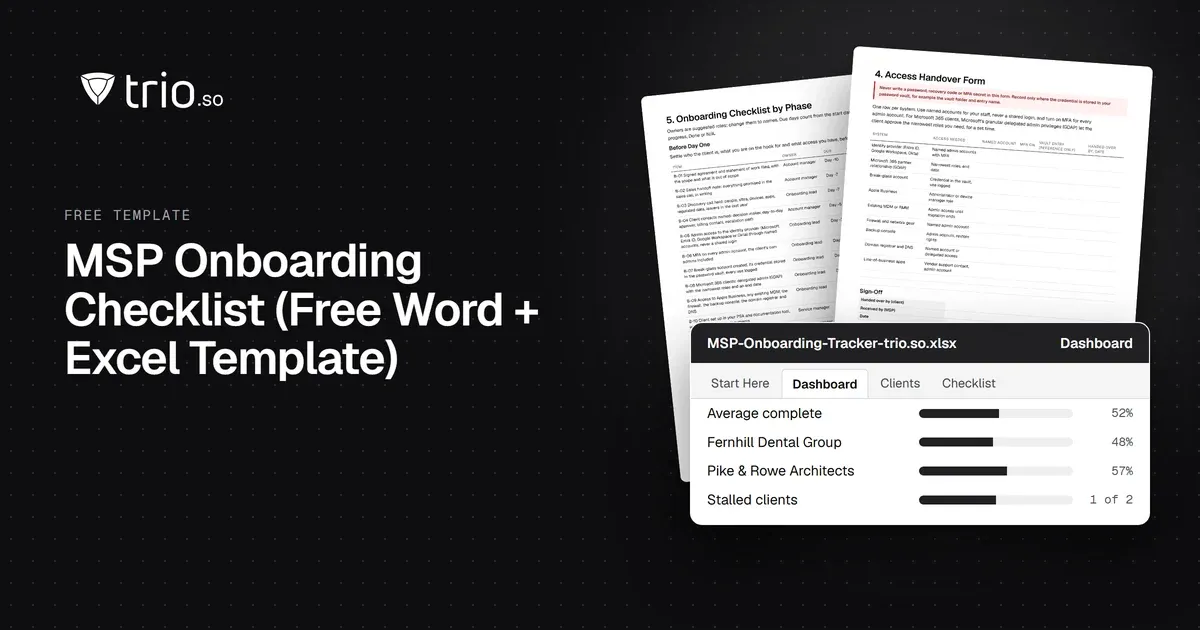
Free MSP onboarding checklist in Word, Excel and PDF: access handover, inventory, enrollment, baseline policies, a security check and offboarding.
NIS2 covers managed service providers across the EU. See when it applies to your MSP, what Germany's law says, and what clients will ask you to show.
The MSP security stack in 2026: the layers to cover, the tool category in each, and what clients now expect you to show. Start with endpoints and identity.
14-day free trial. No credit card required.
trio.so for MSPs: one console, separate clients