



MSP
What Is an MSP? Managed Service Providers Explained
What is an MSP? A managed service provider runs a business's IT for a monthly fee. Here is what MSPs do, how they charge and how to choose one.
The MSP software stack by job in 2026: RMM, PSA, MDM, patching, backup, security. What each covers, where RMM stops, and how to evaluate.

Content writer, trio.so
MSP software is the set of tools a managed service provider uses to run clients' IT: a remote monitoring and management tool (RMM) and a professional services automation tool (PSA) at the core, plus tools for device management, patching, backup, documentation and security. Most MSPs need six or seven jobs covered, usually with fewer vendors than that.
If you run an MSP and are choosing, replacing or trimming a stack, this post maps each job to what it does and to example tools, shows where an RMM stops, and lists what to check before you sign. We make trio.so, which covers the device management job, so we say where we fit and where we do not.
Vendors sell "MSP software" as one thing. In practice it is a list of jobs, and one product can cover several of them. Start from the job, then decide which product does it.
| Job | What it does | Example tools | What to check |
|---|---|---|---|
| RMM | Monitors endpoints, runs scripts, gives remote access, applies updates on Windows. | NinjaOne, Datto RMM, N-able N-central, Atera | Which operating systems it manages natively, not just "supports". |
| PSA | Tickets, time tracking, contracts and billing. | ConnectWise PSA, Autotask, HaloPSA | Whether it syncs devices and alerts from your RMM, and how it bills per device. |
| Device management (MDM and UEM) | Enrolls and configures Macs, iPhones, iPads, Android devices and Linux machines, and enforces settings. | Jamf, Microsoft Intune, trio.so | Per-client separation, enrollment routes, platform coverage. |
| Patching | Finds missing OS and third party updates and installs them. | Often built into the RMM; Action1, Automox | Third party app coverage, reporting per device. |
| Backup | Copies client data so it can be restored. | Acronis, Veeam, Datto SaaS Protection | Restore testing, retention, which workloads it covers (endpoints, Microsoft 365, servers). |
| Documentation | Stores passwords, network maps and procedures. | IT Glue, Hudu | Who can see which client's records. |
| Security | Endpoint protection, email filtering, identity protection. | Huntress, SentinelOne, Bitdefender GravityZone | Number of consoles you need to watch. |
Most guides start with remote monitoring and management (RMM) and professional services automation (PSA). The rest fill gaps those two leave. The tools listed are examples, not a ranking or an endorsement, and many vendors sell more than one job. Each job has its own post in this series; this one stays at the overview level.
Every extra tool has a license, a login, an integration to maintain and a place where data can disagree with another tool. That cost lands on your margin, not on the client's invoice.
Security shows it most clearly. In Cynet's Managed Security Snapshot 2025 (July 2025), a survey of 200 cybersecurity leaders at US MSPs with 5 to 100 staff, most respondents said they use four security tools from four vendors. Cynet sells an all-in-one security platform, so it has a stake in that finding. Check the number against your own stack.
The same effect shows up outside security. If a technician spends half an hour a day moving data between tools, that is billable time gone. Syncro, which sells MSP software, gives an illustration: three technicians losing 30 minutes a day moving data between tools is about 31 hours of billable time a month (Syncro, October 2026). It is a hypothetical. Check it against your own timesheets.
Many RMMs grew up managing Windows. They run an agent, execute scripts and push updates, and they do that well. A Mac, an iPhone or an Android phone is managed differently: through the management interfaces Apple and Google provide, with enrollment, configuration profiles and restrictions rather than scripts.
Clients now bring all of them. A law firm with Windows desktops also has partners on MacBooks and iPhones. A clinic has Android tablets. A design studio runs Linux workstations. If your RMM only treats those as monitored machines, you can see them but not configure, restrict or wipe them in a controlled way.
That gap is the device management job, usually called MDM or UEM. MSPs fill it with a separate tool, or with a workaround, or they leave non-Windows devices unmanaged. Ask any RMM vendor three specific questions: can it enroll an iPhone through Apple Business (formerly Apple Business Manager) and Automated Device Enrollment, can it apply a passcode and encryption policy to an Android phone, and can it do anything beyond remote access on Linux. See MDM for MSPs for how that layer works across clients.
An MSP tool has to hold many clients without mixing them. Check three things:
Identity matters too. If your clients use Microsoft 365, read how multi-tenant Active Directory works, because each client's users usually come from their own directory.
An all-in-one platform means one login, one bill and one vendor to call. The cost is that some modules are weaker than a specialist's product, and leaving means replacing everything at once.
Best of breed gives you the strongest tool for each job. The cost is the integration work above, and a bill that grows with every new category. Many MSPs end up in the middle: a core RMM and PSA pair, plus a few specialist tools where the all-in-one is weak, such as backup and security.
Buy a specialist where a failure is expensive (backup, security), and consolidate where the work is repetitive (device management, patching, remote access). We sell in that second group, so weigh our view accordingly. If you are weighing a switch, NinjaOne alternatives compares the options around one RMM in detail.
You do not have to replace everything on one weekend. Move one job at a time, starting where you have the biggest gap or the most overlap.
trio.so covers the device layer for every client in one console: device management for Windows, macOS, Linux, iOS and iPadOS, and Android, patching, and remote desktop and terminal. Each client's devices, users and policies stay separate. It does not replace a PSA, so ticketing and billing stay in your current tool, and it does not back up client data itself. It connects to Acronis for backup. Plans start at $5 per device. See pricing. MSP quotes are set with sales.
Start free trial or Book a demo. For the wider picture, read managed IT services and what an MSP does.
trio.so brings device management, patching and security policies for Windows, macOS, Linux, iOS/iPadOS and Android into one console. Enroll a device and see it in the console within minutes.
trio.so brings device management, patching and security policies for Windows, macOS, Linux, iOS/iPadOS and Android into one console. Enroll a device and see it in the console within minutes.





Related
The related industry news, interviews, technologies, and resources.
What is an MSP? A managed service provider runs a business's IT for a monthly fee. Here is what MSPs do, how they charge and how to choose one.
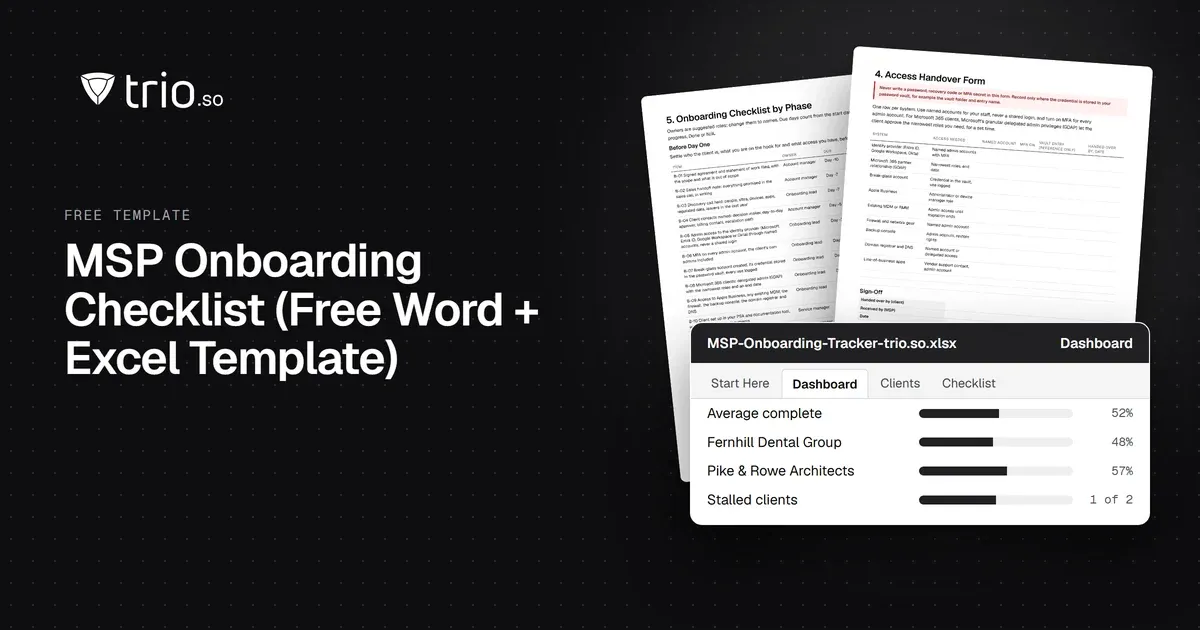
Free MSP onboarding checklist in Word, Excel and PDF: access handover, inventory, enrollment, baseline policies, a security check and offboarding.
NIS2 covers managed service providers across the EU. See when it applies to your MSP, what Germany's law says, and what clients will ask you to show.
The MSP security stack in 2026: the layers to cover, the tool category in each, and what clients now expect you to show. Start with endpoints and identity.
Best RMM software for MSPs in 2026, compared on multi-tenancy, Mac and Linux coverage, patching, remote access and pricing.
MSP vs MSSP in plain terms: what each delivers, where patching and endpoint security overlap, and when an MSP should partner for MDR or build.
Co-managed IT explained: who does what, how to split roles between internal IT and an MSP, and how to give both access to one device console.
14-day free trial. No credit card required.
trio.so for MSPs: one console, separate clients