



MSP
MSP Software: The 2026 Tool Stack by Job
The MSP software stack by job in 2026: RMM, PSA, MDM, patching, backup, security. What each covers, where RMM stops, and how to evaluate.
Co-managed IT explained: who does what, how to split roles between internal IT and an MSP, and how to give both access to one device console.

Content writer, trio.so
Co-managed IT is a service model where a company keeps its own IT staff and also hires a managed service provider (MSP) to share the work. Internal IT keeps the work that depends on knowing the business. The MSP takes the tasks that need extra hands, tooling that runs outside office hours or skills the team lacks. The model only works when both sides agree who does what, and when both can see and change the same devices.
If you are internal IT sizing up an MSP, or an MSP pitching to a company that already has IT staff, start with the responsibility table and the section on shared console access.
Datto describes co-managed IT as a model that combines an internal IT department with an MSP, where the two teams "divide their roles and responsibilities based on technology, skill gaps or expertise" (Datto, June 2023). Co-managed IT services are the same arrangement sold as a contract: the MSP agrees to a defined list of services and the internal team covers the rest.
Two points set it apart from other setups. The MSP's duties are limited to what the agreement lists, so anything not written down stays with internal IT. And internal IT stays in charge of the relationship with the business: the MSP supports the team, it does not replace it.
| In-house IT | Fully managed IT | Co-managed IT | |
|---|---|---|---|
| Who runs IT | Your own staff | The MSP | Your staff and the MSP, by agreement |
| Who answers users | Your help desk | The MSP's help desk | Either, depending on the split |
| Who owns strategy | Your IT lead | Mostly the MSP | Your IT lead |
| Works best when | You have enough people and skills | You have little or no IT staff | You have a team that is stretched or missing skills |
For the MSP side of the picture, see our guide to managed IT services.
There is no standard split. Providers describe the same pattern, though: the MSP takes infrastructure and routine work, and internal IT keeps end-user support and anything specific to the business. VC3 puts it this way: the MSP will "monitor, maintain, and patch your server and network," which "frees up your internal IT experts to focus on supporting your end users" (VC3, September 2021). Datto notes that some companies outsource only the help desk, and others only network and security monitoring.
A starting point to adjust, not a rule:
| Task | Usually internal IT | Usually the MSP |
|---|---|---|
| Onboarding and offboarding people | Decides who gets what access | Runs the steps if asked |
| First-line help desk | Common when the team is big enough | Common for after-hours and overflow |
| Device enrollment and policies | Sets the standard | Applies and maintains it |
| Patching | Approves exceptions | Runs the schedule and reports |
| Security monitoring | Owns risk decisions | Watches and escalates, if the contract includes it |
| Vendor and budget decisions | Owns | Advises |
This table is our judgment from how these agreements are usually written, not a figure from a survey. Whatever you choose, write it down per task, and name one owner for each.
Most friction comes from the gaps between the two teams, not from the split itself. Three things to agree before the contract starts:
Write these down in the agreement. Review them every quarter, because the split that fit a 60 person company will not fit a 200 person one.
The tooling question is the one most guides skip. If internal IT and the MSP each use their own device management tool, devices end up with two sets of policies and nobody knows which one applied. The cleaner setup is one console both teams sign in to, with access set per person.
trio.so is a device management console for Windows, macOS, Linux, iOS and Android. In trio.so, IT staff sign in with built-in or custom roles. That lets you give the MSP's technicians the access their part of the work needs and keep other settings with your own team. For an MSP that serves many companies, trio.so manages several client companies from one console, with each client's devices, users and policies kept separate. You can export the console's member list to CSV (name, email, status, roles and last-active date), which makes a quarterly access review a short job: check that every MSP technician still working with you is on the list, and remove those who are not.
Questions to settle for any shared console, whichever tool you use:
It fits when you have a small team that cannot cover every hour or every skill, when you have projects that would stall without extra capacity, or when you want the MSP's tools without giving up control. It fits less well when there is no internal IT lead to own the relationship, because then the MSP fills the gap and you are paying for fully managed IT but expecting a shared setup. It also fits poorly when the MSP will not agree to written scope.
Sources vary on cost, and several MSP pages quote savings without showing where the figure comes from, so treat any such number as a sales claim until the provider shows its basis.
Every organization today needs a solution to automate time-consuming tasks and strengthen security. Without the right tools, manual processes drain resources and leave gaps in protection. trio.so is designed to solve this problem, automating key tasks, boosting security, and ensuring compliance with ease.
Every organization today needs a solution to automate time-consuming tasks and strengthen security. Without the right tools, manual processes drain resources and leave gaps in protection. trio.so is designed to solve this problem, automating key tasks, boosting security, and ensuring compliance with ease.





Related
The related industry news, interviews, technologies, and resources.
The MSP software stack by job in 2026: RMM, PSA, MDM, patching, backup, security. What each covers, where RMM stops, and how to evaluate.
What is an MSP? A managed service provider runs a business's IT for a monthly fee. Here is what MSPs do, how they charge and how to choose one.
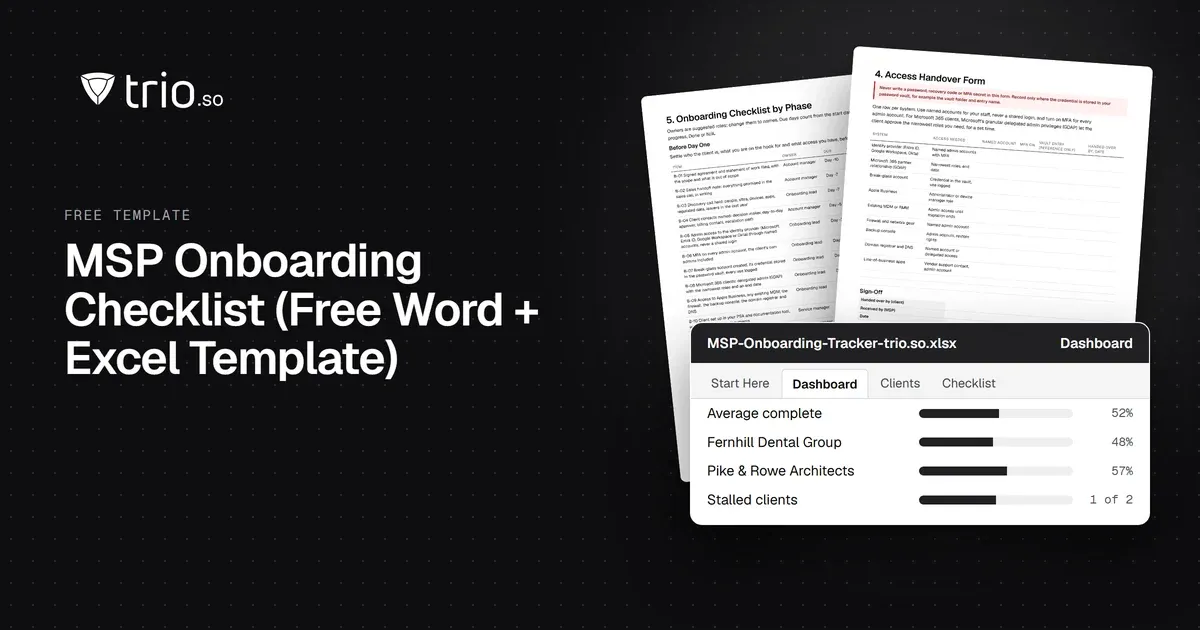
Free MSP onboarding checklist in Word, Excel and PDF: access handover, inventory, enrollment, baseline policies, a security check and offboarding.
NIS2 covers managed service providers across the EU. See when it applies to your MSP, what Germany's law says, and what clients will ask you to show.
The MSP security stack in 2026: the layers to cover, the tool category in each, and what clients now expect you to show. Start with endpoints and identity.
Best RMM software for MSPs in 2026, compared on multi-tenancy, Mac and Linux coverage, patching, remote access and pricing.
MSP vs MSSP in plain terms: what each delivers, where patching and endpoint security overlap, and when an MSP should partner for MDR or build.
14-day free trial. No credit card required.
trio.so for MSPs: one console, separate clients