



MSP
Best RMM Software for MSPs (2026): Tools Compared
Best RMM software for MSPs in 2026, compared on multi-tenancy, Mac and Linux coverage, patching, remote access and pricing.
The MSP security stack in 2026: the layers to cover, the tool category in each, and what clients now expect you to show. Start with endpoints and identity.

Content writer, trio.so
A working MSP security stack covers six layers: identity, endpoints, email, network, backup and recovery, and monitoring and response. Endpoint management and patching sit underneath the rest, because every other control assumes the devices are known, current and configured the way you think they are. Most small MSPs do not need all six layers at full depth on day one. They need the first three solid, the backup tested, and a clear answer to who watches the alerts.
This guide is for MSP owners and MSSP leads who are building or auditing a stack. It maps each layer to the tool category you buy, shows what a client can verify, and ends with a minimum stack for a ten client MSP.
An MSP security stack is the set of tools and routines you run across every client to prevent, detect and recover from attacks. It is different from the security product a single company buys for itself. You run the stack for many tenants, with one team, so each tool has to separate clients cleanly, report per client and keep working when you add the next ten.
The stack also protects you. The Huntress MSP guide says the stack has to protect the MSP itself: secure your own management tools, separate customer access and avoid one highly privileged account that administers every customer (Huntress, MSP security stack guide, read 5 Nov 2026). An attacker who gets into your remote management tool reaches every client at once.
| Layer | What it stops | Tool category | What a client can verify |
|---|---|---|---|
| Identity and access | Stolen passwords, shared admin accounts | MFA, single sign on, password manager, privileged access controls | MFA coverage by user, list of admin accounts |
| Endpoints | Unpatched software, lost devices, unmanaged laptops | Endpoint management, patching, encryption enforcement, endpoint detection and response (EDR) | Patch status, encryption status, device list |
| Phishing, spoofed domains | Email filtering, SPF, DKIM and DMARC, awareness training | DMARC policy, training completion | |
| Network | Open ports, untrusted devices on the office network | Firewall, DNS filtering, Wi-Fi controls | Firewall rule review, network diagram |
| Backup and recovery | Ransomware, accidental deletion | Isolated, tested backups for servers, SaaS and key endpoints | Last successful restore test |
| Monitoring and response | Attacks that get past prevention | EDR alerts, log collection, a team that responds | Alert and response records |
The order matters. The Huntress guide sequences the work the same way: lock down identity first, then secure endpoints, then protect your own management tools, then build visibility and recovery.
Start with multifactor authentication on every account that can reach client data: email, remote access, admin consoles and your own management tools. Guides to 2026 cyber insurance underwriting list MFA on email, remote access and privileged accounts as a core expectation (for example Cyber Advisors, "Cyber Insurance in 2026: The Controls Underwriters Expect").
Then reduce shared and standing privilege. Give each technician a named account, keep client administrator accounts separate from your own, and review who holds admin rights each quarter. Single sign on helps because one identity provider becomes the place where access is granted and removed.
Endpoints are where most MSP work happens and where a client's audit evidence comes from. Four controls do most of the work.
trio.so covers the management side of this layer. It handles OS updates through Auto Patch policies and third party fixes through remediation plans, and shows the result for each device. Patch findings carry CVSS, EPSS and CISA KEV data, and each device gets a risk score from 0 to 100 based on its open vulnerability findings. It enforces encryption on laptops and phones, blocks USB storage on Windows and Linux, and shows Defender for Endpoint devices and alerts per device. trio.so is not an EDR product, so you still buy detection from a vendor built for it. Evidence packages export from the console when a client or auditor asks.
Email is still where many attacks begin. Configure SPF, DKIM and DMARC for your own domain and for every client domain you manage, and monitor the reports (Huntress, read 5 Nov 2026). Pair a filtering service with short, regular awareness training.
On the network, the baseline is a managed firewall, DNS filtering and separate guest and device networks. Keep it simple enough that every client gets the same design.
For backup, the test matters more than the product. Insurance readiness checklists commonly ask for backups that are isolated from production credentials and restore-tested. A backup you have never restored is a hope, not a control. Record the date of each restore test per client.
These three layers are almost always bought from specialist vendors. Pick one product per layer, standardise it across clients and avoid per client exceptions.
This is the layer that separates a managed IT provider from a managed security provider. Someone has to receive alerts, decide what they mean and act. You can build that team, buy it from a managed detection and response (MDR) provider, or partner with an MSSP. Whichever you choose, write down who responds, to which alerts and within what scope, and put it in the client agreement. For the difference between provider types, see what a managed security service provider is.
Clients meet your security work through two doors: the cyber insurance questionnaire, and the framework or contract that applies to their industry.
Insurance applications ask a familiar handful of questions: MFA coverage, endpoint protection, tested backups, patching and an incident response plan. Thresholds differ by carrier, and many published checklists come from brokers and vendors rather than insurers, so check the client's own application before you promise anything.
Frameworks add evidence requirements: lists of devices, patch history, encryption status and access reviews. Regulated clients will ask for these in writing. A stack that produces the evidence as a byproduct of normal operation saves you a scramble at every renewal and audit.
Everything else, such as SIEM, a dedicated security operations team or identity threat detection, can come as the client count and the contracts justify it.
The endpoint layer is the one you touch every day, so it pays to run it from one place. trio.so is a unified agentic IT management platform for Windows, macOS, Linux, iOS/iPadOS and Android. Its multi client console keeps each client's devices, users and policies separate, so you set patch and encryption policy per client and report per client. See MDM for MSPs for how it works, or read the wider MSP software overview for the other tool categories. If you are new to the business model, start with what an MSP is. Plans start at $5 per device.
Every organization today needs a solution to automate time-consuming tasks and strengthen security. Without the right tools, manual processes drain resources and leave gaps in protection. trio.so is designed to solve this problem, automating key tasks, boosting security, and ensuring compliance with ease.
Every organization today needs a solution to automate time-consuming tasks and strengthen security. Without the right tools, manual processes drain resources and leave gaps in protection. trio.so is designed to solve this problem, automating key tasks, boosting security, and ensuring compliance with ease.





Related
The related industry news, interviews, technologies, and resources.
Best RMM software for MSPs in 2026, compared on multi-tenancy, Mac and Linux coverage, patching, remote access and pricing.
MSP vs MSSP in plain terms: what each delivers, where patching and endpoint security overlap, and when an MSP should partner for MDR or build.
Co-managed IT explained: who does what, how to split roles between internal IT and an MSP, and how to give both access to one device console.
The MSP software stack by job in 2026: RMM, PSA, MDM, patching, backup, security. What each covers, where RMM stops, and how to evaluate.
What is an MSP? A managed service provider runs a business's IT for a monthly fee. Here is what MSPs do, how they charge and how to choose one.
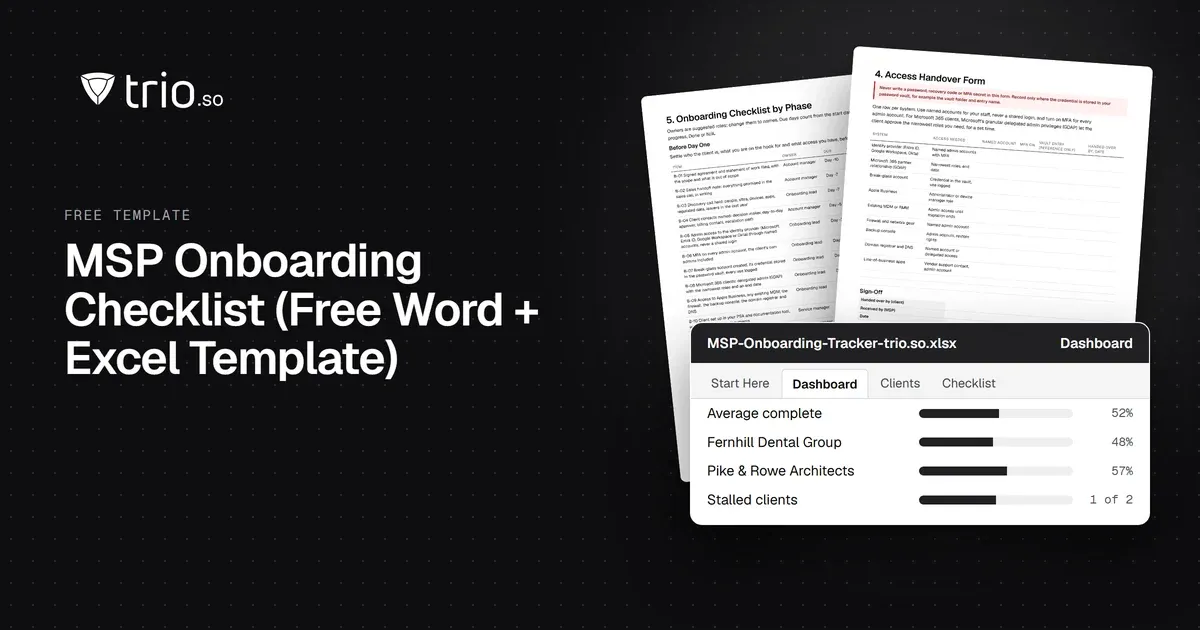
Free MSP onboarding checklist in Word, Excel and PDF: access handover, inventory, enrollment, baseline policies, a security check and offboarding.
NIS2 covers managed service providers across the EU. See when it applies to your MSP, what Germany's law says, and what clients will ask you to show.
14-day free trial. No credit card required.
trio.so for MSPs: one console, separate clients