



Templates
How to Align Our Free SLA Template to Your IT Department
Create an effective Service Level Agreement (SLA) template to ensure a clear and mutually beneficial service relationship between providers and clients.
Free access control policy template with joiner, mover and leaver steps, an RBAC matrix, privileged access rules and ISO 27001 and NIST mapping.

Content writer, trio.so
An access control policy is the written set of rules for who may use your organization's systems and data, how that access is requested, approved, granted, reviewed and removed, and how people prove who they are when they sign in. It turns "IT knows who has access" into rules you can check.
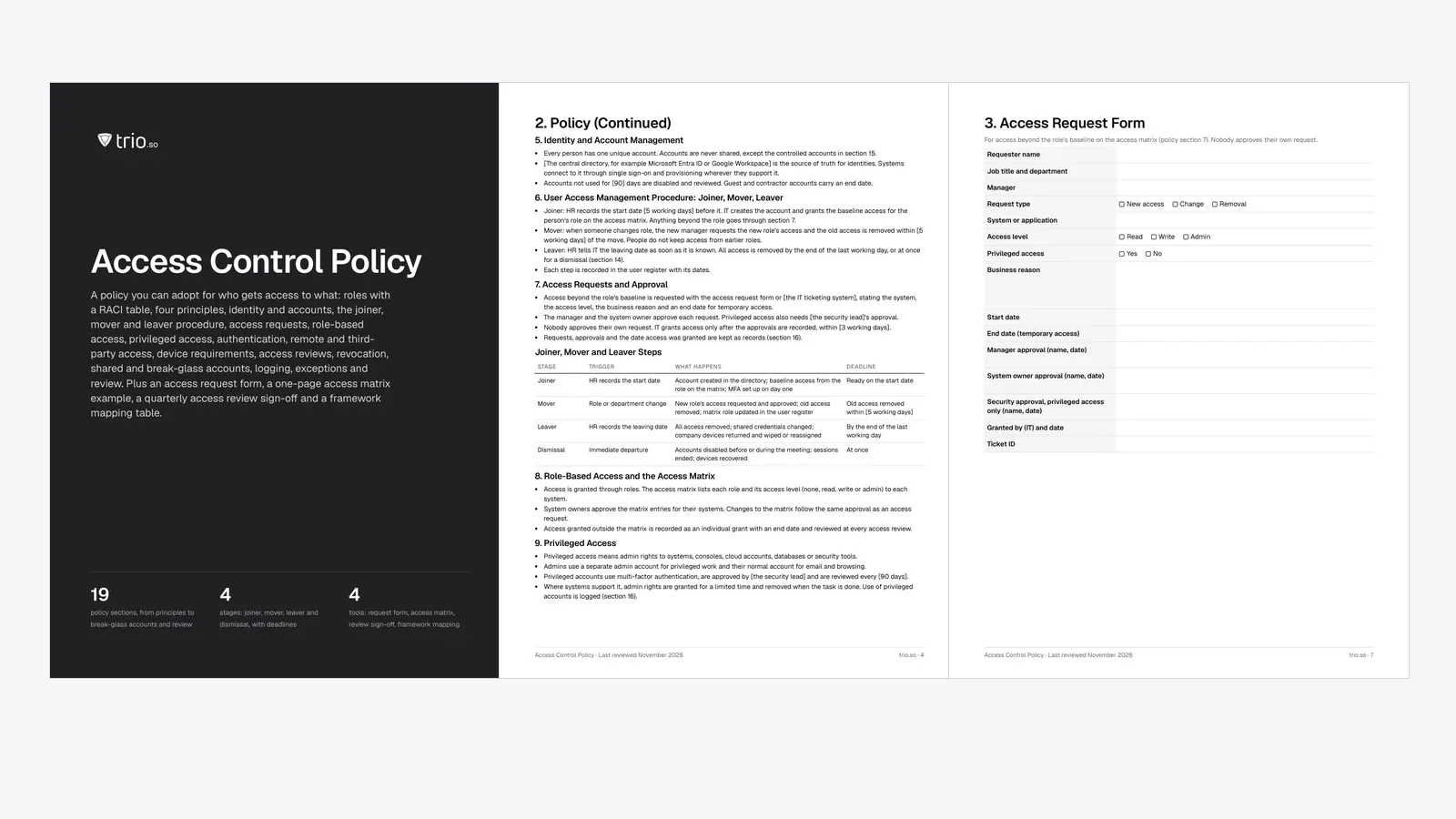
This free template gives you a ready policy in Word and PDF with sample wording for every section: principles, identity and accounts, the joiner, mover and leaver procedure, access requests, role-based access, privileged access, authentication, remote and third-party access, device requirements, access reviews, revocation, shared and break-glass accounts, logging, exceptions and review. It comes with an access request form, a one-page access matrix example, a quarterly review sign-off, a framework mapping to ISO 27001, NIST SP 800-53, SOC 2 and PCI DSS, and an Excel workbook that tracks roles, users, privileged accounts, reviews and exceptions.
In short
The policy is the top layer of your access control documentation. It says what must happen and who decides; procedures and runbooks say how your team does it in each system, and records prove it happened. Many teams call the same document a user access management policy or an identity and access management policy. What matters is that it covers every system that holds company information (SaaS apps, cloud consoles, on-premises systems, networks, databases, source code and the devices people sign in from) and every kind of account, including contractors, third parties and service accounts.
Ownership is where most policies go wrong. The template names a policy owner (usually the IT or security lead), and a system owner for each system who decides which roles get which access and approves requests and reviews for it. Managers request access and confirm it during reviews, HR starts the joiner, mover and leaver steps, IT grants and removes access, and users protect their sign-in details. A RACI table spells out who is responsible, accountable, consulted and informed for each activity.
If you already have an IT security policy, this document sits under it as the topic-specific policy for access. Pair it with a data classification policy: classification tells you which data is confidential, and access control decides who may reach it. That pairing is also the practical answer to a data access policy: classification sets the rules for the data, this policy sets the rules for the people.
Every rule in the template traces back to four principles. Write them into the policy in plain words, because reviewers and approvers will use them to settle edge cases:
The template uses role-based access control (RBAC) as its model because it is the easiest to explain, approve and audit. Other models exist: attribute-based access control decides by attributes such as department, job level or device, and discretionary and mandatory access control come from file systems and government classification. Our overview of access control types compares them; most companies end up with roles plus a few attribute rules on top.
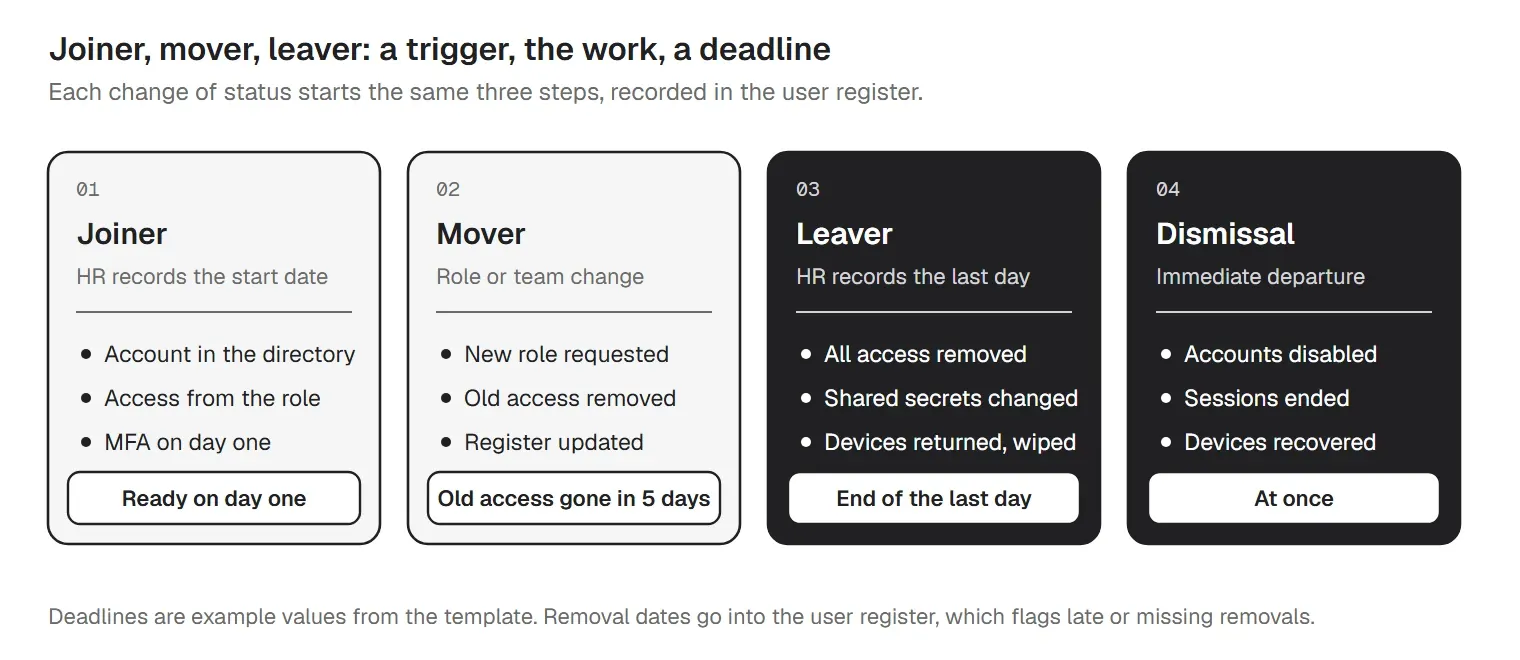
Most access problems start at a change of status: someone starts, changes role or leaves, and nobody adjusts their access. The template's user access management procedure gives each stage a trigger, the work that follows and a deadline:
| Stage | Trigger | What happens | Deadline |
|---|---|---|---|
| Joiner | HR records the start date | Account created in the directory; baseline access from the role on the matrix; MFA set up on day one | Ready on the start date |
| Mover | Role or department change | New role's access requested and approved; old access removed; matrix role updated in the user register | Old access removed within [5 working days] |
| Leaver | HR records the leaving date | All access removed; shared credentials changed; company devices returned and wiped or reassigned | By the end of the last working day |
| Dismissal | Immediate departure | Accounts disabled before or during the meeting; sessions ended; devices recovered | At once |
Two rules carry most of the weight. Movers lose their old access. When someone moves from sales to finance, the new manager requests the finance role and the sales access goes, so access does not pile up over a career. Leavers lose everything by the end of the last working day, at once for a dismissal, and any shared credential they knew is changed. HR tells IT the date as soon as it is known.
The template keeps the forms for each step separate so the policy stays short. New accounts start from a user account creation request form, and departures follow an IT offboarding checklist that covers accounts, devices and data hand-over. The workbook's user register records the start date, leaving date and the date access was removed, and flags any leaver whose access is still on after the deadline set in Settings.
Anything beyond the role (an extra system, write instead of read, a temporary project) goes through a request. The template's access request form asks for the system, the access level, the business reason and an end date for temporary access, and it needs two approvals: the person's manager, who confirms the need, and the system owner, who confirms the access level fits. Privileged access also needs the security lead.
Three rules keep the process honest: nobody approves their own request, IT grants access only after the approvals are recorded, and the request, approvals and grant date are kept as evidence. If you want a more detailed form for application access, with per-app owners and data sensitivity, use our application access request form template; this policy points to it and sets the rules it follows.
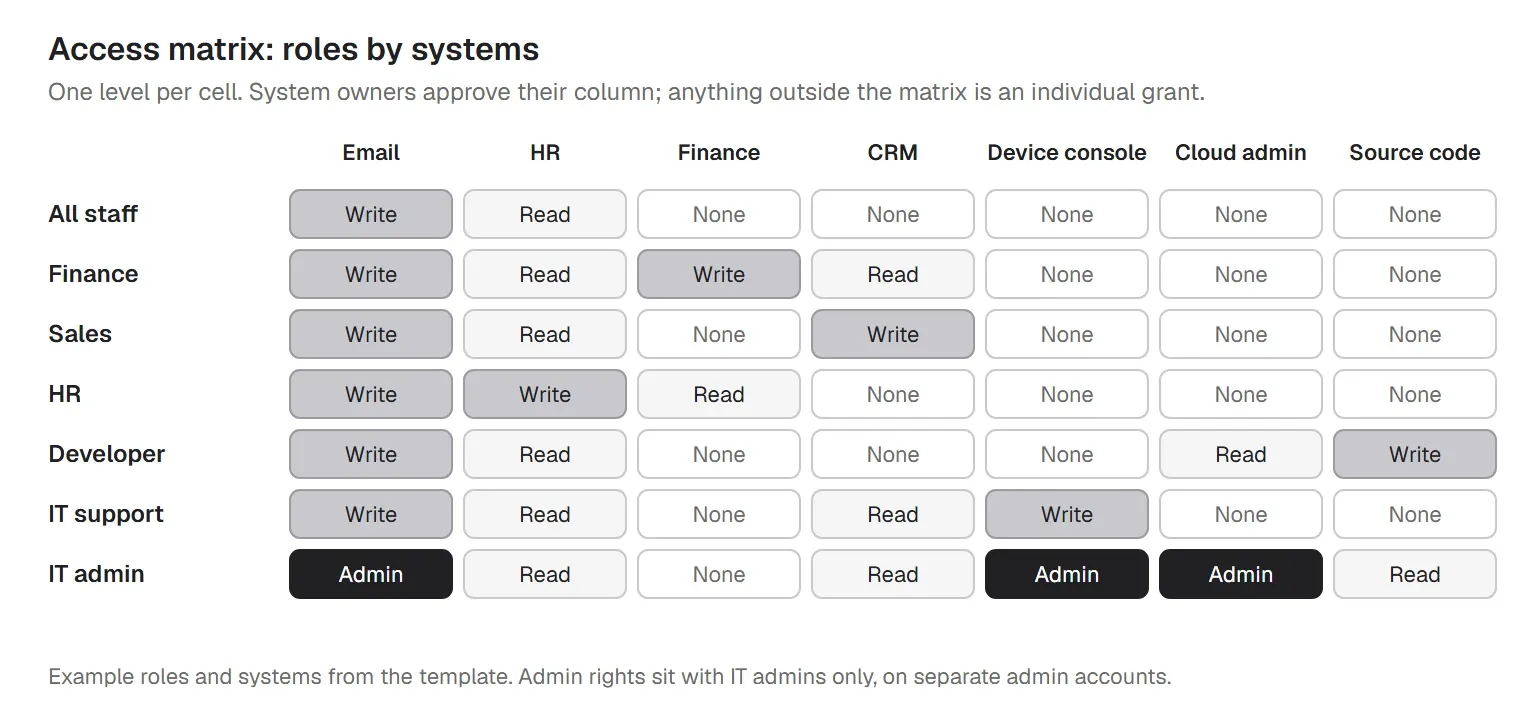
An access control matrix lists your roles down the side and your systems across the top, with an access level in each cell. It answers "what should a person in this job be able to do?", so requests, joiner set-up and reviews all compare against one table. The template uses four levels: none, read, write and admin.
| Role | Email and calendar | HR system | Finance system | CRM | Device management console |
|---|---|---|---|---|---|
| All staff | Write | Read | None | None | None |
| Finance | Write | Read | Write | Read | None |
| Sales | Write | Read | None | Write | None |
| HR | Write | Write | Read | None | None |
| Developer | Write | Read | None | None | None |
| IT support | Write | Read | None | Read | Write |
| IT admin | Admin | Read | None | Read | Admin |
Keep roles broad, usually one per team plus a few for admins, and let each system owner approve their column. Access granted outside the matrix is recorded as an individual grant with an end date, and it gets looked at in every review. The workbook's access matrix tab reads your roles from the Roles tab, offers the four levels as a drop-down and counts admin rights per role, which is a quick way to spot a role that has collected too much. For a step-by-step build, see our guide to role-based access control implementation.
Privileged accounts can change systems and read everything, so they get stricter rules. Admins use a separate admin account for privileged work and their normal account for email and browsing. Every privileged account uses multi-factor authentication, is approved by the security lead and is reviewed every quarter. Where a system supports it, admin rights are granted for a limited time and removed when the task is done; our post on just-in-time access explains the approach.
A privileged access management policy is often a separate document in larger companies. For a 20 to 1,000 person organization, a section in the main policy plus the workbook's privileged accounts tab is usually enough: it lists every admin, service, break-glass and shared account with its owner, MFA status, whether the credential is in the vault, the last rotation and the last review, and it flags accounts with no MFA, no owner, an overdue review or an overdue rotation. If you need more depth, our privileged access management best practices cover vaulting and session recording.
The template asks for passphrases of at least 14 characters (set your own value), no reuse across systems, changes when compromise is suspected rather than on a fixed calendar, and a company password manager. If you are in PCI DSS scope, requirement 8.3.6 sets a floor of 12 characters for passwords used as an authentication factor.
Multi-factor authentication is required for remote access, email, cloud and SaaS applications, privileged accounts and any system with confidential information. Single sign-on through your central directory is preferred wherever a system supports it, because one strong sign-in with MFA then protects every connected app and one disabled account cuts off all of them. See our guides to multi-factor authentication and password rotation best practices for the details behind these choices.
Remote access to internal systems goes through an approved remote access service with MFA. Third parties get a named internal sponsor, a contract that covers security duties, the least access needed and an end date, and their accounts are reviewed at every access review. Our remote desktop access policy template covers the rules for remote support sessions in more detail.
Where a person signs in from matters as much as who they are. The template's device section says confidential systems are reached only from company-managed devices, or devices that follow your device standard: a screen lock with a passcode, disk encryption, a supported and updated operating system and no unapproved software. Rules that grant or block a sign-in based on device state or sign-in risk belong in a conditional access policy, which builds on this one. Both are part of a wider zero trust architecture.
Access drifts: temporary access outlives the project and leavers slip through. Periodic reviews catch what the joiner, mover and leaver steps missed. The template sets the cadence by risk:
| Risk tier | Typical systems and accounts | Review |
|---|---|---|
| High | Privileged accounts; finance, HR and customer data systems; source code; cloud admin consoles | Every quarter (90 days) |
| Medium | Business applications with internal data, shared drives, CRM | Every six months (180 days) |
| Low | Low-risk tools with no confidential data | Every year (365 days) |
These cadences are example values; set your own. PCI DSS requirement 7.2.4 asks for a review of all user accounts and their privileges at least every six months, so systems in card data scope need at least the medium tier. Reviewers confirm, change or remove each person's access, sign the review record, and removals are done within a set number of days. The template includes a quarterly access review sign-off, and our user access review template gives you the full review workbook if you want to run reviews in more depth.
Revocation at termination gets its own section because it is the control auditors test most. Access is removed by the end of the last working day and at once for a dismissal, accounts are disabled first and deleted later once data is handed over, shared credentials the leaver knew are changed, and company-owned devices are returned and wiped or reassigned. Late removals are reported to the security lead.
Some accounts don't belong to one person, and they are where audit findings tend to cluster. The template allows shared accounts only where a system offers no alternative, with a named owner and credentials kept in a password vault. Service and API accounts have a named owner, the least access needed, no interactive sign-in and credentials rotated every 12 months or when someone who knew them leaves. Emergency or break-glass accounts exist for the day normal sign-in fails: their credentials are sealed in the vault, every use is logged and reviewed, and the credentials are changed after each use.
Systems log sign-ins, failed sign-ins, privileged actions and changes to accounts and access rights, and the logs are kept for a set period (PCI DSS 10.5 asks for at least 12 months). The template names who reviews which logs and how often.
No policy fits every case, so exceptions are part of it. Each one records the reason, the risk, compensating controls, a risk owner, the approver and an expiry date of no more than six months, and goes into the exceptions register, which flags exceptions that have expired or will soon. The enforcement section links breaches to your disciplinary policy and handles suspected misuse as a security incident. The policy owner reviews the policy at least every 12 months and after major changes to systems, teams or obligations.
You don't need two documents. The template's framework mapping lines each section up with the references auditors use, so the same policy serves an ISO 27001 audit, a SOC 2 report or a NIST-based program:
| Framework | What it covers for access control |
|---|---|
| ISO/IEC 27001:2022 Annex A | 5.15 Access control asks for access rules based on business and security needs; 5.16 Identity management, 5.17 Authentication information and 5.18 Access rights cover identities, sign-in details and granting, reviewing and removing access; 8.2 Privileged access rights, 8.3 Information access restriction and 8.5 Secure authentication are the technical side. |
| NIST SP 800-53 Rev. 5 | The Access Control (AC) family starts with AC-1 Policy and Procedures and includes AC-2 Account Management, AC-3 Access Enforcement, AC-5 Separation of Duties and AC-6 Least Privilege. The Identification and Authentication (IA) family covers sign-in, with IA-2 for organizational users and IA-5 for authenticator management. |
| SOC 2 (Trust Services Criteria) | CC6.1 covers logical access security, CC6.2 registering and authorizing users before credentials are issued and removing them when access ends, and CC6.3 granting, changing and removing access by role with least privilege and separation of duties. |
| PCI DSS v4.0.1 | Requirement 7, Restrict Access to System Components and Cardholder Data by Business Need to Know, and Requirement 8, Identify Users and Authenticate Access to System Components. 7.2.4 asks for a review of all user accounts and their privileges at least every six months, and 8.2.6 for inactive accounts to be removed or disabled within 90 days. |
| HIPAA Security Rule | 45 CFR 164.312(a)(1), Access control: technical policies and procedures that allow access to electronic protected health information only to people and software that have been granted access rights. |
For an ISO 27001 version, keep the section numbers and add the Annex A references from the mapping to your Statement of Applicability. For a NIST version, AC-1 asks for a written policy and procedures for access control, reviewed and updated on a set schedule, so the document control table and policy review section matter as much as the rules. In both cases auditors test the policy by sampling: they pick joiners, movers and leavers from the audit period and ask for the request, the approvals, the date access was granted and the date it was removed, then compare a sample of accounts against the access matrix. A policy that names the records, plus a tracker that holds them, makes that sample quick to answer.
For the wider audit preparation, see our ISO 27001 checklist and SOC 2 compliance checklist. The mapping is a general guide: your audit scope and your auditor's reading decide what counts.
Writing the policy is the easy part. A realistic rollout for a mid-sized company takes a few weeks:
The workbook follows the same order, and by the end of the first month its dashboard shows overdue reviews, privileged users without MFA, leavers whose access is still on and roles with no owner.
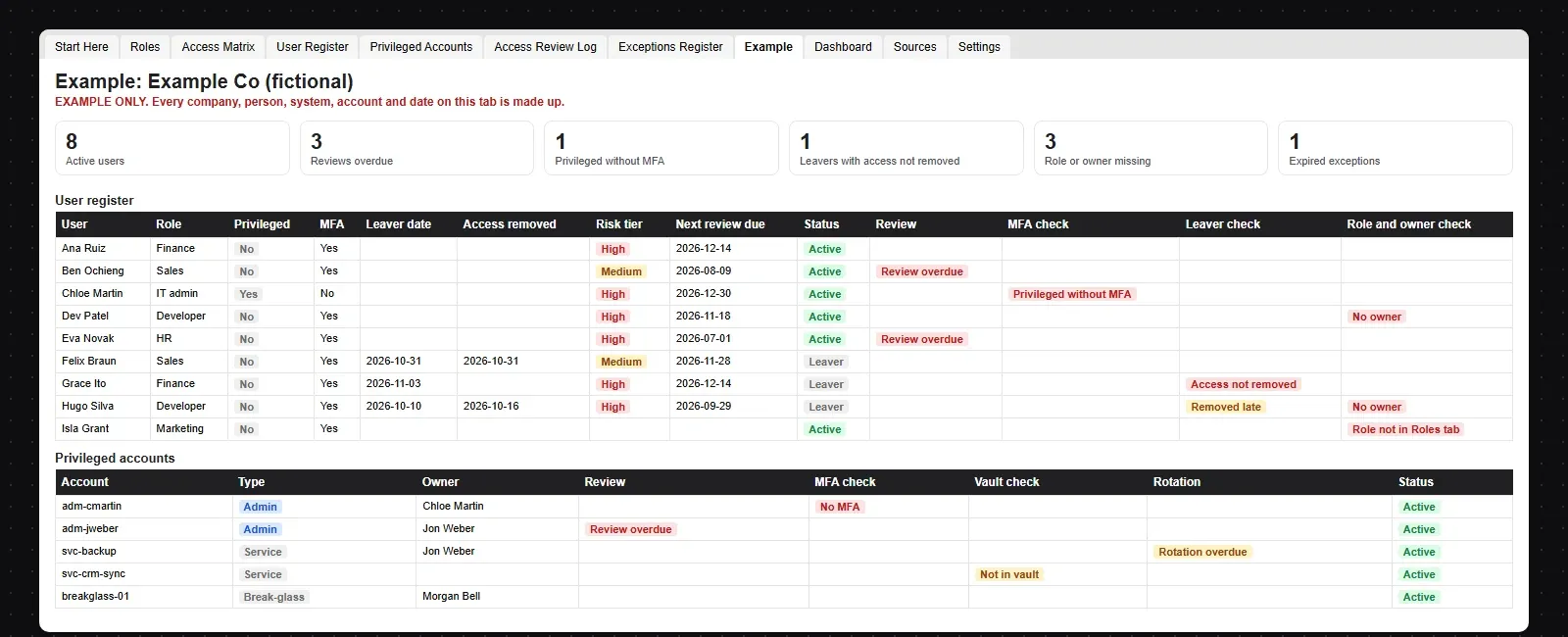
The example shows a made-up company with 6 roles, 12 users, 6 privileged accounts and 5 access reviews, including 3 users with an overdue review, an admin without MFA, a leaver whose access is still on, a leaver removed late, a role with no owner and a service account outside the vault, so you can see every flag before you add your own data.
trio.so does not run access request approvals, privileged access vaulting, just-in-time access or access review campaigns: the policy and the workbook carry those. It covers the parts of this policy that live in your identity setup and on your devices. For those parts, trio.so gives you:
It covers Windows, macOS, Linux, iOS/iPadOS and Android from one console. Plans start at $5 per device.
14-day free trial. No credit card required.
Sources. Last reviewed November 2026. Framework names, control numbers and titles are used as references only; the policy wording, mapping, formulas and example are ours. trio.so is not affiliated with or endorsed by ISO, NIST, the AICPA or the PCI Security Standards Council.
trio.so adds SSO and MFA at user sign-in, syncs users from Entra ID and Google Workspace, and enforces passcode and encryption policies on company devices with per-device policy status.
Every organization today needs a solution to automate time-consuming tasks and strengthen security. Without the right tools, manual processes drain resources and leave gaps in protection. trio.so is designed to solve this problem, automating key tasks, boosting security, and ensuring compliance with ease.
Every organization today needs a solution to automate time-consuming tasks and strengthen security. Without the right tools, manual processes drain resources and leave gaps in protection. trio.so is designed to solve this problem, automating key tasks, boosting security, and ensuring compliance with ease.





Have questions? We've got answers. This section covers some of the most commonly asked questions related to this topic.
Related
The related industry news, interviews, technologies, and resources.
Create an effective Service Level Agreement (SLA) template to ensure a clear and mutually beneficial service relationship between providers and clients.
Free IT governance policy template in Word and PDF, with an Excel tracker: 17 sections, a RACI, decision rights, KPIs and a framework example.
Free Wi-Fi policy template in Word and PDF, with an Excel tracker: 17 sections on SSIDs, WPA3, guest terms of use, BYOD and rogue AP checks.
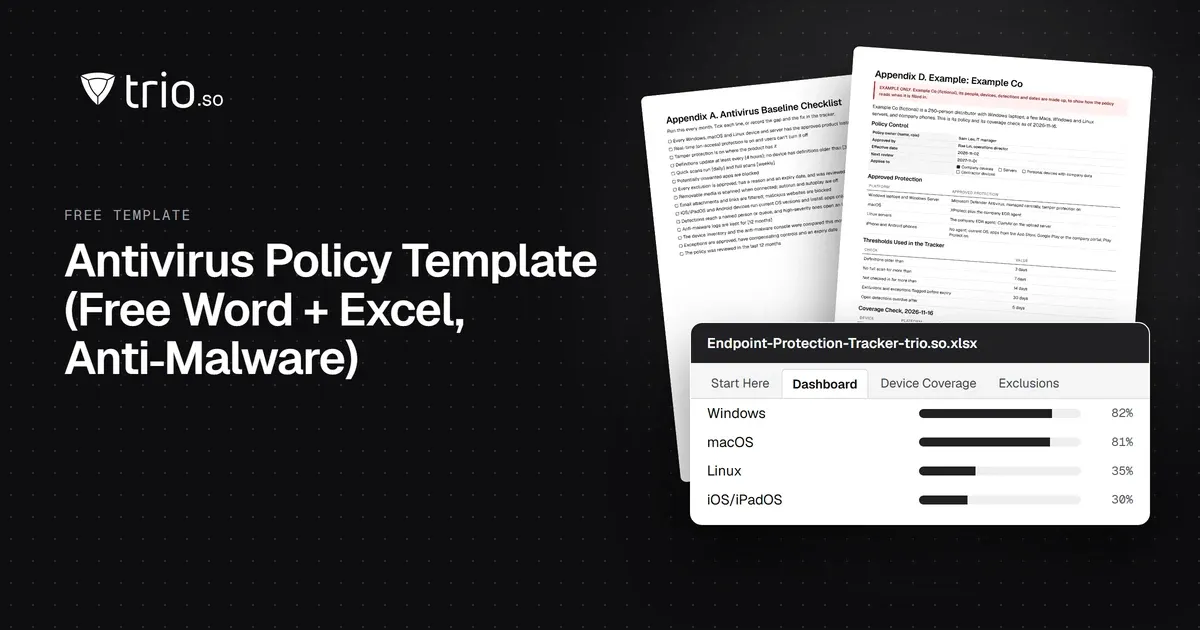
Free antivirus and anti-malware policy template in Word and PDF, with a baseline checklist, a filled-in example and an Excel endpoint coverage tracker.
A free compliance checklist template for IT teams: ten areas with owners, status and evidence, plus an Excel workbook, framework crosswalk and Word guide.
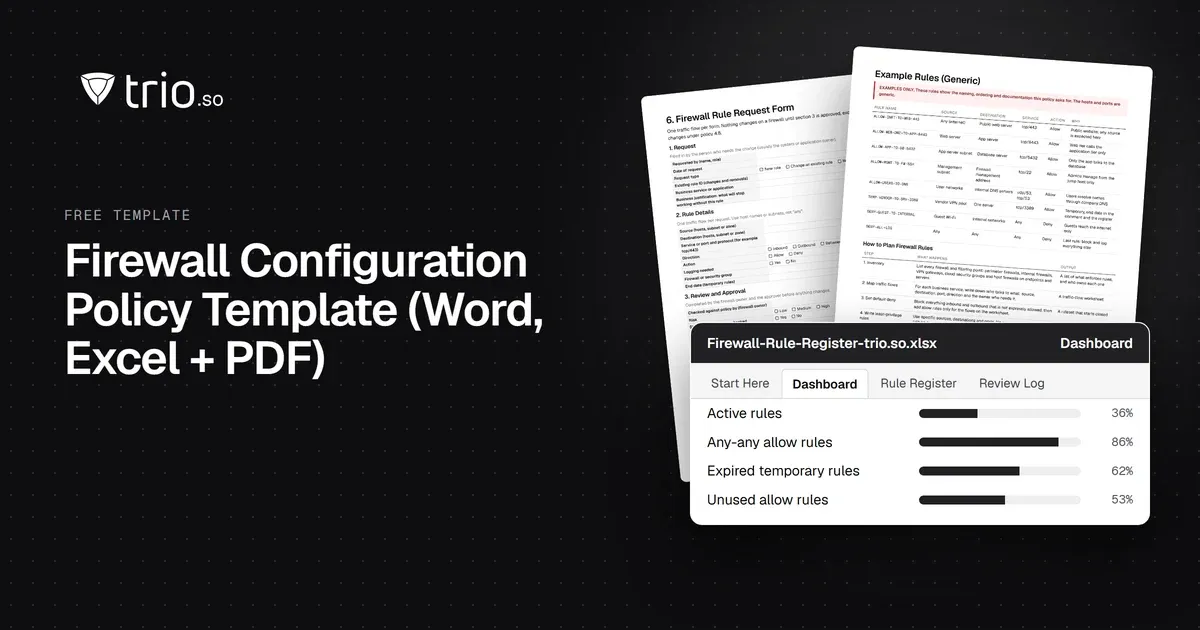
Free firewall configuration policy (Word, PDF) and an Excel rule register that flags any-any, unowned, expired and unused rules. Plus how to plan rules.
A free database security policy template, with the key components of a strong policy and best practices for protecting stored data.
Free IT asset disposal policy template with a disposal form, checklist and Excel log. NIST SP 800-88 Rev. 2 methods, ITAD vendor checks and process flow.
14-day free trial. No credit card required.
trio.so for MSPs: one console, separate clients