



Templates
Email and Electronic Communication Policy Template
Free email and electronic communication policy in Word and PDF: approved apps, phishing, a monitoring notice and an email retention schedule.
Free data classification policy template in Word and PDF: four levels with examples, a handling matrix, labeling rules, forms and an Excel register.

Content writer, trio.so
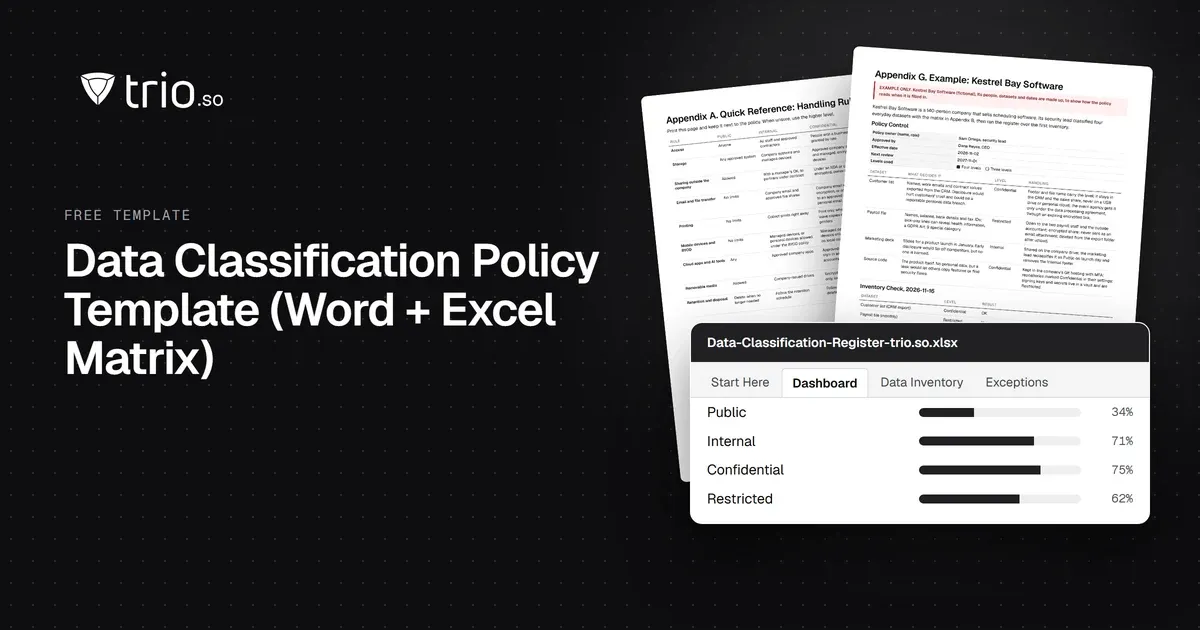
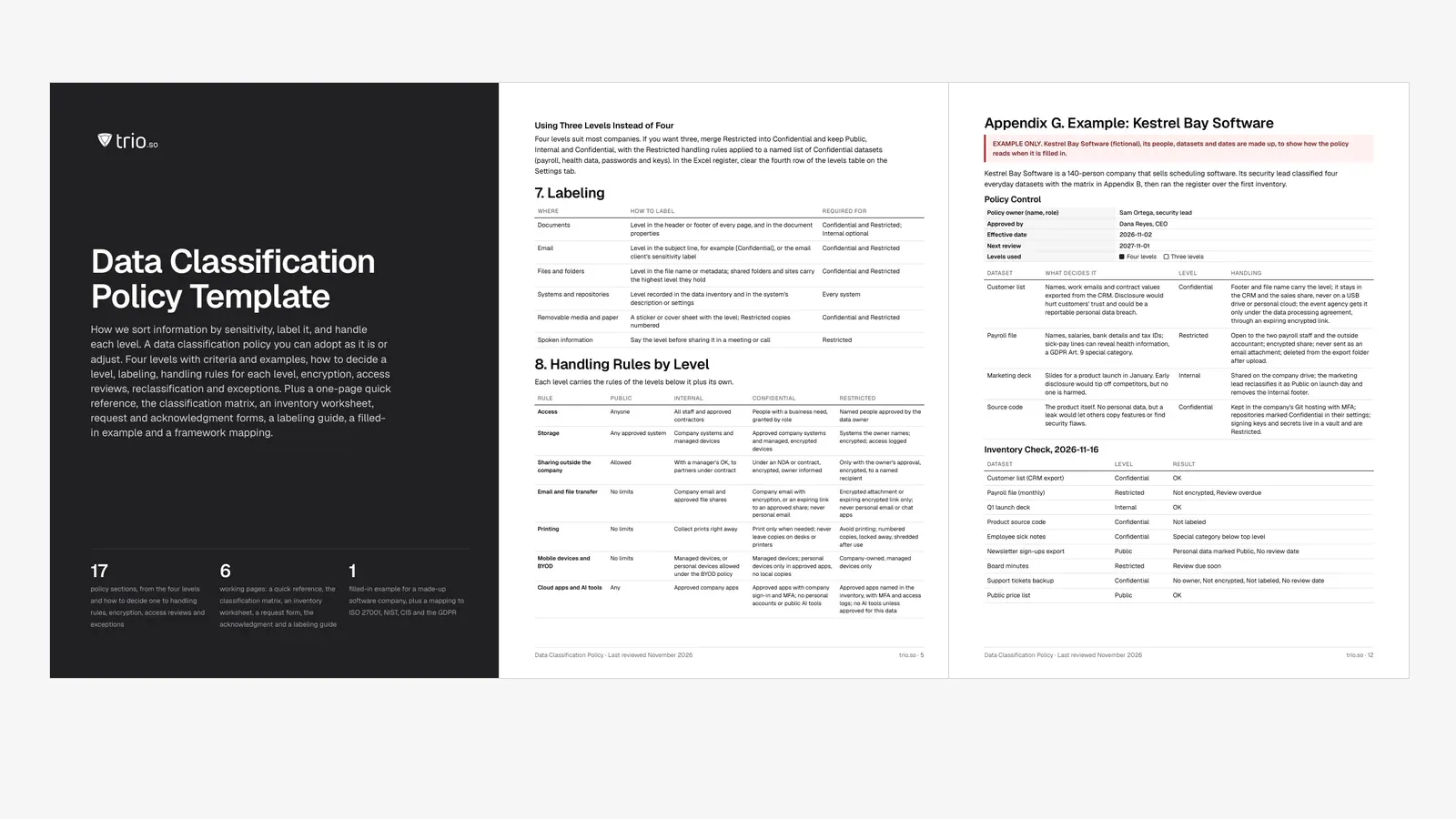
This template gives you the rules for sorting company information by how much harm its exposure would cause, and for handling each level the same way every time. It names the levels, says who decides a dataset's level, how documents and email are labeled, and what people may do with each level: where it can be stored, how it can be sent, whether it can go on a USB drive or a personal phone, and how it is deleted.
This guide walks through each part for an IT manager, security lead or data protection officer at a company of 20 to 1,000 people. The download has the policy in Word and PDF, with a one-page handling matrix, the classification matrix, an inventory worksheet, request and acknowledgment forms, a labeling guide and a filled-in example, plus an Excel register that checks your data inventory for you.
In short
A data classification policy (some companies call it an information classification policy) is the document that sets your sensitivity levels and the rules for each. It answers three questions for every employee: how sensitive is this file, how do I mark it, and what am I allowed to do with it. ISO/IEC 27001:2022 asks for exactly this in Annex A control 5.12 (classification of information) and 5.13 (labelling of information), and CIS Controls v8 Safeguard 3.7 asks for a data classification scheme that you review every year.
The policy sits between two others. The data encryption policy says how encryption is done; the classification policy says which data must be encrypted. The data retention policy says how long each record is kept; the classification policy says how it is disposed of once that time is up.
Start with the datasets that would hurt most if they leaked: payroll, HR records, customer exports, contracts, source code. You don't need a full inventory before the policy takes effect. A short, correct list beats a long one nobody maintains.
Section 5 of the template defines four levels. Most templates and most companies use these four names; the definitions and examples are what make them usable.
| Level | What it covers | Examples |
|---|---|---|
| Public | Information approved for release. Disclosure causes no harm. | Website pages, press releases, published price lists, job ads |
| Internal | Day-to-day business information for staff. Disclosure would be awkward but cause little harm. | Org charts, internal guides, meeting notes, most email |
| Confidential | Information whose disclosure could harm the company, customers or staff, or break a contract. | Customer lists, contracts, source code, unpublished financials, most personal data |
| Restricted | The most sensitive information. Disclosure could cause serious harm, regulator action or lawsuits. | Payroll and bank details, health data and other special category data, passwords and keys, deal plans |
Two default rules prevent most arguments: anything without a level is Internal until its owner classifies it, and personal data is never Public. Special category data under GDPR Article 9 (health, biometric and genetic data, racial or ethnic origin, political opinions, religious beliefs, trade union membership, sex life or sexual orientation) goes to Restricted unless the owner and the privacy lead write down why a lower level is enough. Payment card data and health records under HIPAA are other common Restricted examples.
If four levels are too many, use three: merge Restricted into Confidential and keep the Restricted handling rules for a named list of datasets such as payroll, health data, and passwords and keys. Microsoft's guidance for its sensitivity labels makes the same point from the other side: labeling works less well when people face more than five main labels.
The data owner sets the level, using the classification matrix (Appendix B of the template). For each dataset, ask what would happen if it were disclosed, changed or lost, in five areas: money, legal and regulatory, reputation, harm to people, and operations. The highest impact in any area sets the level.
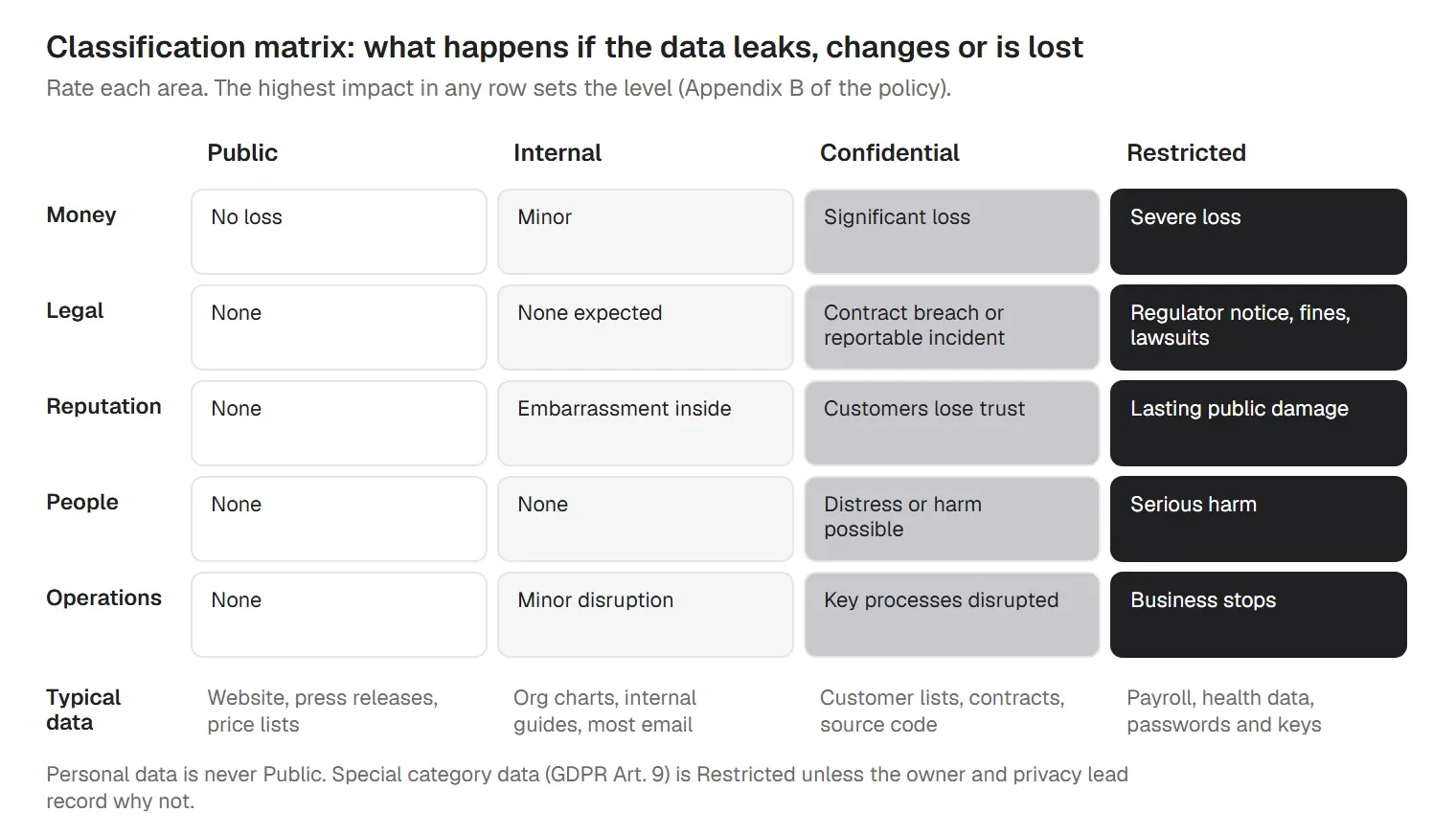
This follows the US federal method without copying it. FIPS 199 rates the potential impact on confidentiality, integrity and availability as low, moderate or high, and NIST SP 800-60 maps common information types to those ratings. NIST SP 800-53 control RA-2 asks organizations to categorize their information, document the rationale and have the decision approved. The template uses its own four levels and treats FIPS 199 as a rough guide: Internal is about low, Confidential about moderate, Restricted about high.
Watch for combinations. A list of employee names is Internal; the same list joined with salaries and bank details is Restricted. When in doubt, pick the higher level and ask the security lead.
The handling matrix is the part employees use. It turns each level into concrete do's and don'ts. Section 8 of the template has nine rules for each level, and Appendix A repeats them on one printable page:
| Rule | Public | Internal | Confidential | Restricted |
|---|---|---|---|---|
| Access | Anyone | All staff and approved contractors | People with a business need, granted by role | Named people approved by the data owner |
| Storage | Any approved system | Company systems and managed devices | Approved company systems and managed, encrypted devices | Systems the owner names; encrypted; access logged |
| Sharing outside the company | Allowed | With a manager's OK, to partners under contract | Under an NDA or contract, encrypted, owner informed | Only with the owner's approval, encrypted, to a named recipient |
| Email and file transfer | No limits | Company email and approved file shares | Company email with encryption, or an expiring link to an approved share; never personal email | Encrypted attachment or expiring encrypted link only; never personal email or chat apps |
| Printing | No limits | Collect prints right away | Print only when needed; never leave copies on desks or printers | Avoid printing; numbered copies, locked away, shredded after use |
| Mobile devices and BYOD | No limits | Managed devices, or personal devices allowed under the BYOD policy | Managed devices; personal devices only in approved apps, no local copies | Company-owned, managed devices only |
| Cloud apps and AI tools | Any | Approved company apps | Approved apps with company sign-in and MFA; no personal accounts or public AI tools | Approved apps named in the inventory, with MFA and access logs; no AI tools unless approved for this data |
| Removable media | Allowed | Company-issued drives | Encrypted company drives only, logged | Not allowed without an approved exception |
| Retention and disposal | Delete when no longer needed | Follow the retention schedule | Follow the retention schedule; delete securely; shred paper | Follow the retention schedule; delete securely with a record; wipe or destroy media |
Edit the cells to match your tools: name your approved file share, your secure email option and your AI tool policy. The rule for cloud apps and AI tools matters more each year, because pasting a customer list into a public AI chat is sharing outside the company.
Section 9 sets what each level needs at rest, in transit, on removable media and on mobile devices:
| Level | At rest | In transit | Removable media | Mobile devices |
|---|---|---|---|---|
| Public | Not needed | TLS on public sites | Allowed unencrypted | Device encryption applies anyway |
| Internal | Full-disk encryption on every company laptop and phone | TLS for email and web apps | Company-issued drives | Passcode and device encryption on |
| Confidential | Encrypted storage and full-disk encryption on devices | TLS 1.2 or later; encrypted links or attachments outside the company | Encrypted company drives only | Managed device with encryption and a passcode |
| Restricted | Encrypted storage with access to keys limited to IT; recovery keys held centrally | Encrypted end to end where possible; never plain email | Not allowed without an exception | Company-owned, managed, encrypted devices only |
Full-disk encryption on every company laptop and phone covers Internal data at rest and makes a lost device far less serious. CIS Controls v8 has four encryption safeguards: data on end-user devices (3.6), on removable media (3.9), in transit (3.10) and at rest (3.11). The table covers all four. The data encryption policy template sets algorithms, key management and recovery keys in detail.
A level helps only if people can see it. Section 7 says where the label goes, and Appendix F gives the exact text:
| Where | How to label | Required for |
|---|---|---|
| Documents | Level in the header or footer of every page, and in the document properties | Confidential and Restricted; Internal optional |
| Level in the subject line, for example [Confidential], or the email client's sensitivity label | Confidential and Restricted | |
| Files and folders | Level in the file name or metadata; shared folders and sites carry the highest level they hold | Confidential and Restricted |
| Systems and repositories | Level recorded in the data inventory and in the system's description or settings | Every system |
| Removable media and paper | A sticker or cover sheet with the level; Restricted copies numbered | Confidential and Restricted |
| Spoken information | Say the level before sharing it in a meeting or call | Restricted |
Keep the labels short and the same everywhere, for example "Confidential" in the footer, "[Confidential]" in an email subject and "_CONF" at the end of a file name. If you use Microsoft 365, sensitivity labels in Microsoft Purview can add headers, footers and watermarks and encrypt the file, and they can be applied automatically or recommended to the user. A label stored in a file's metadata can also be read by other tools.
Classification fails when IT is expected to decide what the finance team's spreadsheets are worth. Section 4 splits the work:
| Role | Responsibilities |
|---|---|
| Data owner | The business lead who is accountable for a dataset. Sets its level, approves access, approves reclassification and reviews both on schedule. |
| Data custodian (IT) | Runs the systems that hold the data and applies the technical rules for each level: encryption, access, backups, logging, disposal. |
| Data users (all staff and contractors) | Handle data by its level, keep labels in place, and report data that looks wrongly classified or exposed. |
| Security lead (policy owner) | Owns this policy, keeps the data inventory, approves exceptions and runs the yearly review. |
| Privacy lead or DPO | Advises on personal and special category data and on retention, and is told when personal data is reclassified. |
| Managers | Make sure their teams are trained and that new datasets get an owner and a level. |
Levels and access drift over time. Section 12 asks data owners to review who has access to Confidential and Restricted datasets on a schedule (the example uses every 180 days for Confidential and every 90 days for Restricted) and to remove access the day someone leaves. Section 13 covers reclassification: only the owner changes a level, levels go down when the reason is gone (a launch makes a deck Public) and up when data is combined. Section 14 handles exceptions, for example a payroll export that can't land in an encrypted folder until a software upgrade, with a compensating control and an expiry date no more than 12 months out. Section 15 asks for training when people join and a refresher every year, with examples from their own work, and everyone signs the acknowledgment form in Appendix E. The access control policy template covers how access is granted in the first place.
The download includes the policy filled in for Kestrel Bay Software (fictional), a made-up 140-person company that sells scheduling software. Its security lead classified four everyday datasets with the matrix:
| Dataset | What decides it | Level | Handling |
|---|---|---|---|
| Customer list | Names, work emails and contract values exported from the CRM. Disclosure would hurt customers' trust and could be a reportable personal data breach. | Confidential | Footer and file name carry the level; it stays in the CRM and the sales share, never on a USB drive or personal cloud; the event agency gets it only under the data processing agreement, through an expiring encrypted link. |
| Payroll file | Names, salaries, bank details and tax IDs; sick-pay lines can reveal health information, a GDPR Art. 9 special category. | Restricted | Open to the two payroll staff and the outside accountant; encrypted share; never sent as an email attachment; deleted from the export folder after upload. |
| Marketing deck | Slides for a product launch in January. Early disclosure would tip off competitors, but no one is harmed. | Internal | Shared on the company drive; the marketing lead reclassifies it as Public on launch day and removes the Internal footer. |
| Source code | The product itself. No personal data, but a leak would let others copy features or find security flaws. | Confidential | Kept in the company's Git hosting with MFA; repositories marked Confidential in their settings; signing keys and secrets live in a vault and are Restricted. |
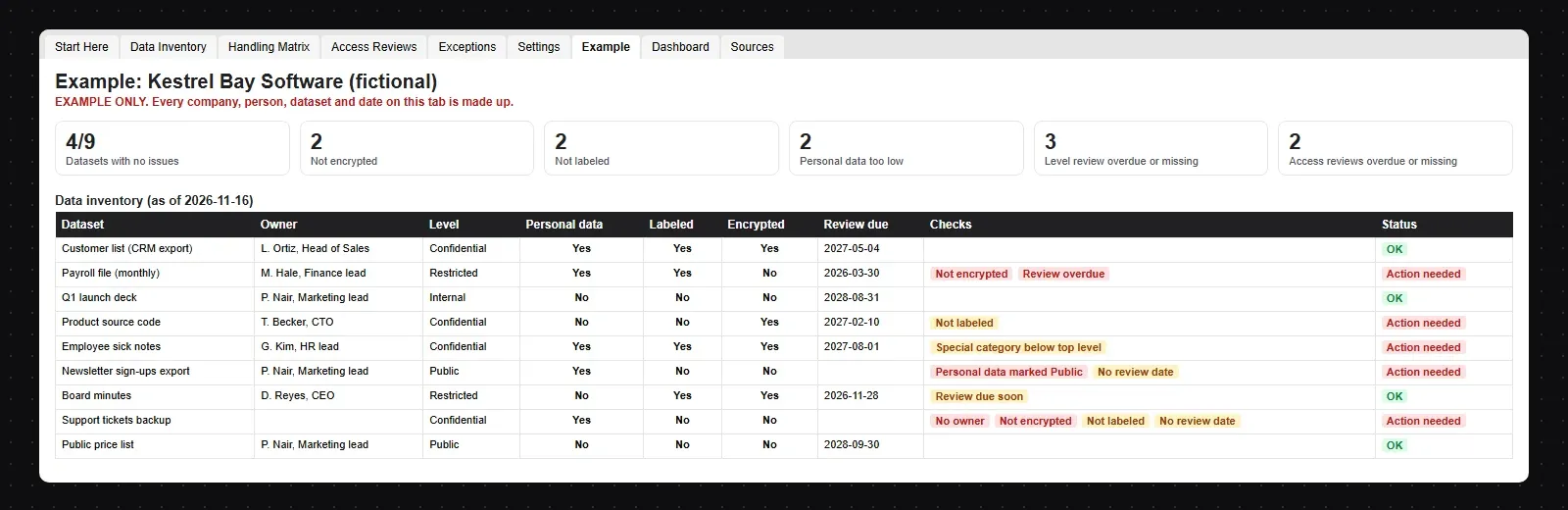
Then the register checked the first inventory on 16 November. 9 datasets, 4 with no open issue:
| Dataset | Level | Result |
|---|---|---|
| Customer list (CRM export) | Confidential | OK |
| Payroll file (monthly) | Restricted | Not encrypted, Review overdue |
| Q1 launch deck | Internal | OK |
| Product source code | Confidential | Not labeled |
| Employee sick notes | Confidential | Special category below top level |
| Newsletter sign-ups export | Public | Personal data marked Public, No review date |
| Board minutes | Restricted | Review due soon |
| Support tickets backup | Confidential | No owner, Not encrypted, Not labeled, No review date |
| Public price list | Public | OK |
The checks found what a first inventory usually finds. The payroll export sits in an unencrypted folder under an exception that expired at the end of October. A support desk backup on a USB drive has no owner, no label and no encryption. A newsletter export holding personal data is marked Public, and employee sick notes, which are health data, sit one level too low.
Data loss prevention tools enforce handling rules at the point where data leaves: an email to an outside address, an upload to a personal cloud account, a copy to a USB drive. Many of them can act on classification labels. Microsoft Purview stores a sensitivity label in clear text in the file's metadata, so other apps and services can read it and apply their own protection. That is why the labeling section matters even if you don't run a DLP tool today: labels you apply now are what a DLP rule can use later. Our data loss prevention policy template sets the DLP rules, and the guide to data loss prevention with MDM covers the device side.
No framework prescribes your level names. They ask that you have a scheme, apply it and protect data by its level. The template's mapping (Appendix H) points each section to these references:
| Framework | Where classification appears |
|---|---|
| ISO/IEC 27001:2022 | A.5.12 classification of information and A.5.13 labelling of information, with A.5.9 inventory, A.5.10 acceptable use, A.5.14 information transfer, A.7.10 storage media, A.8.10 information deletion, A.8.12 data leakage prevention and A.8.24 use of cryptography. |
| NIST | SP 800-53 Rev. 5 RA-2 security categorization and MP-3 media marking; FIPS 199 and SP 800-60 for impact levels (background). |
| CIS Controls v8 | 3.7 data classification scheme, reviewed yearly; 3.1 data management process; 3.2 data inventory; 3.3 access control lists; 3.4 retention; 3.5 disposal; 3.6, 3.9, 3.10 and 3.11 encryption. |
| GDPR | Article 9 special categories of personal data and Article 32 security of processing, which asks for measures that fit the risk, including encryption. |
| HIPAA and PCI DSS | Examples of regulated data (health records, payment card data) that usually sits at the top level. |
The mapping is a reading aid; your auditor or counsel decides what counts for your scope. For the wider frameworks, see the ISO 27001 checklist and the GDPR compliance checklist.
The workbook turns the policy into a list of things to fix:
trio.so does not classify, label or scan your data, and it has no DLP of its own. It covers the device side of the handling rules: the laptops and phones that store and carry classified data stay encrypted, USB storage can be blocked where the policy says so, lost company devices can be locked or wiped, and the console shows who holds admin rights. In practice that means:
It manages Windows, macOS, Linux, iOS/iPadOS and Android from one console. To block USB storage on Windows step by step, see how to disable USB ports. Plans start at $5 per device.
14-day free trial. No credit card required.
Sources. Last reviewed November 2026. Framework references are short pointers to ISO/IEC 27001:2022, NIST SP 800-53 Rev. 5 and FIPS 199, the CIS Controls v8 and the GDPR; the wording of every section is ours. trio.so is not affiliated with or endorsed by ISO, NIST or the Center for Internet Security.
trio.so sets BitLocker, FileVault and phone encryption, shows each device's encryption status, blocks USB storage on company-owned Windows, Linux and Android devices, and wipes lost company devices.
trio.so brings device management, patching and security policies for Windows, macOS, Linux, iOS/iPadOS and Android into one console. Enroll a device and see it in the console within minutes.
trio.so brings device management, patching and security policies for Windows, macOS, Linux, iOS/iPadOS and Android into one console. Enroll a device and see it in the console within minutes.





Have questions? We've got answers. This section covers some of the most commonly asked questions related to this topic.
Related
The related industry news, interviews, technologies, and resources.
Free email and electronic communication policy in Word and PDF: approved apps, phishing, a monitoring notice and an email retention schedule.
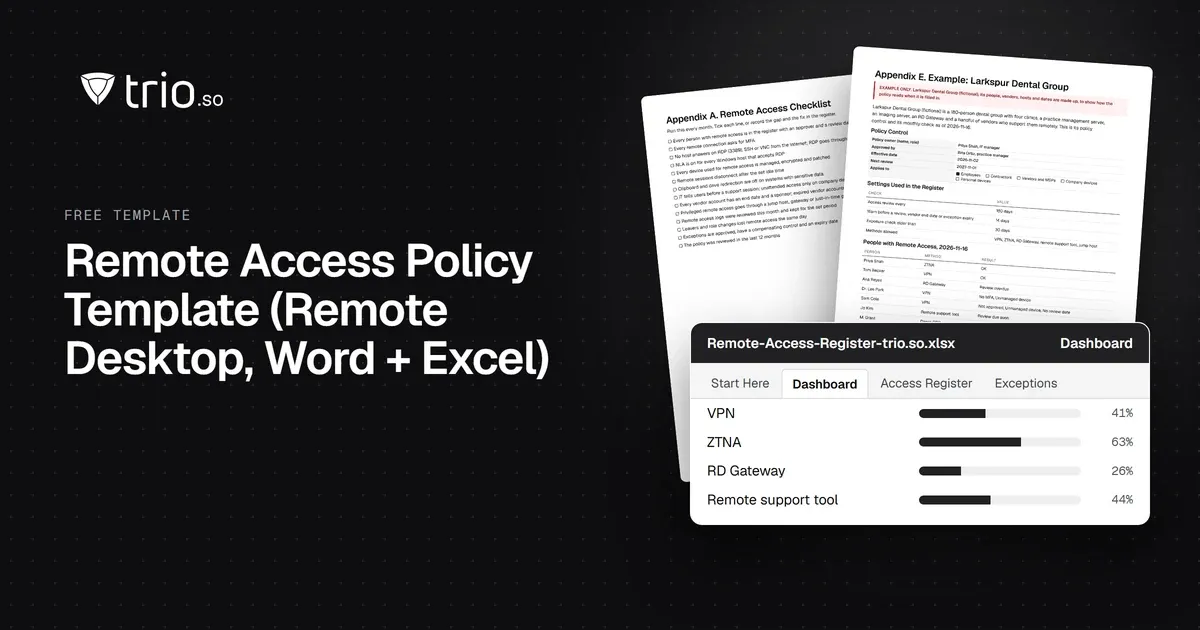
Free remote access policy template in Word and PDF: approved methods, RDP and MFA rules, vendor access, logging, an acknowledgment form and an Excel register.
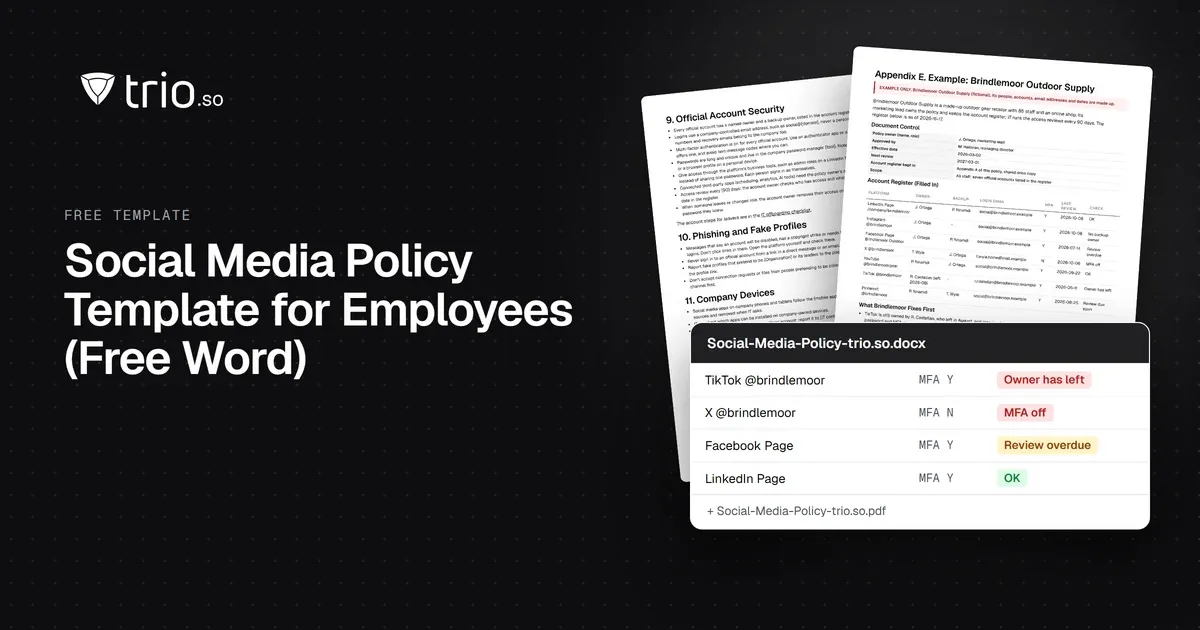
Free social media policy template for employees in Word and PDF: personal and official accounts, account security and a hacked-account checklist.
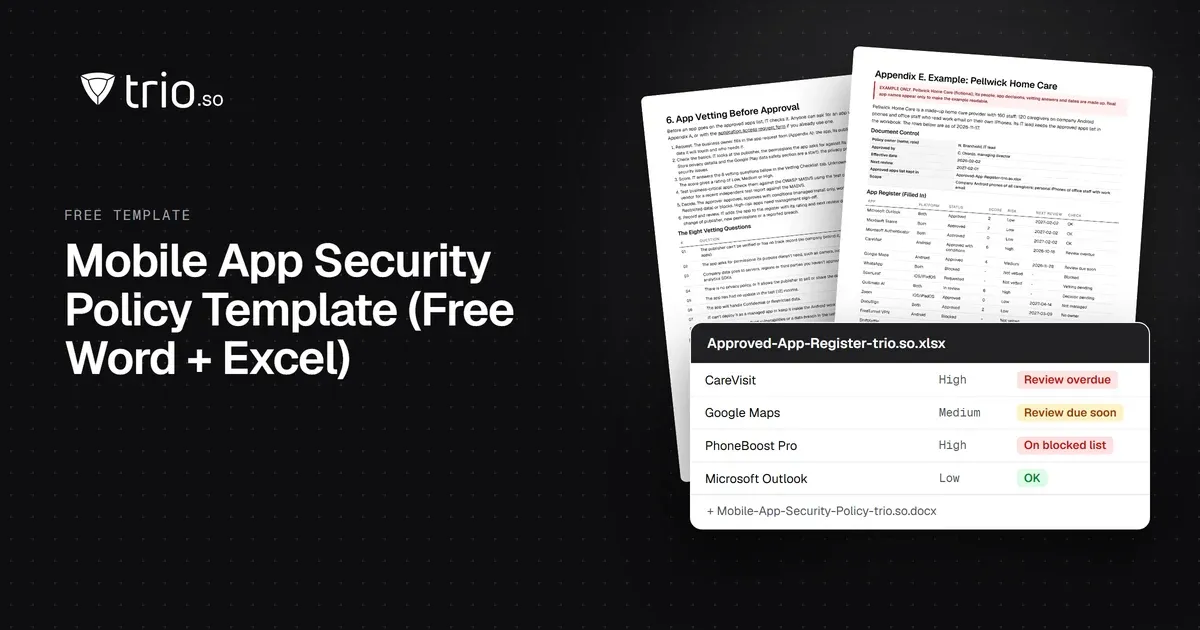
Free mobile app security policy in Word and PDF: approved app sources, app vetting, blocked apps and permissions, plus an Excel app register.
Free access control policy template with joiner, mover and leaver steps, an RBAC matrix, privileged access rules and ISO 27001 and NIST mapping.
Create an effective Service Level Agreement (SLA) template to ensure a clear and mutually beneficial service relationship between providers and clients.
Free IT governance policy template in Word and PDF, with an Excel tracker: 17 sections, a RACI, decision rights, KPIs and a framework example.
Free Wi-Fi policy template in Word and PDF, with an Excel tracker: 17 sections on SSIDs, WPA3, guest terms of use, BYOD and rogue AP checks.
14-day free trial. No credit card required.
trio.so for MSPs: one console, separate clients