



Templates
Cyber Insurance Requirements: Checklist of Device Controls
Cyber insurance requirements, control by control: what insurers ask about MFA, EDR, patching and encryption, and the evidence to attach. Free checklist.
How IT should answer the device questions on a cyber insurance questionnaire: honest partial answers, evidence to attach, common mistakes and who signs.

Content writer, trio.so
A cyber insurance questionnaire is the set of security questions an insurer asks before it quotes or renews a policy. Most of the questions land on IT: MFA, EDR, patching, encryption, admin rights, backups, remote access. This guide covers how to answer the device questions honestly, which evidence to attach, the mistakes that cause trouble later and who should sign.
For the full list of controls and what insurers expect for each, see our cyber insurance requirements checklist. The same free download (a PDF and Word checklist and an Excel evidence tracker) goes with both guides.
The insurer uses your answers to decide whether to offer cover, at what price and with which exclusions, and it relies on them again if you make a claim. Read the declaration above the signature line before anyone signs. In Travelers v. International Control Services (2022), the insurer said the application described MFA that only protected the company's firewall. After a ransomware attack, both sides agreed the policy was void from the start.
A "Partial" with a fix date is an ordinary answer on these forms. Write one whenever the evidence doesn't support a full "Yes".
Carriers word their questions differently. These are paraphrased versions of the device questions that come up most often, with what each one is really asking:
| Typical question | What it is really asking | How to answer | Evidence |
|---|---|---|---|
| Do you enforce MFA for all remote access to your network? | Every VPN, remote desktop gateway, remote support tool and vendor path, for every account | Yes only if no remote path works without MFA. List the exceptions if any. | Sign-in policy screenshot, VPN or gateway MFA setting |
| Is MFA required for email, for all users? | Every mailbox, including shared and service accounts and legacy protocols | Partial if shared mailboxes or basic authentication still work without MFA. | MFA enrollment report by user |
| Is EDR deployed on all endpoints and servers? | Coverage against your device count, and whether the tool fits the form's definition of EDR | Partial with the percentage if the EDR console count is below the inventory count. | EDR device export next to the inventory export |
| How many days does it take to apply critical patches? | The time your patch report shows, which may differ from your policy's target | Give the number your patch report supports, and say how internet-facing systems are handled. | Patch report, open critical vulnerabilities with age |
| Are laptops and mobile devices encrypted? | Disk encryption on every laptop and phone in scope | Partial with the count of unencrypted devices and the plan for each. | Device list export with an encryption column |
| Do end users have local administrator rights? | Standing admin rights on everyday accounts | No only if no everyday user is a local admin. List approved exceptions. | Local admin accounts per device |
| Do you keep a hardware and software inventory? | Whether you know what you have | Yes if a tool keeps it current; say how unmanaged devices are found. | Dated inventory export |
| Do you run any unsupported operating systems or software? | End-of-life systems and how they are isolated | Yes if you do, with the list, isolation and retirement dates. | OS version report, end-of-life register |
| Is RDP accessible from the internet? | Port 3389 or other remote desktop services exposed directly | Answer from an external scan result. | External port scan result, firewall rules |
| Are backups offline or immutable, and tested? | Whether ransomware could reach the backups, and proof that restores work | Give the date of the last restore test. Untested backups make the testing part a No. | Restore test record, backup job report |
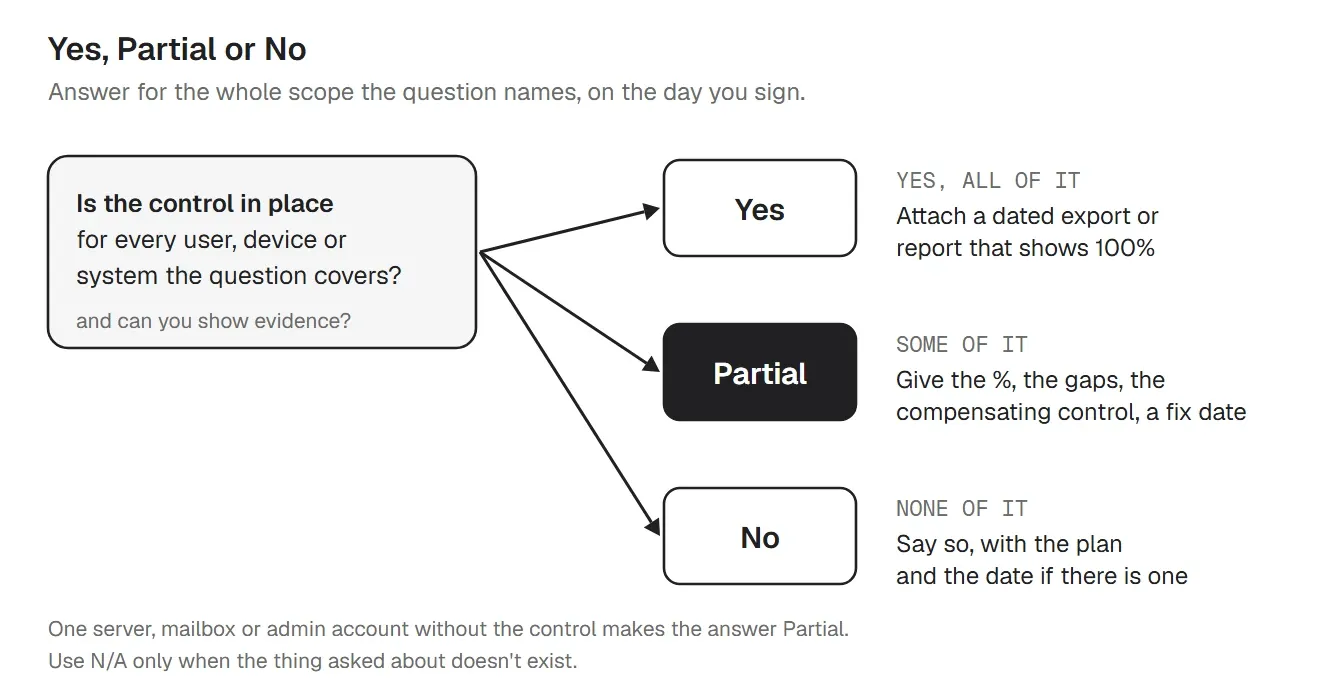
Yes means the control is in place for everything the question covers, today, and you can show it. One server without EDR or one admin account without MFA makes it Partial. Partial is the right answer for many companies, so give the underwriter what they need to judge it: the coverage, what is missing, any compensating control and the date it will be fixed. No is fine when it is true; add the plan if there is one. Use N/A only when the thing asked about doesn't exist, for example remote access questions when there is no remote access at all.
A compensating control is something that reduces the same risk another way. A Windows 10 PC that has to stay can sit on its own network segment with no internet or email access. A shared mailbox without MFA can have direct sign-in blocked, so people reach it only through their own MFA-protected accounts. Describe it in one sentence; don't use it to turn a Partial into a Yes.
Example wording for a partial MFA answer:
Partial. MFA is enforced for 92% of accounts, including every user and admin account. Direct sign-in is blocked on two shared mailboxes, and one service account is limited to a single internal IP address. Both will have MFA or be removed by January 15, 2027.
Some carriers ask for proof with the application; others ask later, or only after a claim. Collect it now either way, in one dated folder per renewal:
Check that the numbers agree. If the inventory has 140 devices and the EDR export has 128, fix the gap or answer Partial before you attach both. Remove passwords, keys and personal data from anything you send.
The application is usually signed by an officer of the company, such as the CEO, CFO or owner, because it is the company's statement to the insurer. IT should prepare the technical answers, attach the evidence and confirm each one in writing to the person who signs. The tracker in the download has an owner and a last-verified date for every control for this reason. Ask your broker who the carrier expects to sign, and whether a separate supplement, such as an MFA attestation, needs its own signature.
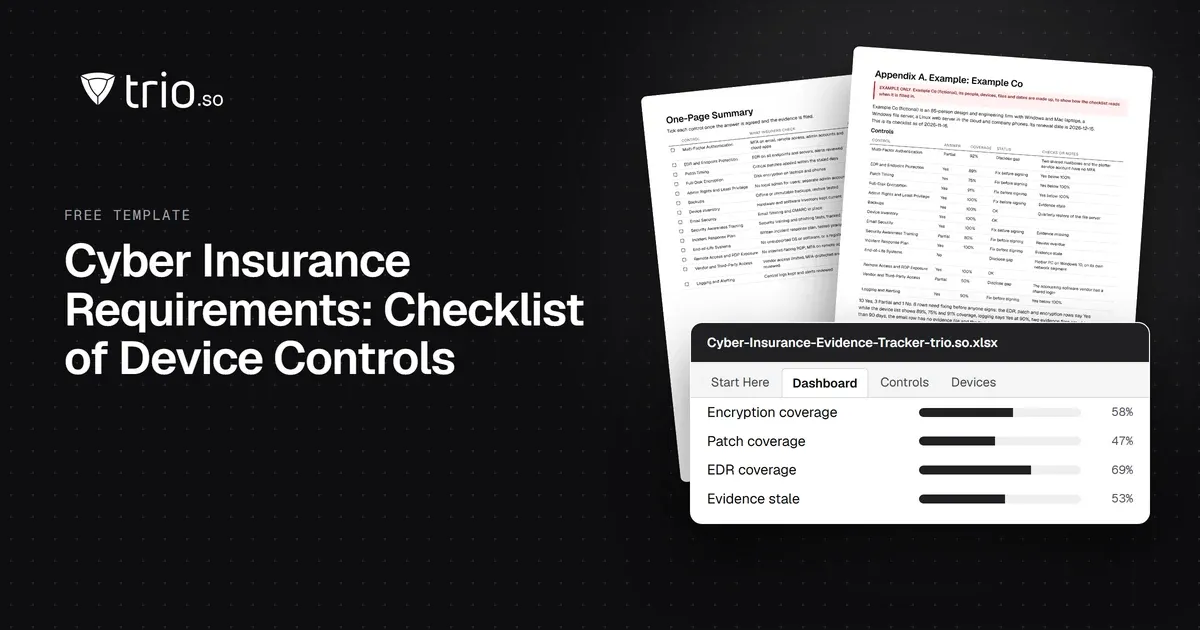
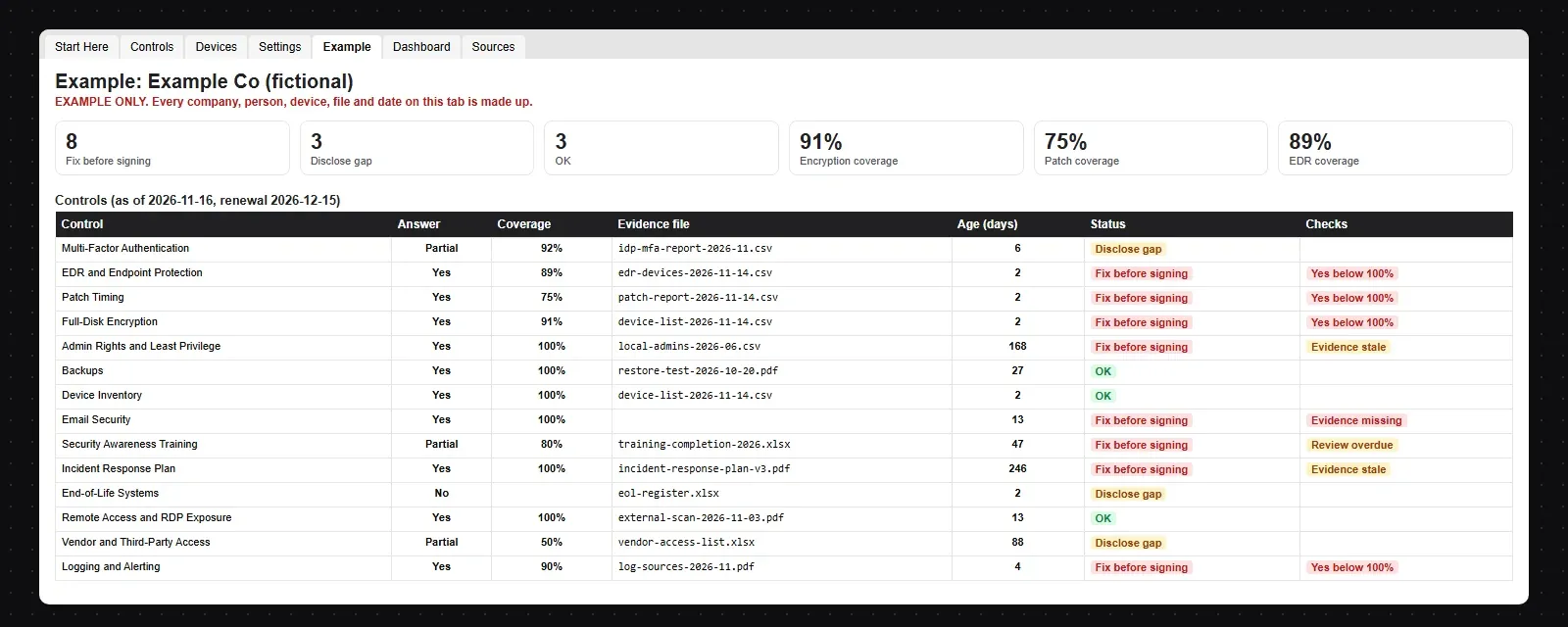
The download is shared with the requirements checklist: a PDF and Word checklist with the 14 controls, a one-page summary and eight answering tips, and an Excel tracker that flags a Yes below 100%, missing or stale evidence and overdue reviews. Its Devices tab computes encryption, patch and EDR coverage from a device export, so the percentages in your Partial answers come from the devices.
Export this evidence from your own devices. trio.so doesn't sell insurance, back up data or replace your EDR, email filter or training platform. It covers the device side of the questionnaire: it sets controls on Windows, macOS, Linux, iOS/iPadOS and Android devices and lets you export the evidence that they are in place. For the device questions, trio.so gives you:
trio.so's own EDR for Windows, macOS and Linux is coming soon. Backups, email filtering, security training and the incident response plan stay with your own tools and team. Plans start at $5 per device.
14-day free trial. No credit card required.
Sources. Last reviewed November 2026. Control descriptions are our summary of common insurer questions and of public guidance from CISA, the FTC, Travelers and Coalition; the wording is ours. trio.so is not affiliated with or endorsed by any insurer, broker or government agency. This article is general information, not insurance or legal advice.
trio.so shows each device's encryption status, patch findings and installed apps, and exports the device list and compliance evidence, so the coverage numbers in your answers come from the devices.
Every organization today needs a solution to automate time-consuming tasks and strengthen security. Without the right tools, manual processes drain resources and leave gaps in protection. trio.so is designed to solve this problem, automating key tasks, boosting security, and ensuring compliance with ease.
Every organization today needs a solution to automate time-consuming tasks and strengthen security. Without the right tools, manual processes drain resources and leave gaps in protection. trio.so is designed to solve this problem, automating key tasks, boosting security, and ensuring compliance with ease.





Related
The related industry news, interviews, technologies, and resources.
Cyber insurance requirements, control by control: what insurers ask about MFA, EDR, patching and encryption, and the evidence to attach. Free checklist.
SAMA compliance checklist for the SAMA CSF: 4 domains and 32 subdomains, maturity levels 0 to 5, evidence and owners, with a free PDF and Excel tracker.
NCA ECC compliance checklist for ECC-2:2024: all 108 controls by domain, the evidence to keep and the device controls, with a free PDF and Excel tracker.
Free MDM audit checklist in Word and PDF: 36 controls with how to test each one, the evidence to collect, a device sample sheet and an Excel tracker.
Make the most of your MDM solution to boost data security and operational efficiency with this easy-to-follow MDM implementation checklist.
What J-SOX is, how it differs from US SOX, and a checklist of J-SOX requirements from scoping to the internal control report.
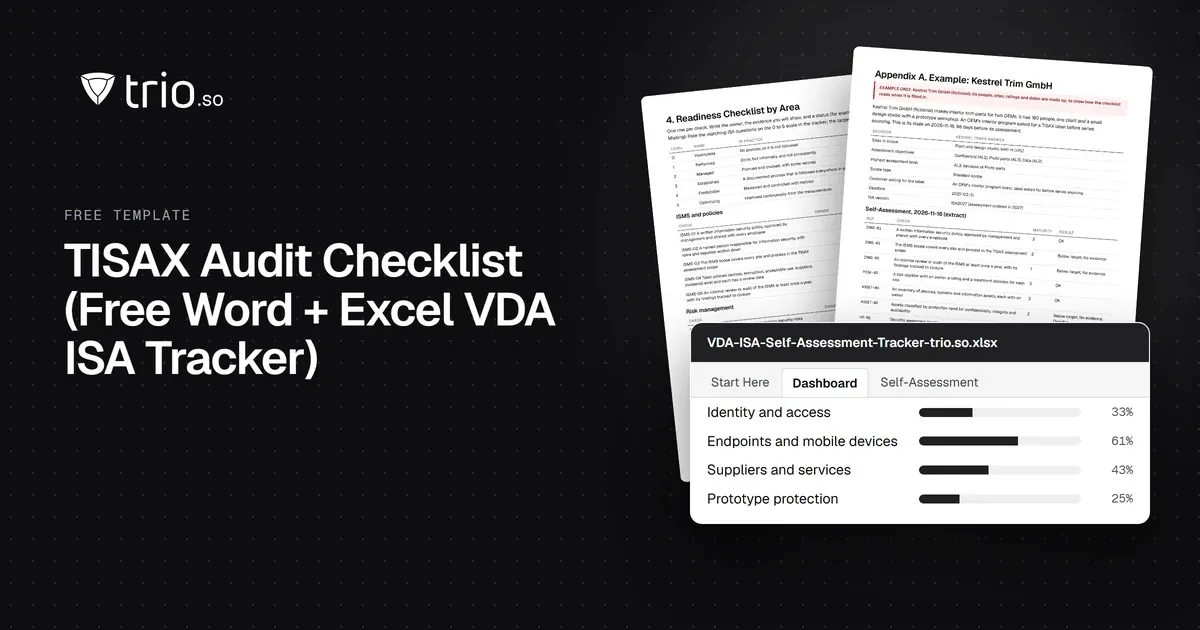
Free TISAX audit checklist in Word and PDF: assessment levels, labels, VDA ISA areas and the evidence to prepare, plus an Excel self-assessment tracker.

Learn how you can improve your resource allocation strategy & download the IT Resource Allocation Template to optimize your IT resource management.
14-day free trial. No credit card required.
trio.so for MSPs: one console, separate clients