



Templates
SAMA Compliance Checklist for the SAMA CSF (PDF + Excel)
SAMA compliance checklist for the SAMA CSF: 4 domains and 32 subdomains, maturity levels 0 to 5, evidence and owners, with a free PDF and Excel tracker.
Cyber insurance requirements, control by control: what insurers ask about MFA, EDR, patching and encryption, and the evidence to attach. Free checklist.

Content writer, trio.so
Cyber insurance requirements are the security controls an insurer expects you to have before it quotes, binds or renews a policy. They arrive as questions on the application or the renewal questionnaire: is MFA on for email and remote access, is EDR on every endpoint, how many days do critical patches take, are laptops encrypted, are backups offline and tested. Your answers feed the underwriting decision, and they matter again if you ever make a claim.
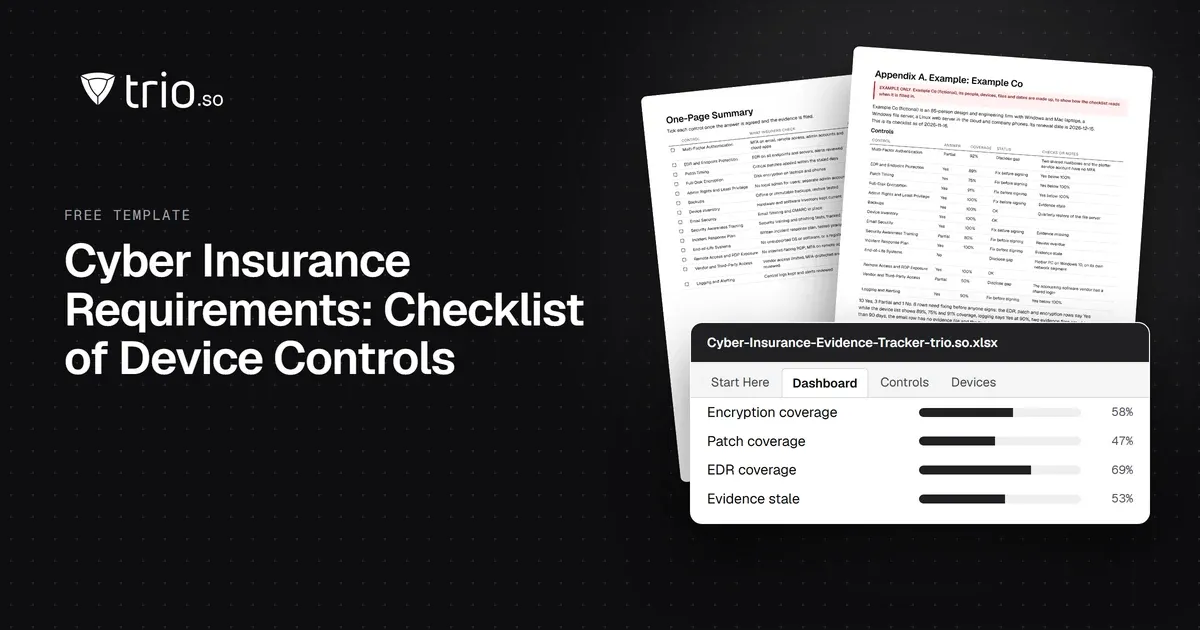
This checklist covers 14 controls that insurers commonly ask about. For each one you get what insurers ask, what a good answer usually looks like and the evidence to attach. Carriers set their own bar, so treat the targets as common examples. Check your carrier's actual questionnaire and talk to your broker. The free download has the checklist as a PDF and an editable Word file, plus an Excel tracker that flags answers your evidence doesn't support.
In short
Most of what insurers ask maps to how attacks start: stolen passwords used on email or remote access, unpatched systems facing the internet, ransomware that spreads through admin rights, and backups that get encrypted along with everything else. CISA's #StopRansomware Guide recommends the same controls insurers ask about. It calls for phishing-resistant MFA on email, VPNs and accounts that reach critical systems, offline encrypted backups that are tested, an incident response plan that has been exercised, and closing unused ports such as RDP.
The questions come in a few forms: a short application for smaller companies, a longer one above a size threshold, and supplements on single topics. Travelers, for example, lists a separate Multi-Factor Authentication Supplement next to its CyberRisk application. At renewal you usually answer again, and the bar may have moved since last year.
Insurers rely on the answers when a loss happens. In Travelers v. International Control Services (2022), the insurer said the company's application described MFA that in fact only protected its firewall. After a ransomware attack, the two sides agreed the policy was void from the start.
If you are still choosing coverage, start with our guides to cyber liability insurance and cybersecurity insurance. The FTC's small business guidance also lists what a policy should cover, from breach response costs to attacks on data held by your vendors.
| Control | What insurers check | Evidence to attach |
|---|---|---|
| Multi-Factor Authentication | MFA on email, remote access, admin accounts and cloud apps | MFA enrollment report, sign-in policy |
| EDR and Endpoint Protection | EDR on all endpoints and servers, alerts reviewed | EDR device export vs inventory count |
| Patch Timing | Critical patches applied within the stated days | Patch report, open critical CVEs with age |
| Full-Disk Encryption | Disk encryption on laptops and phones | Device list with encryption status |
| Admin Rights and Least Privilege | No local admin for users; separate admin accounts | Local admin list, privileged account review |
| Backups | Offline or immutable backups, restore tested | Restore test record, backup job report |
| Device Inventory | Hardware and software inventory kept current | Dated inventory export |
| Email Security | Email filtering and DMARC in place | DMARC record, filtering policy |
| Security Awareness Training | Security training and phishing tests, tracked | Completion report, phishing results |
| Incident Response Plan | Written incident response plan, tested yearly | Plan with version date, tabletop record |
| End-of-Life Systems | No unsupported OS or software, or a register | OS version report, EOL register |
| Remote Access and RDP Exposure | No internet-facing RDP; MFA on remote access | External port scan, firewall rules |
| Vendor and Third-Party Access | Vendor access limited, MFA-protected and reviewed | Vendor access list, review date |
| Logging and Alerting | Central logs kept and alerts reviewed | Retention settings, alert review records |
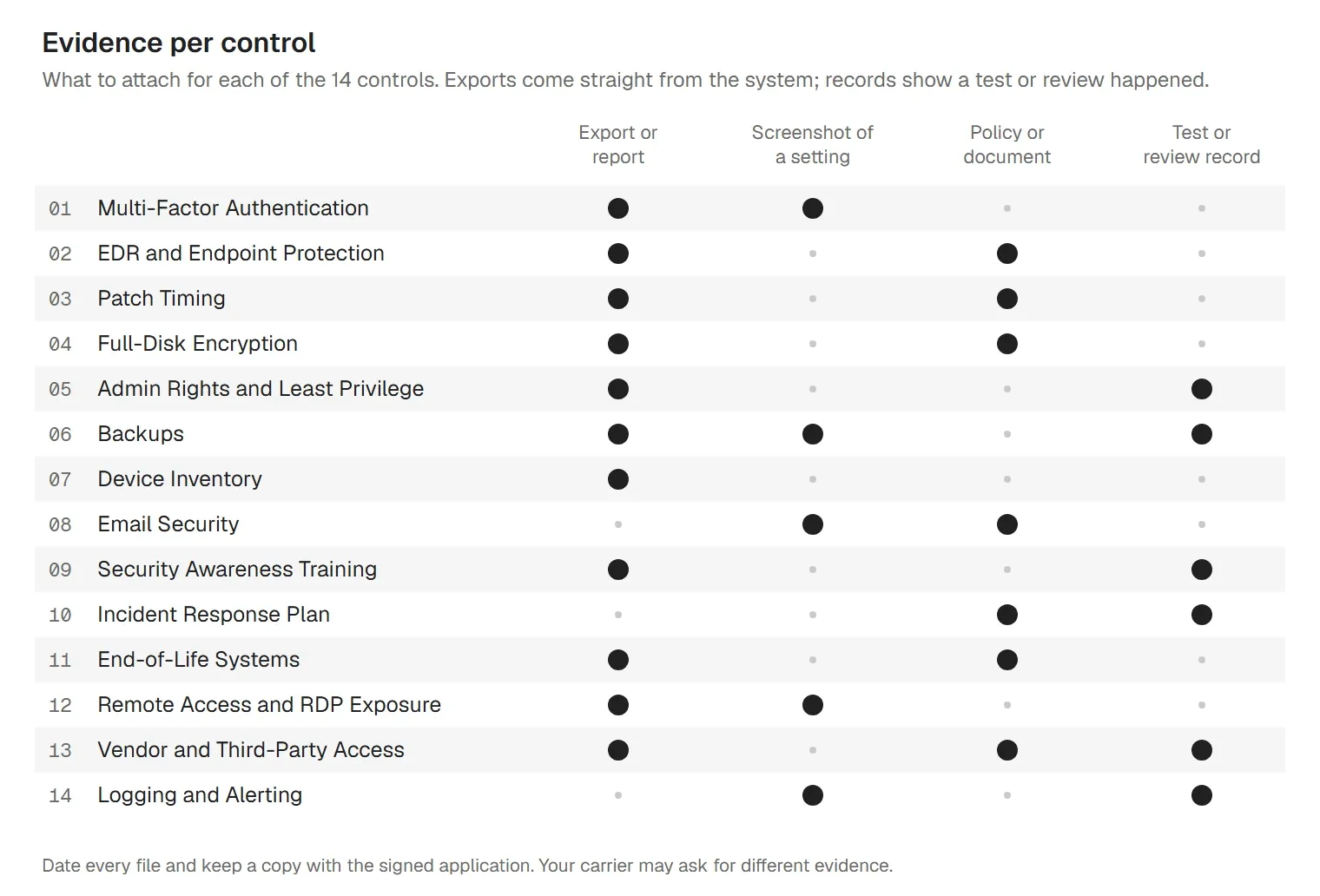
Values in brackets are examples. Replace them with what your carrier asks for and what your tools can do.
Questionnaires often split MFA into separate questions: email, remote access, privileged accounts, cloud apps and sometimes the backup console. Each needs its own honest answer. The usual gaps are service accounts, shared mailboxes, break-glass admin accounts and legacy mail protocols that skip MFA (IMAP, POP and basic SMTP authentication), so list those before the form asks. Our MFA guide compares the methods.
Insurers ask for EDR because antivirus matches known files, while EDR records process behavior and lets someone investigate and contain a device. Expect two follow-ups: does it cover every endpoint and server, and who responds at night and on weekends. Coalition's 2025 guidance for small businesses notes that EDR tools are often deployed but not configured properly, so coverage and configuration both count. If you are deciding between running EDR yourself and buying a service, see EDR vs MDR.
Patch questions ask for a number of days, so decide on one. A common choice is 14 days for critical patches and faster for vulnerabilities in CISA's Known Exploited Vulnerabilities (KEV) catalog. CISA and Coalition both put internet-facing systems first: VPN appliances, firewalls and anything else reachable from outside. A patch that has downloaded but waits for a restart is still open. The patch management policy template sets the timelines in writing.
Encryption is one of the easier answers to prove, because the operating system reports it. The question usually covers laptops and mobile devices; some forms add removable media and backups. Desktops in a locked office or servers in a data center may be out of scope, but say so instead of ticking Yes. Store recovery keys centrally, or a forgotten PIN turns into lost data. Our guide to full-disk encryption covers BitLocker, FileVault and phones.
Admin rights let ransomware switch off security tools and move to other machines. Insurers ask whether everyday users are local administrators, whether IT uses separate admin accounts, and how many privileged accounts exist. CISA's guide recommends separate administrator accounts used only for admin work. Count service accounts and the built-in local administrator in your answer. The access control policy template puts these rules in one document.
Backups are how you recover if ransomware encrypts your systems, and CISA notes that most ransomware actors try to find and delete or encrypt backups they can reach. That is why the question asks where backups live as well as whether you have them. Write down every restore test with the date, the system, how long it took and whether it worked; that record is the evidence. Our backup and recovery policy template covers retention and testing.
You can't answer coverage questions without a device count. If the inventory lists 140 devices and the EDR console shows 128, the EDR answer is Partial until the other 12 are found. An inventory fed by your device management tool stays current; a spreadsheet updated by hand falls behind.
Coalition's 2025 list for small businesses has protecting email accounts as its own action, and CISA's guide recommends DMARC. Expect questions on gateway filtering, attachment handling, external sender tags and DMARC. A DMARC policy of p=none only reports; quarantine or reject is what stops spoofed mail from your domain.
Insurers ask how often people are trained and whether you can prove it. Track completion per person and keep the phishing simulation results; most training platforms export both. New starters are the usual gap, so train people when they join instead of waiting for the next annual cycle.
The plan should name who decides, who calls the insurer, which outside firms you'll use and how you reach them if email is down. Check whether your policy requires you to use the insurer's incident response panel or to call its hotline first, and put that number in the plan. CISA recommends exercising the plan and keeping a printed copy. Our data breach response plan and incident report template cover the documents.
Unsupported systems no longer get security fixes. Windows 10 support ended on October 14, 2025, so a Windows 10 machine without Extended Security Updates now counts. If you can't retire a system, for example a PC that drives a plotter or a machine controller, list it with how it is isolated and when it will be replaced, and disclose it in the answer.
Insurers ask about RDP directly because anyone can check it from the outside, and CISA's guide tells organizations to turn off unused ports and protocols such as RDP on TCP port 3389. Check with an external port scan or your firewall's NAT rules. Remote support tools that stay installed and running count as remote access too.
Your MSP and software vendors can have more access than most employees. Insurers ask whether that access uses named accounts with MFA, whether it is limited to when it's needed, and whether you review it. On the coverage side, the FTC suggests checking that a policy covers attacks on your data held by vendors and other third parties. The vendor management policy template covers reviews and contract terms.
Logs answer the first questions after an incident: what happened, when and on which systems. Insurers ask whether you collect logs centrally, how long you keep them and whether anyone reviews the alerts. CISA's guide recommends centralized log management. Pick a retention period your tools can hold and write it down.
Answer for the scope the question names: "all endpoints" means servers too, and "all users" includes service and shared accounts. If coverage is below 100%, write "Partial" with the percentage, what is missing, the compensating control and the date it will be fixed. Answer with what is in place on the day you sign, not with a rollout that finishes next month, and keep a copy of everything you send.
Our guide on how to answer a cyber insurance questionnaire goes question by question through the device section, with example wording for partial answers, the evidence to attach, the common mistakes and who should sign.
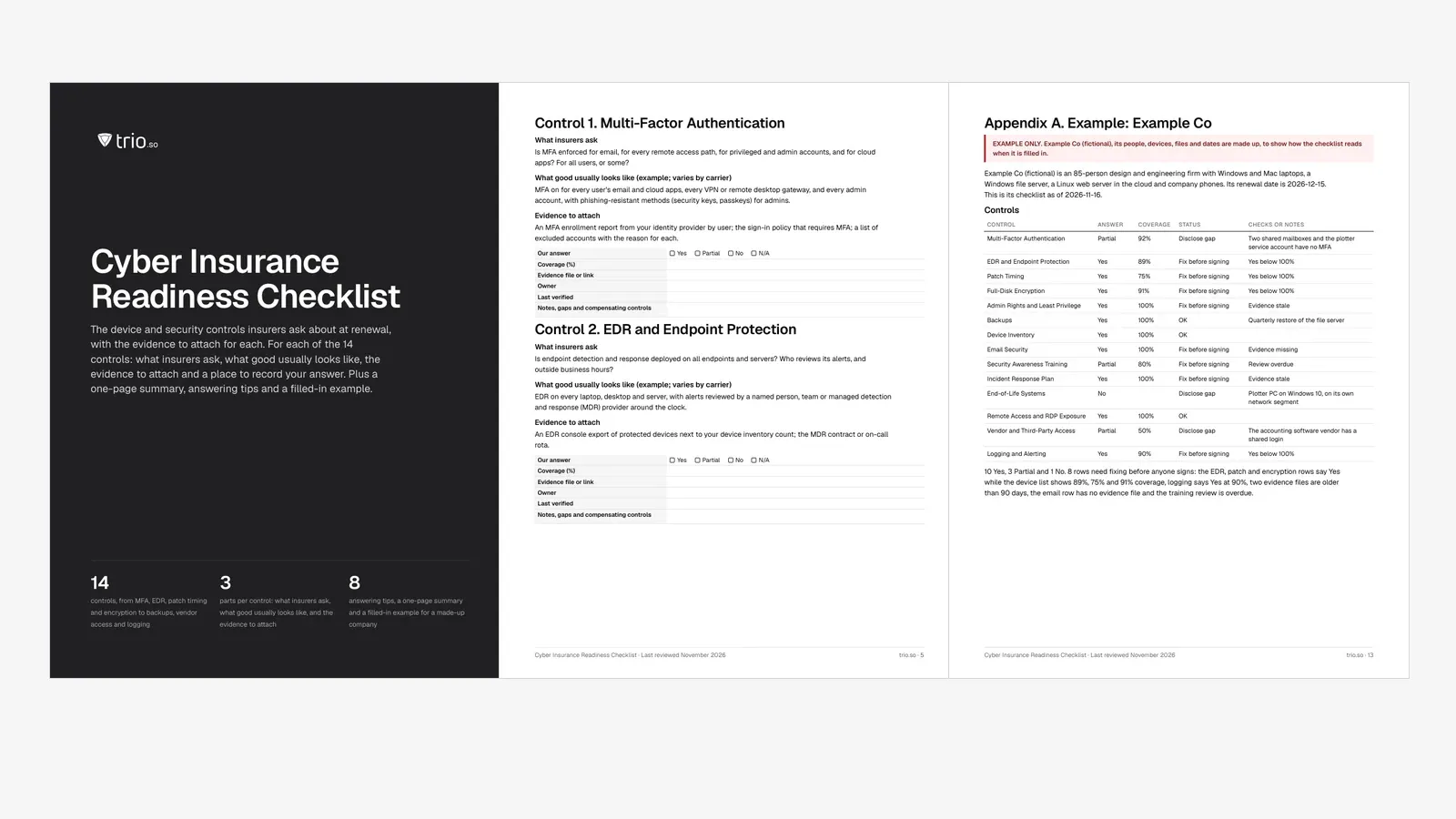
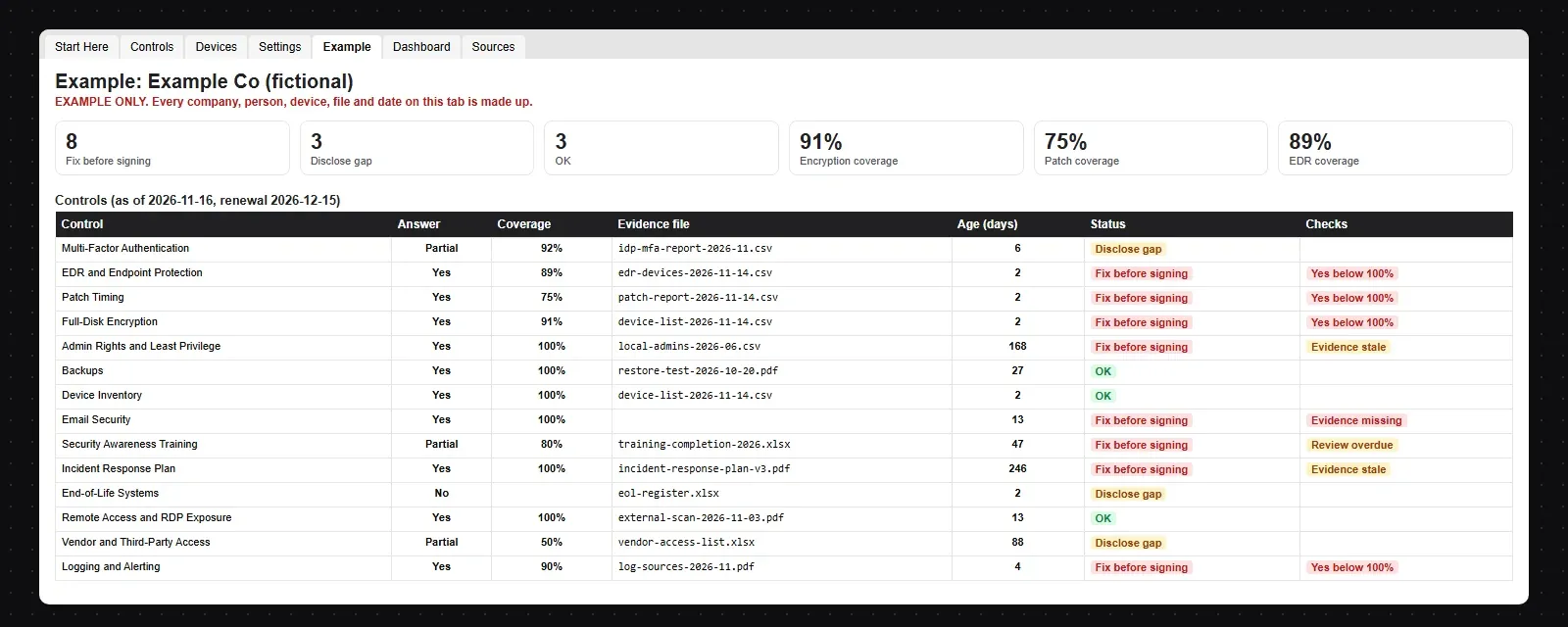
The example company, Example Co (fictional), is an 85-person design firm a month from renewal. It answered 10 controls Yes, 3 Partial and 1 No. The tracker marks 8 rows to fix before anyone signs. The EDR, patch and encryption rows say Yes while the device list shows 89%, 75% and 91% coverage. Two evidence files are older than 90 days, and the email row has no evidence file. MFA at 92%, a Windows 10 plotter PC and a vendor's shared login are marked as gaps to disclose.
Export this evidence from your own devices. trio.so doesn't sell insurance, back up data or replace your EDR, email filter or training platform. It covers the device side of the questionnaire: it sets controls on Windows, macOS, Linux, iOS/iPadOS and Android devices and lets you export the evidence that they are in place. For the device questions, trio.so gives you:
trio.so's own EDR for Windows, macOS and Linux is coming soon. Backups, email filtering, security training and the incident response plan stay with your own tools and team. Plans start at $5 per device.
14-day free trial. No credit card required.
Sources. Last reviewed November 2026. Control descriptions are our summary of common insurer questions and of public guidance from CISA, the FTC, Travelers and Coalition; the wording is ours. trio.so is not affiliated with or endorsed by any insurer, broker or government agency. This article is general information, not insurance or legal advice.
trio.so enforces disk encryption on laptops and phones, shows patch findings with CVSS, EPSS and KEV, keeps an inventory with owner, serial and OS version, and exports the device list to CSV for your questionnaire.
trio.so brings device management, patching and security policies for Windows, macOS, Linux, iOS/iPadOS and Android into one console. Enroll a device and see it in the console within minutes.
trio.so brings device management, patching and security policies for Windows, macOS, Linux, iOS/iPadOS and Android into one console. Enroll a device and see it in the console within minutes.





Related
The related industry news, interviews, technologies, and resources.
SAMA compliance checklist for the SAMA CSF: 4 domains and 32 subdomains, maturity levels 0 to 5, evidence and owners, with a free PDF and Excel tracker.
NCA ECC compliance checklist for ECC-2:2024: all 108 controls by domain, the evidence to keep and the device controls, with a free PDF and Excel tracker.
Free MDM audit checklist in Word and PDF: 36 controls with how to test each one, the evidence to collect, a device sample sheet and an Excel tracker.
Make the most of your MDM solution to boost data security and operational efficiency with this easy-to-follow MDM implementation checklist.
What J-SOX is, how it differs from US SOX, and a checklist of J-SOX requirements from scoping to the internal control report.
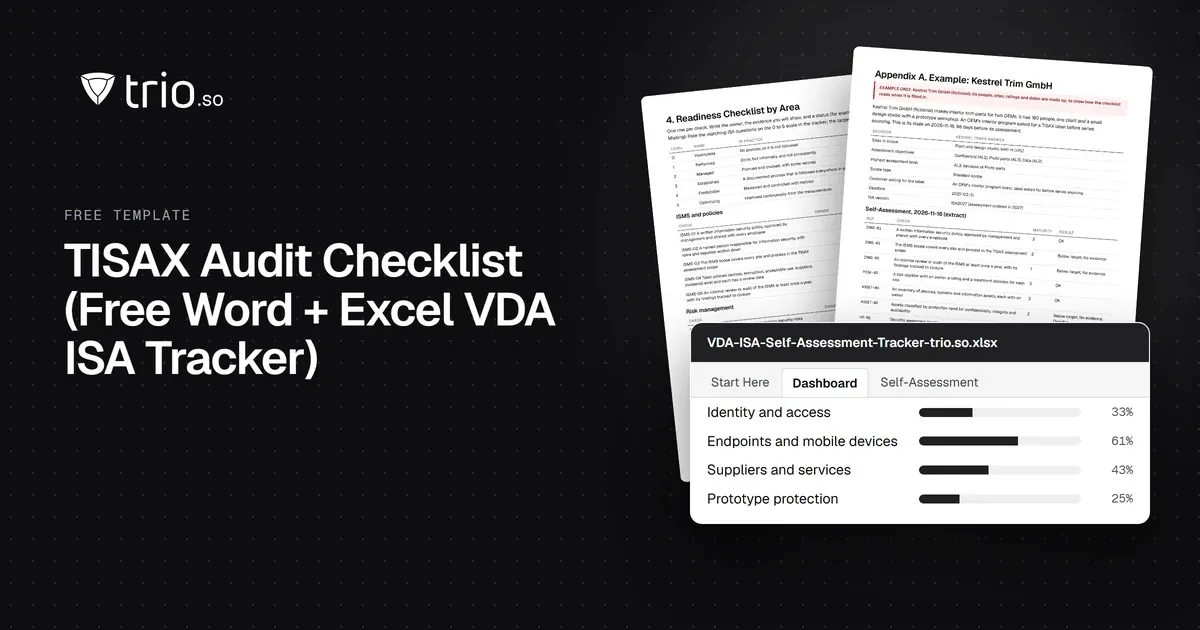
Free TISAX audit checklist in Word and PDF: assessment levels, labels, VDA ISA areas and the evidence to prepare, plus an Excel self-assessment tracker.

Learn how you can improve your resource allocation strategy & download the IT Resource Allocation Template to optimize your IT resource management.
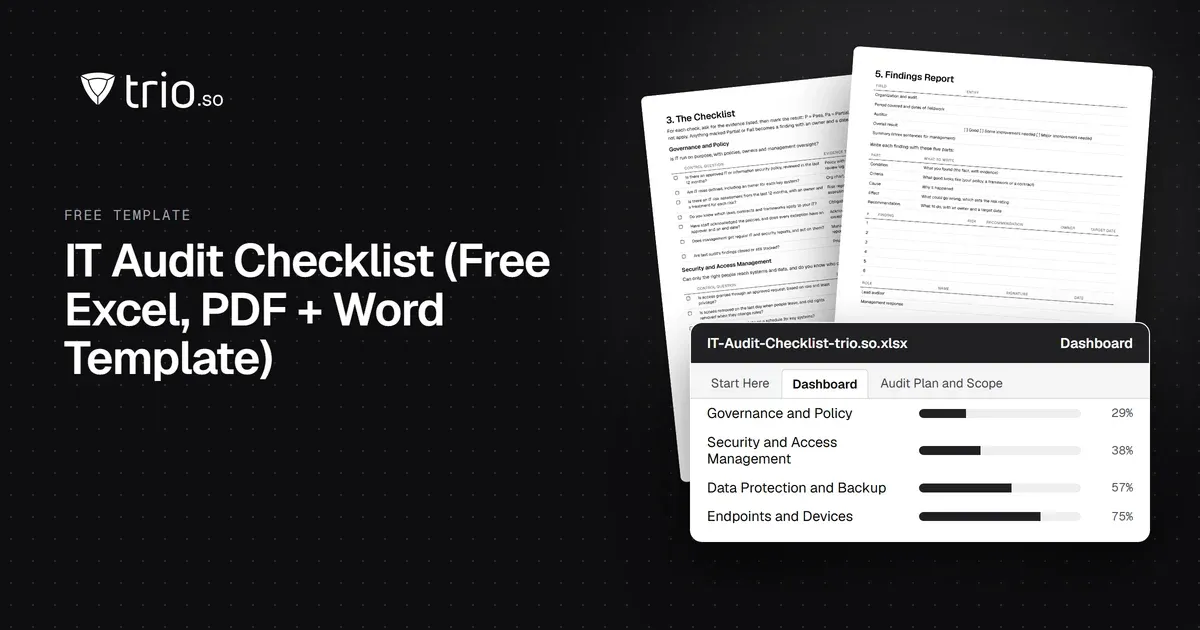
Free IT audit checklist template in Excel, PDF and Word: 66 checks in 8 areas, an audit questionnaire, a findings tracker and a filled-in example.
14-day free trial. No credit card required.
trio.so for MSPs: one console, separate clients