



Templates
Network Security Policy Template (Free Word + Excel)
Free network security policy in Word and PDF: zones, firewalls, Wi-Fi, remote access and network devices, plus an Excel plan and a checklist.
Free data backup and recovery policy template in Word and PDF, with backup and restore procedures, a restore test form and an Excel log of RPO and RTO.

Content writer, trio.so
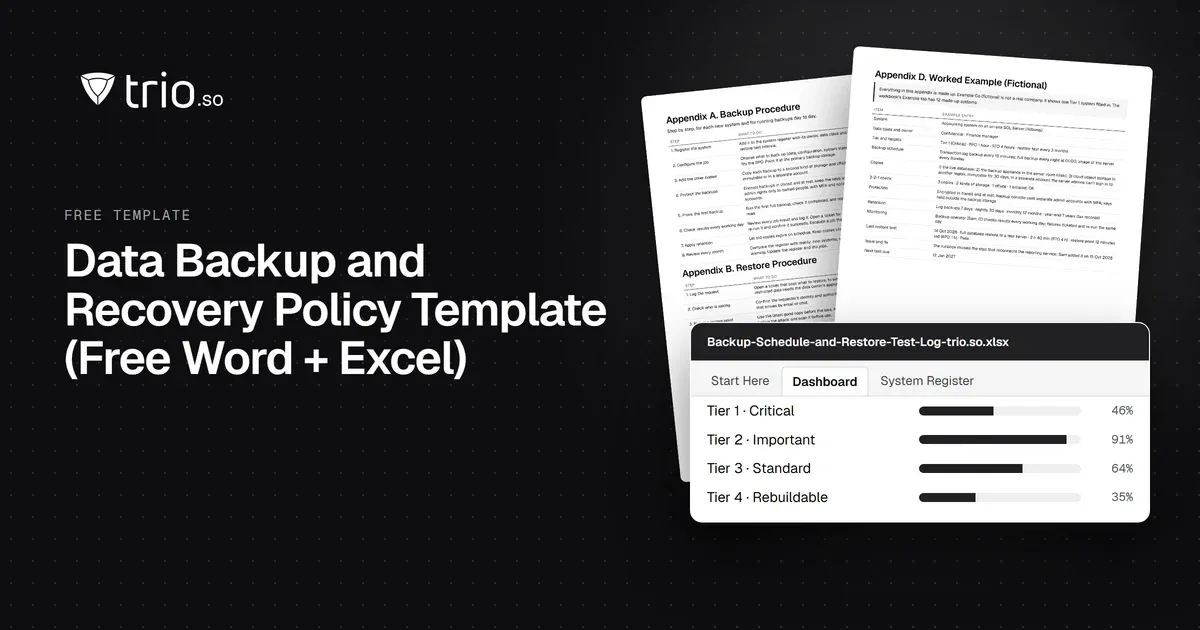
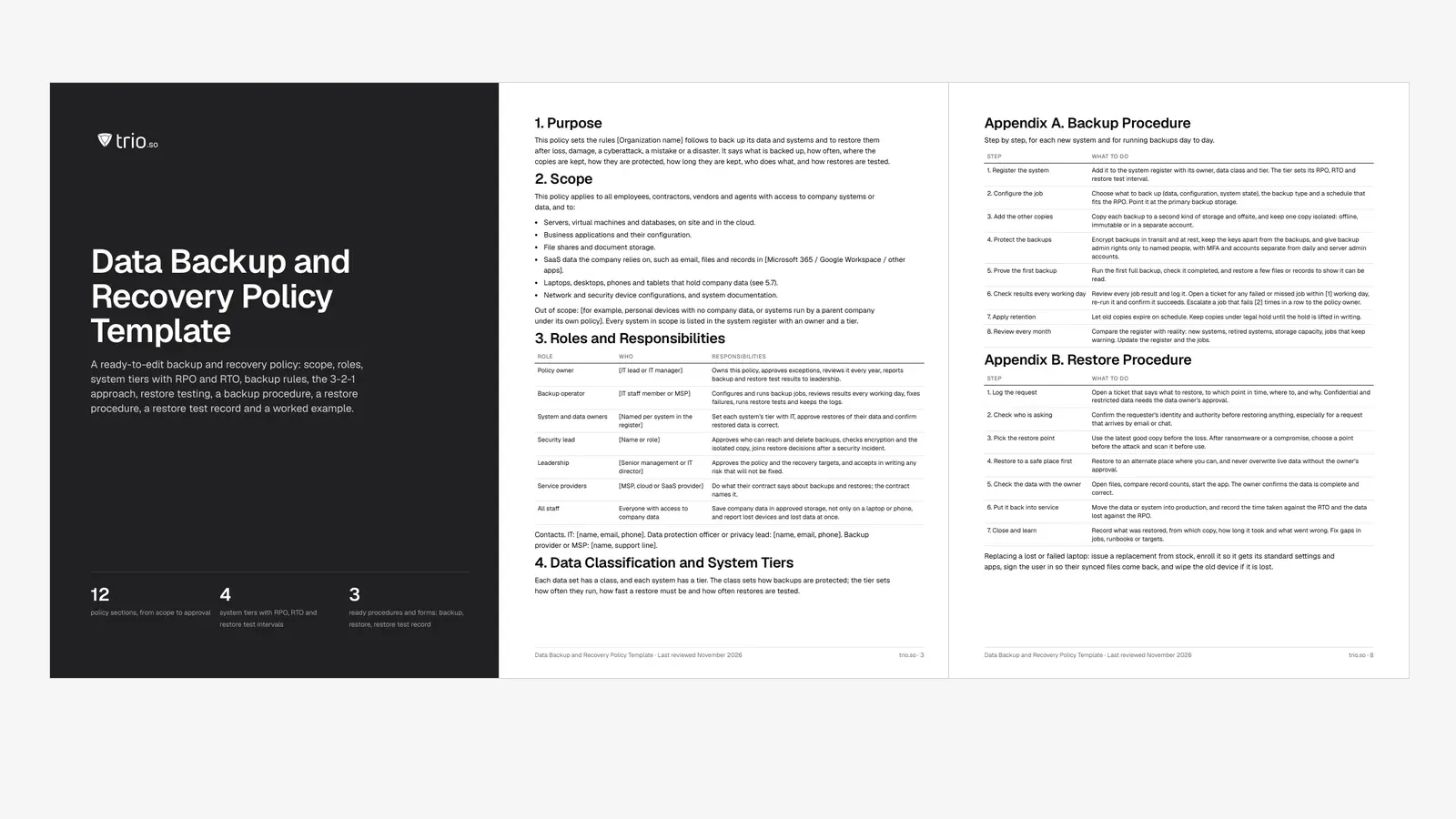
A data backup and recovery policy sets the rules for backing up your systems and data and getting them back: what is backed up, how often, where the copies are kept, who checks them and how restores are tested. This free template gives you the full policy in Word and PDF, with a step-by-step backup procedure, a restore procedure, a restore test record and a worked example, plus an Excel backup schedule and restore test log.
It works for a one-person IT team at a 20-person company and for an IT lead at a company of 1,000. Fill in the brackets, set your system tiers, and it is ready to approve.
In short
A data backup and recovery policy (also called a data backup policy, backup policy or data recovery policy) is a short, approved document that says how your organization protects its data with backups and how it gets that data back. It names the systems in scope, sets recovery targets for each one, and says how backups are run, protected, kept, checked and tested, and who is responsible for each part.
It is not the same as a disaster recovery plan. The backup policy is the standing set of rules. The disaster recovery plan is the playbook for getting the whole business working again after a major outage, and it depends on the backups the policy produces. A data retention policy is a third document: it decides how long records are kept, and backup retention should follow it.
| Backup and recovery policy | Disaster recovery plan | Data retention policy | |
|---|---|---|---|
| Answers | How data is copied, protected and restored | How the business gets back to work after a major outage | How long each kind of record is kept |
| Covers | Every system and data set, every day | People, sites, suppliers, communications and the order systems come back | Records, from creation to disposal |
| Usual owner | IT lead | Operations or continuity lead, with IT | Legal, compliance or records owner |
| Tested by | Restore tests | Recovery exercises and tabletop tests | Retention reviews |
If you need the other two, start with our disaster recovery plan template and data retention policy template.
A good backup policy is specific enough that a new IT hire could follow it. The template has 12 sections; these are the parts that do the work.
List what the policy covers: servers, virtual machines and databases on site and in the cloud, business apps and their configuration, file shares, SaaS data such as email and documents, laptops and phones that hold company data, network device configurations and system documentation. Each system goes into a register with an owner and a data class (restricted, confidential, internal or public). If you don't have classes yet, our data classification policy template sets them up.
The recovery point objective (RPO) is the most data, measured in time, you can afford to lose. The recovery time objective (RTO) is how long a system can be down before it must be back in service. Setting them per system gets messy, so the template groups systems into four tiers:

| Tier | RPO | RTO | Backup frequency | Restore test | Typical systems |
|---|---|---|---|---|---|
| Tier 1: Critical | 1 hour | 4 hours | Hourly or continuous, plus a daily full or synthetic full | Every 3 months | Finance and ERP, customer database, identity systems, core line-of-business apps |
| Tier 2: Important | 1 day | 1 day | Daily | Every 6 months | File shares, email, CRM, HR and payroll |
| Tier 3: Standard | 1 day | 3 days | Daily | Every 12 months | Intranet, wiki, ticketing, website |
| Tier 4: Rebuildable | 7 days | 5 days | Weekly, or none if it can be rebuilt from source | Every 12 months | Test systems, laptop and kiosk images, anything you can rebuild |
These are starting points. Agree each system's tier with its owner, and have leadership approve the targets, because shorter targets cost more. If a system's backups can't keep up with its RPO, that is a gap to fix or a risk someone accepts in writing.
Backups run automatically on a schedule that fits the RPO. A common pattern is a weekly full backup with daily incremental or differential backups, plus transaction log backups for databases with a short RPO.
| Type | What it copies | Trade-off |
|---|---|---|
| Full | A complete copy of the selected data every time. | Simplest restore; slowest to run and uses the most storage. |
| Incremental | Only what changed since the last backup of any type. | Fast and small; a restore needs the last full plus every incremental since. |
| Differential | Everything that changed since the last full backup. | Grows until the next full; a restore needs the last full plus the latest differential. |
| Snapshot | A point-in-time copy taken by the storage, hypervisor or cloud platform. | Quick to take and restore; on the same storage it is not a separate copy. |
| Image | A copy of a whole machine, including the operating system. | Rebuilds a server in one step; large. |
| Transaction log | The database's change log, copied between full backups. | Lets you restore a database to a point in time, which keeps the RPO short. |
| SaaS backup | A copy of SaaS data (mail, files, records) kept outside the provider's own service. | Covers deletion and account loss that the provider's retention may not. |
| Export | A scheduled export from an app that has no backup feature. | Better than nothing; check that you can actually import it back. |
The 3-2-1 approach is a long-standing practice: keep three copies of your data (the original and two backups), on two kinds of storage, with one copy offsite. Ransomware added a fourth line, because attackers who get admin access try to delete backups first: keep one copy isolated, meaning offline, immutable or in a separate account that your production admins can't change.
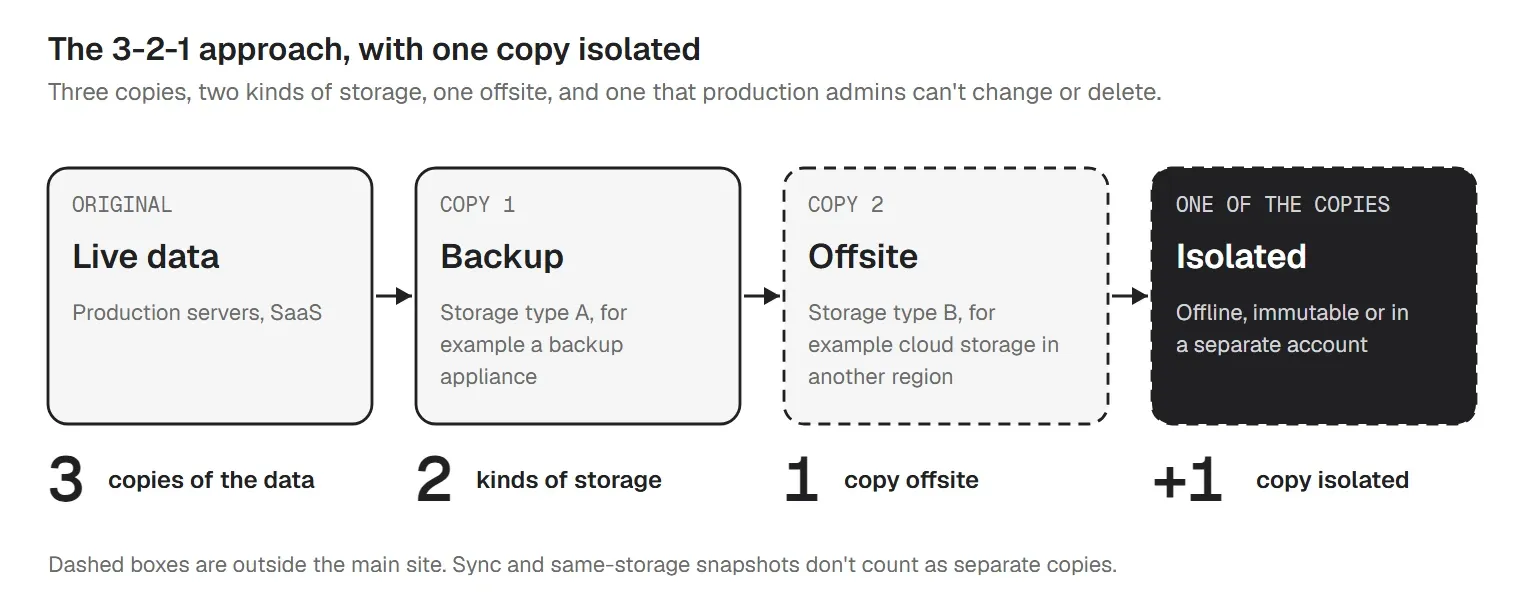
Two things that look like backups but aren't: file sync, because a file deleted or encrypted on one device is deleted or encrypted everywhere it syncs, and snapshots kept on the same storage as the live data, because one storage failure takes both.
| Backup set | Kept for (template default) |
|---|---|
| Daily backups | 30 days |
| Weekly backups | 12 weeks |
| Monthly backups | 12 months |
| Yearly backups | [7] years, only where law or contract needs it |
| Legal hold | Until the hold is lifted in writing |
Legal, regulatory and contract rules win over these defaults, so check them with whoever owns your data retention policy. Delete expired backups on schedule and wipe or destroy backup media before disposal.
| Role | Responsibilities |
|---|---|
| Policy owner | Owns this policy, approves exceptions, reviews it every year, reports backup and restore test results to leadership. |
| Backup operator | Configures and runs backup jobs, reviews results every working day, fixes failures, runs restore tests and keeps the logs. |
| System and data owners | Set each system's tier with IT, approve restores of their data and confirm restored data is correct. |
| Security lead | Approves who can reach and delete backups, checks encryption and the isolated copy, joins restore decisions after a security incident. |
| Leadership | Approves the policy and the recovery targets, and accepts in writing any risk that will not be fixed. |
| Service providers | Do what their contract says about backups and restores; the contract names it. |
| All staff | Save company data in approved storage, not only on a laptop or phone, and report lost devices and lost data at once. |
In a small company one person may hold three of these roles. Write the names in anyway, plus a backup person for the backup operator.
SaaS providers run the service and keep it available. Getting back data that your users deleted, that an attacker encrypted, or that sat in an account you closed is often your job, and the provider's retention may be shorter than you need. For each SaaS app in scope, read the provider's terms on retention and restore, write down what they cover, and decide whether you need a separate backup. Treat a monthly export as a stopgap, and test that you can import it back.
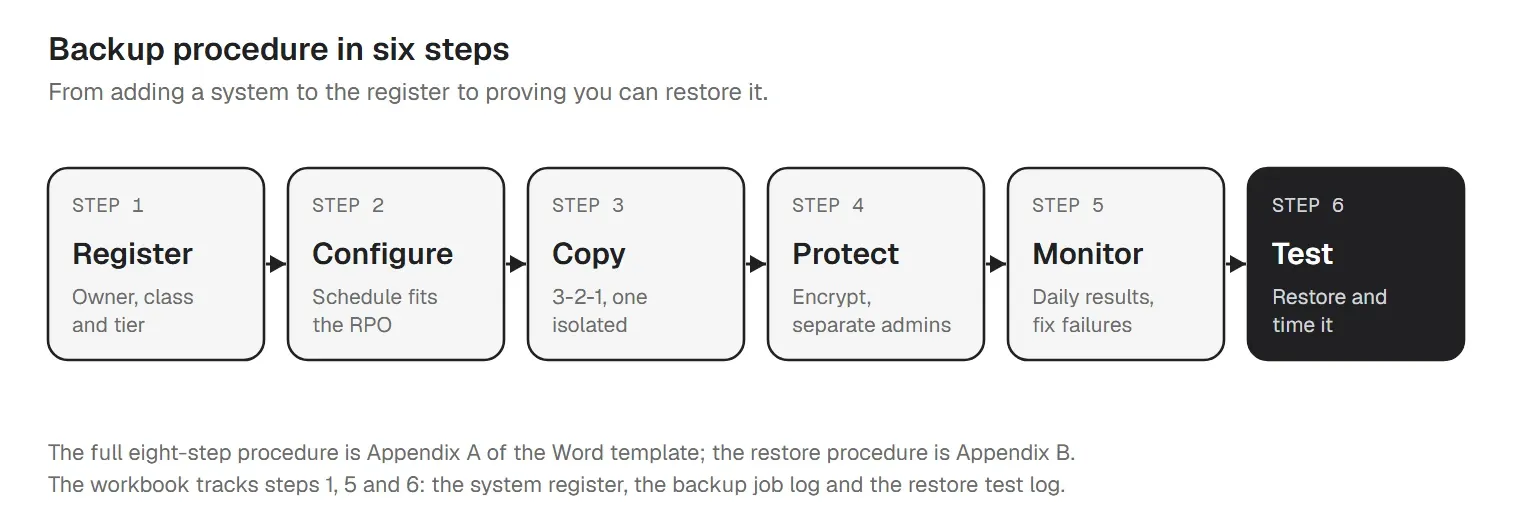
The policy says what must happen; the procedure says how. Here is the backup procedure from Appendix A of the Word file. Add your backup tool's job names and screens to it.
Restores go wrong when they are rushed: the wrong restore point, live data overwritten, or a request from someone who shouldn't have it. The restore procedure in Appendix B slows down the parts that matter:
How often: the template tests Tier 1 every 3 months, Tier 2 every 6 months and Tiers 3 and 4 every 12 months, and again after a major change. CIS Controls v8.1 Safeguard 11.5 asks for recovery tests quarterly or more often on a sample of assets (it sits in Implementation Group 2).
Each test record holds the system, test type, restore point used, start and finish times, time to restore against the RTO, age of the restored data against the RPO, the data owner's check, the result, the issues and their fixes, and the next test date. The workbook's Restore Test Log calculates the times, flags tests outside the RTO and shows which systems are overdue. These records are what an auditor or a cyber insurer asks for, and what tells you whether your targets are real.
Here is one Tier 1 system filled in, from the template's worked example. The company and the details are made up.
| Item | Example entry |
|---|---|
| System | Accounting system on an on-site SQL Server (fictional) |
| Data class and owner | Confidential · Finance manager |
| Tier and targets | Tier 1 (Critical) · RPO 1 hour · RTO 4 hours · restore test every 3 months |
| Backup schedule | Transaction log backup every 15 minutes; full backup every night at 01:00; image of the server every Sunday |
| Copies | 1) the live database; 2) the backup appliance in the server room (disk); 3) cloud object storage in another region, immutable for 30 days, in a separate account the server admins can't sign in to |
| 3-2-1 check | 3 copies · 2 kinds of storage · 1 offsite · 1 isolated: OK |
| Protection | Encrypted in transit and at rest; backup console uses separate admin accounts with MFA; keys held outside the backup storage |
| Retention | Log backups 7 days · nightly 30 days · monthly 12 months · year-end 7 years (tax records) |
| Monitoring | Backup operator (Sam, IT) checks results every working day; failures ticketed and re-run the same day |
| Last restore test | 14 Oct 2026 · full database restore to a test server · 2 h 40 min (RTO 4 h) · restore point 12 minutes old (RPO 1 h) · Pass |
| Issue and fix | The runbook missed the step that reconnects the reporting service; Sam added it on 15 Oct 2026 |
| Next test due | 12 Jan 2027 |
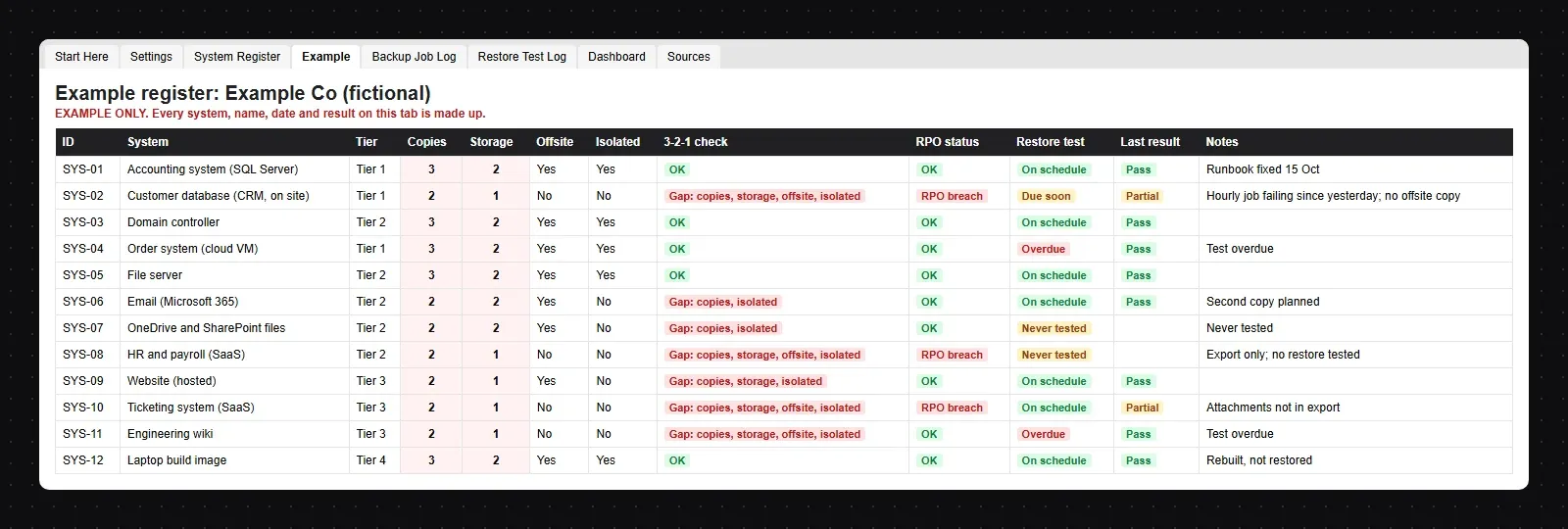
The workbook's Example tab has 12 made-up systems, including what gaps look like: a customer database with a failing job and no offsite copy, SaaS files whose restore has never been tested, and an HR app backed up only by a monthly export.
Most frameworks ask for the same things: a written backup approach, backups on a schedule tied to recovery targets, protected copies and tested restores. Here they are by ID, with our short summaries:
| Framework | Reference | What it covers |
|---|---|---|
| ISO/IEC 27001:2022 | Annex A 8.13 Information backup | Keep backup copies of information, software and systems, and test them regularly, in line with an agreed backup policy (our paraphrase). Related: 5.30 ICT readiness for business continuity. |
| NIST SP 800-53 Rev. 5 | CP-9 System Backup | Back up user-level and system-level information and system documentation at a frequency consistent with recovery time and recovery point objectives, and protect the backups. Enhancements in the moderate baseline: CP-9(1) test backups for reliability and integrity, CP-9(8) cryptographic protection. |
| NIST SP 800-53 Rev. 5 | CP-10 System Recovery and Reconstitution | Recover the system to a known state within a time consistent with its recovery time and recovery point objectives. CP-4 covers testing the contingency plan. |
| CIS Controls v8.1 | Control 11 Data Recovery (11.1 to 11.5) | 11.1 documented data recovery process, reviewed yearly; 11.2 automated backups, weekly or more often; 11.3 protect recovery data like the original; 11.4 an isolated instance of recovery data. These four are in IG1. 11.5 (IG2): test recovery quarterly or more often for a sample of assets. |
| HIPAA Security Rule | 45 CFR 164.308(a)(7)(ii)(A) Data backup plan (Required) | Procedures to create and maintain retrievable exact copies of electronic protected health information. The same standard has a disaster recovery plan (B, Required) and testing and revision procedures (D, Addressable). 164.310(d)(2)(iv) covers a retrievable copy before equipment is moved. |
ISO 27001 backup policy. ISO/IEC 27001:2022 Annex A 8.13 is the control behind the backup policy. The standard leaves the frequency and retention to you, so your policy sets them from your risk assessment. Expect to show the approved policy, records that backups ran, and restore test results. Our ISO 27001 checklist shows where 8.13 fits in the wider project.
The other references: NIST SP 800-53 Rev. 5 (see also our NIST 800-53 checklist), CIS Controls v8.1 Control 11, and the HIPAA Security Rule at 45 CFR 164.308 (see our HIPAA compliance checklist). A policy built from this template covers these themes, but an assessment looks at how you run it, not only at the document. This is a guide, not an audit mapping.
trio.so does not back up or restore data. Your backup tool, your cloud or SaaS provider's backup service or your MSP does that, and this policy names who.
Where trio.so fits is the device side of the policy: the laptops, desktops, phones and tablets that hold company data, and how fast you can replace one. trio.so is mobile device management for Windows, macOS, Linux, iOS/iPadOS and Android, from one console. For the backup policy, it gives you:
See how the device inventory works, or how compliance automation exports evidence. Plans start at $5 per device.
14-day free trial. No credit card required.
Sources. Last reviewed November 2026. Framework names and IDs identify their publishers' documents; descriptions are our own summaries. trio.so is not affiliated with or endorsed by ISO, NIST, CIS, HHS, Microsoft, Google or Apple. This template is a guide, not legal or audit advice. The tiers, targets and retention periods are our suggestions, not the requirements of any framework.
trio.so does not back up data. It shows every managed device with its owner, serial number and encryption status, and wipes lost company-owned devices.
trio.so brings device management, patching and security policies for Windows, macOS, Linux, iOS/iPadOS and Android into one console. Enroll a device and see it in the console within minutes.
trio.so brings device management, patching and security policies for Windows, macOS, Linux, iOS/iPadOS and Android into one console. Enroll a device and see it in the console within minutes.





Have questions? We've got answers. This section covers some of the most commonly asked questions related to this topic.
Related
The related industry news, interviews, technologies, and resources.
Free network security policy in Word and PDF: zones, firewalls, Wi-Fi, remote access and network devices, plus an Excel plan and a checklist.
Free acceptable use policy template with sample statements for every section, a one-page AUP, a fill-in worksheet and a sign-off tracker in Excel.
Free master IT security policy in Word and PDF: roles, rules for 13 topics, exceptions, review and sign-off forms, a filled-in example and a tracker.
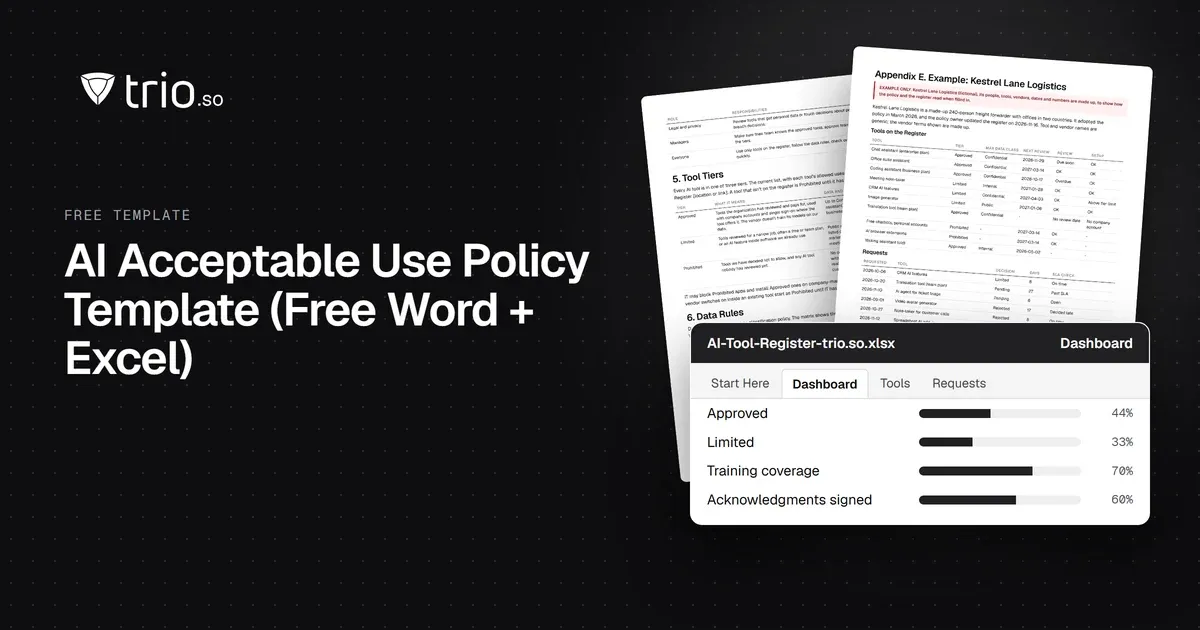
Free AI policy template in Word and PDF: tool tiers, a data matrix, allowed uses by role, AI agents, new-tool reviews and an Excel AI tool register.
How IT should answer the device questions on a cyber insurance questionnaire: honest partial answers, evidence to attach, common mistakes and who signs.

Cyber insurance requirements, control by control: what insurers ask about MFA, EDR, patching and encryption, and the evidence to attach. Free checklist.
SAMA compliance checklist for the SAMA CSF: 4 domains and 32 subdomains, maturity levels 0 to 5, evidence and owners, with a free PDF and Excel tracker.
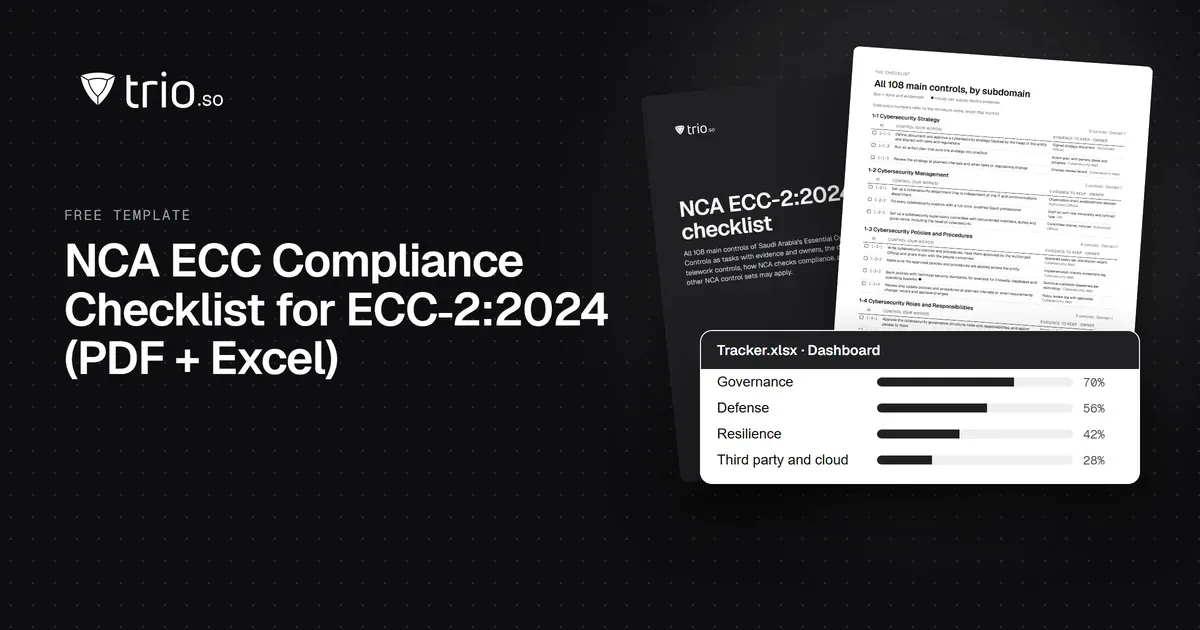
NCA ECC compliance checklist for ECC-2:2024: all 108 controls by domain, the evidence to keep and the device controls, with a free PDF and Excel tracker.
14-day free trial. No credit card required.
trio.so for MSPs: one console, separate clients