



How-Tos
How to Answer a Cyber Insurance Questionnaire
How IT should answer the device questions on a cyber insurance questionnaire: honest partial answers, evidence to attach, common mistakes and who signs.
Free AI policy template in Word and PDF: tool tiers, a data matrix, allowed uses by role, AI agents, new-tool reviews and an Excel AI tool register.

Content writer, trio.so
Most companies already have people using AI at work. Someone summarizes a contract in a chatbot, a developer turns on a coding assistant, a sales rep installs a meeting note-taker, and the office suite ships an AI feature that nobody switched on on purpose. Without written rules, each person decides alone which data is fine to paste, and the answers vary.
This AI policy template gives you those rules in a form people can follow: a short list of approved tools, a matrix of which data may go into which tool, examples of allowed and prohibited uses for each team, and a way to request a new tool. It is written for IT managers, security leads and COOs at companies of 20 to 1,000 people, and for MSPs rolling a policy out for clients. The download has the policy in Word and PDF with an employee quick reference, a request and review form, an acknowledgment and a filled-in example, plus an Excel register for tools, requests, training and incidents.
In short
A general acceptable use policy covers company systems, email, devices and the internet. Ours has a short section on AI tools and public chatbots with five rules. That is enough for some teams. Once people use AI tools daily, you need more: which tools are approved, which data each one may receive, who decides on new tools, how AI agents get access, and what happens when someone pastes the wrong thing.
You can adopt the download as a standalone generative AI policy or cut it down into an annex to your existing AUP. Either way, keep the tool list in a register rather than in the policy text, because the list changes every few weeks and the policy shouldn't need a new approval each time.
Write the scope broadly. A policy that names only chatbots misses most of the AI that arrives in a company. The template covers:
It applies to employees, contractors and temporary staff on any device whenever company data or company work is involved. The policy sits next to your data classification policy and your IT security policy; where they conflict, the stricter rule wins.
| Role | Responsibilities |
|---|---|
| Policy owner [role] | Owns this policy, decides on new tools, keeps the register current and reviews the policy [twice a year]. |
| IT and security | Review vendors, set up company accounts, single sign-on and admin settings, keep unapproved apps off managed devices, handle incidents. |
| Legal and privacy | Review tools that get personal data or touch decisions about people; DPIAs, vendor contracts, breach decisions. |
| Managers | Make sure their team knows the approved tools, approve team requests and raise uses that don't fit the tiers. |
| Everyone | Use only tools on the register, follow the data rules, check output before using it, report mistakes quickly. |
Name one policy owner. In a company of 50 that might be the IT manager; at 800 it is often a security lead with legal as a second reviewer. In both cases one person decides on new tools and keeps the register current.
Tiers give staff a quick answer to "can I use this?" and give IT a place to record the conditions.
| Tier | What it means | Data and examples |
|---|---|---|
| Approved | Tools the organization has reviewed and pays for, used with company accounts and single sign-on where the tool offers it. The vendor doesn't train its models on our data. | Up to Confidential data. Examples: [enterprise chat assistant], [office suite assistant], [coding assistant, business plan]. |
| Limited | Tools reviewed for a narrow job, often a free or team plan, or an AI feature inside software we already use. | Public and Internal data only, and only for the uses listed on the register. Examples: [image generator for marketing drafts], [meeting note-taker for internal meetings]. |
| Prohibited | Tools we have decided not to allow, and any AI tool nobody has reviewed yet. | No company data at all. Examples: free chatbots used with personal accounts, AI browser extensions that read web pages, [tools whose vendor trains on customer inputs]. |
An Approved tool is one the company has reviewed and pays for, used with company accounts and single sign-on, from a vendor that doesn't train its models on your data. Limited is for tools checked for one job: an image generator for marketing drafts, a note-taker for internal meetings, an AI feature inside a SaaS tool that you have checked for one narrow job. Everything else, including any tool nobody has reviewed, is Prohibited. A ban with no approved option tends to push people onto personal accounts, so make sure the Approved list has a real general-purpose assistant on it.
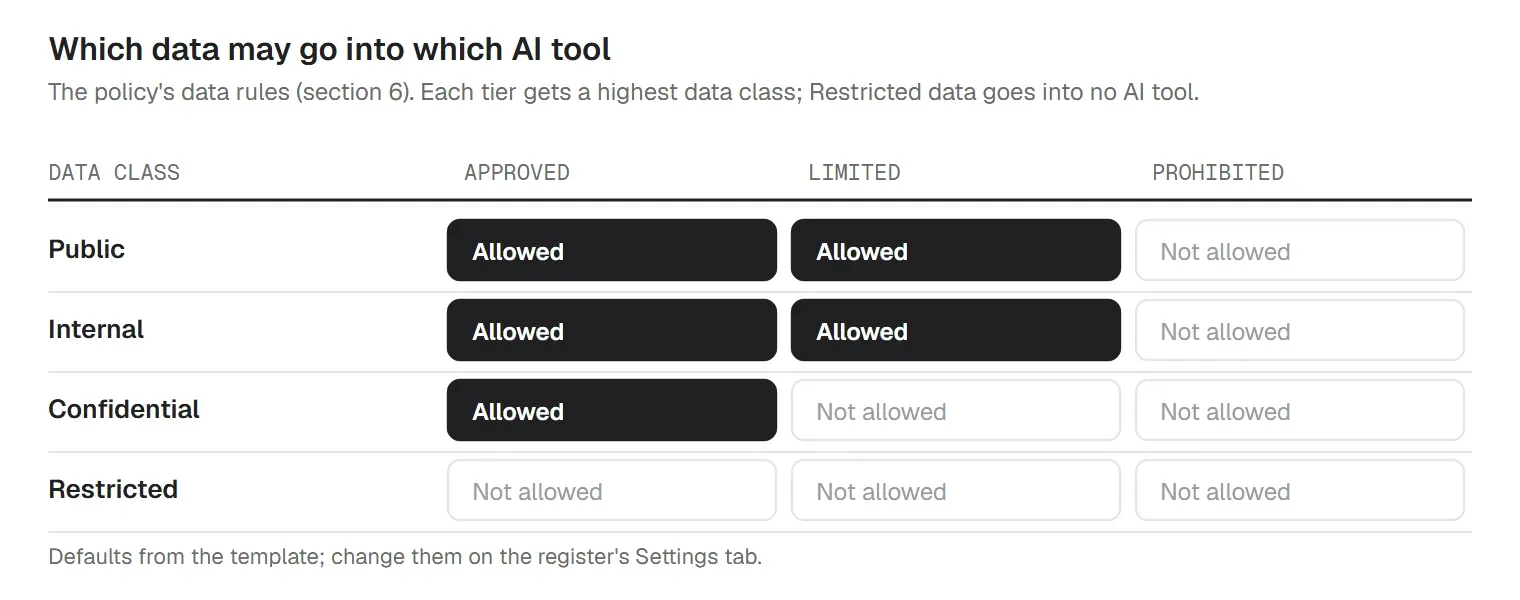
"Use AI responsibly" doesn't tell a support agent whether a customer's email may go into a chatbot. The template answers that question with a matrix that uses the data classes from your classification policy:
| Data class | Examples |
|---|---|
| Public | Published marketing copy, the public website, press releases |
| Internal | Internal procedures, meeting notes without personal data, draft plans |
| Confidential | Customer and employee personal data, contracts, pricing, financials, unreleased product plans, source code |
| Restricted | Passwords, keys and tokens, health or other special category data, payment card data, M&A and legal matters |
Three rules sit under the matrix. Personal data goes into an AI tool only when the job needs it and only into an Approved tool covered by a data processing agreement. People take out names and other details the tool doesn't need before they paste. And passwords, API keys and tokens never go into any AI tool; if they do, they get reported and changed. The register's Settings tab holds the highest class per tier, so if you want Limited tools to stay Public-only, change one cell and the Matrix tab follows.
Allowed uses, within the data rules: drafting and editing text you will review, summarizing material you're allowed to share with that tool, brainstorming and rewording, explaining code and errors, and researching public information with the sources checked. Not allowed:
Abstract rules are easier to follow with an example from your own job, so the template has a table for each team:
| Team | Fine | Not fine |
|---|---|---|
| Sales | Draft a follow-up email from your own notes; summarize a prospect's public annual report. | Paste a customer's contract or pricing into a Limited tool; let a tool send emails without you reading them. |
| HR | Draft a job ad; rewrite a policy in plain language; prepare interview questions you will check. | Screen, rank or reject applicants with AI; paste employee records; analyze anyone's mood or emotions. |
| Engineering | Code completion and review in the approved coding assistant; explain an error message. | Paste secrets, keys or customer data; merge AI-written code without review; connect an agent with your personal token. |
| Support | Draft a reply from the knowledge base in an Approved tool and edit it before sending. | Paste a customer's personal data into a Limited tool; send AI replies nobody has read. |
| Finance | Explain a spreadsheet formula; outline a budget memo with no real figures. | Upload payroll, bank or card data; rely on AI arithmetic without checking it. |
| Marketing | Brainstorm headlines; make draft images in the Limited image tool from public information. | Publish an AI image of a real person or customer; publish facts or statistics you haven't checked. |
AI tools produce facts, citations, quotes and code that look right and sometimes aren't. NIST's Generative AI Profile calls this confabulation and lists it among the 12 risks of generative AI. The policy puts the responsibility on the person: you own anything you send or publish, whoever or whatever drafted it, so check facts, figures, names, links and legal or technical claims against a source.
AI-written code goes through the same review and testing as any other code, including a check of licenses and suggested packages. Ask legal before publishing AI images or text where ownership matters, and don't paste other people's copyrighted work in to have it rewritten. Tell customers when they are dealing with AI rather than a person, such as a chatbot or an AI voice, and label AI-generated images or video that could pass for real.
Hiring, promotion, pay, performance ratings, discipline and termination need a person who reviews the case, can overrule the tool and is named in the record. GDPR Article 22 gives people the right not to be subject to a decision based solely on automated processing that has legal or similarly significant effects on them. The EU AI Act treats AI used in recruitment and worker management as high-risk, and its Article 26 requires employers to tell workers' representatives and affected workers before such a system is used at work. The template asks for legal review and a data protection impact assessment (GDPR Article 35) before any of these uses starts.
A tool approved on a company plan isn't approved on a personal account. The free consumer version may keep conversations, use them for training and sit outside your single sign-on, so a leaver keeps the chat history. The policy says to use AI tools only with company accounts. On personal phones and laptops, approved tools are used only in the managed work apps or the work browser profile, under your BYOD policy. When someone leaves, their AI accounts go with their other accounts; the IT offboarding checklist has the steps.
Note-takers join calls on their own once someone connects their calendar, and they record people who never agreed to it. The template allows only note-takers on the register, asks the host to tell everyone at the start and switch it off if anyone objects, and requires consent before calls with customers, candidates or other outside parties. It keeps note-takers out of HR, legal, medical and disciplinary conversations, and gives recordings the same retention period as other meeting records. Your electronic communication policy and data retention policy set the wider rules.
An agent that reads email, edits files or calls other systems carries the permissions you give it, and it can act on bad instructions hidden in the content it reads. Only IT connects agents to company email, files, calendars, code repositories or business systems. Each agent gets its own account or credentials with the smallest set of permissions it needs, never a person's password, a shared account or an admin token. A person approves any action that sends messages outside the company, spends money, deletes data or changes access, and the register records what each agent can reach and who owns it.
If requests disappear into a queue, people go back to the free version. The template sets a decision time of 10 working days and a short path:
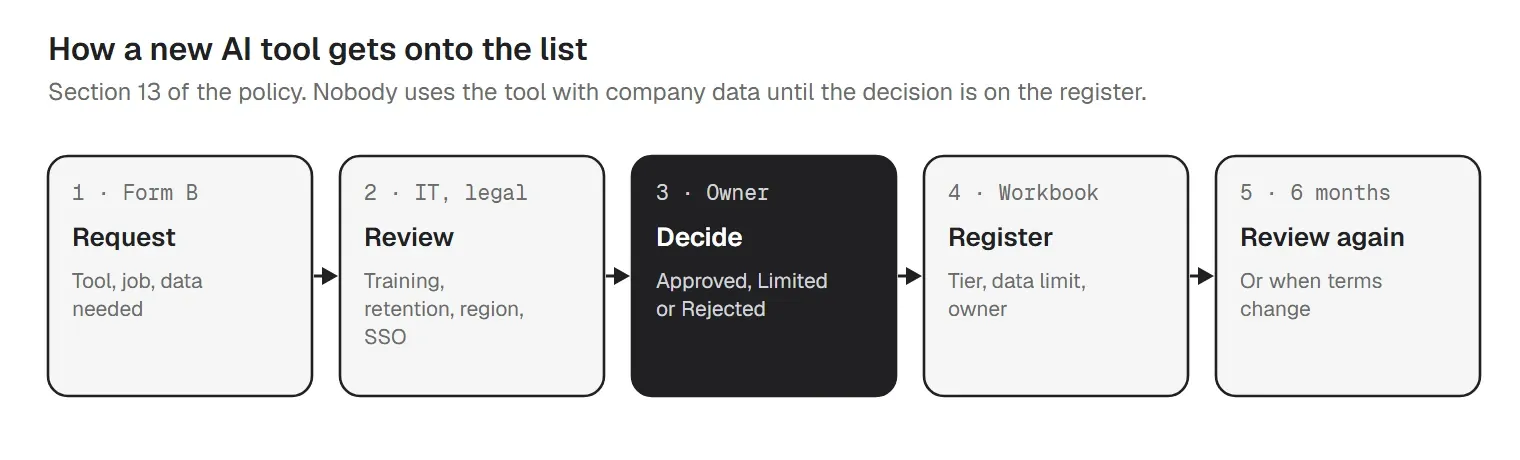
The review covers the questions that decide the tier:
The register's Requests tab logs each request with its decision and flags requests that have waited past the SLA. Approved and Limited tools get a review date, by default every six months, because vendors change their terms and add features between reviews.
Someone will paste the wrong thing eventually. If the first person who reports it is punished, nobody reports the next one, so the policy treats quick reports as incidents rather than misconduct. The steps: stop; report the tool, time, data and account to IT; IT deletes the conversation where the tool allows it, asks the vendor to delete it where needed and resets any pasted password or key; privacy decides whether it is a personal data breach that must be reported to the authority within 72 hours (GDPR Article 33); and IT logs it on the register. Use the incident report template for anything serious.
Article 4 of the EU AI Act has applied since 2 February 2025. The Digital Omnibus on AI (Regulation (EU) 2026/1744, in force since 27 July 2026) rewrote it: providers and deployers of AI systems must take measures to support the development of AI literacy among their staff and others using AI on their behalf, and no specific level of AI literacy is required of any individual. The Commission's proposal to move the duty to the Commission and Member States was not adopted, so the obligation stays with the organization. The European Commission's AI literacy Q&A says no certificate is needed and that an internal record of training is enough. National market surveillance authorities supervise the rule from 2 August 2026; in Germany that is the Bundesnetzagentur.
The template asks for AI training before people get access and a refresher every year, with extra training for roles such as engineering, HR and anyone setting up agents. The register's Training tab is the record: one row per person with the training date and whether they signed the acknowledgment. It flags refreshers due and overdue and works out coverage, so you can show what was done if anyone asks.
Before you publish the policy, find out which AI tools people already use, so the Approved list replaces them rather than ignoring them. Our guide on how to detect shadow AI works through five detection layers, from installed apps on managed devices and SSO and OAuth app grants to browser extensions and DNS logs, and explains why personal accounts are the hardest part. Add every tool you find to the register, give it a tier, and tell the people using it what to switch to.
Company AI tools may log prompts and outputs, and admins usually see usage reports. The policy's monitoring notice says what is logged, who can see it, how long it is kept and that logs are reviewed only for a stated reason, not to measure individual performance. Check that notice with legal, and with the works council where you have one. Exceptions are written, named, time-limited to at most six months and recorded on the register. Breaking the policy can lead to access being removed and disciplinary action, while honest mistakes reported quickly are handled as incidents. Review the policy and the register at least twice a year, or quarterly if your tools change fast, and renew the acknowledgment when the rules change in substance.
The download maps each section to these references in Appendix F. Most office use of AI, such as drafting, summaries and code completion, isn't high-risk under the EU AI Act, so for most companies the parts that apply are Article 4, the Article 5 bans and the GDPR.
| Reference | What it says, in short |
|---|---|
| EU AI Act Article 4 | AI literacy: measures to support the AI literacy of staff who use AI. Applies since 2 February 2025; amended wording since 27 July 2026 (Regulation (EU) 2026/1744). |
| EU AI Act Article 5 | Prohibited practices since 2 February 2025, among them emotion recognition in the workplace and social scoring. Fines up to EUR 35 million or 7% of worldwide turnover. |
| EU AI Act Article 26 | Duties of deployers of high-risk AI, such as AI used in recruitment: use as instructed, human oversight, logs kept at least six months, inform workers first. For Annex III systems these apply from 2 December 2027. |
| GDPR Articles 5, 22, 33, 35 | Data minimization and purpose limitation; no solely automated decisions with significant effects; breach notification within 72 hours; impact assessments for high-risk processing. |
| NIST AI RMF 1.0 and AI 600-1 | Govern, Map, Measure, Manage; the Generative AI Profile (July 2024) lists 12 risks, including confabulation, data privacy, information security and intellectual property. |
| ISO/IEC 42001:2023 | The AI management system standard; Annex A control A.2.2 asks for a documented AI policy. |
The Digital Omnibus on AI (Regulation (EU) 2026/1744) also moved the high-risk dates: 2 December 2027 for Annex III systems and 2 August 2028 for Annex I. The policy and its mapping are a reading aid, not legal advice; have counsel confirm what applies to you.
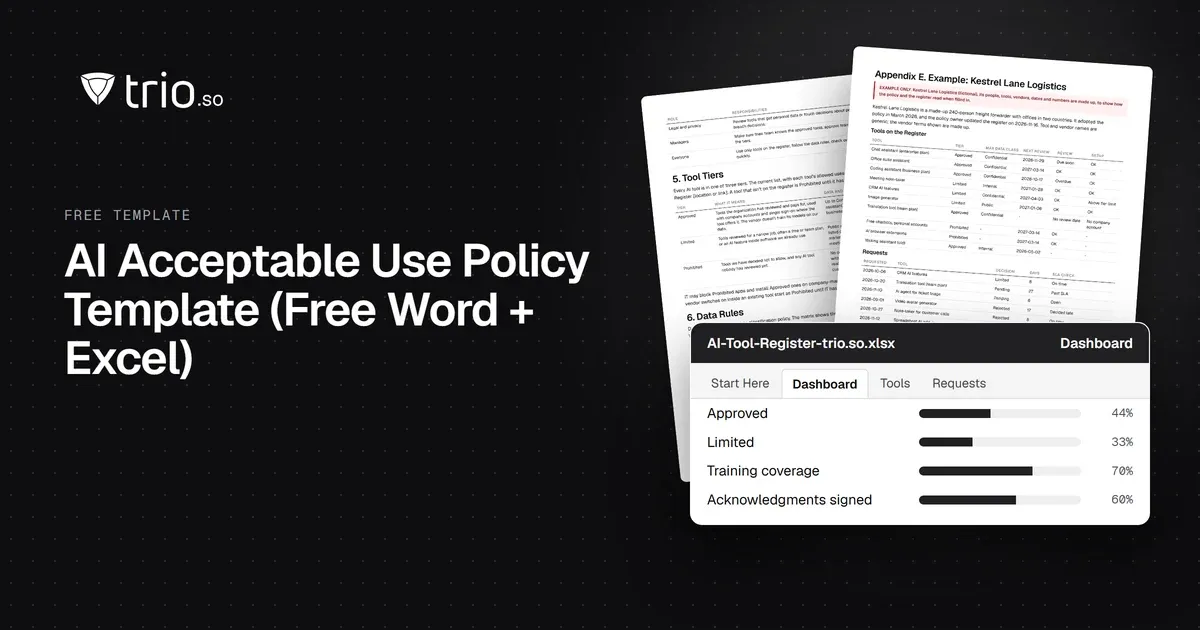
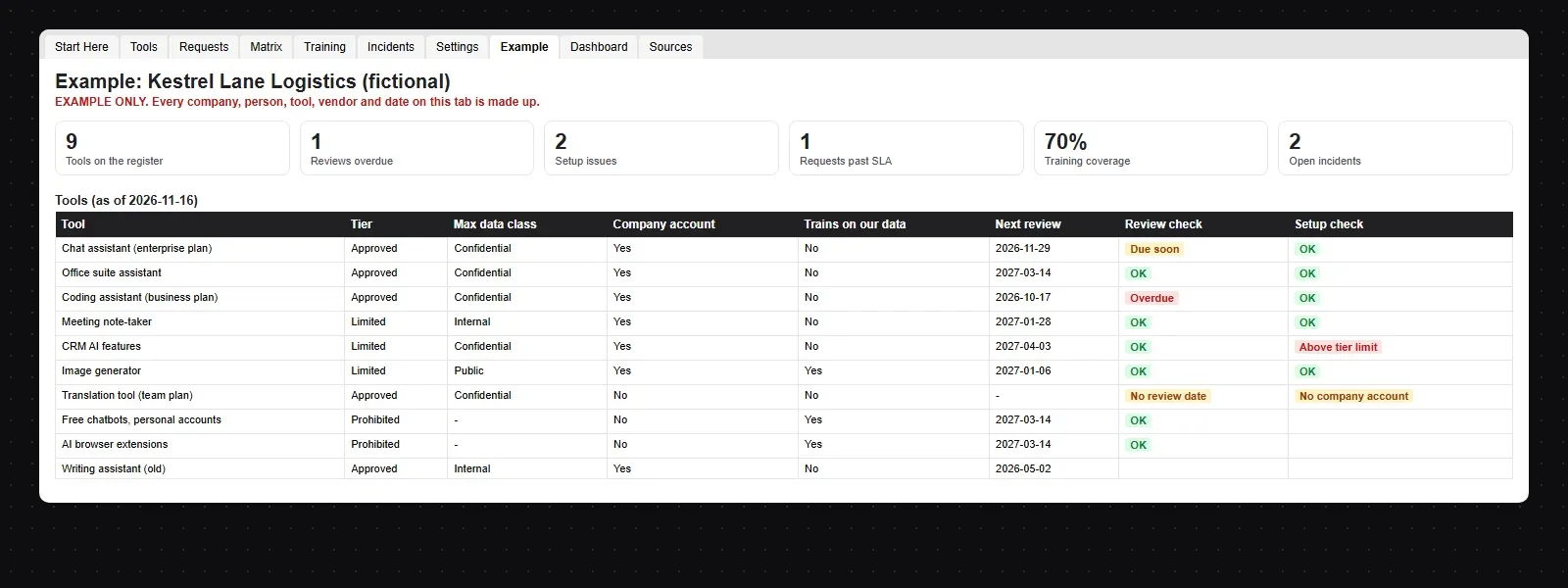
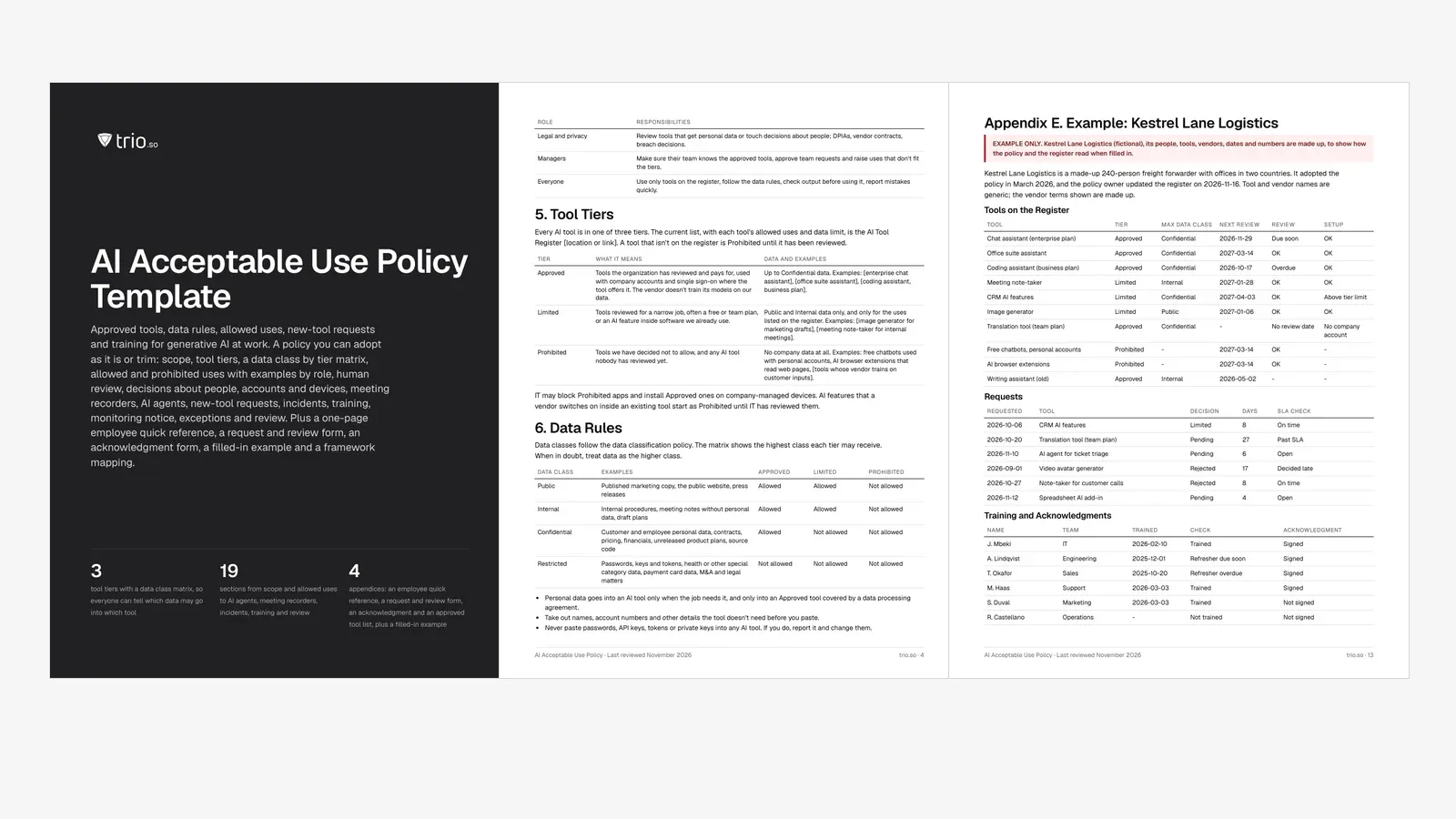
The download includes a filled-in register for Kestrel Lane Logistics, a made-up 240-person freight forwarder that adopted the policy in March 2026. On 16 November its register lists 9 active tools: 4 Approved, 3 Limited and 2 Prohibited.
| Tool | Tier | Max data class | Review | Setup |
|---|---|---|---|---|
| Chat assistant (enterprise plan) | Approved | Confidential | Due soon | OK |
| Office suite assistant | Approved | Confidential | OK | OK |
| Coding assistant (business plan) | Approved | Confidential | Overdue | OK |
| Meeting note-taker | Limited | Internal | OK | OK |
| CRM AI features | Limited | Confidential | OK | Above tier limit |
| Image generator | Limited | Public | OK | OK |
| Translation tool (team plan) | Approved | Confidential | No review date | No company account |
| Free chatbots, personal accounts | Prohibited | - | OK | - |
| AI browser extensions | Prohibited | - | OK | - |
The register raises the problems a real company would have. The coding assistant's review is a month overdue. CRM AI features are Limited but set up for Confidential data, above the tier's limit. The translation tool is listed as Approved without company accounts, and its request has waited 27 days against a 10-day SLA, so support keeps using the free version. Training covers 70% of staff and 60% have signed the acknowledgment.
The workbook keeps the parts of the policy that change:
Most of an AI policy is about people and data, and no device tool enforces it on its own. trio.so covers the device side: which AI apps are installed, which ones can be installed, and getting the approved ones onto company devices. In practice that means:
trio.so works on the device. It doesn't see prompts, chat history, browser sessions or what someone pastes into a chatbot in a web browser. Browser and network tools from other vendors, such as secure web gateways, CASB and DLP products, cover that part. It manages Windows, macOS, Linux, iOS/iPadOS and Android from one console. See app management in trio.so. Plans start at $5 per device.
14-day free trial. No credit card required.
Sources. Last reviewed November 2026. Regulation and framework references are short pointers to Regulation (EU) 2024/1689 (the EU AI Act), the GDPR, the NIST AI Risk Management Framework and its Generative AI Profile, and ISO/IEC 42001:2023. The wording is ours. trio.so is not affiliated with or endorsed by the European Commission, NIST or ISO, or by any AI vendor named here.
trio.so lists the apps installed on Windows, macOS, iOS and Android devices, so you can see which AI apps are already there, sets app allow and deny rules on company Windows PCs and deploys the approved AI apps.
trio.so brings device management, patching and security policies for Windows, macOS, Linux, iOS/iPadOS and Android into one console. Enroll a device and see it in the console within minutes.
trio.so brings device management, patching and security policies for Windows, macOS, Linux, iOS/iPadOS and Android into one console. Enroll a device and see it in the console within minutes.





Have questions? We've got answers. This section covers some of the most commonly asked questions related to this topic.
Related
The related industry news, interviews, technologies, and resources.
How IT should answer the device questions on a cyber insurance questionnaire: honest partial answers, evidence to attach, common mistakes and who signs.
Cyber insurance requirements, control by control: what insurers ask about MFA, EDR, patching and encryption, and the evidence to attach. Free checklist.
SAMA compliance checklist for the SAMA CSF: 4 domains and 32 subdomains, maturity levels 0 to 5, evidence and owners, with a free PDF and Excel tracker.
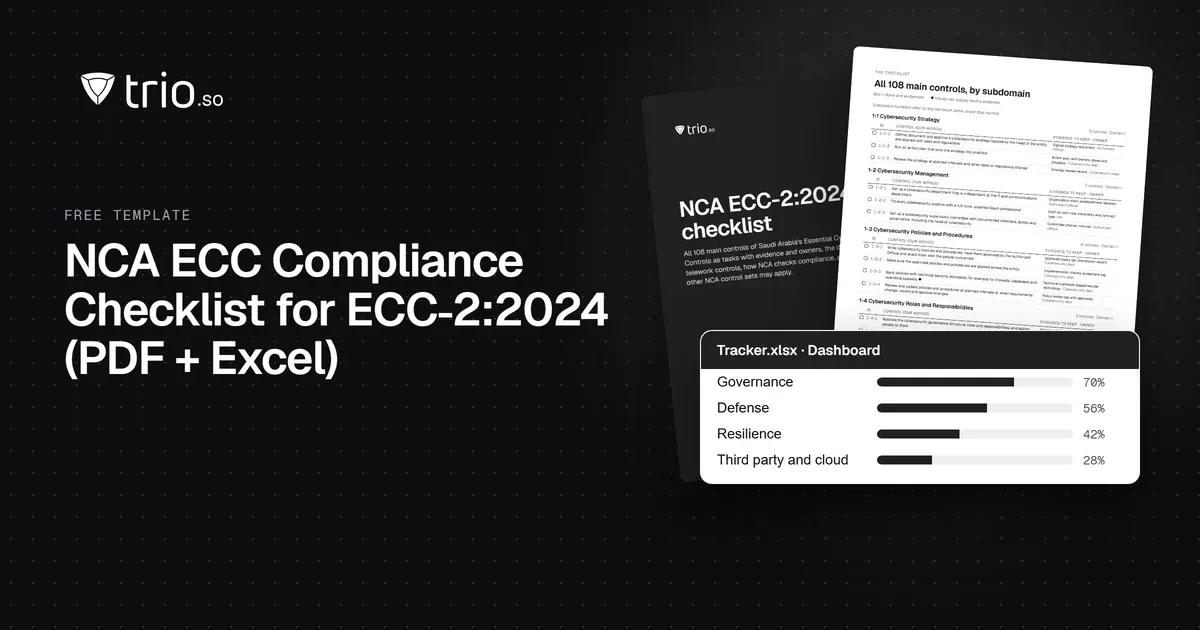
NCA ECC compliance checklist for ECC-2:2024: all 108 controls by domain, the evidence to keep and the device controls, with a free PDF and Excel tracker.
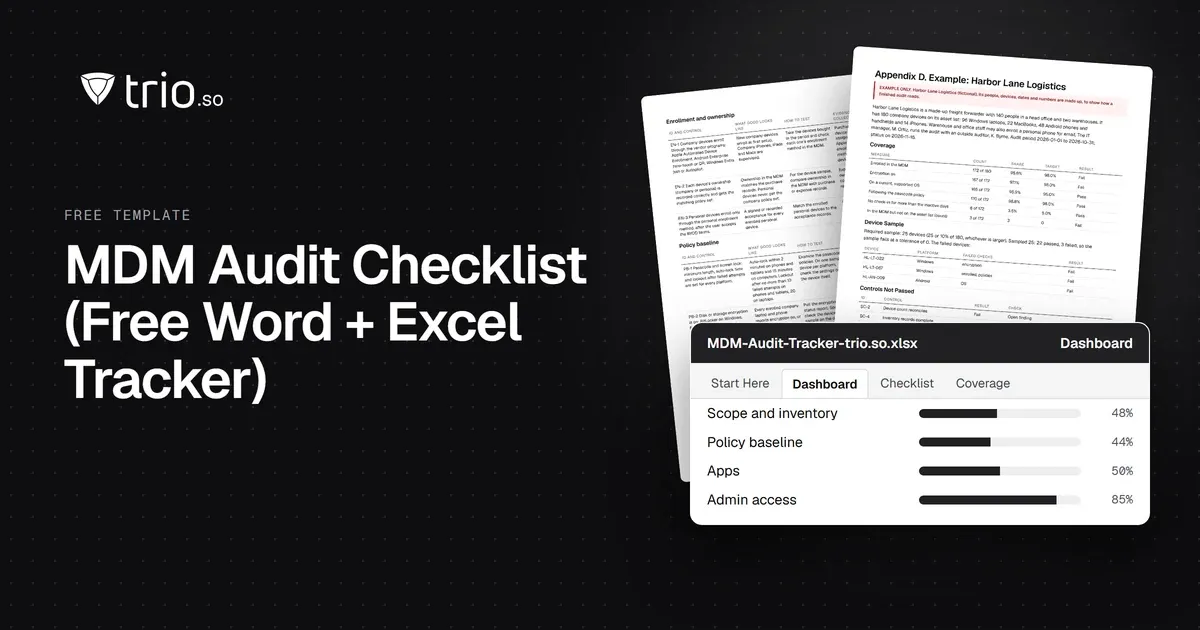
Free MDM audit checklist in Word and PDF: 36 controls with how to test each one, the evidence to collect, a device sample sheet and an Excel tracker.
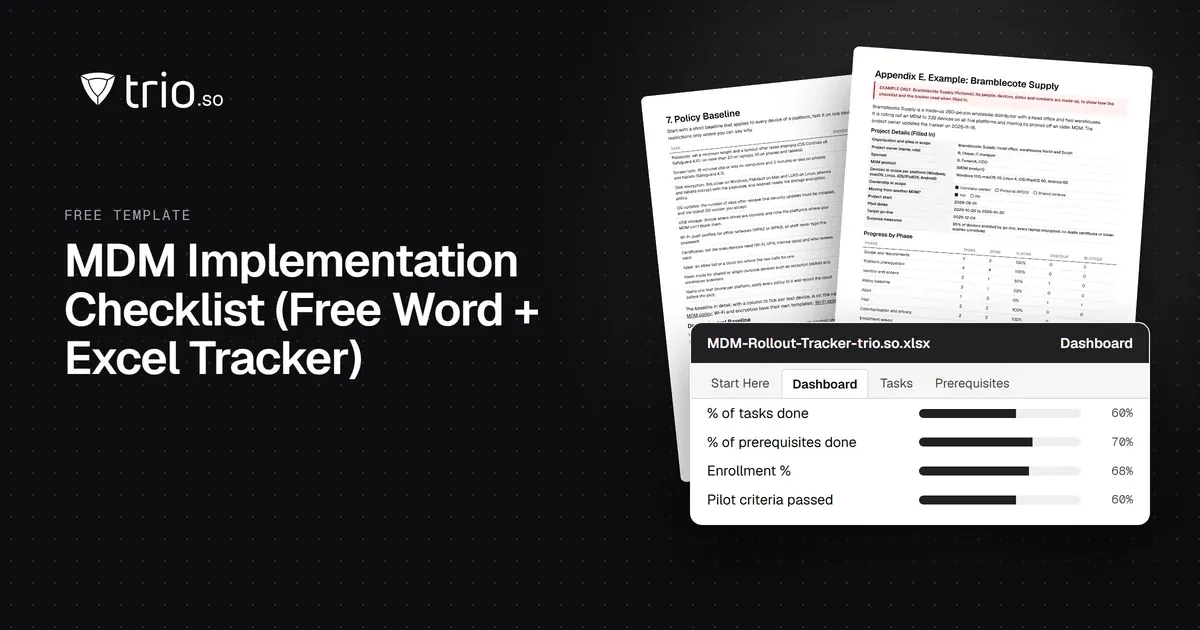
Free MDM rollout checklist in Word and PDF: requirements, APNs and platform prerequisites, a policy baseline, pilot and go-live forms, plus a tracker.
What J-SOX is, how it differs from US SOX, and a checklist of J-SOX requirements from scoping to the internal control report.
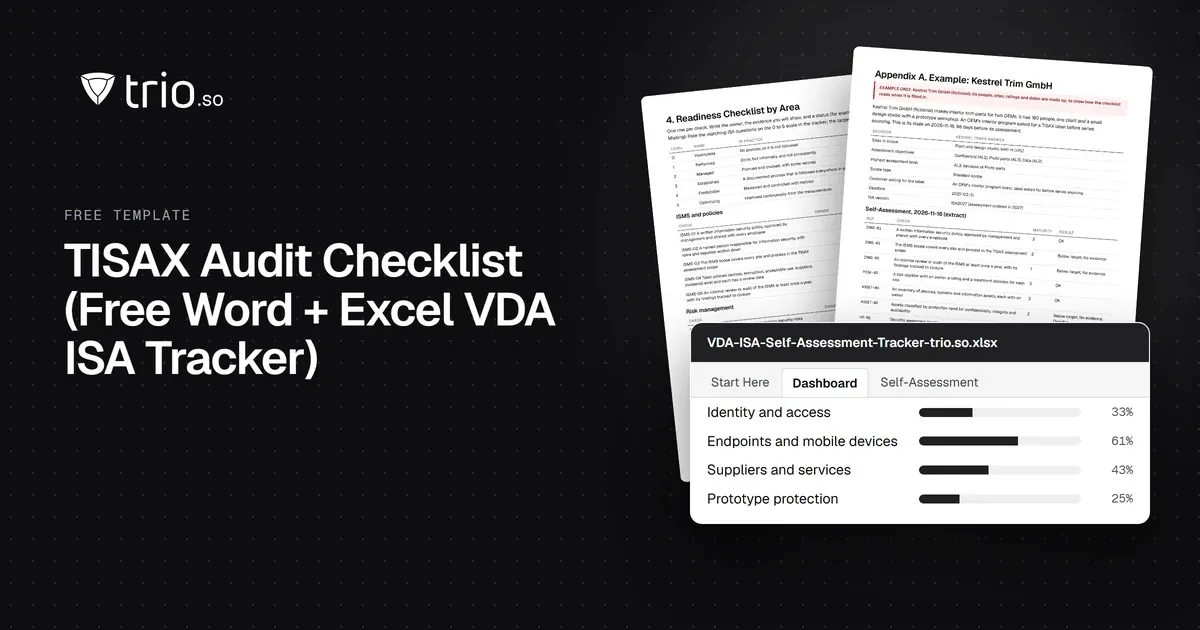
Free TISAX audit checklist in Word and PDF: assessment levels, labels, VDA ISA areas and the evidence to prepare, plus an Excel self-assessment tracker.
14-day free trial. No credit card required.
trio.so for MSPs: one console, separate clients